Perform additional actions in the new Redwood Asset Details page
You can now open related items from the Asset Information Management search results. When you select a related item, you can view a contextual dialog box with key item information. The dialog box summarizes the item’s status, unit of measure, and primary revision, and includes a View Item Details button that opens the Item Details page in a new browser tab.
This screenshot shows the new contextual information dialog box for the item.
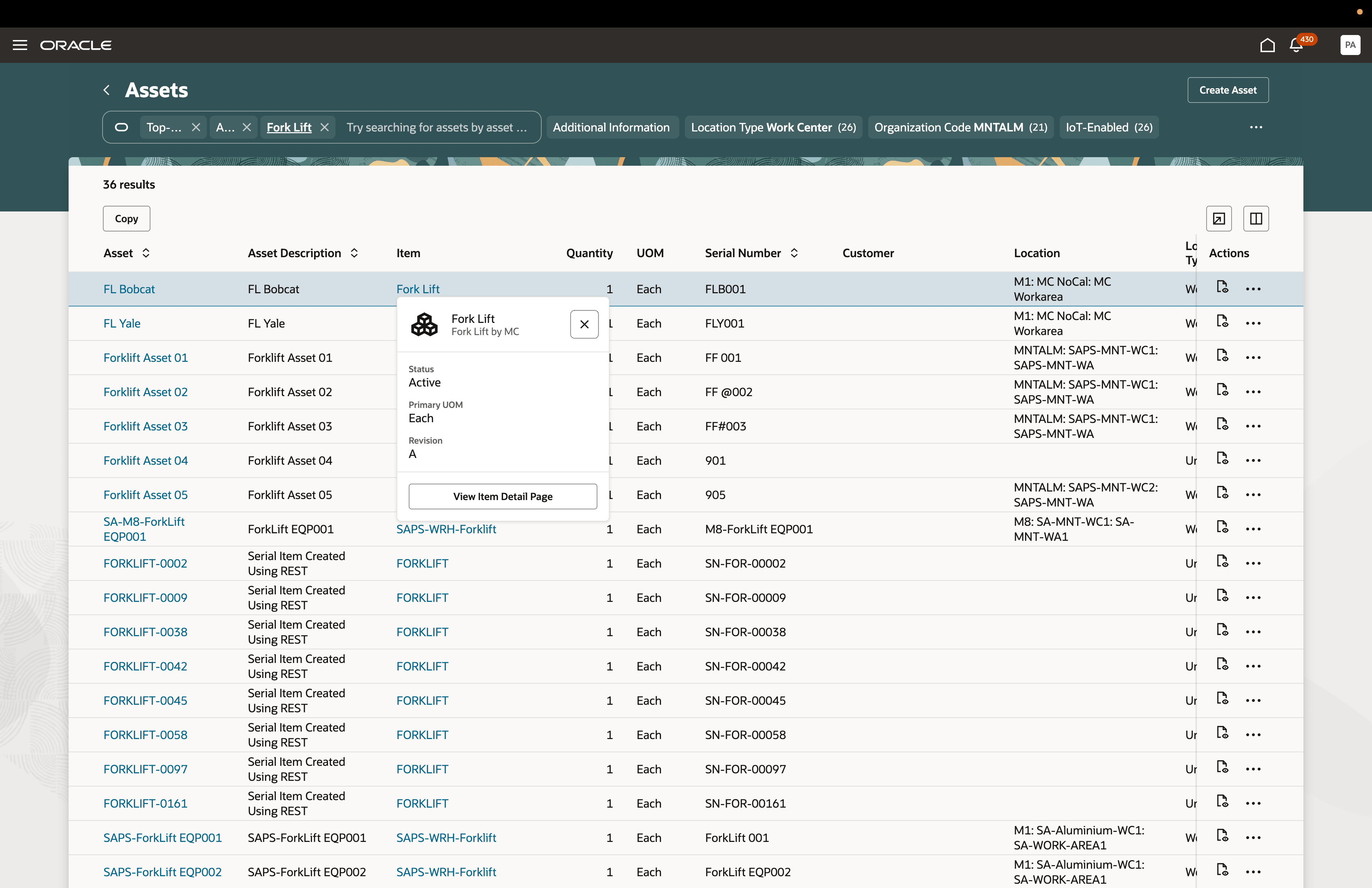
New contextual information dialog box for item in Asset Information Management
You can also access related items from the Overview and Parts List tabs of the Redwood Asset Details page. When an asset or part has an associated item, select the item link to open the View Item Details contextual dialog box.
This screenshot shows the associated item from the Redwood Asset Details page.
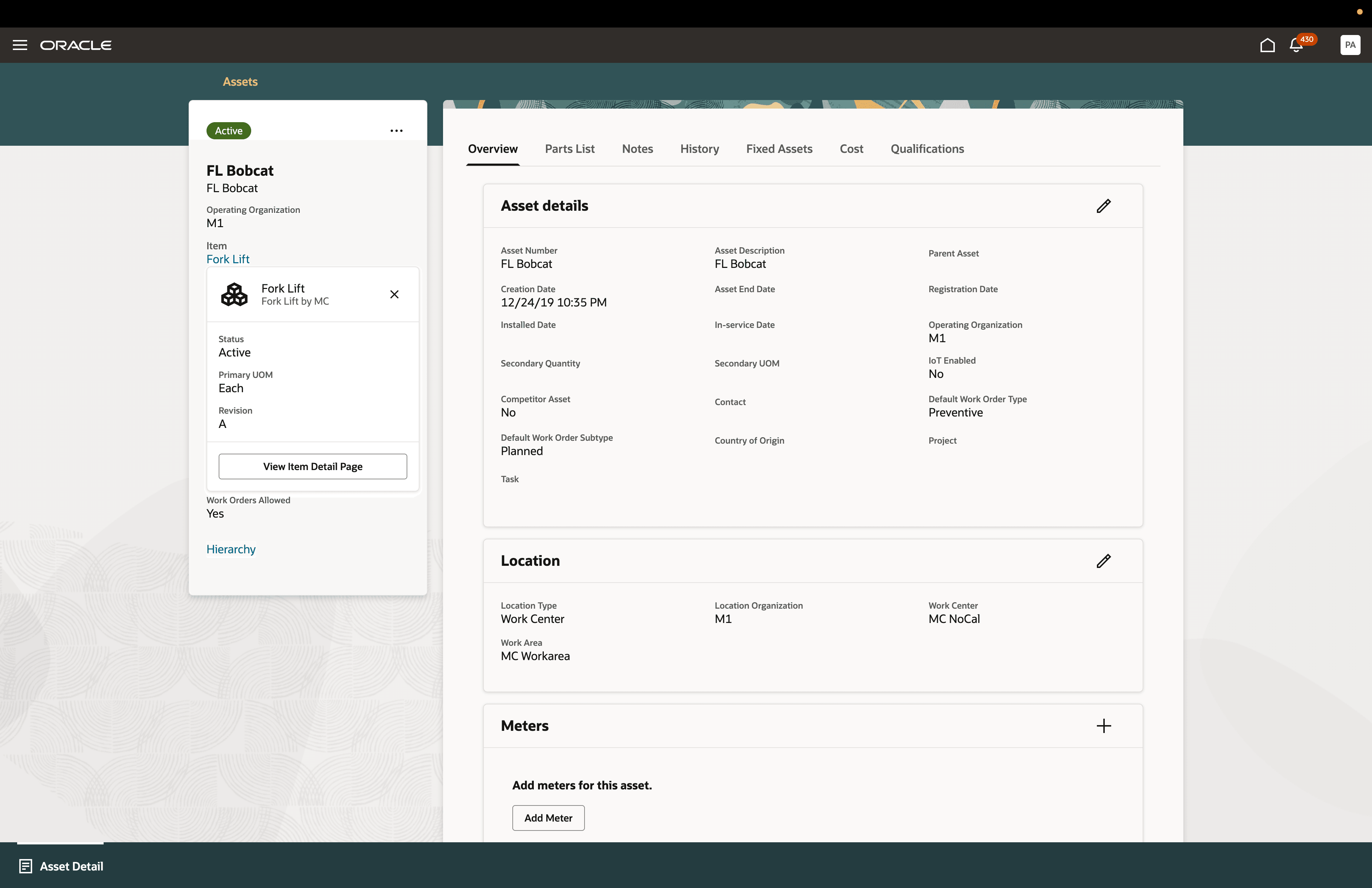
New contextual information dialog box for item in Asset Details page
This screenshot shows the associated item from the Parts List tab on the page.
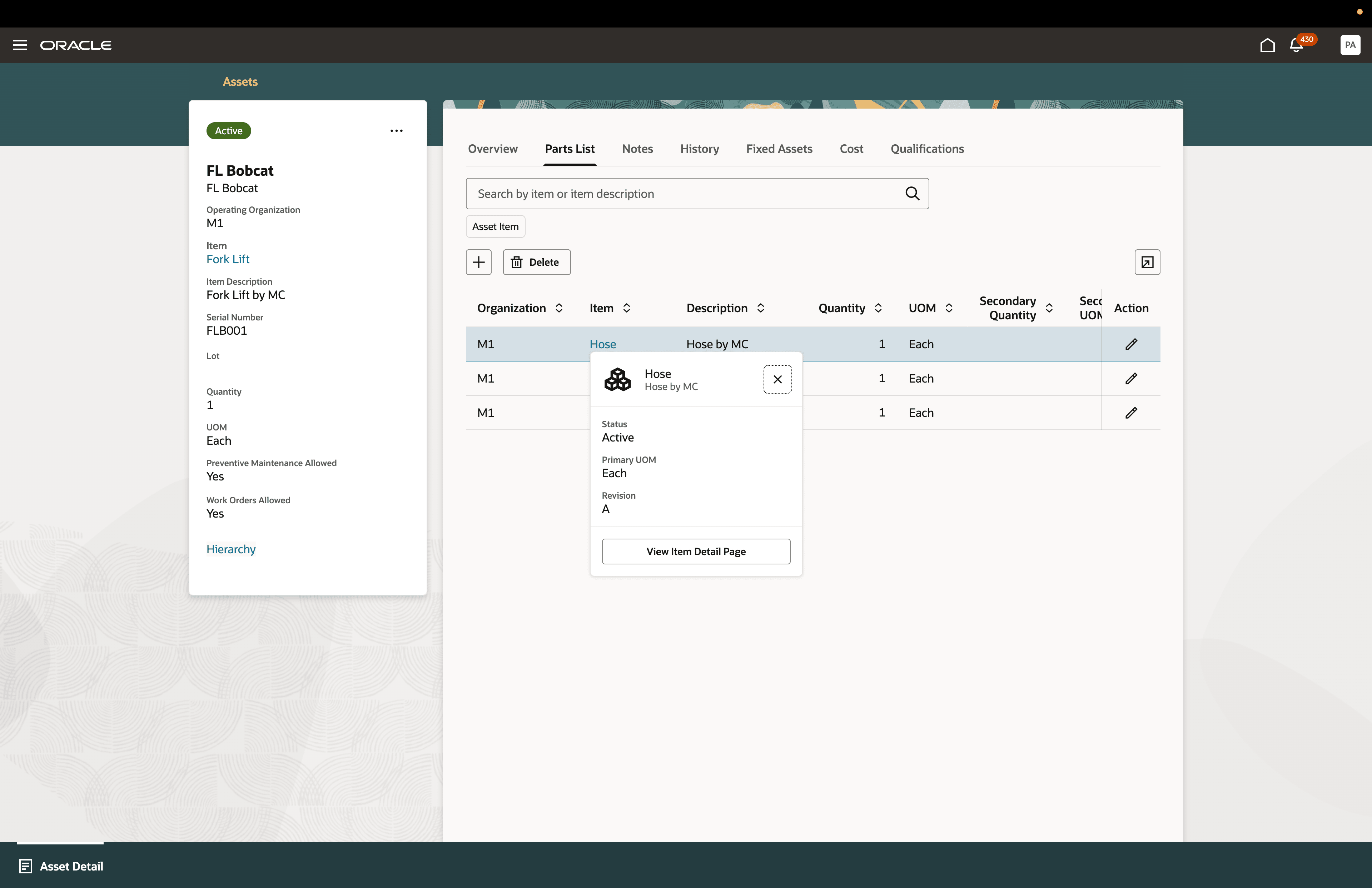
New contextual information dialog box for item in Parts List tab
From the Item Details page, you can review additional information, including specifications, structures, attachments, relationships, and associations. If an asset or part has no associated item, no item link is displayed.
This feature helps organizations improve maintenance efficiency by providing quick access to related item information directly from Redwood asset pages.
Reduce navigation time and improve productivity by enabling quick access to related item information directly from Redwood asset pages.
Steps to enable and configure
You don't need to do anything to enable this feature.
Key resources
Review 26A What's New for Redwood: View and Edit Asset Details