Display operational parameters from connected equipment during production execution
Production teams need timely visibility into whether equipment and process parameters are staying within expected specifications during production execution. With this update, operators and supervisors can view the operational parameter values recorded during production execution in real time, compare them with the defined ranges, and respond when values are out of range.
Key Capabilities
- View operational parameters collected manually or using connected equipment along with their target range, In Range or Out of Range status, timestamp, and capture mode, during production execution.
- Raise a resource, production, or miscellaneous exception directly for an Out of Range operational parameter.
- Monitor operational parameter issues from Production Supervision views for workstation-based, workstation-less, and production line execution.
The new Operational Parameters page provides operators with an on-demand view of parameter readings collected during an active execution session. The page supports workstation-based execution, including simultaneous execution and production-line workstations, workstation-less execution, and digital work instructions used to collect operational parameters.
For each operational parameter reading, operators can review the captured value against its specification and see whether it is in range or out of range. The page also shows the timestamp, capture mode, equipment instance and labor details. This helps add the context required to identify and investigate a process deviation while production is underway.
Operators are notified, whenever the page is refreshed, if any operational parameter is out of range. They can preview the parameter values without leaving the operation execution page.
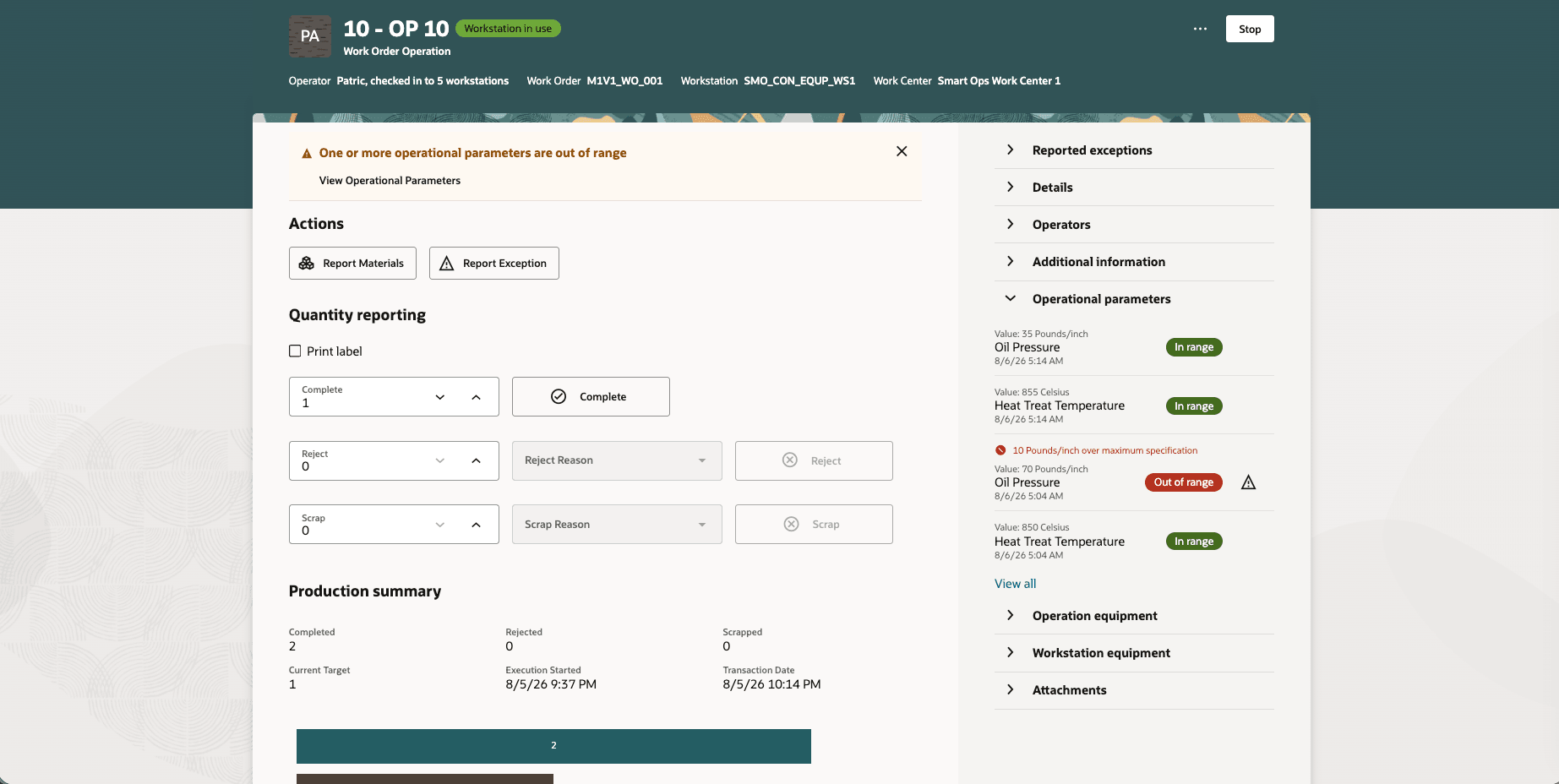
Preview operational data while executing an operation
Operators can view operational parameters collected manually during quality completion and parameters captured automatically, using connected equipment, during the execution session.
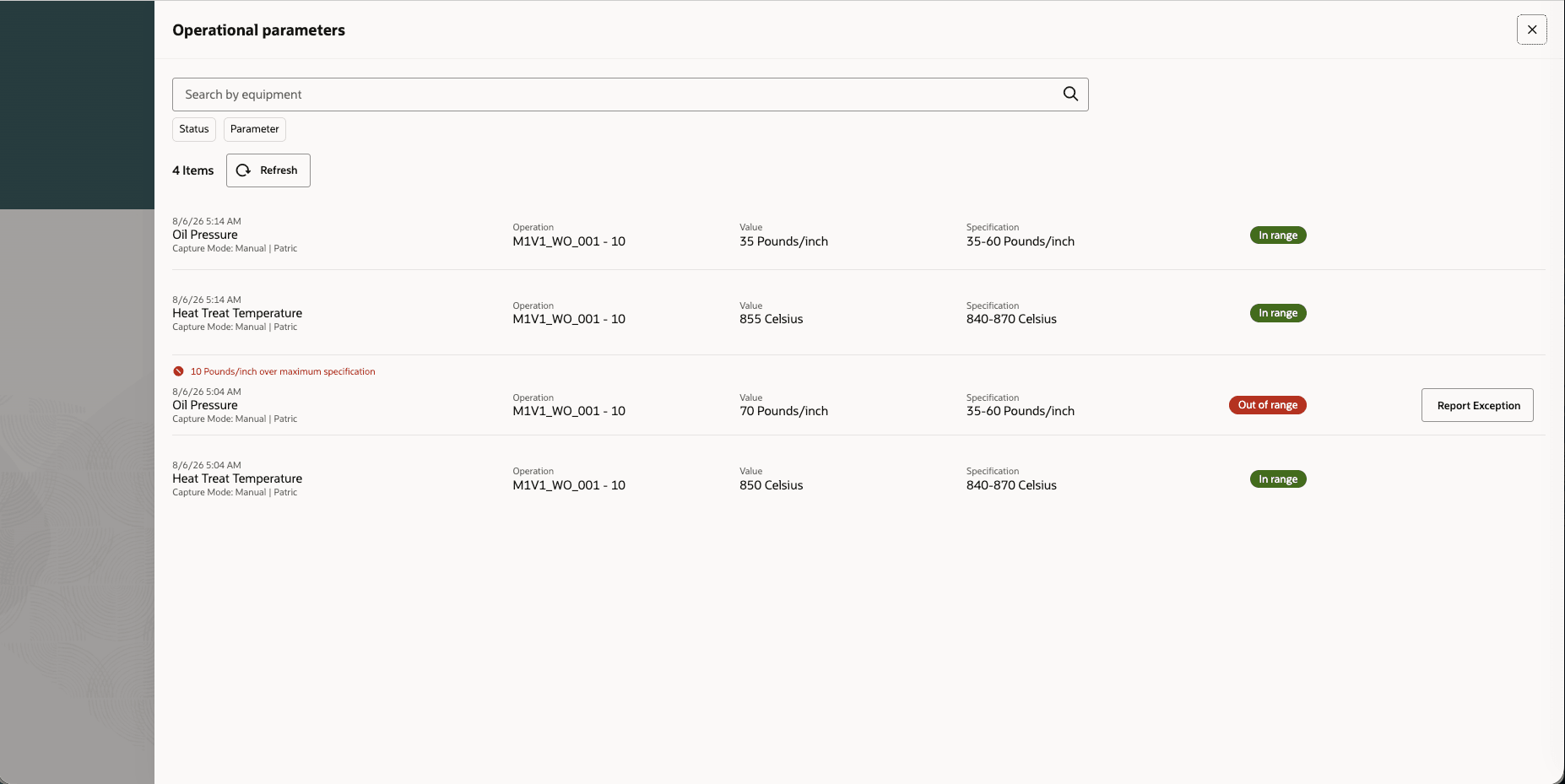
View all operational data while executing an operation
Operators can raise an exception for an Out of Range operational parameter without re-entering the related details. The exception defaults to High severity. If the equipment resource that supplied the value is defined as an operation resource, then the operator can create a resource exception; else, the operator can raise a miscellaneous exception.
The exception flow populates the applicable equipment type and instance, as well as the parameter value, specification, and range status. This helps operators take timely action to prevent additional nonconforming output, scrap, or rework.
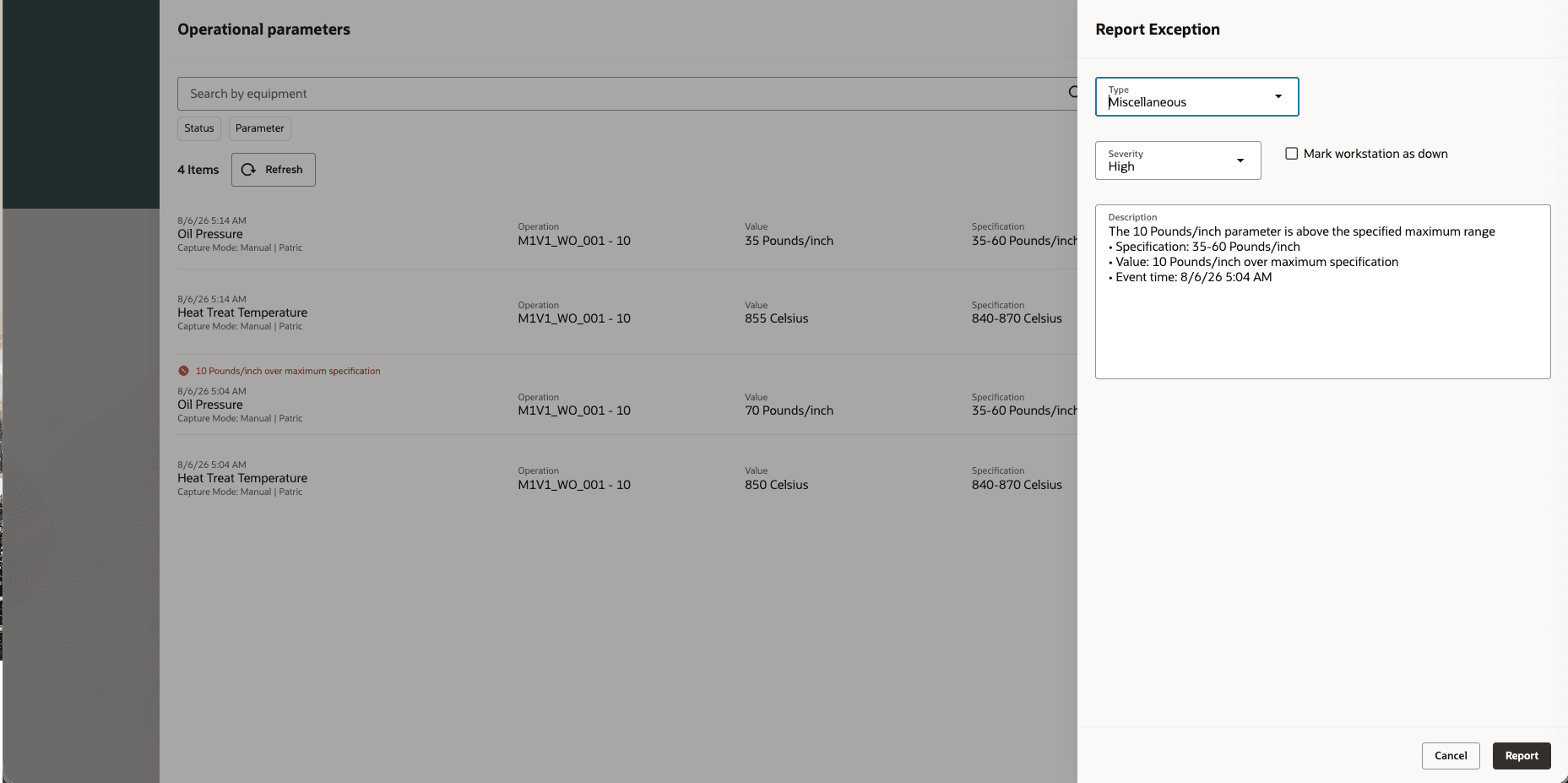
Raise an exception when the operational data value is out of range
Production supervisors can identify workstations with operational parameter exceptions in Work Center Monitoring and review parameter readings collected for work order operations that are in progress, paused, or stopped. Workstation-less monitoring similarly highlights operational parameter issues and exceptions for an operator’s active execution sessions.
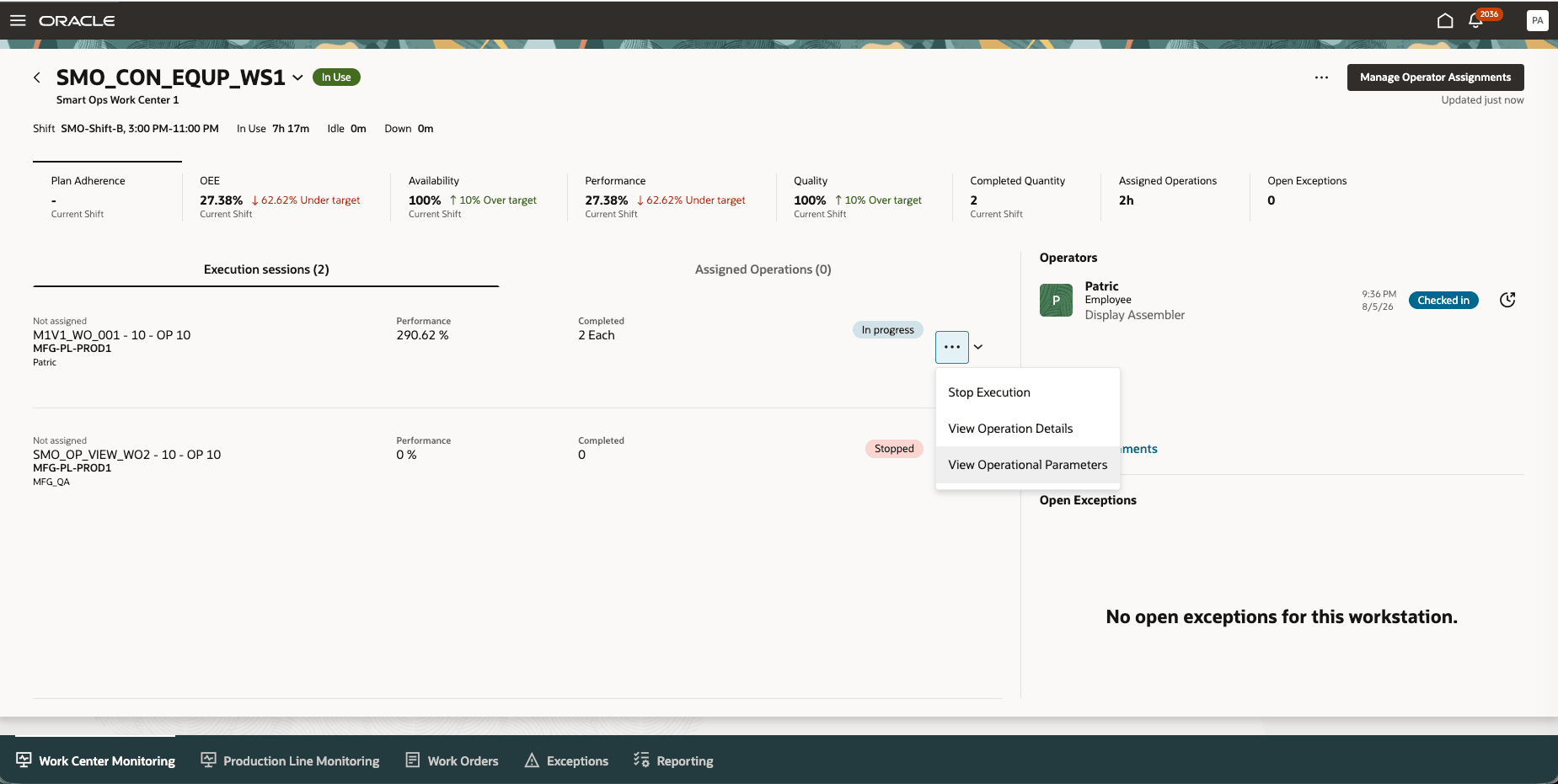
View all operational data for an execution session in Production Supervision
This update provides the following advantages:
- Detect process deviations in real time during production, before they result in additional scrap or rework.
- Help operators take timely action when equipment or process conditions move outside expected limits.
- Enable supervisors with better visibility into parameter compliance across active execution sessions.
- Improve traceability by including parameter values, specifications, capture context, and related equipment or labor information.
Here's the demo of these capabilities:
Steps to enable and configure
Use the Opt In UI to enable this feature. For instructions, refer to the Optional Uptake of New Features section of this document.
Offering: Manufacturing and Supply Chain Materials Management No Longer Optional From: Update 27B
No additional steps are required.
Tips and considerations
- This feature applies to Discrete, Process, and Flow Manufacturing execution.
- This feature supports the capture and display of multiple parameters with the same name when they originate from different equipment assets at the same workstation.
Key resources
- Watch the Display operational parameters from connected equipment during production execution demo.
- Refer to the Oracle Fusion Cloud SCM: Using Manufacturing guide, available on the Oracle Help Center.
- Refer to the Oracle Fusion Cloud SCM: Implementing Manufacturing and Supply Chain Materials Management guide, available on the Oracle Help Center.
Access requirements
If you are using custom job roles, then you need to validate that you have the previously delivered privileges listed.
| Privilege status | Privilege name and code |
|---|---|
| Previously delivered | Supervise Production WIP_SUPERVISE_PRODUCTION_PRIV |
| Previously delivered | Execute Production at a Workstation WIP_EXECUTE_WORKSTATION_PRIV |