Manage order management parameters
Use the redesigned parameters page to manage order management and pricing parameters in Oracle Order Management with the same underlying functionality as the existing classic management pages.
Get these benefits
- Use a modern, consistent setup experience for maintaining parameters that govern order management behavior, helping administrators to provide configurable processing aligned with business requirements.
- Search for a parameter by name or description, and then open the parameter to review and update its values. Parameters remain predefined. You can modify parameter values, but you can't create or delete parameters.
How it works
Here's a look at how you set parameters in the redesigned parameters page.
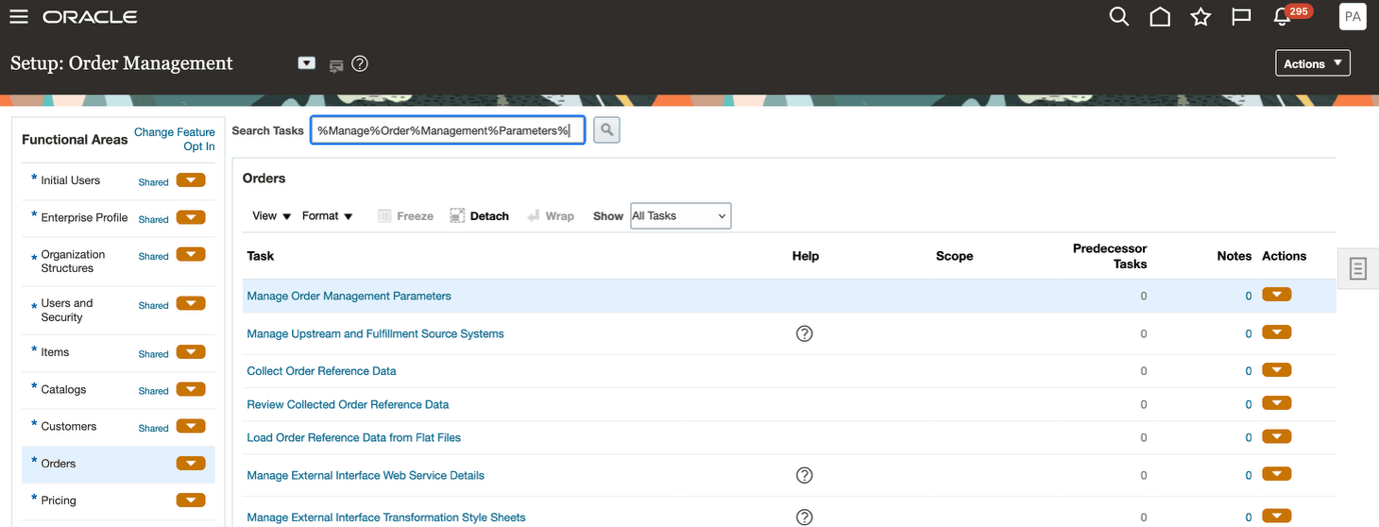
- In the Setup and Maintenance work area, open Manage Order Management Parameters.
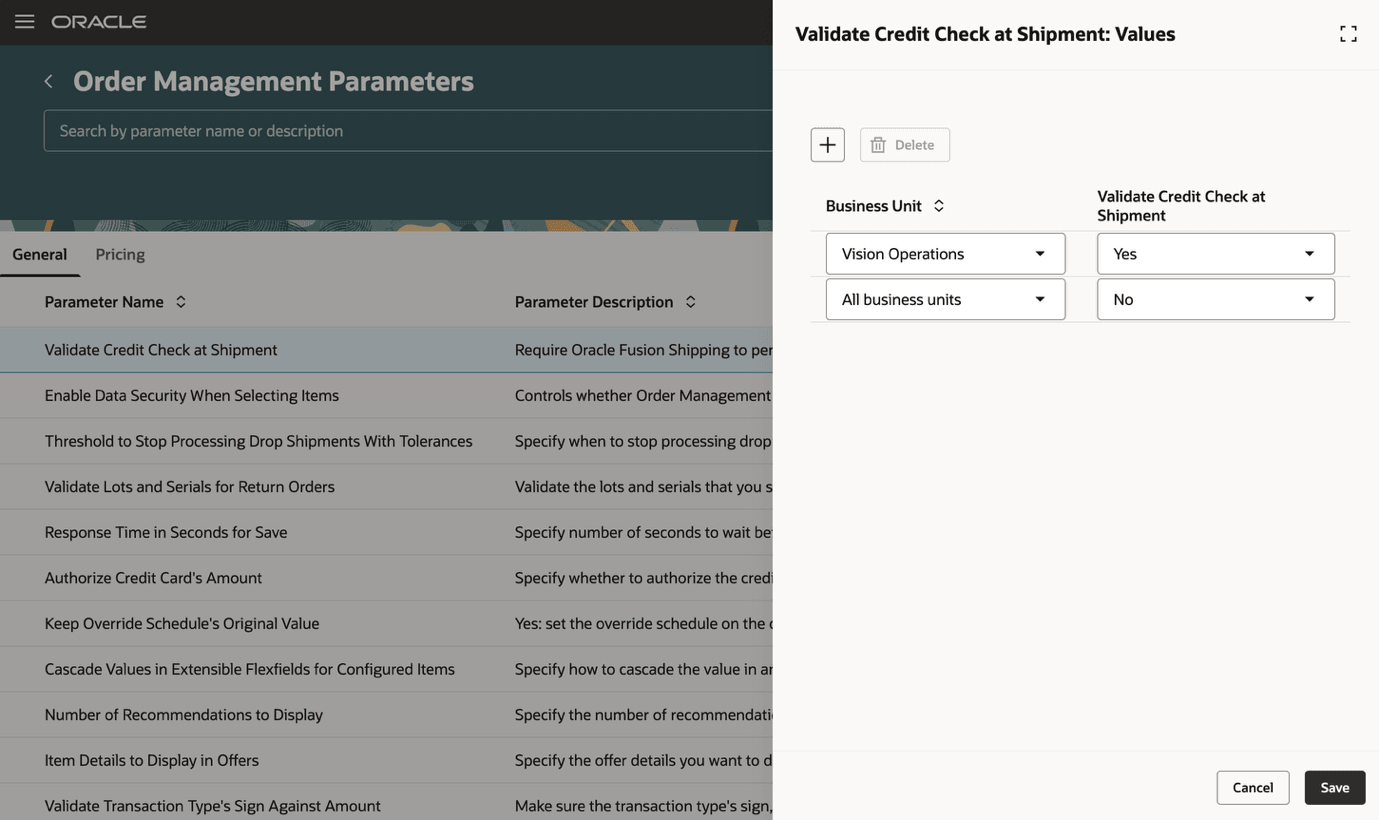
- Start on the redesigned order management parameters page and search for existing order management parameters. Select a parameter and open it.
3. When you select a parameter, it opens in a side panel to update the parameter values. Verify or change the values and save your changes.
Steps to enable and configure
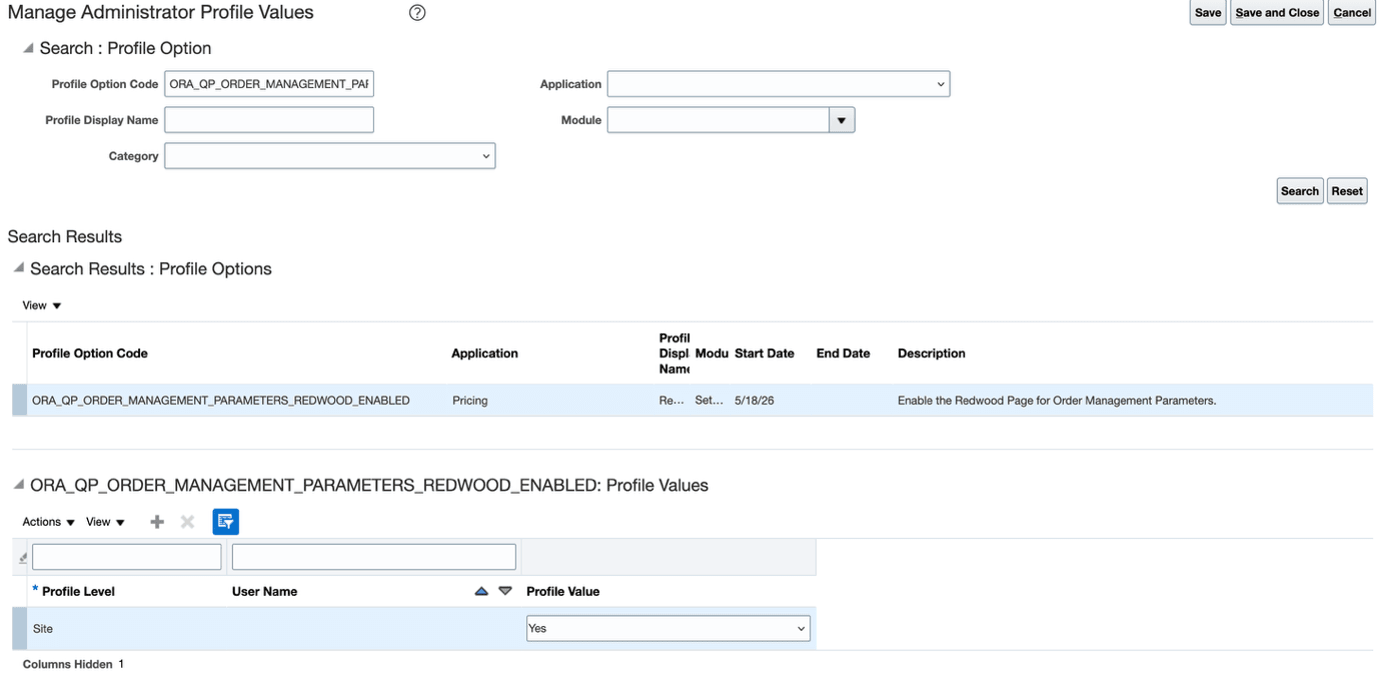
- In the Setup and Maintenance work area, search for and select the Manage Administrator Profile Values task.
- On the Manage Administrator Profile Values page, search for and select the ORA_QP_ORDER_MANAGEMENT_PARAMETERS_REDWOOD_ENABLED profile option code.
- In the Profile Values section, set the Site level to Yes or No. The default value is No.
- Yes = enables the feature
- No = disables the feature
- Select Save and Close. Changes in the profile value will remain changed for users the next time they sign in. Follow the same steps to enable or disable this feature.
Access requirements
The following are the privileges required to use the feature.
|
Privilege status |
Privilege names and codes |
|---|---|
| Existing | Manage Pricing Parameter Values QP_MANAGE_PRICING_PARAMETER_VALUES |
| Existing | View Pricing Parameter Values QP_VIEW_PRICING_PARAMETER_VALUES |