Use electronic signatures and electronic records when activating quality inspection characteristics
Regulatory companies need a controlled process to approve and review quality inspection characteristics before they can be used in inspection plan specifications. With this feature, you can use electronic signatures and electronic records to govern the activation process for new and changed inspection characteristics. Enable the Quality Inspection Characteristic Activation electronic signatures and electronic records transaction.
When the transaction is enabled, new inspection characteristics are created with an Inactive status and can be submitted for activation from the Redwood Create or Edit page. The Pending Approval status identifies characteristics awaiting electronic signature approval and prevents changes while approval is pending.
On the Redwood Inspection Characteristics page, you can search for inspection characteristics by Active, Inactive, or Pending Approval status. You can inactivate one or more active inspection characteristics at a time from the search page. However, each inspection characteristic must be submitted and approved individually for activation from the Redwood Create or Edit page.
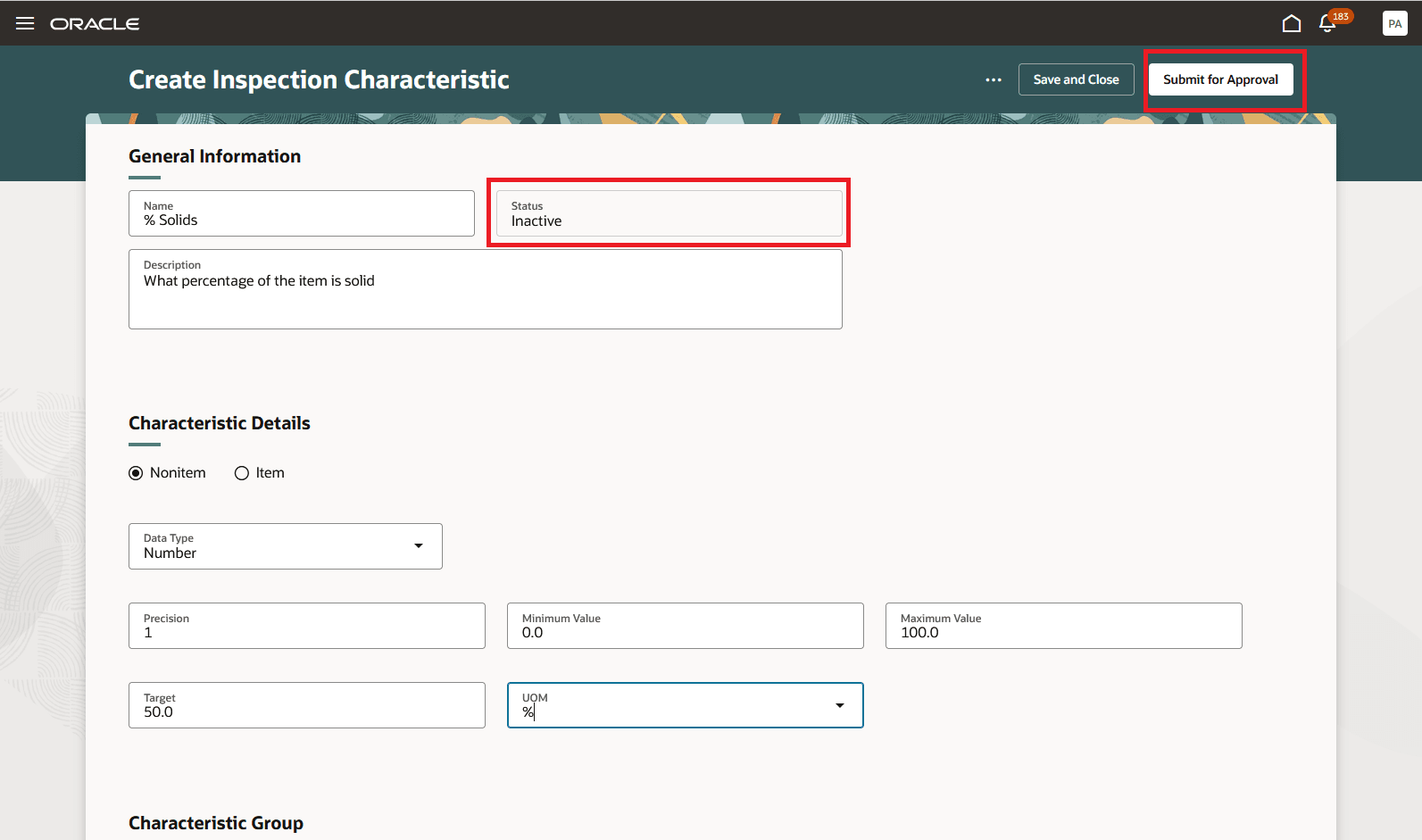
Submit Inspection Characteristic for Activation
Inspection characteristic approval achieves several benefits:
- Maintains an auditable approval process for creating and updating inspection characteristics
- Reduces the risk of unintended changes to approved quality inspection plans
- Provides clear visibility of inspection characteristic activation status on the Redwood search page
Here's the demo of these capabilities:
Steps to enable and configure
- Enable the Quality Inspection Characteristic Activation electronic signatures and electronic records transaction. Enable the transaction for all organizations as the inspection characteristics are global and not organization-specific.
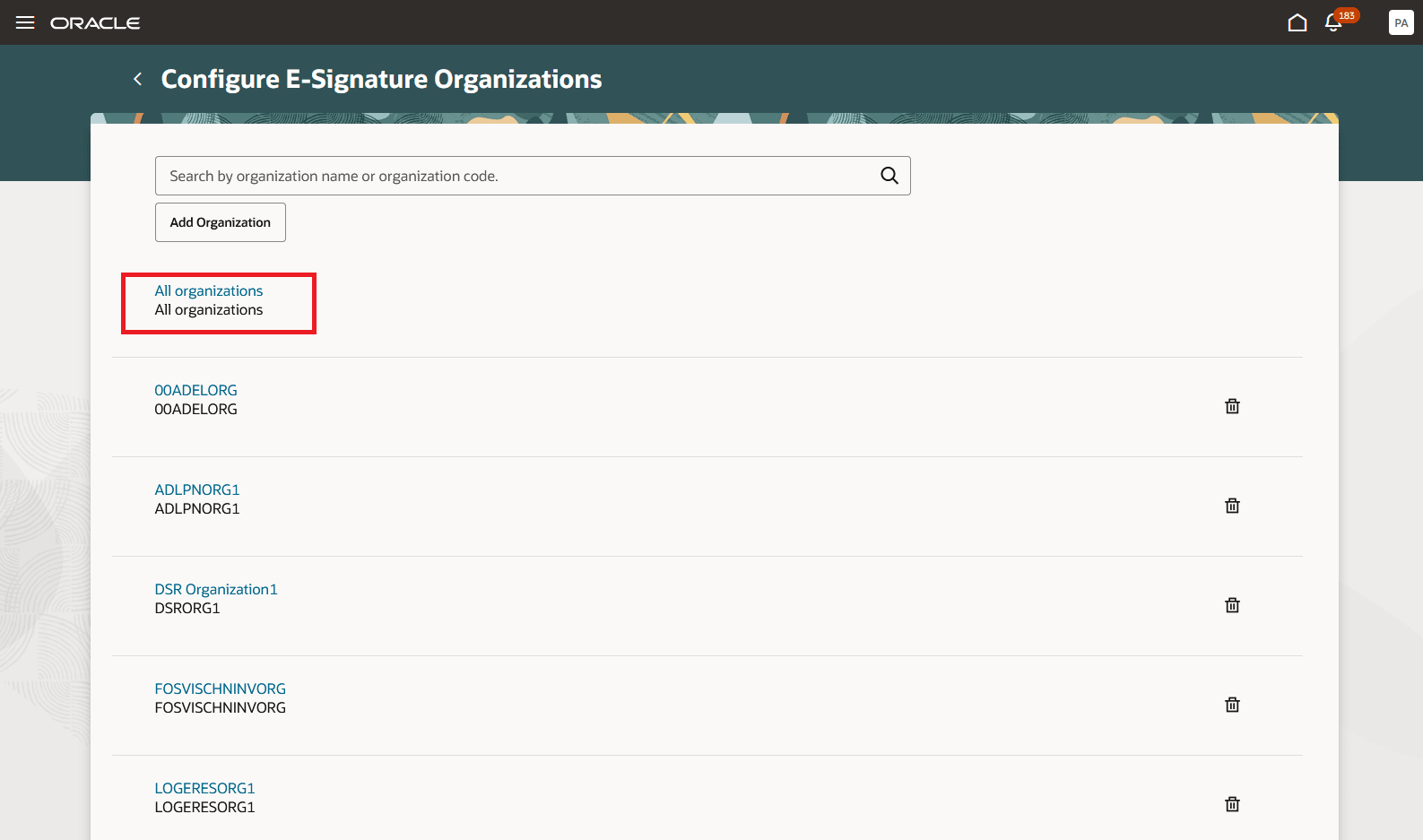
Enable Transaction for All Organizations
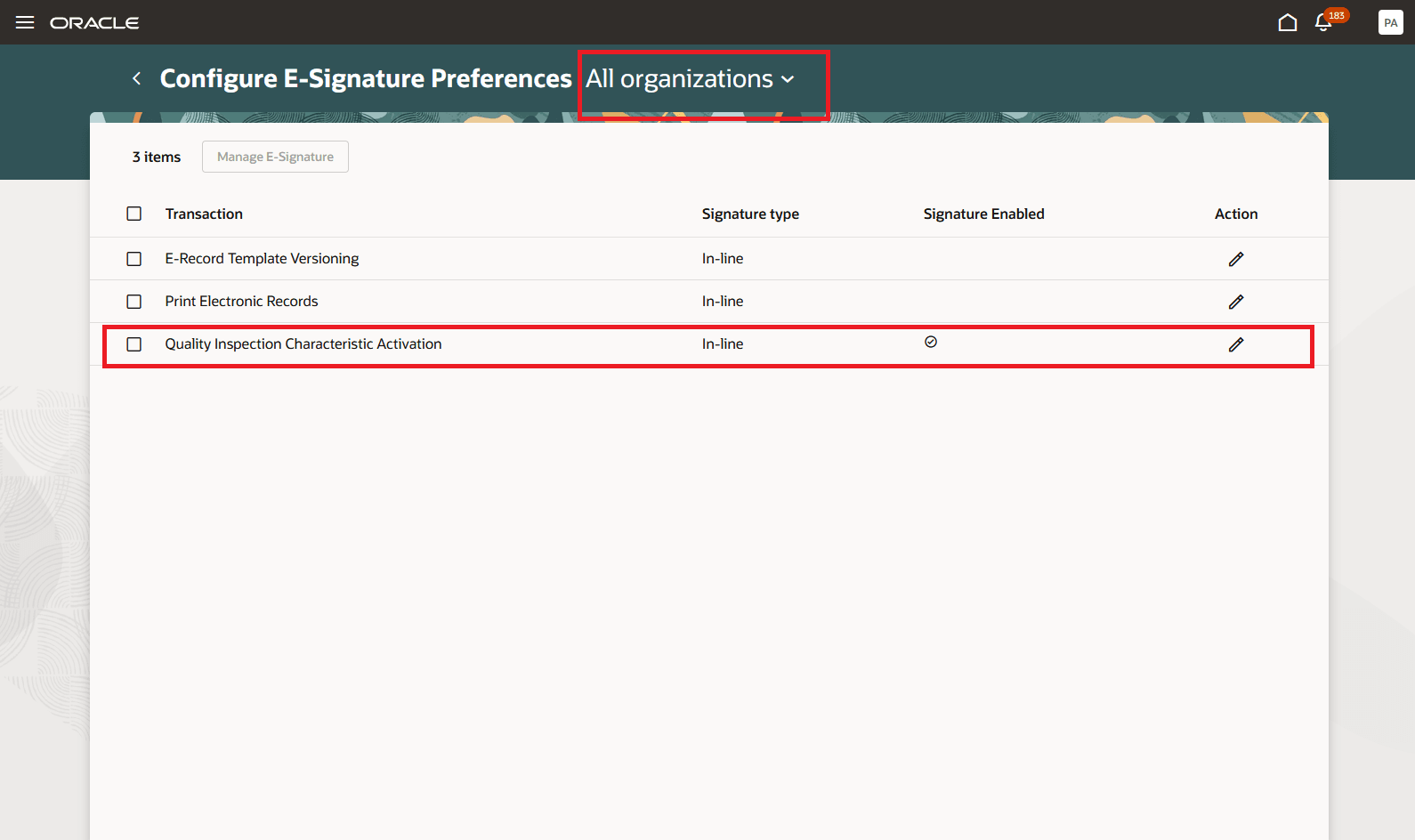
Enable the Quality Inspection Characteristic Activation Transaction
2. Create or edit an Inactive inspection characteristic in the Redwood user interface, then select Save and Submit for Activation.
3. Complete the approval in the panel drawer.
4. After approval, use the Active characteristic in inspection plan specifications. If the approval isn't approved, the characteristic remains Inactive.
Tips and considerations
- This feature is supported only in the Redwood user experience. Enable the Redwood Inspection Characteristics profile option to use this feature.
- Only inline electronic signatures are supported.
- Activation approval doesn't apply to inspection characteristics that are generated as part of an inspection plan specifications using the AI agent.
- When electronic signatures and electronic records are enabled, you can't modify an Active inspection characteristic. If you make applicable changes to an Active inspection characteristic before it's used in an inspection plan, its status is automatically changed to Inactive, and you must submit it for activation again.
- When the transaction is enabled, copied inspection characteristics are created with an Inactive status.
Key resources
- Oracle Fusion Cloud SCM: Implementing Manufacturing and Supply Chain Materials Management guide, available on the Oracle Help Center.
- Oracle Fusion Cloud SCM: Security Reference for Manufacturing and Supply Chain Materials Management guide, available on the Oracle Help Center.
- Oracle Fusion Cloud SCM: Using Quality Management, available on the Oracle Help Center.
- Refer to Using E-Signatures and E-Records.
- Refer to Implementing E-Signatures and E-Records.
Access requirements
Users who are assigned a configured job role that contains these privileges and codes can access this feature:
| Privilege status | Privilege name and code |
|---|---|
| Existing |
Manage Inspection Characteristics QA_EDIT_CHARACTERISTICS |
| Existing |
View Inspection Characteristics QA_VIEW_CHARACTERISTICS |
| Existing |
Electronic Signatures EDR_ADD_ESIGNATURES_TRANSACTIONS_PRIV |
| Existing |
View Electronic Records and Signatures EDR_VIEW_RECORDS_ESIGNATURES_PRIV |