Quality Assurance Workspace
Manufacturers need to detect process variation early, before inspection trends become quality failures. With the Quality Assurance Workspace, quality teams can analyze recent inspection results, identify at-risk characteristics, review Statistical Process Control (SPC) charts, interpret statistical signals, and take follow-up action from a single guided workspace.
Highlights:
- Monitor recent work-in-process inspection results and identify characteristics with failures or elevated quality risk
- Review inspection event details with characteristics, sample results, specification limits, target values, pass/fail status, work center, and work area
- Analyze selected characteristics using SPC charts such as I-MR charts, including mean, control limits, moving range, specification limits, and sample/event counts
- View rule-based SPC signals, such as Nelson Rule violations, with severity, affected samples, and interpreted signal details
- Generate AI-assisted root cause insights, recommended actions, downloadable SPC reports, email communications to stakeholders
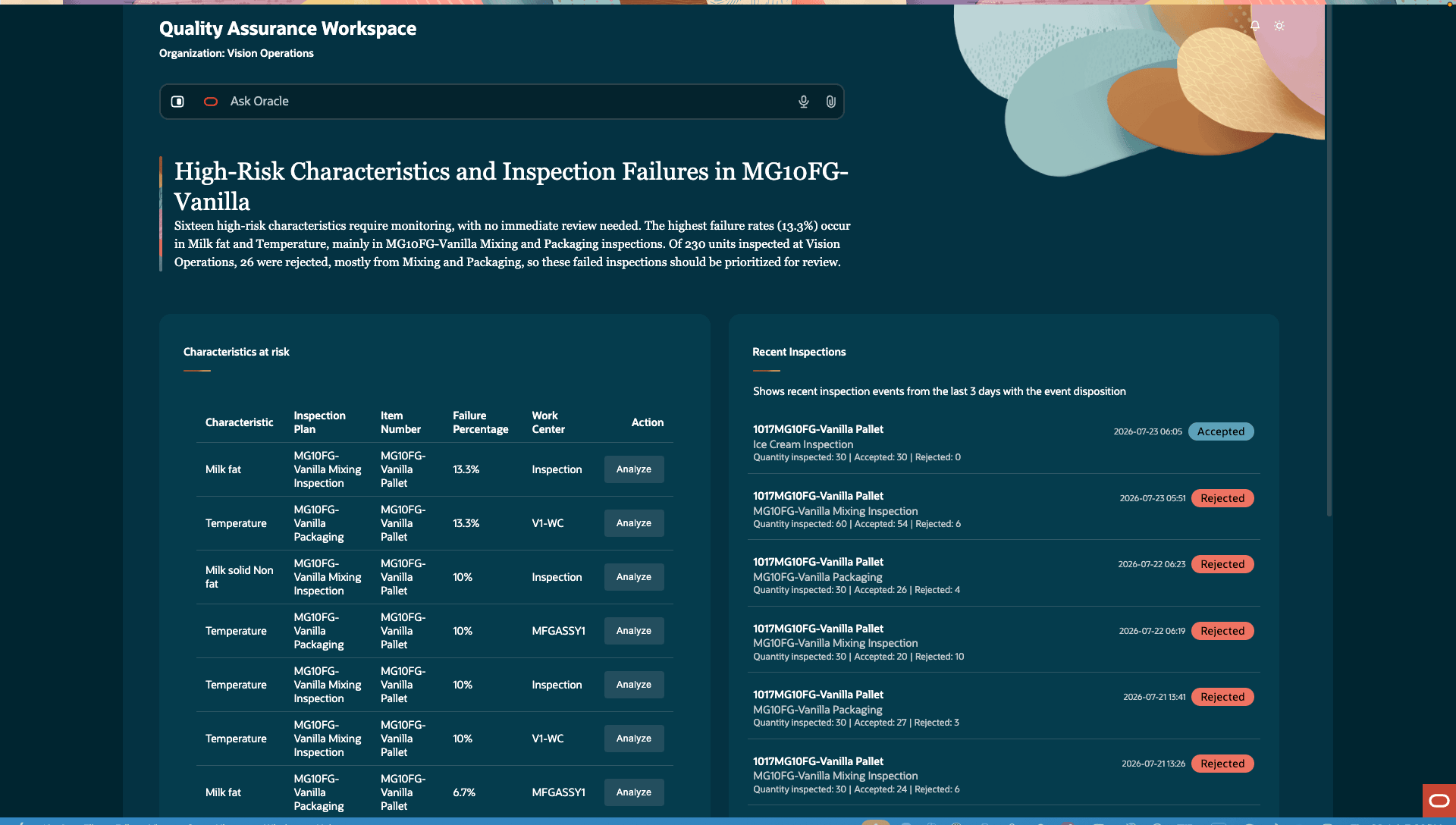
Inspection Failures and Characteristics with Elevated Risk
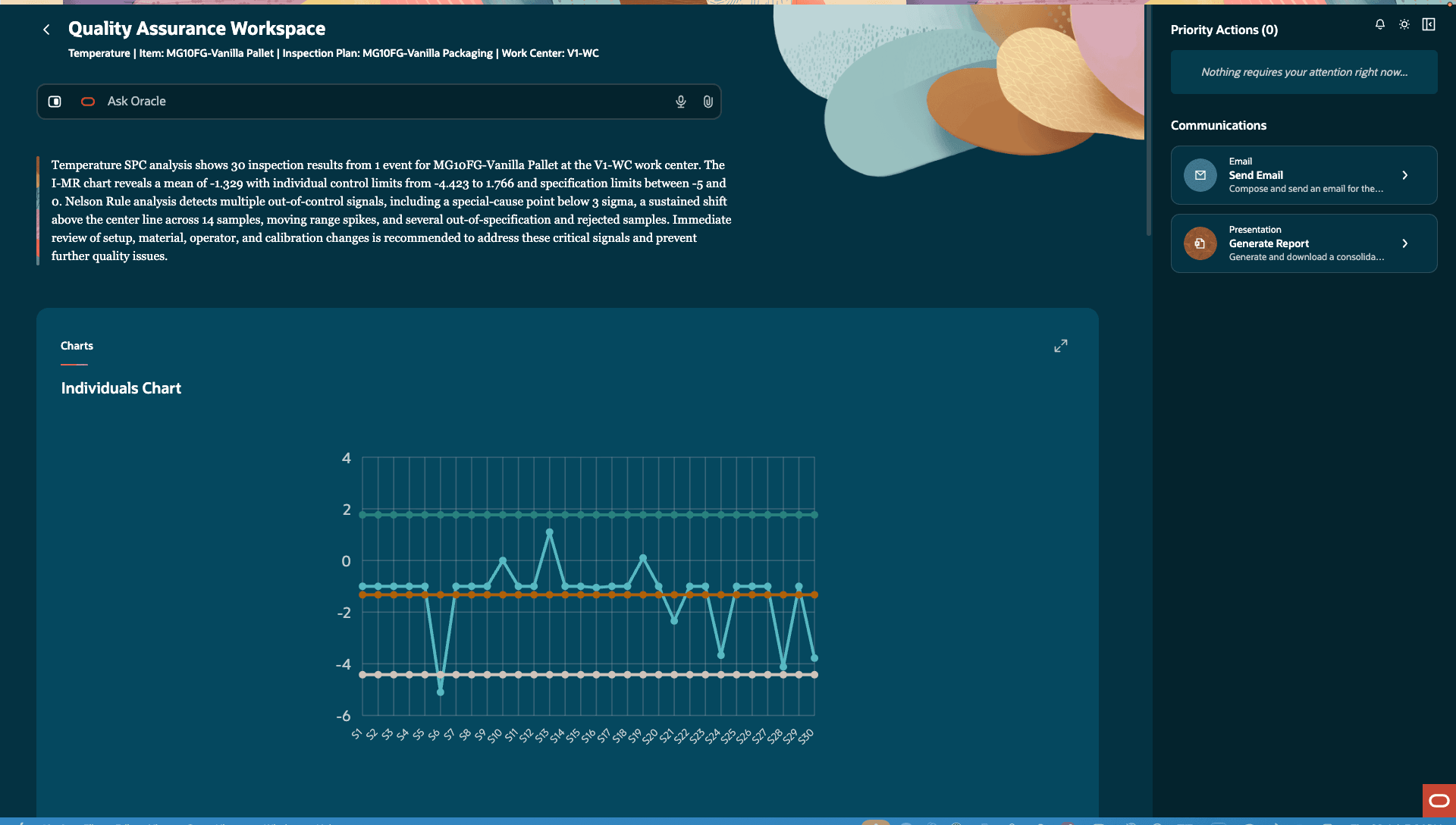
SPC Chart and Summary
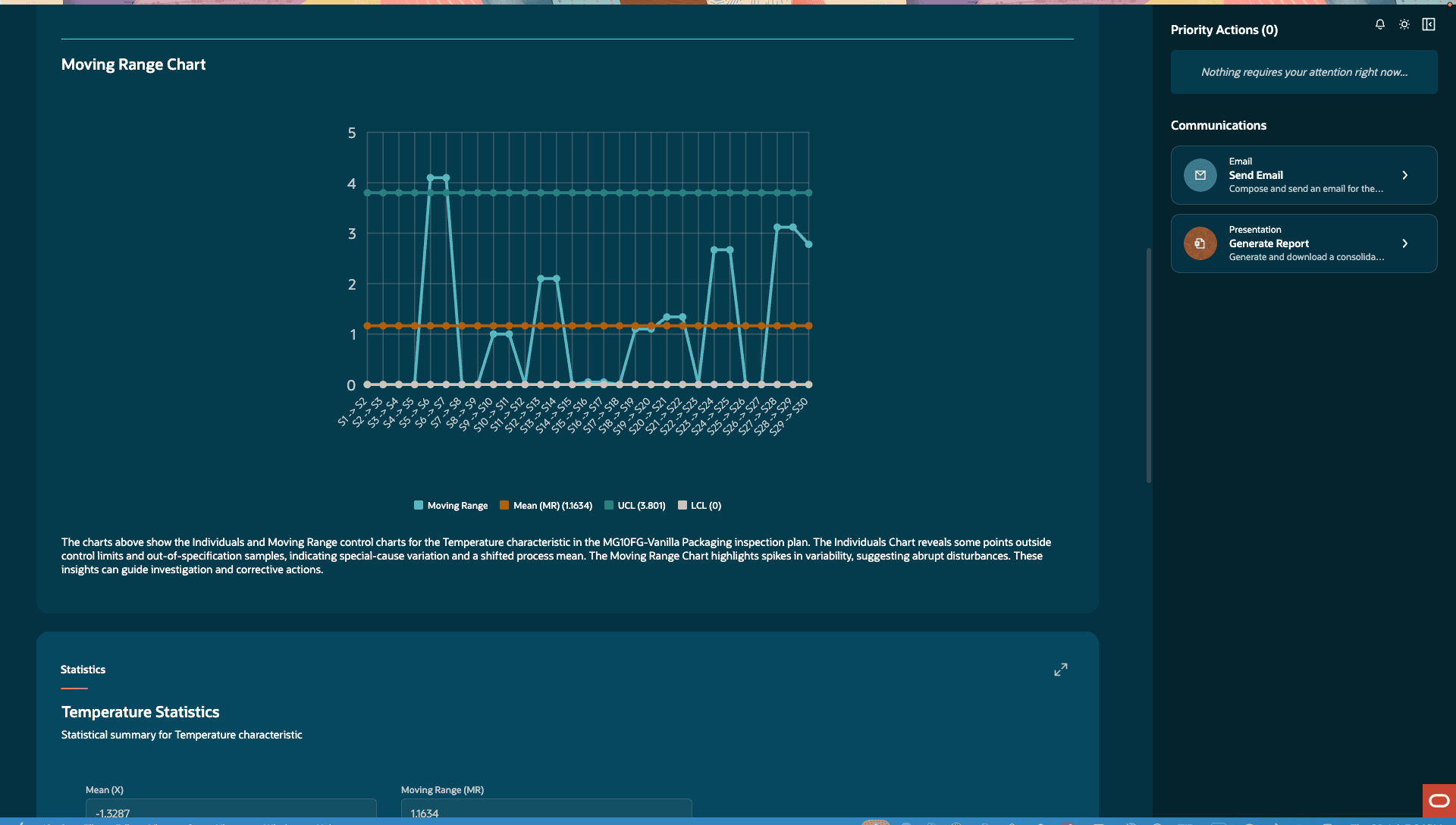
Moving Range Chart
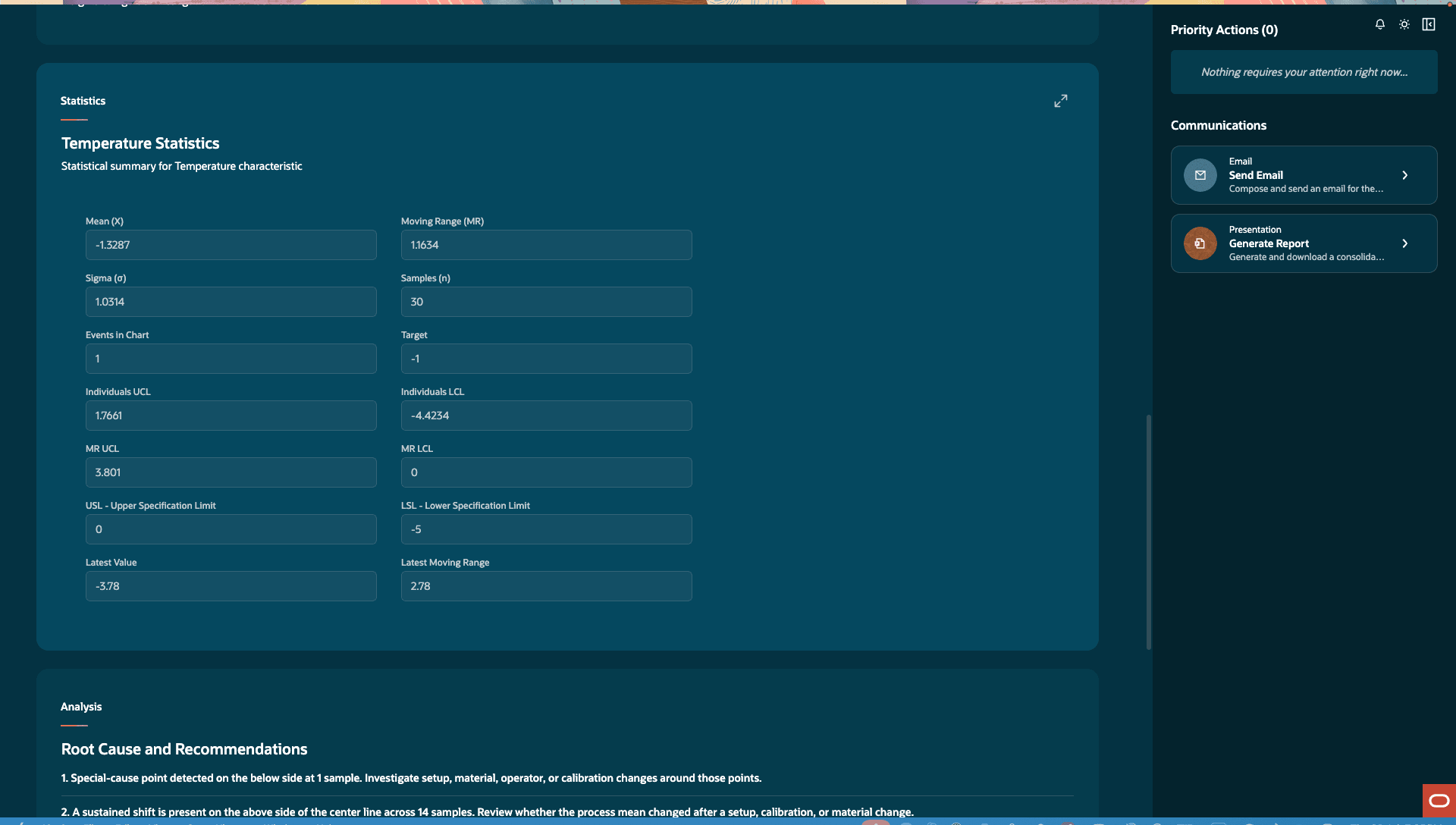
Statistical Summary and Analysis
The Quality Assurance Workspace feature provides the following benefits:
- Detect process shifts and special-cause variation earlier, reducing scrap, rework, and late-stage quality failures
- Help quality teams prioritize which characteristics, lots, events, work centers, or items need investigation
- Improve decision-making by combining inspection results, SPC statistics, rule violations, and recommended actions in one workspace
- Speed up quality follow-up by turning SPC analysis into reports, stakeholder communications, and formal quality actions
Here's the demo of these capabilities:
Steps to enable and configure
You don't need to do anything to enable this feature.
Tips and considerations
SPC analysis is intended for inspection characteristics with enough data points to support meaningful charting; at least 25 data points for useful analysis.
Access requirements
Users who are assigned a configured job role that contains these privileges and codes can access this feature:
| Privilege status | Privilege name and code |
|---|---|
| Existing |
Manage Inspection Results QA_EDIT_INSPECTION_RESULTS |
| Existing |
View Inspection Results QA_VIEW__INSPECTION_RESULTS |
| Existing |
Create Change Order EGO_CREATE_CHANGE_ORDER |
| Existing |
View Problem Report ACA_VIEW_PROBLEM_REPORTS |