Set up Sourcing
You can now view and configure these Sourcing setup pages using a new user experience.
- Cost Factors
- Cost Factor Lists
- Sourcing Notifications
- Procurement Category Hierarchy used in Sourcing Approvals
Manage cost factors
Cost factors are individual cost components, such as freight, packaging, or insurance, used to evaluate the total cost of supplier responses. Administrators can define each factor and configure its type and pricing basis for use in negotiations.
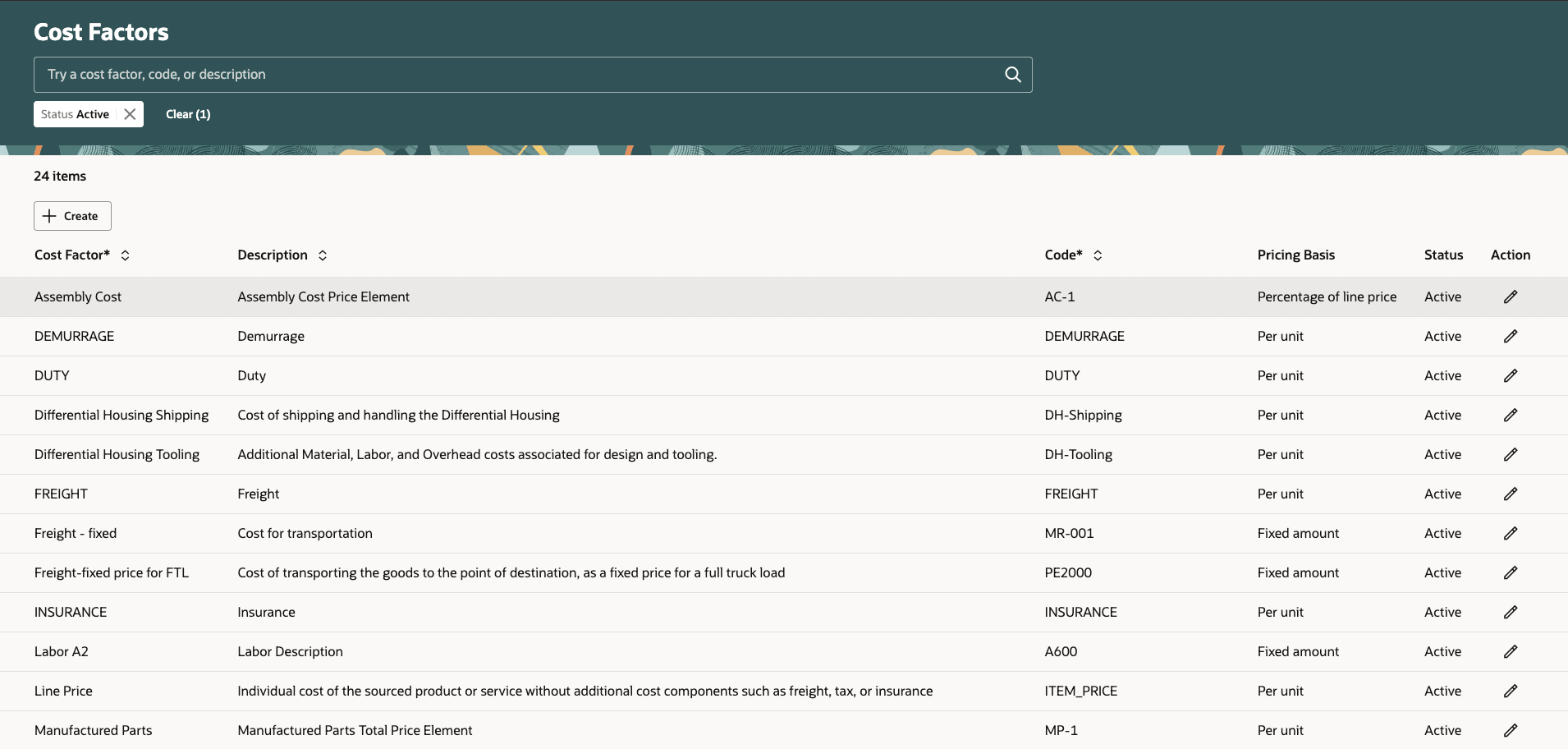
Set up cost factors
Manage cost factor lists
Create reusable lists of cost factors and apply them consistently across negotiations to streamline total-cost analysis.
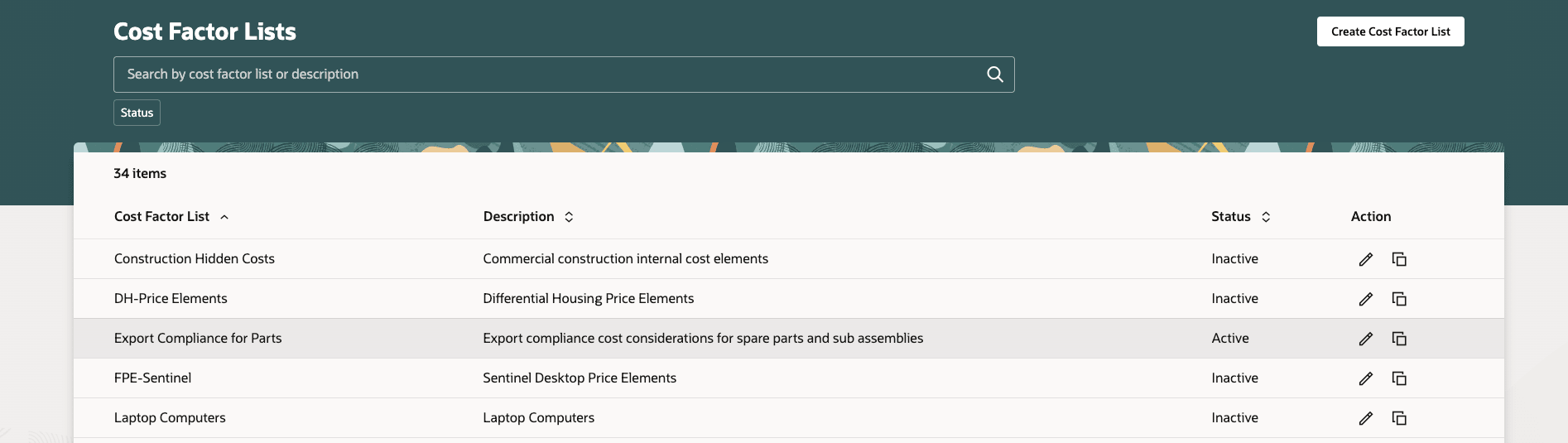
SSet up reusable cost factor lists
Manage Sourcing notifications
Configure notification subscriptions for internal and external recipients. Notification subscriptions determine which sourcing event updates users receive. Administrators can configure the notification types and recipients to keep team members and suppliers informed of relevant negotiation activities.
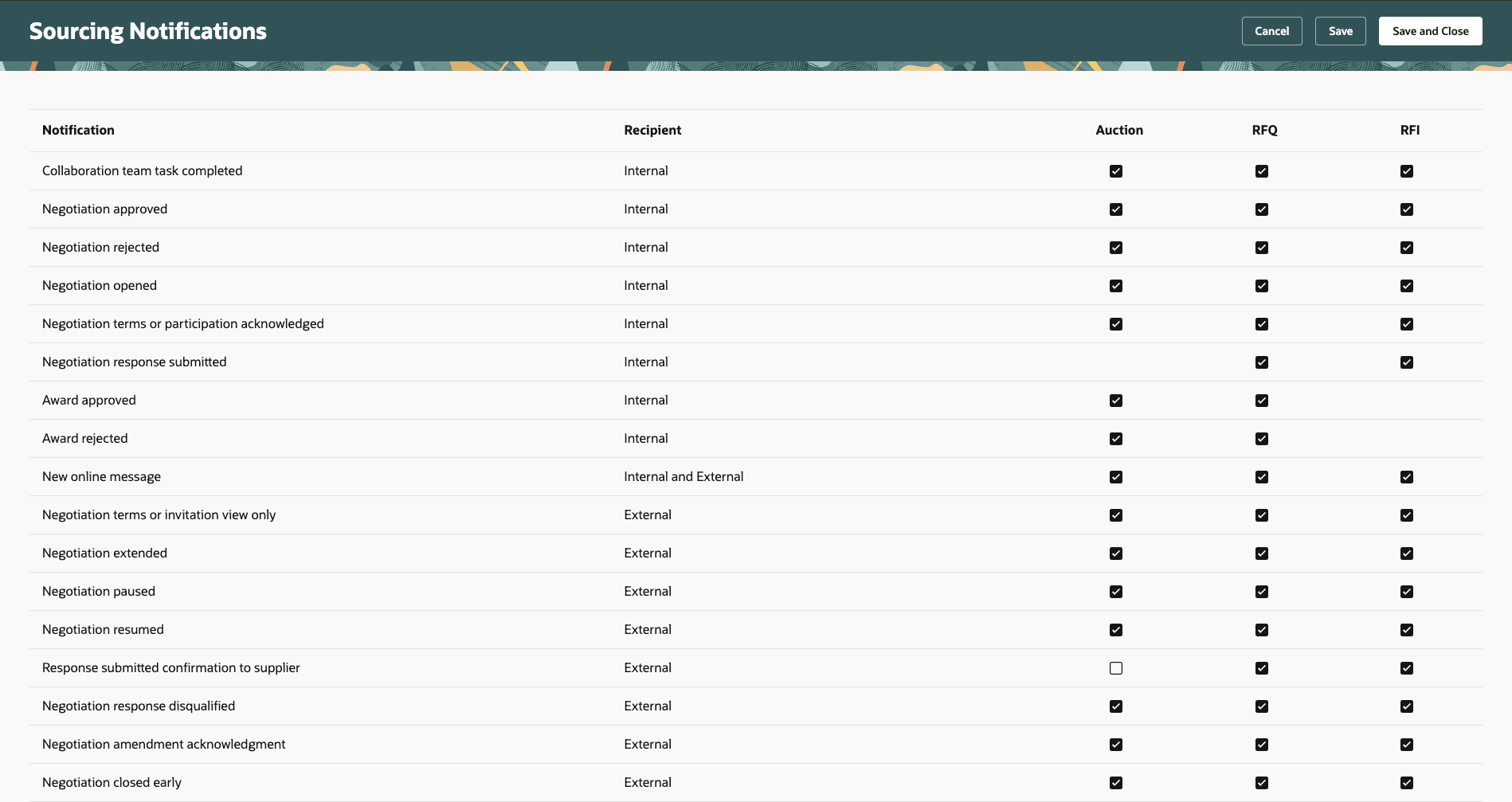
Set up Sourcing notification subscriptions
Manage procurement category hierarchy
The procurement category hierarchy organizes purchasing categories for approval routing in Sourcing. Administrators can select and maintain the hierarchy used to apply line category-based approval rules in negotiation and award approvals.
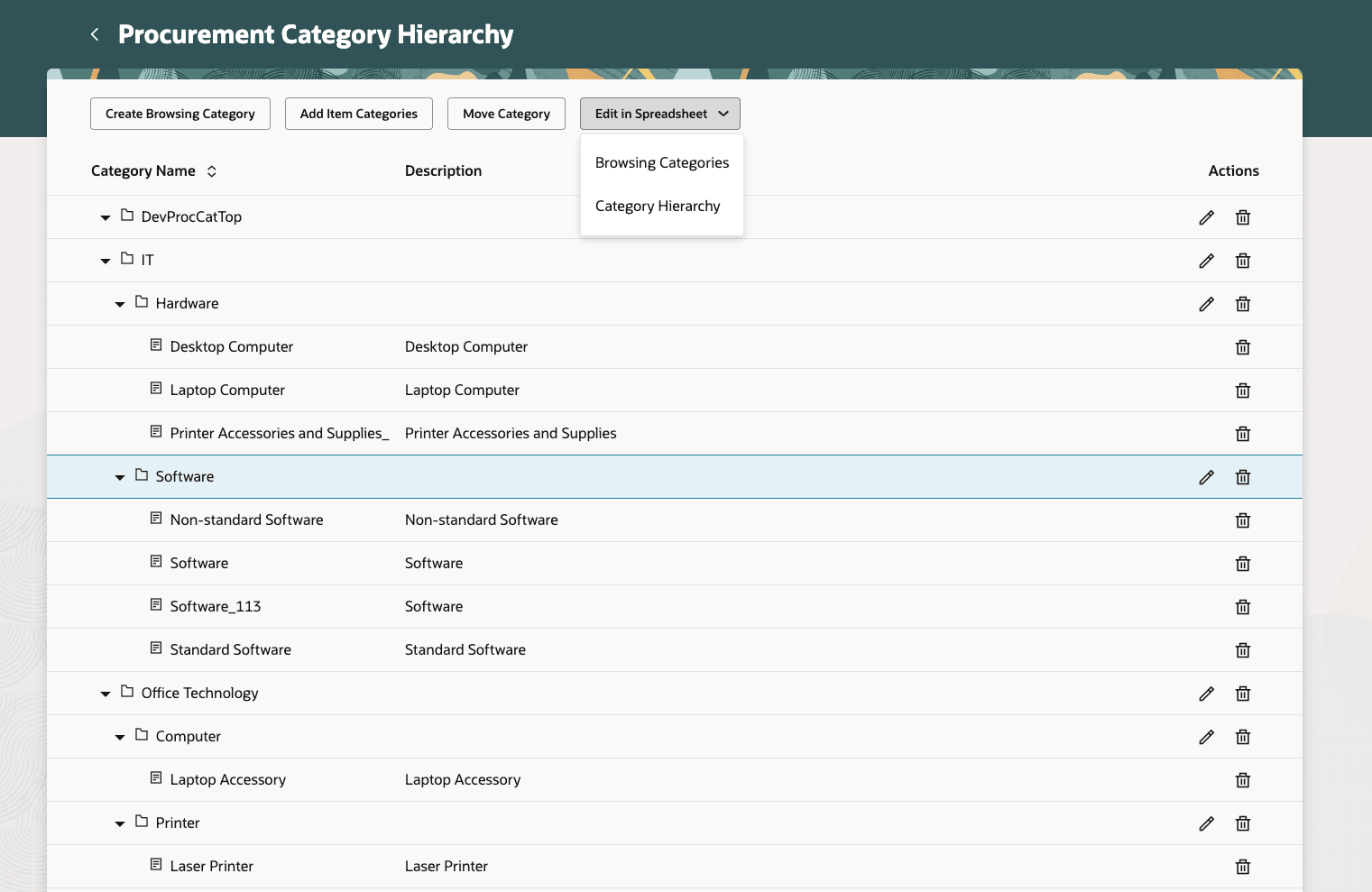
Set up procurement categories for configuring negotiation approval rules
Follow these steps to access the Sourcing setup pages:
- In the Setup and Maintenance work area, search for and select any of the following tasks:
- Manage Cost Factors
- Manage Cost Factor Lists
- Manage Sourcing Notifications
- Manage Procurement Category Hierarchy
- On the setup page, make your changes.
- Select Save or Save and Close.
In addition, these Sourcing configurations are also available on the Configure Procurement Business Function page.
- Sourcing BU level defaults
- Negotiation terms and conditions
- Abstract listing configuration
- Sourcing document types
Steps to enable and configure
Use the Opt In UI to enable this feature. For instructions, refer to the Optional Uptake of New Features section of this document.
Offering: Procurement
To manage these Sourcing configurations for the Procurement BU, refer to the steps to enable for the feature 'Configure procurement business function' in the Procurement Common section of this document.
- Sourcing BU level defaults
- Negotiation terms and conditions
- Abstract listing configuration
- Sourcing document types
Tips and considerations
The following setup pages are not yet available in a Redwood experience. These will be available in a future update.
- Negotiation Styles
- Line Attribute Lists
- Supplier Negotiation Approval Rules
- Supplier Negotiation Award Approval Rules
Access requirements
If you're using custom job roles, then you need to add privileges identified as new in this update as well as validate that you have the existing privileges listed.
| Privilege status | Privilege name and code | Privilege purpose |
|---|---|---|
| Existing | Manage Supplier Negotiation Cost Factor (PON_MANAGE_SUPPLIER_NEGOTIATION_COST_FACTOR_PRIV) | Allows users to manage negotiation line cost factors. |
| Existing | Manage Supplier Negotiation Cost Factor List PON_MANAGE_SUPPLIER_NEGOTIATION_COST_FACTOR_LIST_PRIV | Allows users to manage negotiation line cost factor lists. |
| Existing | Manage Supplier Negotiation Notifications (PON_MANAGE_NOTIFICATIONS_PRIV) | Allows users to manage supplier negotiation notifications. |
| Existing | Manage Procurement Category Hierarchy (POR_MANAGE_PROCUREMENT_CATEGORY_HIERARCHY_PRIV) | Allows users to manage procurement category hierarchies for catalog, agent assignments, and supplier products and services. |