Selected Self Service Procurement bug fixes in this update
This update includes some bug fixes that can change the way Oracle Self Service Procurement works. This isn't a full list of all the bug fixes in this update. This list includes the bug fixes that can cause a noticeable change in application behavior.
Filter reinstated purchase order lines on My Requisitions
Before update 26D, the application didn't distinguish between purchase order lines canceled with reinstatement and lines canceled without reinstatement. All such lines showed the Order canceled badge. With this update, purchase order lines canceled with reinstatement display the Order canceled reinstated badge.
You can see these badges on the My Requisitions and Requisition Details pages in the Self Service Procurement application.
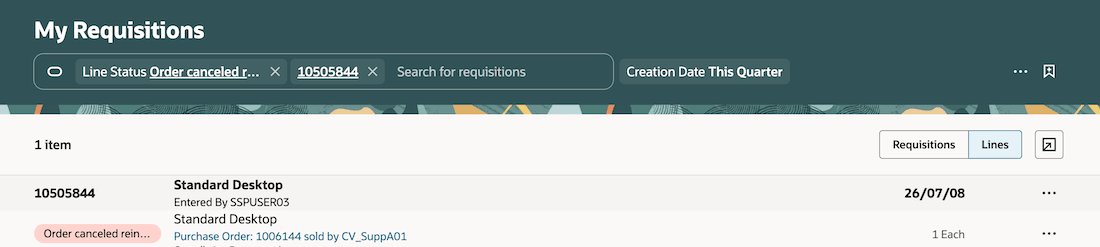
Order canceled reinstated
Oracle reference: 39491948
Drill-Down to Negotiation Reference on View Line Details Drawer
Prior to 26D, requesters and preparers could only drill into the negotiation details that is associated with their requisition through the View Lifecycle page. With this update, users can select the negotiation number directly from the View Line Details drawer to view the negotiation details.
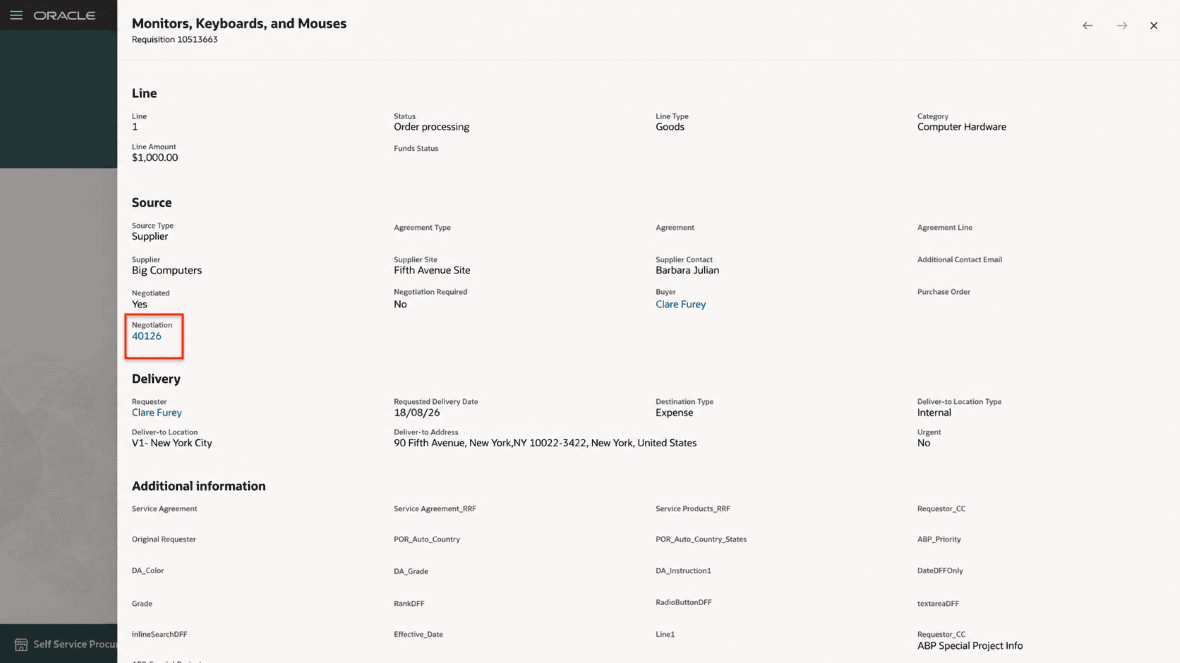
Negotiation link from View Line Details
Oracle reference: 39883683
Steps to enable and configure
You don't need to do anything to enable this feature.