Knowledge Foundation Side Panel Search UI Enhancements in BUI
With this enhancement, the Side Panel Knowledge Foundation Search provides a more efficient, intuitive search experience in BUI. The following enhancements are included:
- Report control: A familiar, modern control set to toggle the search area, refresh the report, and reset the report to defaults consistent to the normal reports in BUI
- Cleaner search area: The “Search” header is removed for a streamlined look that keeps focus on filters and results.
- Limit/Order section controls: Collapse/expand (default: collapsed) to reduce visual clutter while keeping options available when needed.
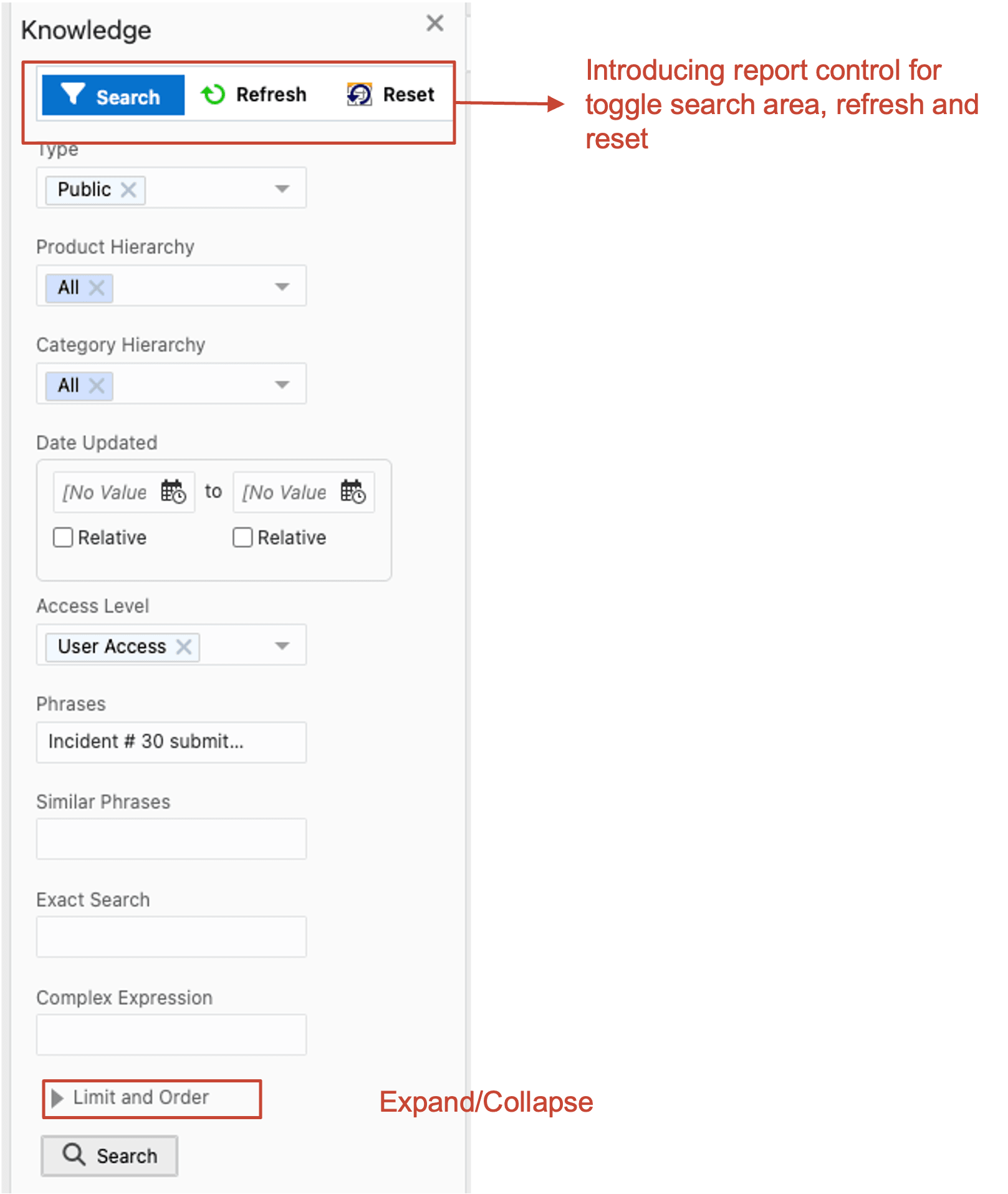
KF Side Panel Search UI
Business Values:
- Enhanced real estate: More filters and data are visible per view with less scrolling.
- Ease of use: Cleaner visuals and intuitive controls enable quicker search and selection.
Steps to Enable and Configure
You don't need to do anything to enable this feature.
Tips And Considerations
No upgrade to CX 25D required. This enhancement was part of a bi-weekly BUI release.