Customizable Columns in the “My Open Service Requests” Dashboard on the Service Home Page
Users can now configure the columns displayed in the "My Open Service Requests" dashboard on the Service Home Page. This enhancement lets you select which fields are visible (both custom fields and standard fields like SR number, Title, Status, or Asset Number), enabling a tailored dashboard view.
- Provides greater flexibility to match your workflow by surfacing the data that matters most to you.
- Helps users find and act on key service request (SR) information quickly.
- Supports organizational reporting preferences and custom fields at a glance.
Steps to enable and configure
Leverage the Visual Builder Studio to expose your applications. To learn more about extending your application using Visual Builder, visit Oracle Help Center > your apps service area of interest > Books > Configuration and Extension.
Steps to Enable
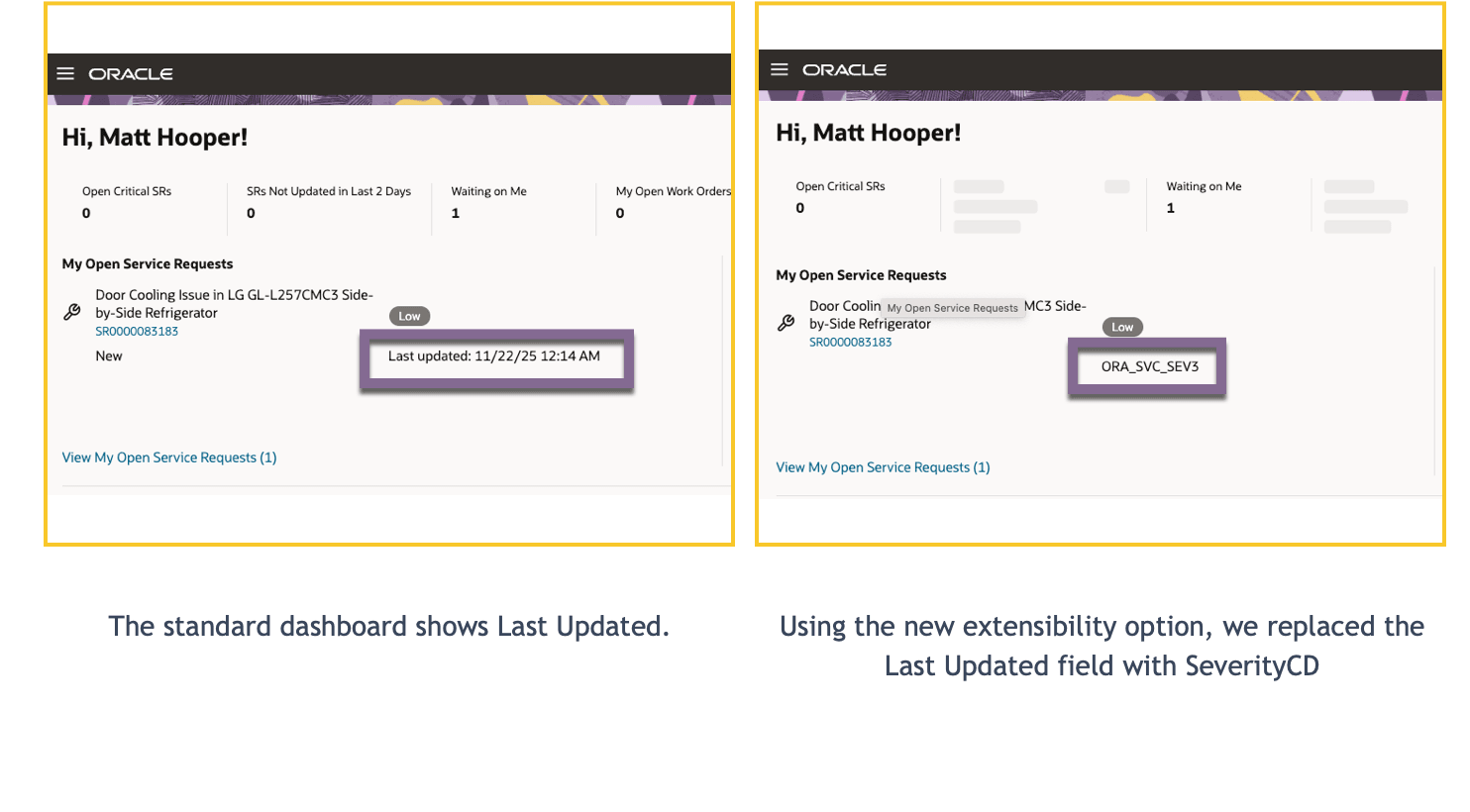
Below is an example showing the dashboard before and after the extension, so you can clearly see what to expect.
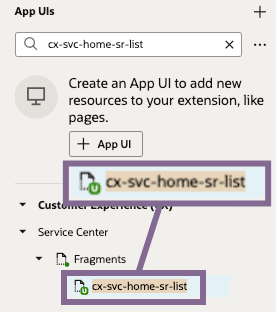
- Go to Service Center > Fragments > cx-svc-home-sr-list.
- Click the Variables subtab and find the variable: serviceHomeDefaultListColumns.
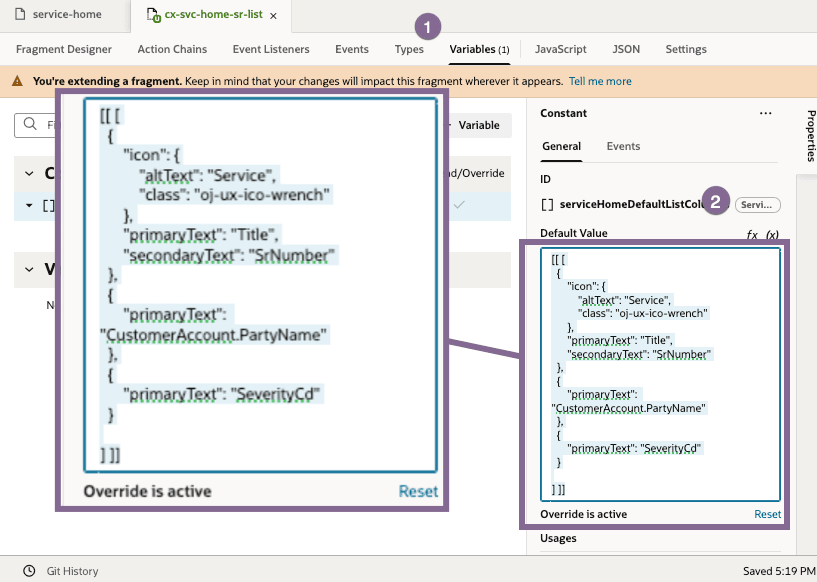
- In the property panel, update the JSON object to define which columns should appear in the "My Service Requests" card.
- Example (replace/update as needed):
-
[
  {
    "icon": {
      "altText": "Service",
      "class": "oj-ux-ico-wrench"
    },
    "primaryText": "Title",
    "secondaryText": "SrNumber"
  },
  {
    "primaryText": "CustomerAccount.PartyName"
  },
  {
    "primaryText": "SeverityCd"
  }
]
- You can replace columns or add new ones, provided they match the card’s template structure.
- Save your changes. The selected columns will now appear on the Service Home Page dashboard under "My Open Service Requests."
Tips and considerations
n/a
Key resources
Access requirements
- Oracle Visual Builder Studio for Fusion Application Extension