Enhanced Service Contact Page Layout Flexibility
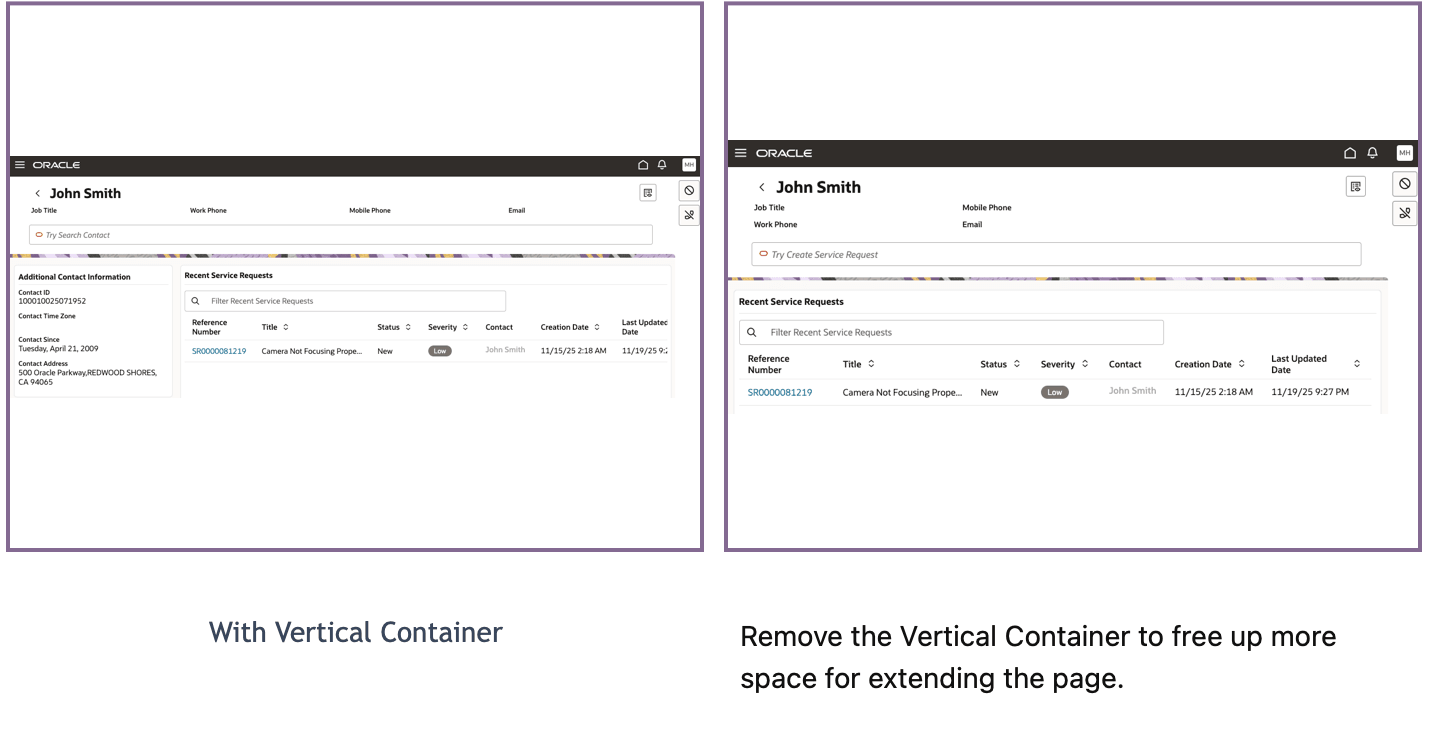
System implementors can now fully remove the "Vertical Content container Layout" from the Service Contact page. When the vertical container is disabled, the "Horizontal container" automatically expands to occupy the entire space. This flexibility allows redesigning the contact page layout, including the option to add dashboard-style components and 360° customer views.
- Unlocks layout customization to better meet business needs
- Allows implementors to create more intuitive, modern, and information-rich service contact pages
- Supports enhanced customer experience by consolidating critical data in a single view
Steps to enable and configure
Leverage the Visual Builder Studio to expose your applications. To learn more about extending your application using Visual Builder, visit Oracle Help Center > your apps service area of interest > Books > Configuration and Extension.
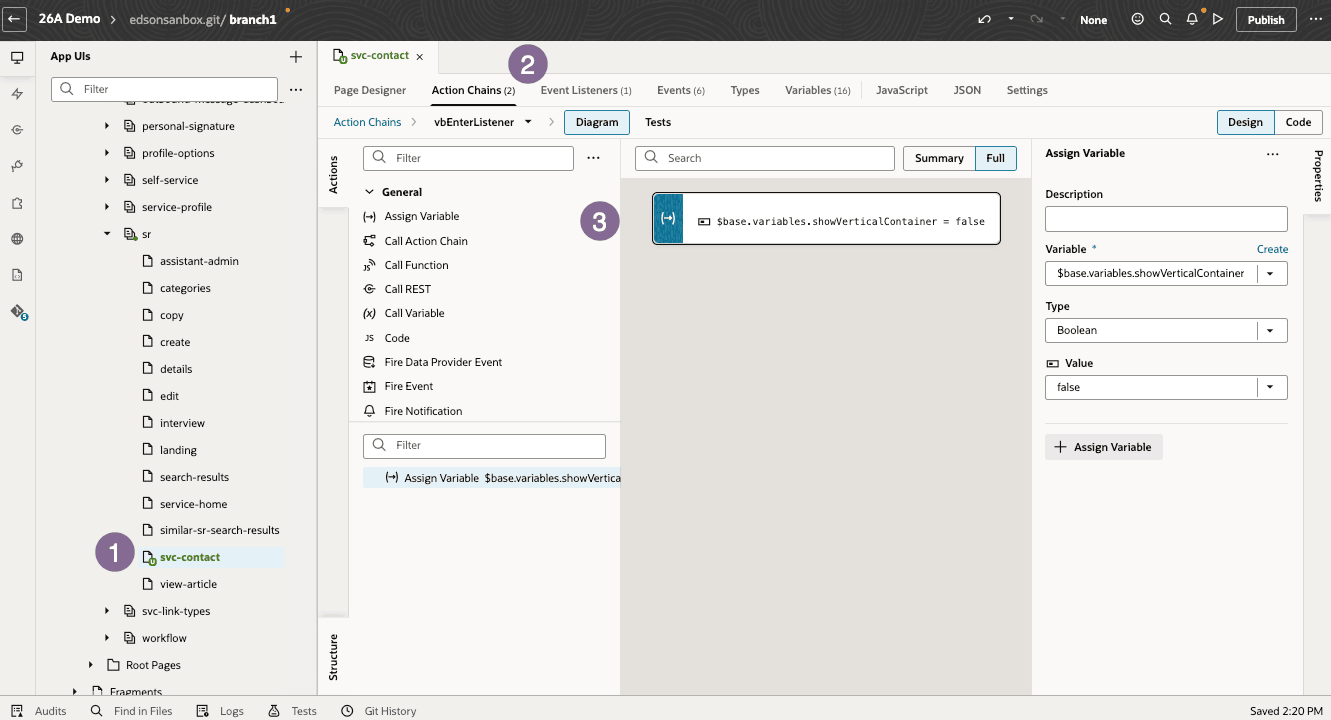
Steps to Enable:
- Navigate to: Service Center > service > ec > sr >svc-contact
- Create a vbEnter event.
- Add an action chain to the event.
- Assign the following variable in the action chain: $base.variables.showVerticalContainer = false
- Save and preview the layout.
- The "Vertical Content container Layout" will be fully removed.
- The "Horizontal container" will automatically expand, making the entire space available for redesign.
Tips and considerations
n/a
Key resources
Access requirements
- Oracle Visual Builder Studio for Fusion Application Extension