Custom Smart Actions for Service Contact Page
You can now configure custom Smart Actions on the Service Contact Page in Oracle Fusion Service. These actions allow you to open pages in a new browser tab or trigger navigation workflows based on your business requirements. The Service Contact Page also supports event handling and record context for these Smart Actions, making it easier to implement more flexible and interactive experiences.
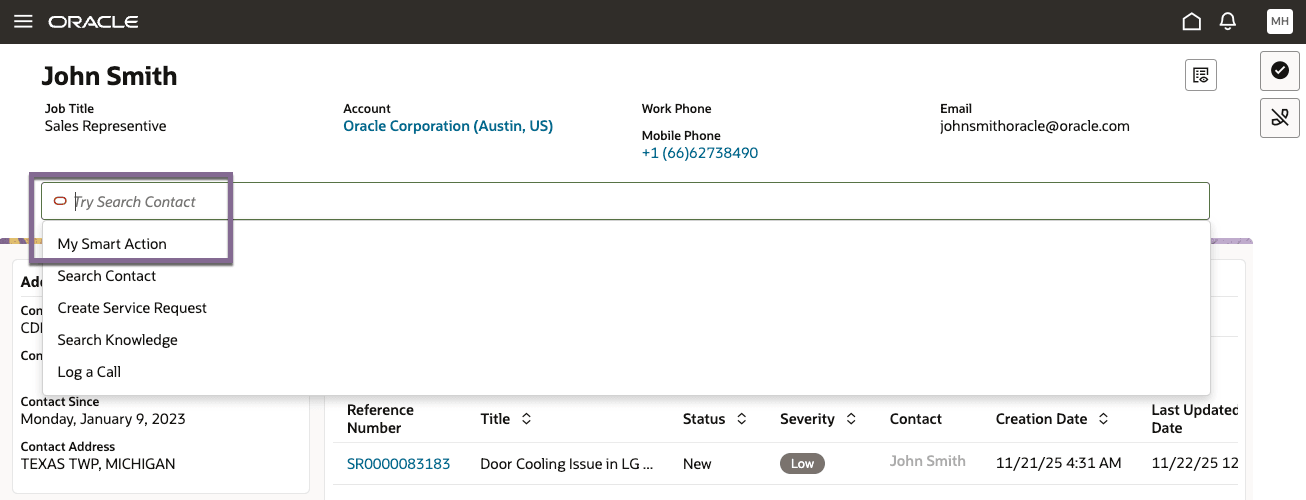
- Enable richer workflows by launching opportunity or lead pages directly from the contact.
- Support advanced navigation scenarios, such as opening links in new tabs.
- Streamline business processes by leveraging event payloads and context in custom logic.
Steps to enable and configure
Leverage the Visual Builder Studio to expose your applications. To learn more about extending your application using Visual Builder, visit Oracle Help Center > your apps service area of interest > Books > Configuration and Extension.
Steps to Enable
#1 - Create a custom Smart Action
- Create a new smart action with the target object set to Contact in the Service Center application.
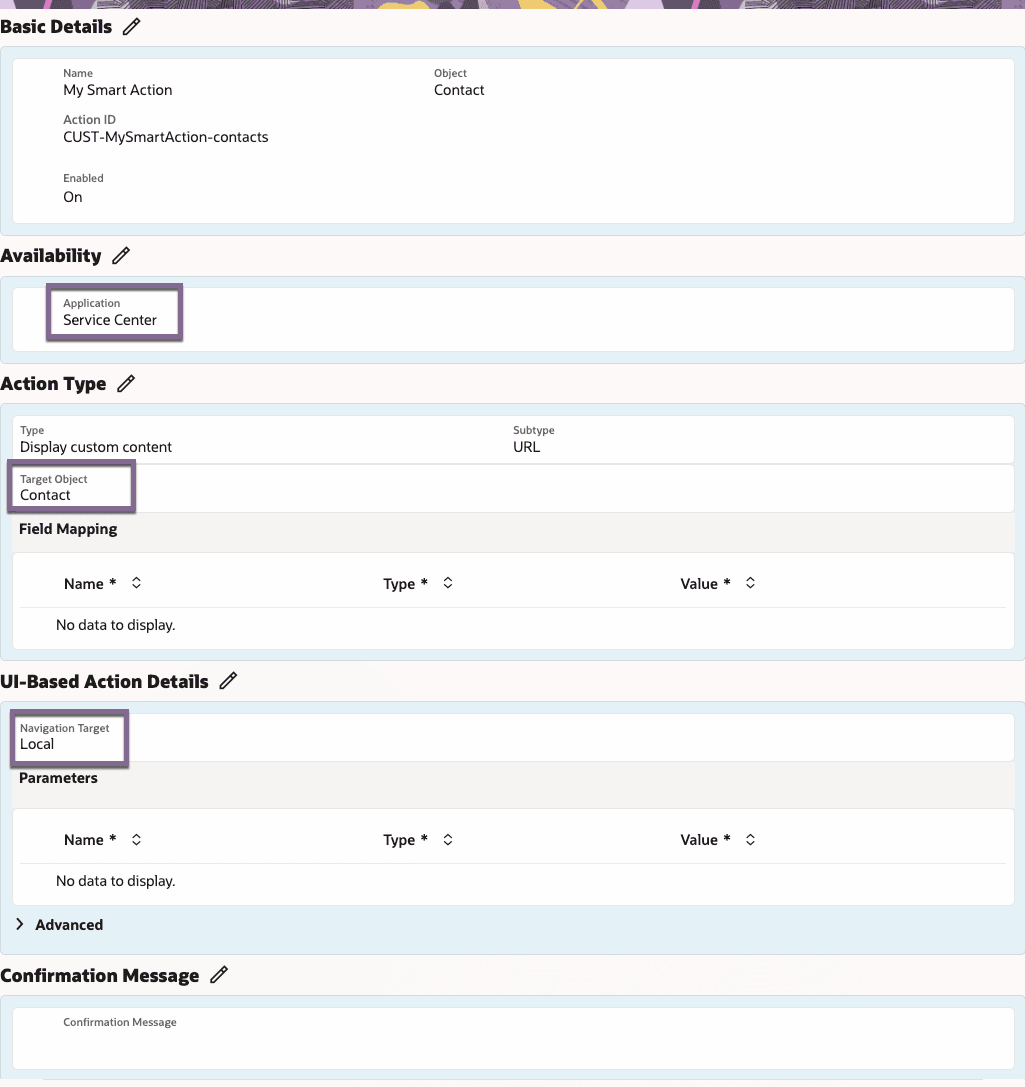
Customers should configure the Smart Action exactly as shown above, including:
- Object = Contact
- Type = Display Custom Content
- Subtype = URL
- Navigation Target = Local
- No field mappings
- No parameters
Note: The Action Type metadata is not used by this feature. Display Custom Content is recommended because it is the simplest option and allows you to complete the Smart Action setup. The Smart Action serves as a placeholder that is later handled by the Oracle Visual Builder Studio (VBS) extension.
#2 - Create a Listener to the Smart Action
-
Navigate to Service Center > service > ec > sr > svc-contact page.
-
In your page code, create an event listener for the beforeInvokeSmartAction event.
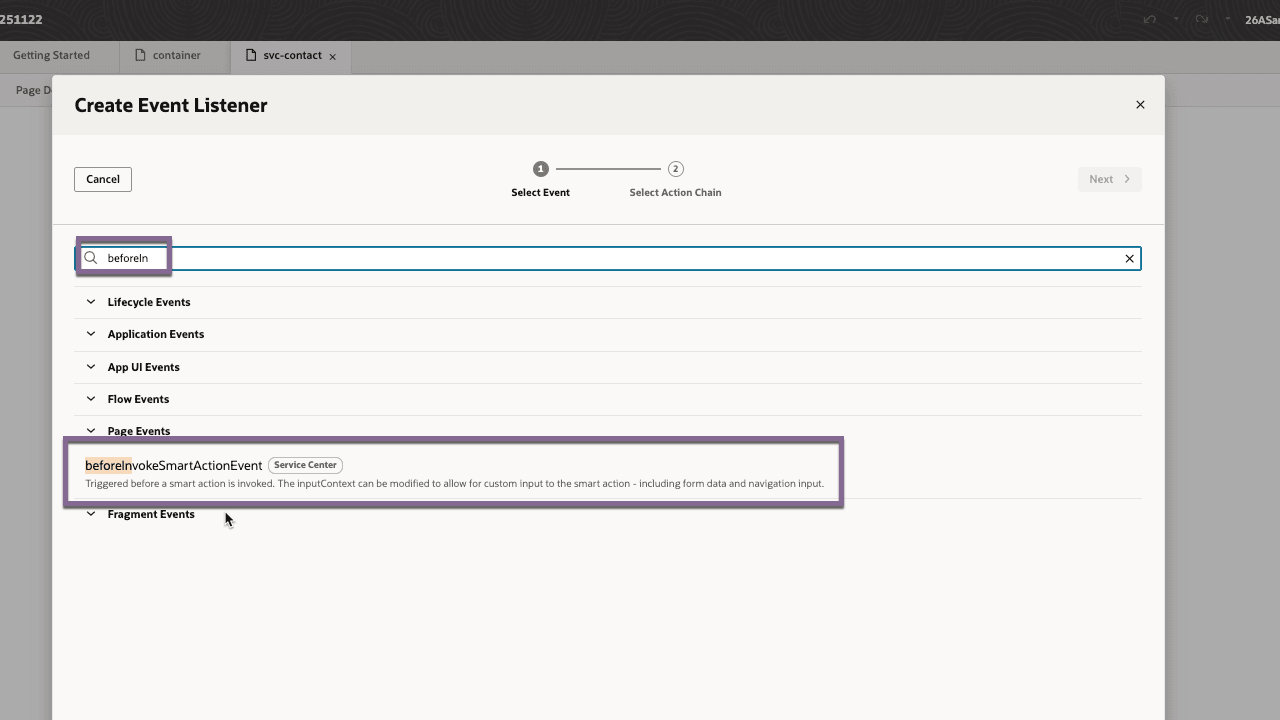
- Use the Smart Action ID in the event’s payload to determine which action to handle.
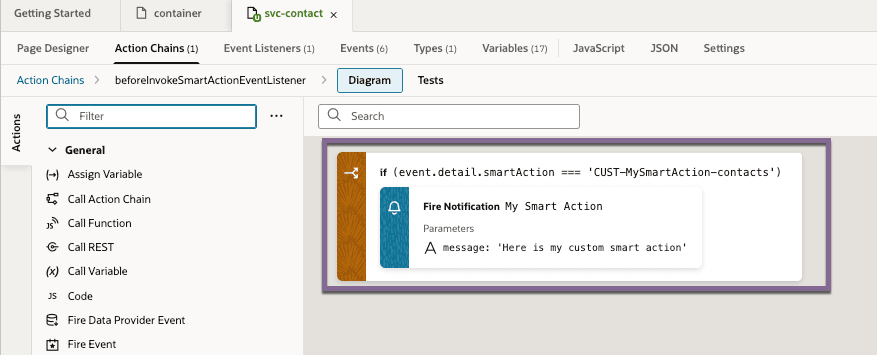
- Insert your navigation or business logic as required. Example:
-
myComponent.addEventListener('beforeInvokeSmartAction', (event) => {
  if (event.detail.smartAction === 'CUST-MySmartAction-contacts') {
    // Add your custom logic here
  }
});
-
-
Preview, Test and Deploy your extension
- Not Supported:
- Headless Smart Actions (no confirmations/messages)
- Update-Field and ActivityStream filtering options
Tips and considerations
n/a
Key resources
Access requirements
- Oracle Visual Builder Studio for Fusion Application Extension