Automatically Flag Email Bounces or Out of Office Emails for Service Requests
The AI-Powered Service Inbound Email Message Handler Agent detects bounced and out-of-office (OOO) replies, updating the parent Service Request (SR) to notify customer service representatives about delivery failures or customer unavailability.
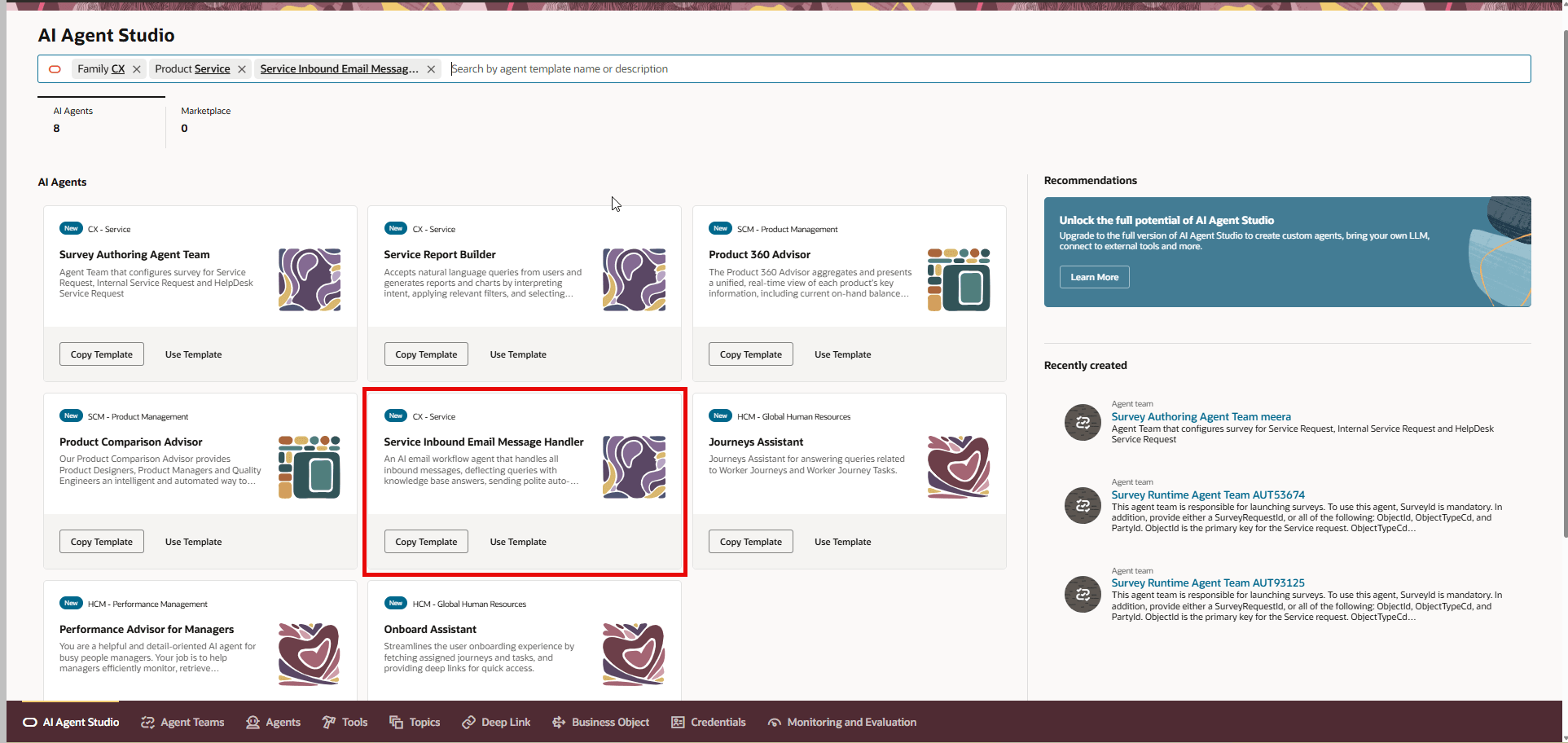
Service Inbound Email Message Handler AI Agent
When the AI Agent is enabled, it will create a system note with the message indicating a hard bounce or a system message with the out of office reply.
- Improved Customer Service Efficiency by automatically updating Service Requests with bounce and out-of-office notifications, streamlines the workflow for customer service representatives (CSRs), allowing them to take timely and appropriate action.
- Faster Issue Resolution by immediate identification of undelivered emails or unavailable customers helps CSRs quickly address problems, reducing delays in communication and issue resolution.
- Enhanced Visibility and Tracking by logging these email events directly to the parent SR, CSRs gain real-time visibility into communication status, making it easier to track and manage customer interactions effectively.
- Reduced Manual Workload will automatically reduce the need for CSRs to monitor inboxes and manually update SRs, freeing up time for higher-value tasks and improving overall productivity.
- Increased Customer Satisfaction with proactive notifications about delivery failures or customer unavailability, enables CSRs to reach out through alternative channels if needed, minimizing frustration and ensuring customers are kept informed.
- Accurate Record Keeping for Compliance with Automated updates ensure that communication failures are consistently documented, supporting compliance and audit requirements regarding customer correspondence.
Steps to enable and configure
If you want to use this auto-reply AI Agent feature, then make sure the ORA_SVC_EMAIL_AUTO_REPLY_AI_AGENT_ENABLED profile option is set to Yes.
To set the profile option to yes, log in as a System Administrator and navigate to Setup and Maintenance > Service Offering > search for the Manage Administrator Profile Values task and query for the profile option. Set the value to Yes as shown below:
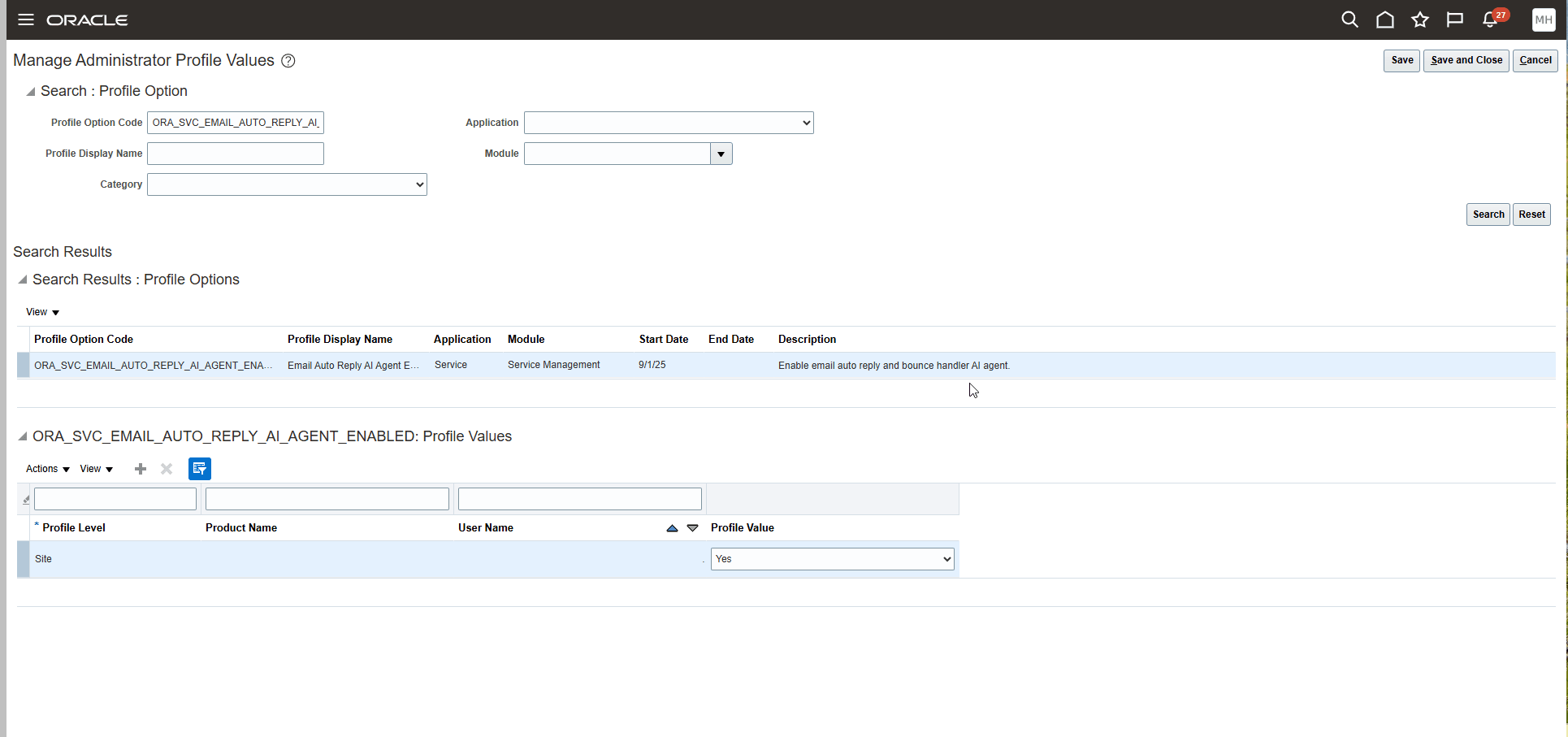
Manage Administrator Profile Values Task
Tips and considerations
The pod needs to have the Spectra Service Enabled to use this AI Agent.
Access requirements
Customer Service Representatives