Use Resource Teams in Queue Resource Assignment for Help Desk in the Redwood Experience
Help Desk in the Redwood Experience now supports Resource Teams when assigning resources to a queue so that resources that are part of the team and not directly assigned are treated as though they were directly assigned.
This allows groups of agent resources to be assigned to queues, rather than having to individually list each agent. For instance, if you have a specialized team of three highly skilled resources that are the only group of people to handle a particular type of request, but you also want this same group of people to be resources for a more general queues, you can add the three resources to a resource team as shown below.
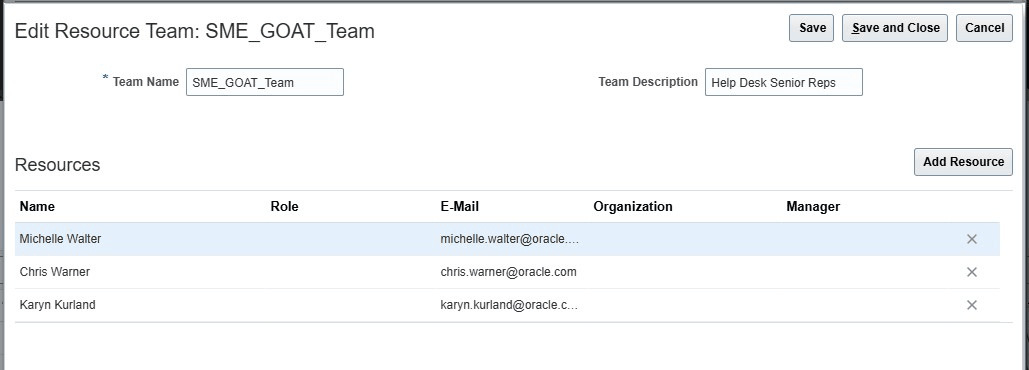
Add members to the resource team
You can then assign that same team as resources on multiple queues without having to enter each individual multiple times.
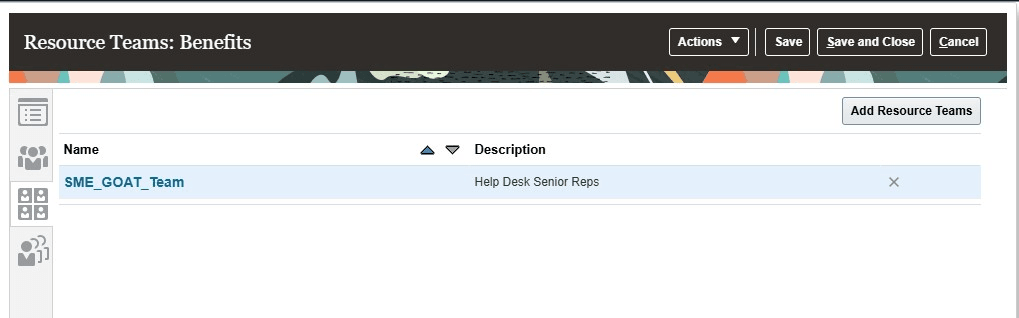
Resource team used for benefits queue
Steps to enable and configure
You don't need to do anything to enable this feature.
Access requirements
Any Help Desk administrator who has the ability to set up resources directly for a queue also has the ability to set up resource teams.