Enhance the Case Analyzer AI Agent with Custom Starter Questions
Administrators can now enhance the Case Analyzer AI Agent with custom starter questions.
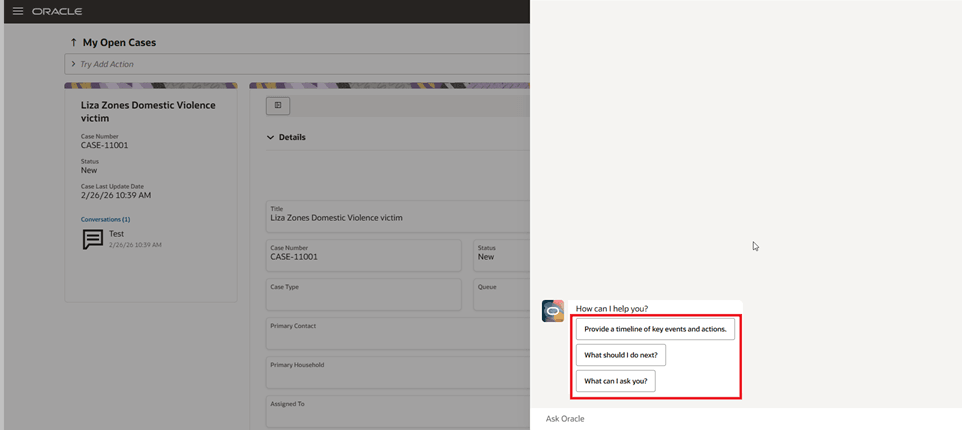
Case Analyzer Starter Questions
Add your own “starter questions” so the Case Analyzer AI Agent provide the best prompts to users every time they start the Agent.
- Administrators can define custom starter questions that appear when a user opens Case Analyzer.
- Case Workers and Case Managers can uses these questions to quickly start their Agent-supported Case investigations with just a single click.
Steps to enable and configure
First step is to enable the Case Analyzer AI Agent.
- In AI Agent Studio: Clone the seeded Case Analyzer Agent, remember/copy the 'Team Code' of the clone;
- In Setup & Maintenance (under 'Manage Case Profile Values'): Assign the 'Team Code' of the cloned Agent to the Profile Option 'ORA_SVC_CASE_DEFAULT_AGENT';
- In Application Composer: Enable the 'Start Case Analyzer' Smart Action (this will require creating and publishing a Sandbox).
Next, you will need to go into Visual builder and create a new project. Once that is ready, navigate to the Edit page under Case and look for the caseAnalyzerStarterQuestions constant as shown here:
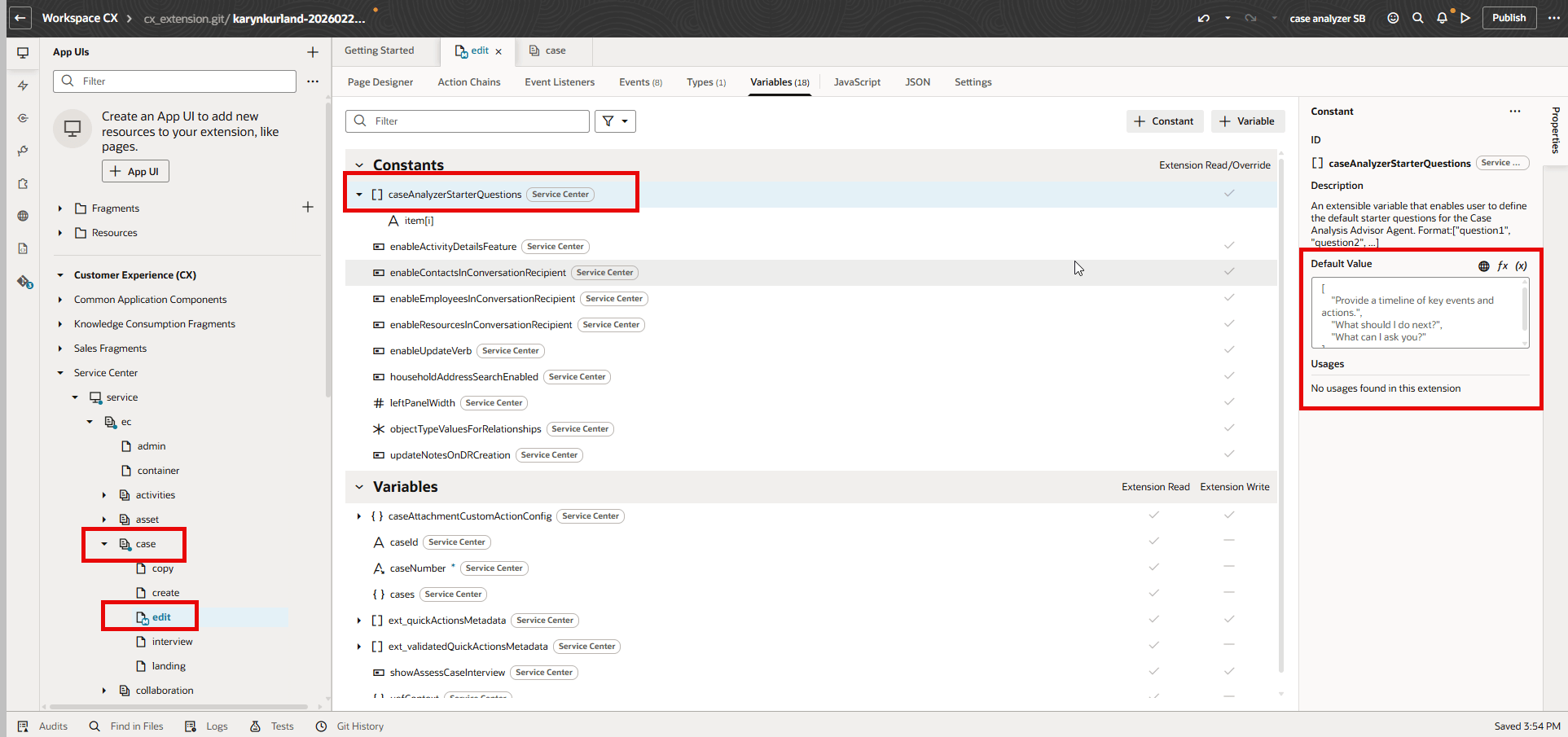
Case Analyzer Starter Questions Constant
In the default value box on the right, you can start entering the questions that you want the smart action to display. For example, copy and paste these questions:
["What can I ask you?", "What should I do next?", "Provide a timeline of key events and action.",
"Summarize the main points from the latest conversations and notes of this case.",
"Are there any sensitive, legal or confidential issues mentioned anywhere in the case?",
"Has the applicant or client expressed intent to close the case in recent messages?",
"Identify any potential risks or bottlenecks in this case.", "Does this case meet the requirements for escalation to [department/agency]",
"When should a case like this be escalated and to whom?"]
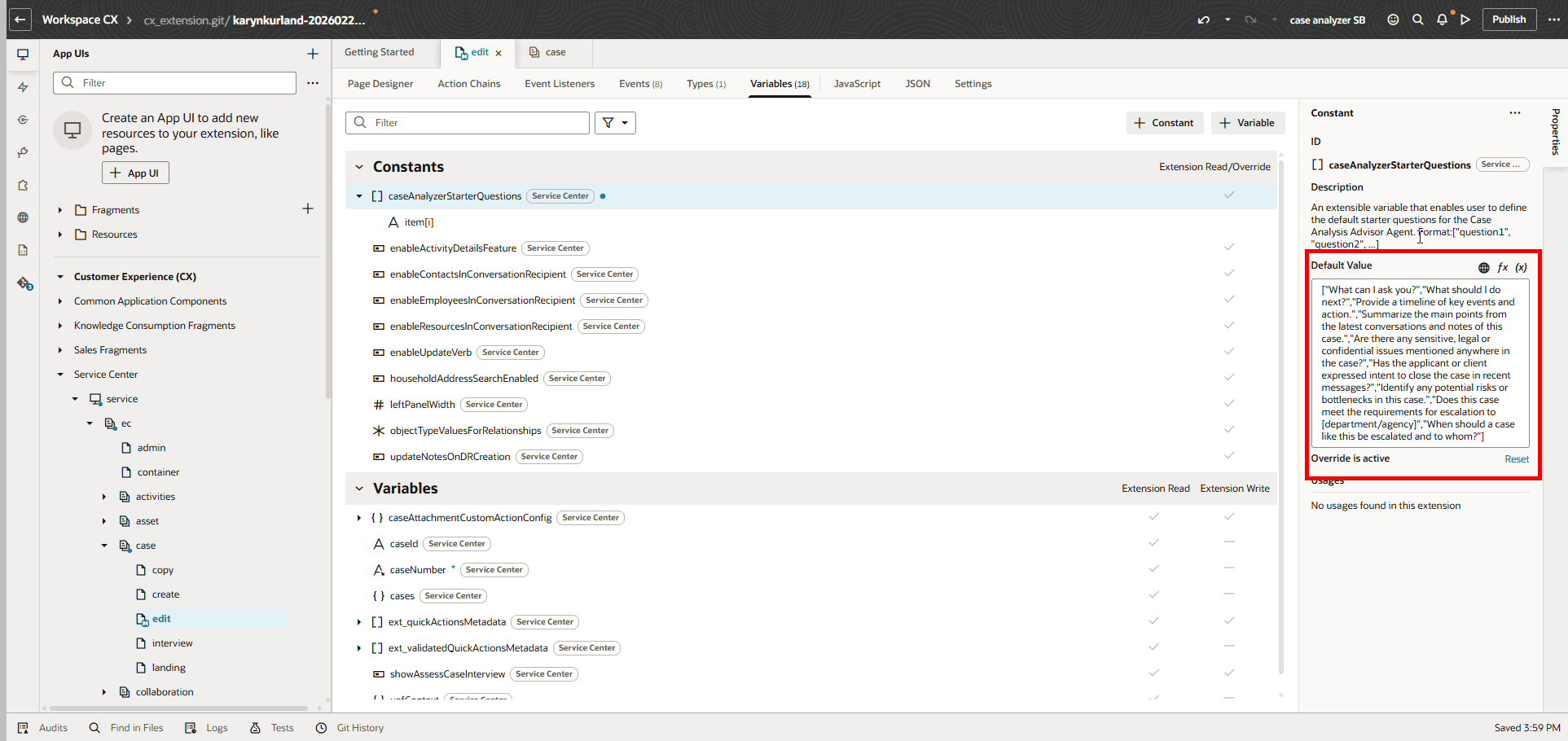
Modified Starter Questions
Next, go ahead and click the preview icon in the upper right to open a new browser window where you can preview the new starter questions. To do this, open a Case record and enter Start Case Analyzer Agent in the Action Bar.
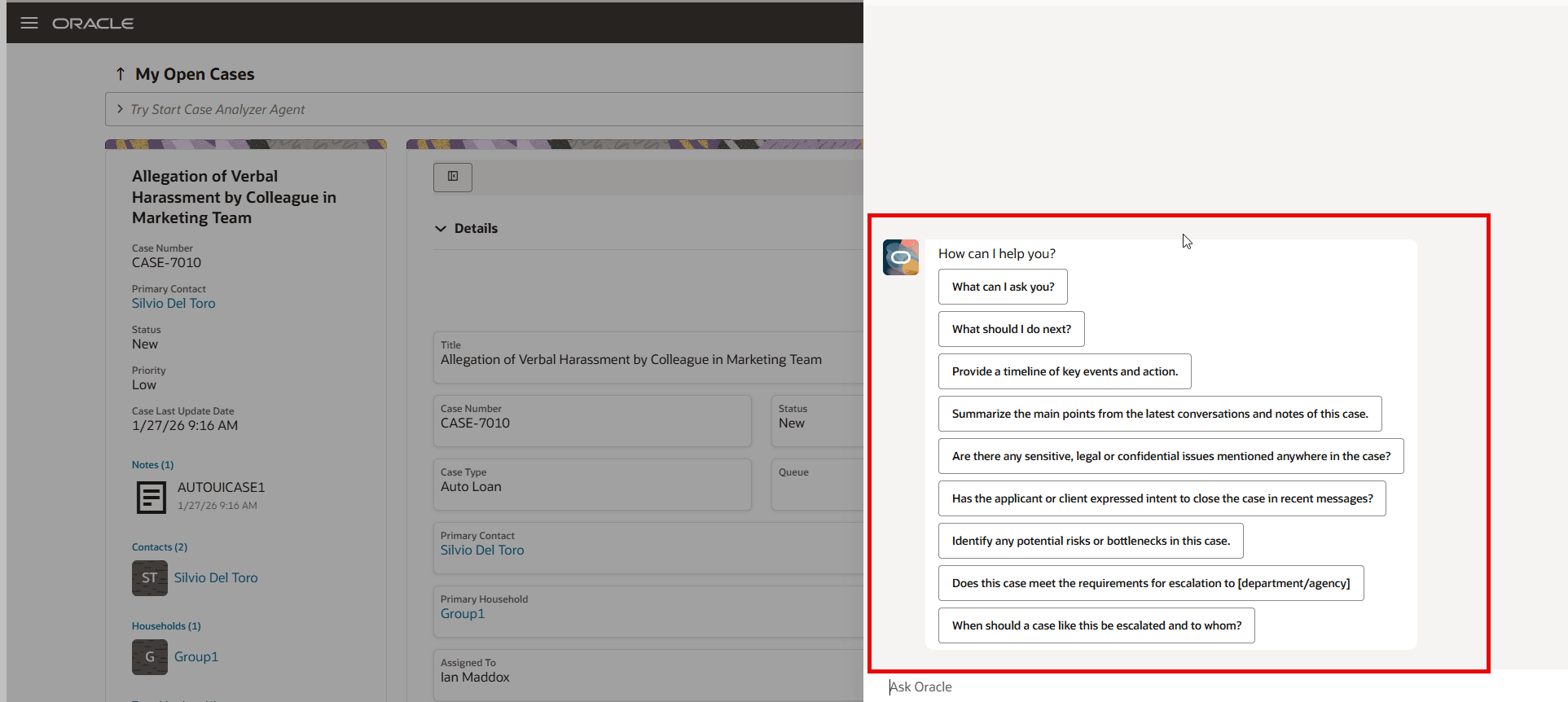
New Starter Questions
Lastly, here is the output from clicking on one of those new starter questions.
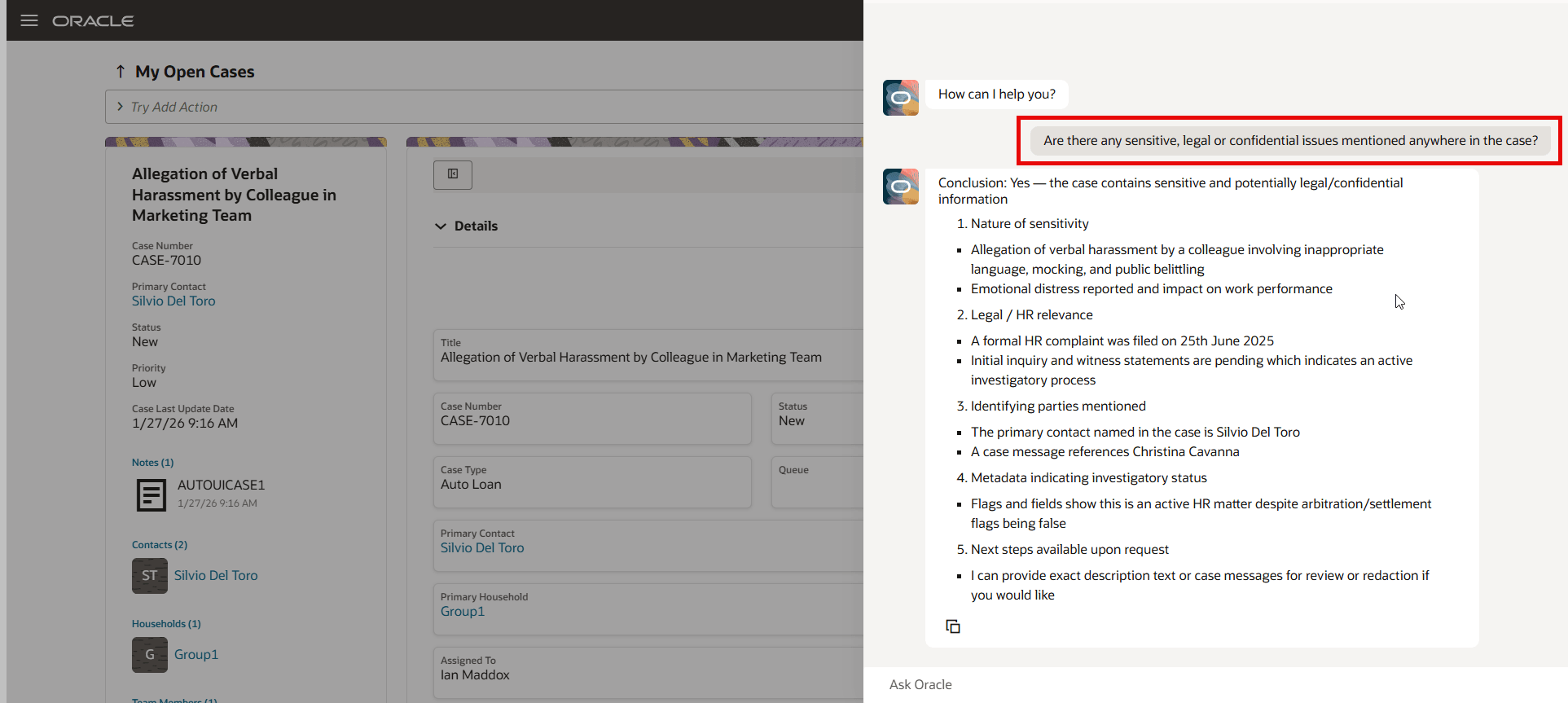
Output from New Starter Question
Tips and considerations
For more information about this Case Analyzer AI Agent, refer to the what's new in 25D release notes.
Access requirements
You will need access to Agent AI Studio, Application Composer and Visual Builder Studio