Hide Inactive Employees Displayed in the Employee Picker for Cases
You can control whether inactive employees are displayed in the Employee Picker on each of the Case pages, including:
- Details section of the Case Details page
- Contacts section of the Create Case page
- Contacts section of the Copy Case page
By default, all employees, where active or inactive, will be available in the Case pages mentioned above.
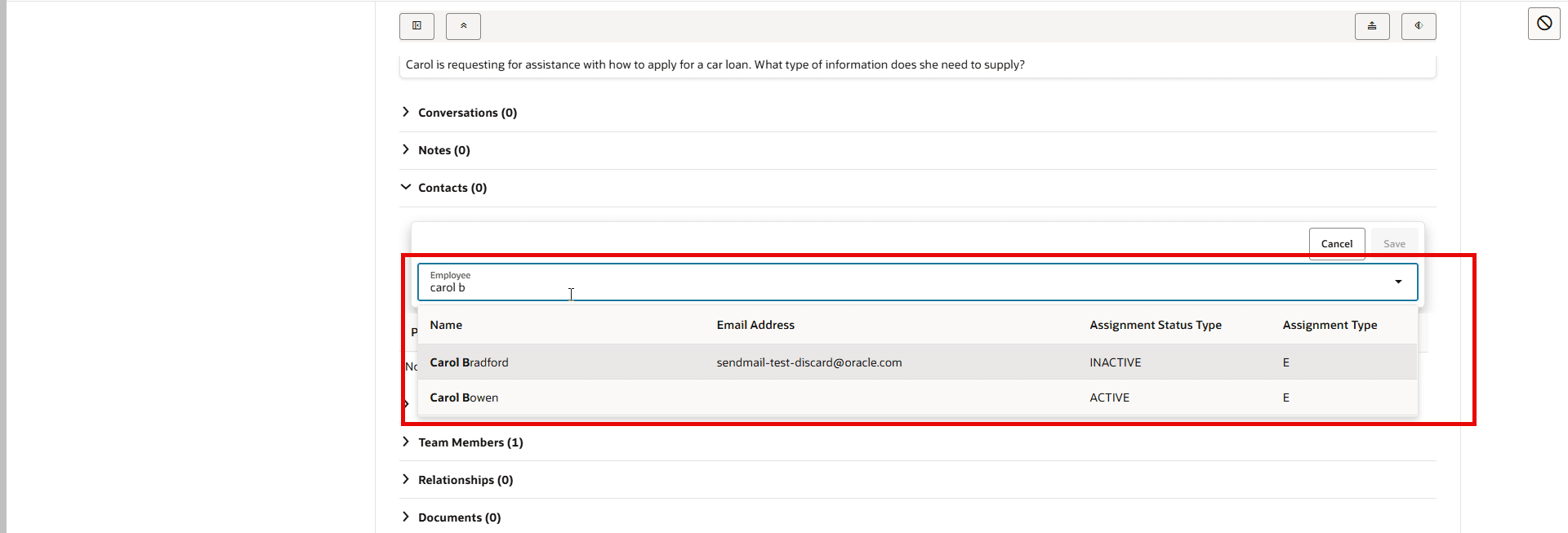
All Employees Available for Selection
See the instructions below for how to use this Profile Option ORA_HELPDESK_CONTACT_TERMINATED_EMPLOYEES to show only active employees.
NOTE: If you are using the Add Employee smart action, this profile option ORA_HELPDESK_CONTACT_TERMINATED_EMPLOYEES will not have any impact. All employees where active or inactive will still show up if you use the Add Employee smart action. If this is a concern, you can disable this smart action.
If your organization does not have a need to manage Cases for inactive employees, you can use this profile option to hide them from your case workers.
Steps to enable and configure
To control visibility to show only active employees, perform the following steps as an Administrator.
- Navigate to Setup and Maintenance
- Using the search task, search for Manage Administrator Profile Values
- Search for ORA_HELPDESK_CONTACT_TERMINATED_EMPLOYEES
- In the Site Profiles Value, select Active from the dropdown list
- Save and Close and log out and back in for the changes to take effect.
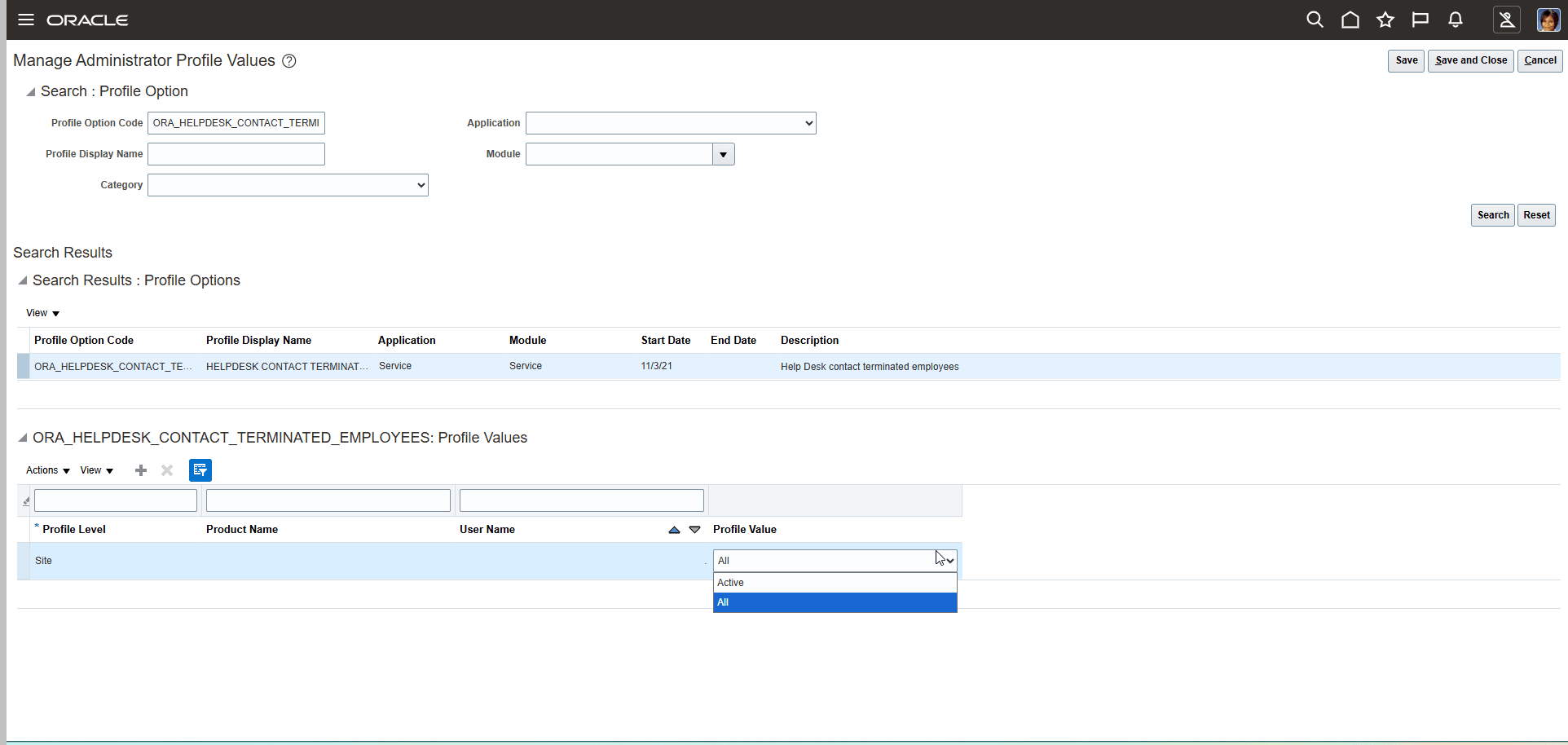
ORA_HELPDESK_CONTACT_TERMINATED_EMPLOYEES Profile Option
After setting the profile option to Active, only the active employees are shown in the picker.
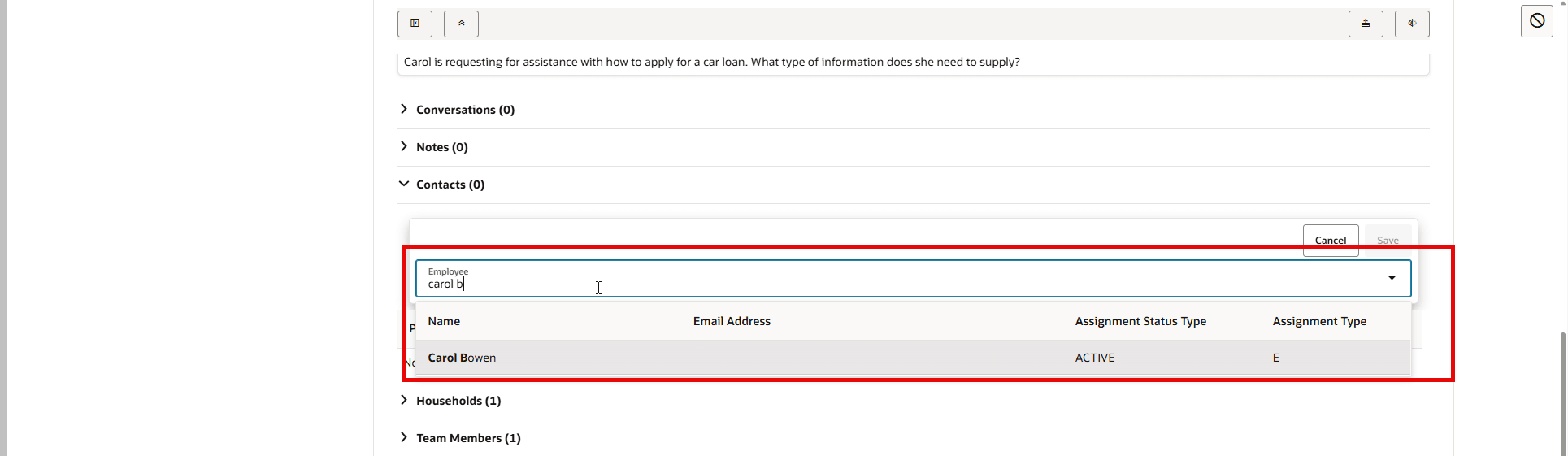
Active Employees
Access requirements
Administrator access is required to edit Profile Option values.