Service Operations Workspace
Service Operations Workspace provides service managers with the tools they need to react to issues that require a manager's immediate attention, and then quickly move on to more proactive review and improvement of service performance.
With Service Operations Workspace, service managers no longer need to search across dashboards and lists for escalated, stalled, or SLA-at-risk SRs and assess each one individually. Instead, a team of AI agents analyzes issue details, customer context, sentiment, and staffing considerations to identify only the SRs that actually require manager action. Upon login, managers see a single prioritized list of these SRs, with recommended actions such as responding to the customer, adding a team member to accelerate resolution, or reassigning the issue.
When further review is needed, managers can turn to Ask Oracle to provide additional context about the service request, and to investigate alternate staffing solutions, including who's resolved similar issues in the past, and what their current workload looks like.
A similar approach helps managers proactively improve service operations performance. In 26D, rather than analyzing multiple dashboards to uncover inefficiencies, managers receive insights curated by a team of AI agents that identify opportunities to improve automation across customer journeys. Rich visualizations show how those journeys flow from origination through resolution, highlighting where AI needed to create an SR or involve a human. Managers can then engage Ask Oracle for additional context and exploration.
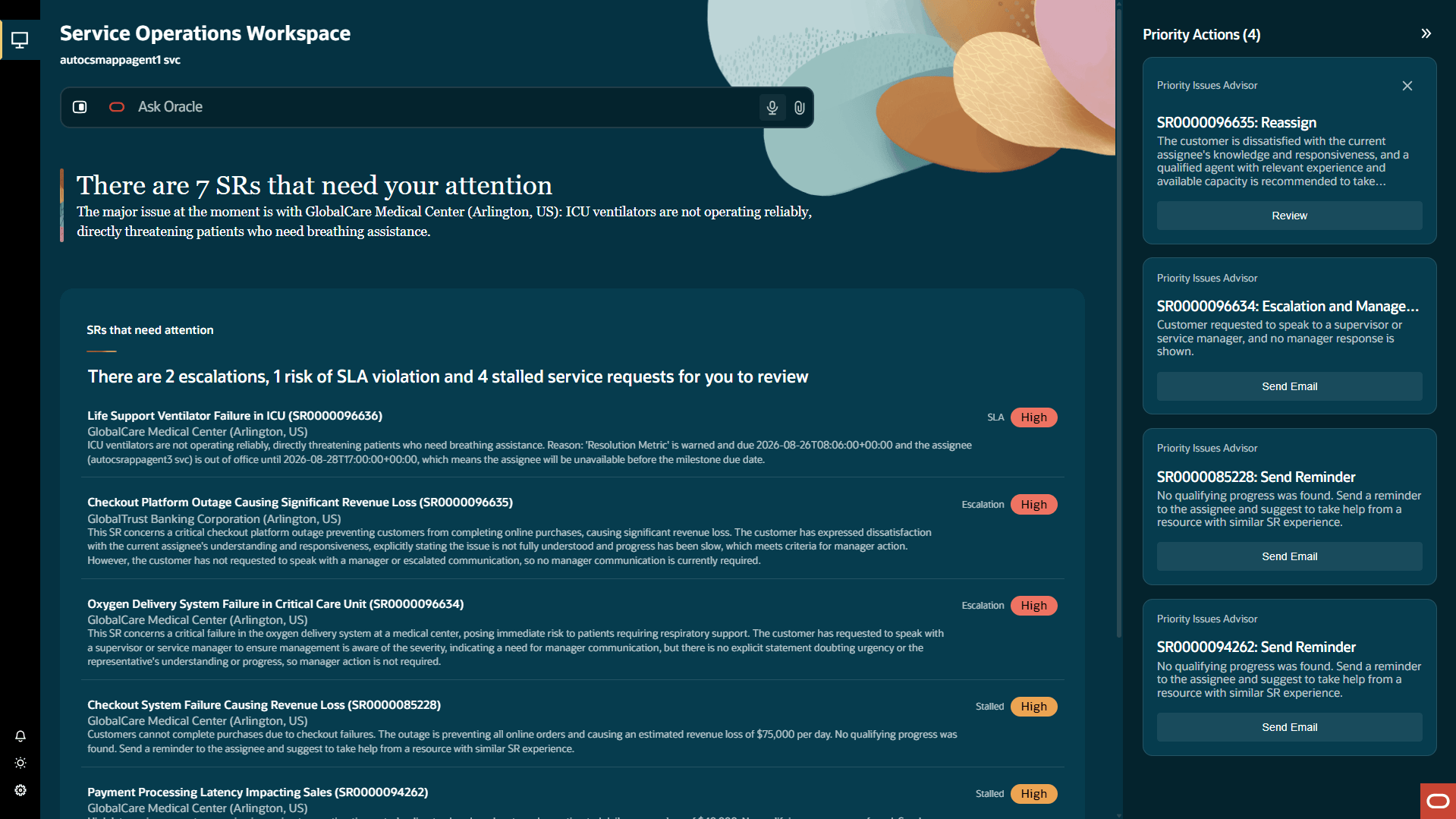
Service Operations Workspace
Service Managers reduce time spent reviewing issue details that don't actually require their involvement, and can spend more time communicating with customers, coaching staff, and improving efficiencies to ultimately provide better service outcomes.
Steps to enable and configure
Provide the required access before using the feature. Details are in the Access #Requirements section.
Tips and considerations
- Once you have the required security access, you can launch the Service Operations Workspace via the Quick Actions menu in the Service work area
- Note that Service Managers are presented only with issues assigned to representatives that report to them
Access requirements
To access Service Operations workspace, a Customer Service Manager needs BOTH of the following additional security artifacts assigned:
- Duty Role: ORA_SVC_SERVICE_OPERATIONS_WORKSPACE_ACCESS
- Privilege: SVC_SERVICE_OPS_WKSP_APP_USER_PRIV