Search for Parts to Receive
You can search for parts that are ready to receive from eligible transfer orders and in-transit-shipments.
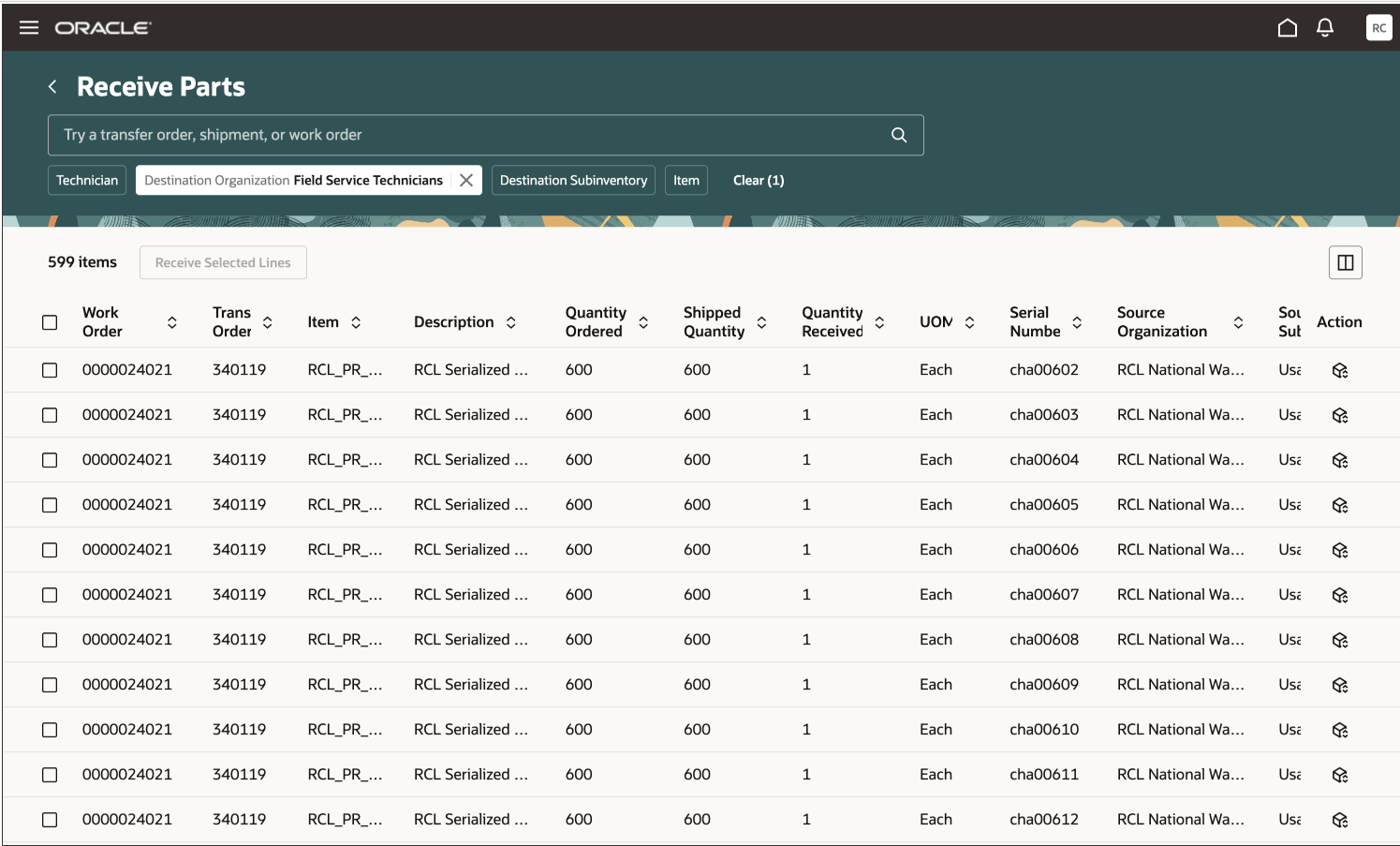
Receive Parts Search Page
-
Search bar
-
Filter Chips suggestions bar
-
Magnifying Glass icon
-
Receive Parts results table
These are described in the following table:
|
Field Name |
Description |
|---|---|
|
Search bar |
The search bar opens with filter chips, which you can add or delete filters depending on your search needs. The selectable filter chips include:
You can search for a value directly by entering it the input field, Try a transfer order, shipment, or work order. You don't need to enter complete search terms. All filters support autocomplete, and the search field uses fuzzy logic to help you find relevant results. |
|
Field Chips suggestion bar |
The filter chips appear in the Search bar and provide suggestions for filtering your results set. For example, you might see a filter suggestion for the destination organization. You can select this filter chip to filter your results. When you select one of the filter chips in the suggestions bar, it’s added to the Search bar and filters the Receive Parts results table. |
|
Magnifying Glass icon |
You can use the Magnifying Glass icon to filter your results based on predefined filter chips and their associated values. |
|
Receive Parts results table |
The Receive Parts results table lists the transfer orders and work orders based on your search criteria and filters. You can also sort your results by selecting the arrows next to the column headers. When you first open the page, the lines are sorted by the work order number. |