How do I track worker performance?
Use the Task Performance page to review worker productivity metrics for the assigned tasks.
Here's how:
- In the Inventory Management work area, click
 , and then select
Inventory Task Assignments page.
, and then select
Inventory Task Assignments page. - In the in-app navigation, select the Task Performance page.
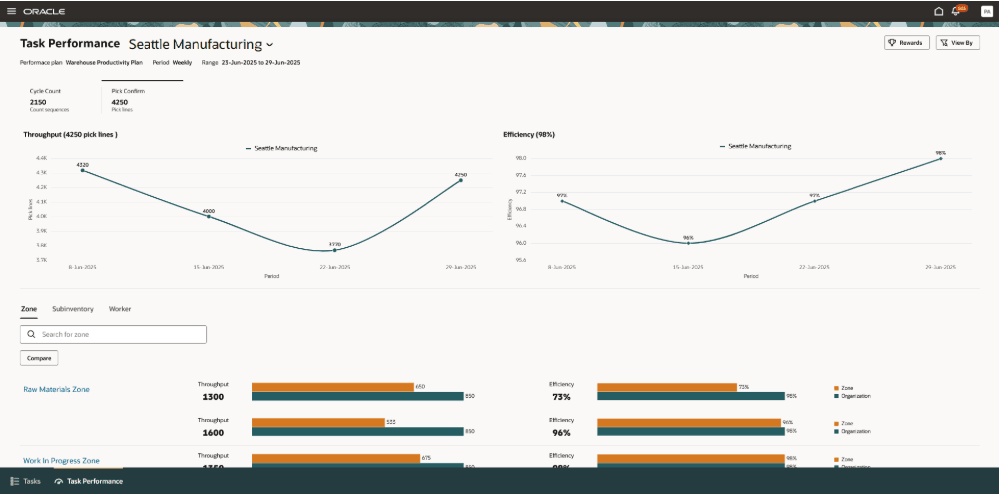
From here, you can view:
- Throughput and efficiency of the organization, zones, subinventories, and workers.
- Track throughput and efficiency trends for the last 4 periods of the selected plan.
- Compare the performance of zones, subinventories, and workers against the organization's performance.
- Compare performance between multiple zones, subinventories, or workers.
- Access the Oracle Celebrate page to view rewards earned by your team or direct reports.