Available-to-Promise Rules
Use a Redwood page to set the promising mode, type of supply to include when you check availability, and other options that control how Oracle Global Order Promising schedules an order line. You can then assign the rule to an item, organization, category, or combination of item and organization according to your promising requirements.
An available-to-promise (ATP) rule is a condition that you specify to tell Promising what to search. It helps you to identify what supply is available in your supply chain that Promising can use to promise an item.
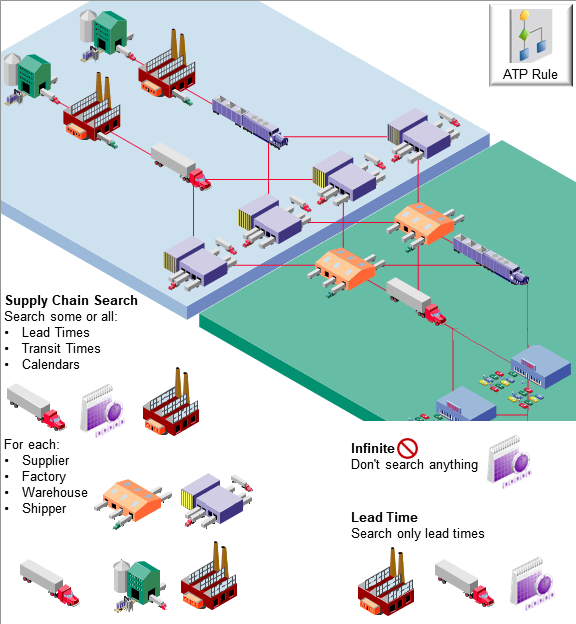
You can specify:
- Where to get supply, such as supply that's already on hand, from a supplier through a purchase order, or from a factory through a work order.
- What demand the rule can fulfill, such as to fulfill demand from an order line.
Set up, search, review, edit, and delete the promising rules that determine how promising schedules order lines on redesigned pages. Set up and maintain the promising mode, type of supply, time fence, and other details for each of your ATP rules. You can assign items, organizations, item categories, or combinations of items and categories to meet your needs.
Try It
- Go to Home Page > Order Management > Show More > ctrl+f > Manage ATP Rules
- Specify the rule's criteria.
- Assign your rule.
Guidelines
- Make sure you assign each item that you need to promise to an ATP rule.
- You can apply only one ATP rule to an item. If you create more than one ATP rule for an item, and if Promising determines that more than one of them apply when it promises your item, then Promising uses the one that has the most specific assignment. See Assign Your ATP Rules.
- You can select the Flow Schedule attribute and the Flow Schedule Component Demands attribute on the redesigned ATP Rule Criteria page. You can't select them on the classic page. For details, see the 25D What's New content for the Promise Sales Orders That Include Flow Manufacturing Items feature.
- You can use the redesigned page to view and edit ATP rules that you created on the classic page.
More