Usecase Example: Loading Data to Tax Reporting using Data Integration from Cloud EPM
To load data to Tax Reporting using Data Integration, follow the steps below:
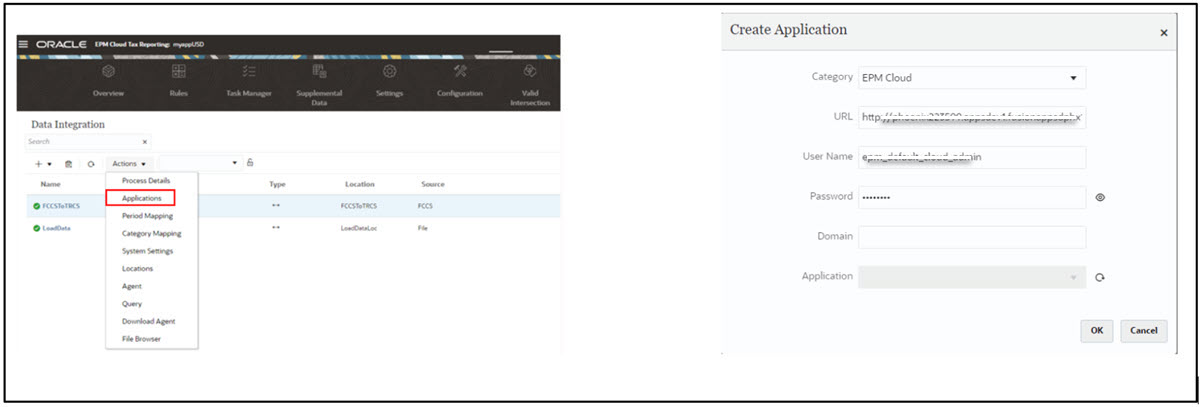
- Register Financial Consolidation and Close Application on your
target Tax Reporting
application. To do so, navigate to Application → Data Exchange. See
also, Registering Cloud EPM Applications in Administering Data Integration
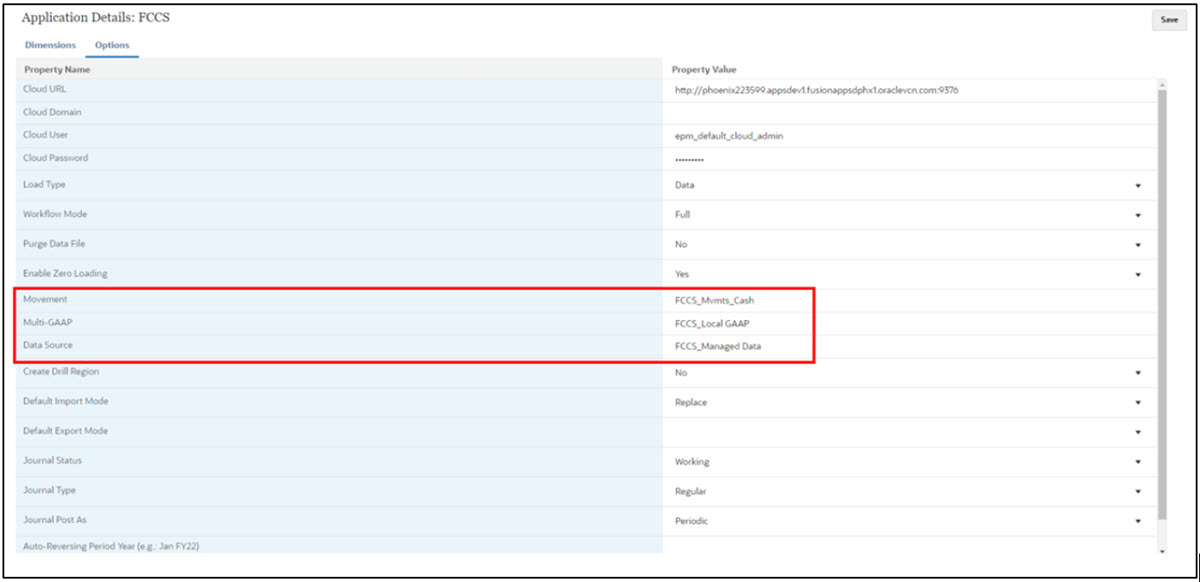
- Set default members for some of the dimensions of Financial Consolidation and Close application from where you want
to load data to Tax Reporting
. Click on Financial Consolidation and Close application →
Options
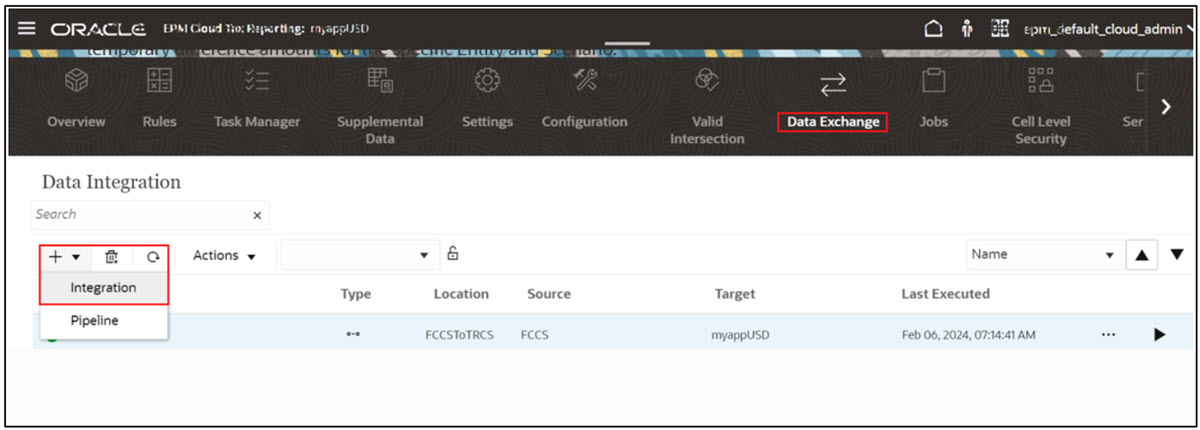
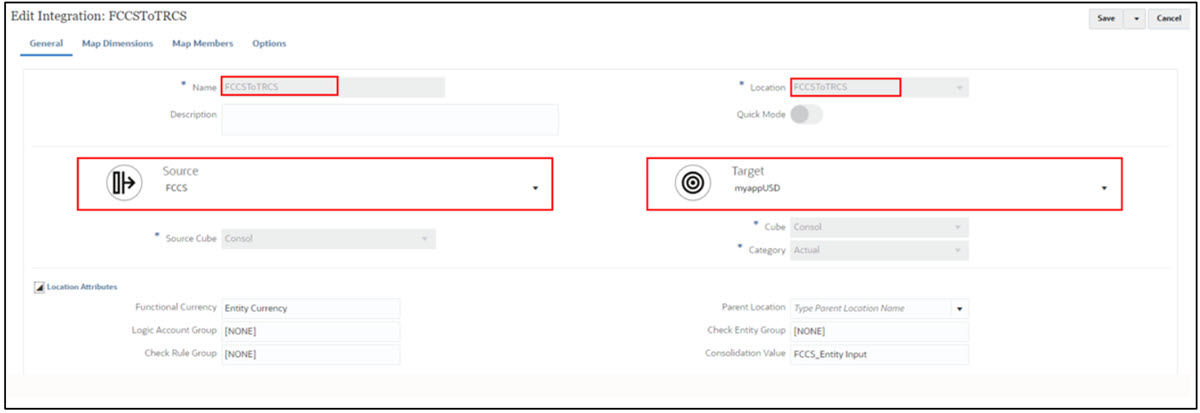
- Create integration between Financial Consolidation and Close to
Tax Reporting.
- Map dimensions between Financial Consolidation and Close and Tax Reporting. See also, Mapping Dimensions in Administering Data Integration
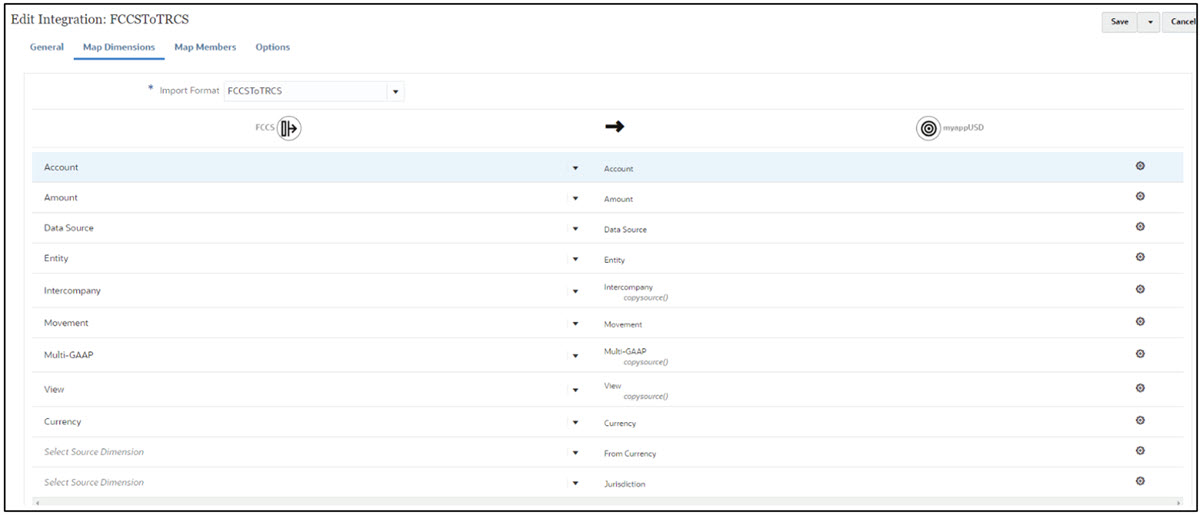
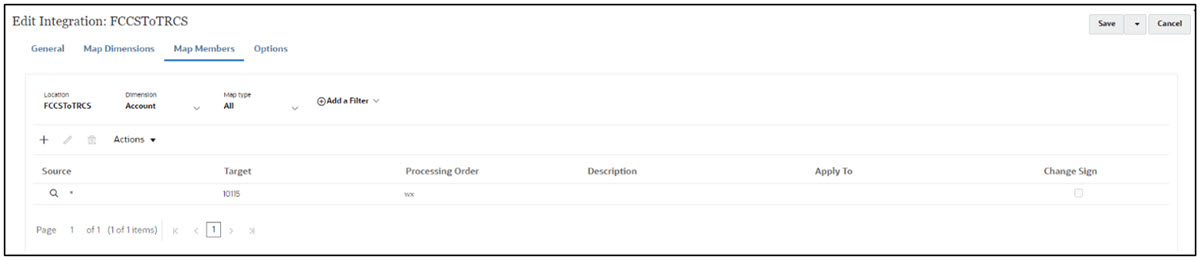
- Map members between Financial Consolidation and Close and Tax Reporting. For example,
map data from any account on Financial Consolidation and Close to
for example, account 10115 in Tax Reporting. See also, Mapping Members in Administering Data Integration
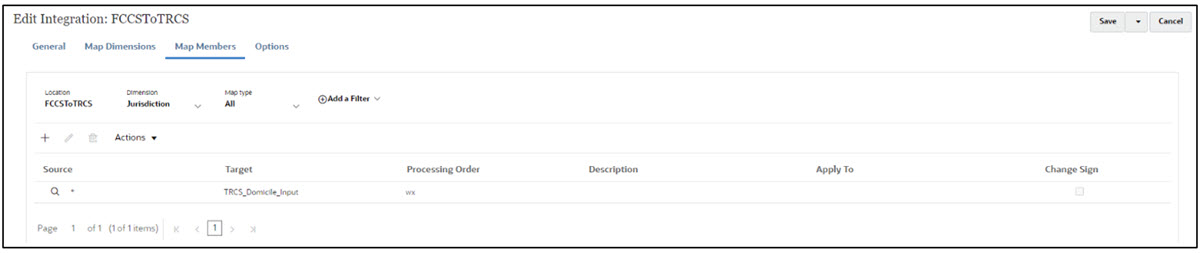
Or, fix the jurisdiction member in the target Tax Reporting application to TRCS_Domicile_Input
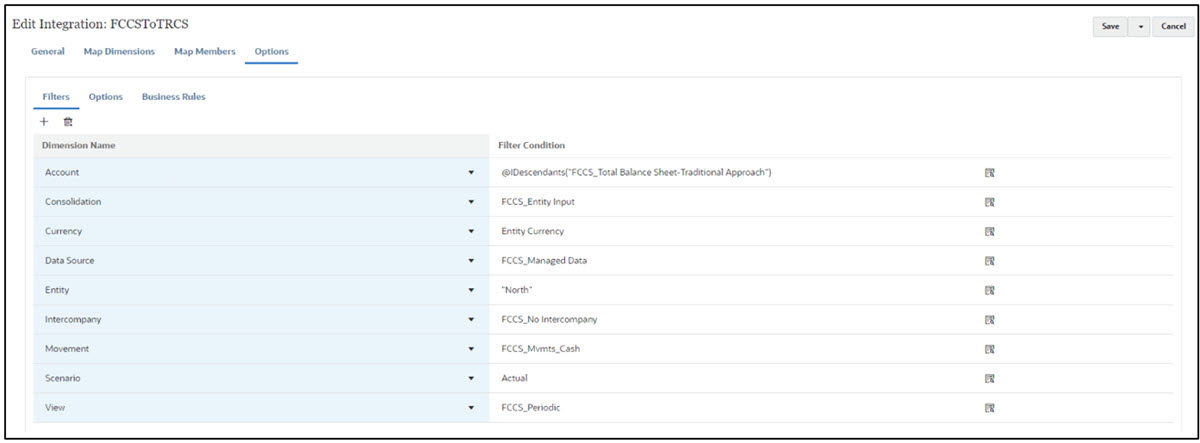
- Add Filters option to filter out the Financial Consolidation and Close members which need to be loaded
in Tax Reporting. See also:
Filtering Members in Administering Data Integration
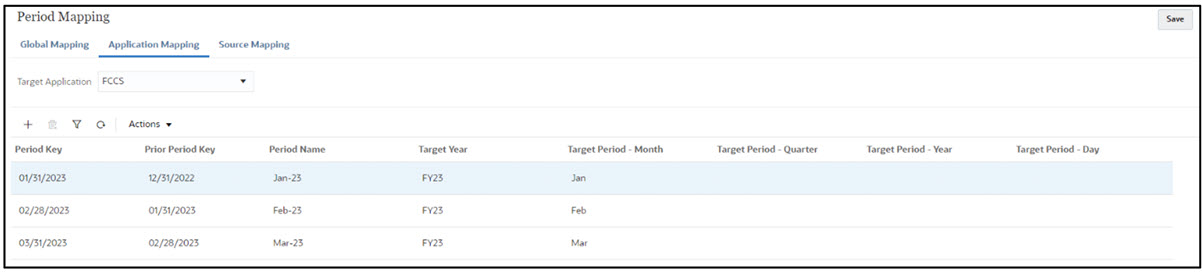
- Map Period between Financial Consolidation and Close and Tax Reporting since periods
are declared differently in each Cloud EPM application. To do so, navigate to
Application → Data Exchange → Actions → Period Mapping See also, Managing Period
Mappings in Administering Data Integration
Global Mapping for Tax Reporting application

Application Mapping for Financial Consolidation and Close
- Execute Data Integration after the
mappings are complete.
