Viewing Post Journal Creation
- Financial Consolidation and Close
Application
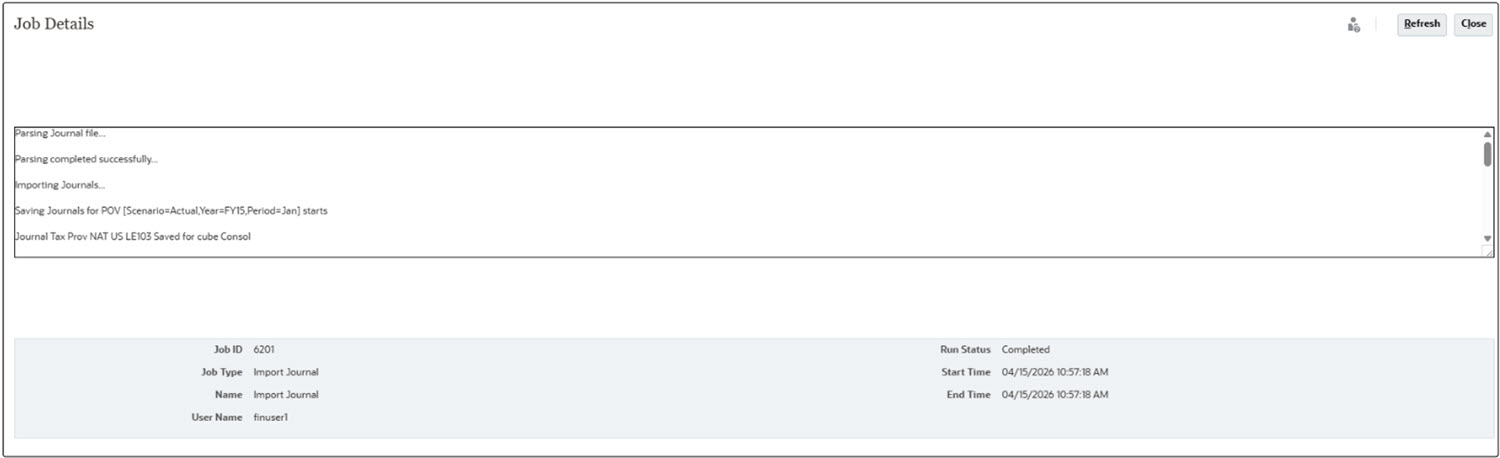
- After the journal is created, the Financial Consolidation and Close application job details
display the following information
- Journal header and line details can be viewed using the Consolidation
Journals card

- Captures complete journal-related details in Audit.
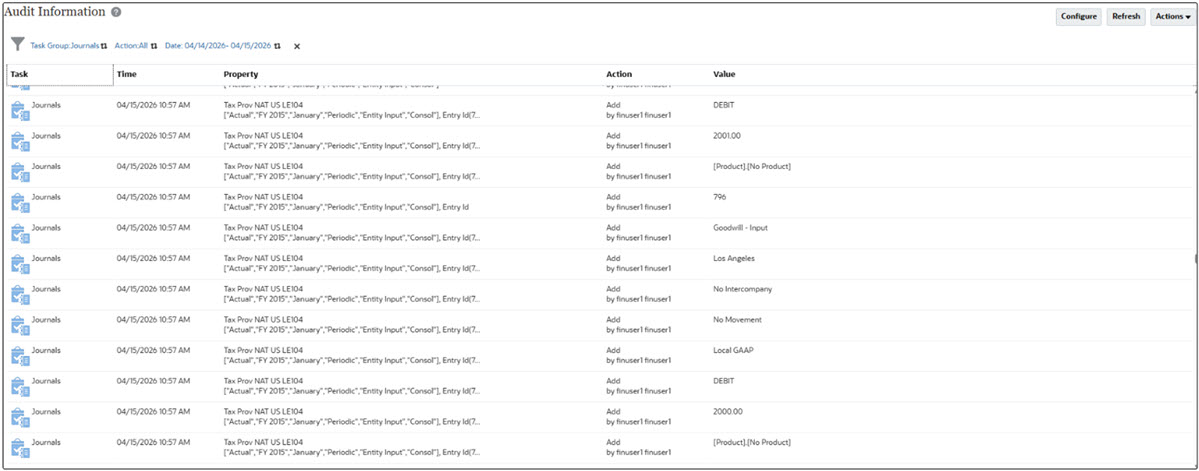
Note:
Ensure Audit Configuration has Journal enabled
- After the journal is created, the Financial Consolidation and Close application job details
display the following information
- Tax Reporting
Application
Audit information is available in Tax Reporting only when the journal import is successfully triggered, with the required details, regardless of whether the Import Journal job in Financial Consolidation and Close completes successfully or ends in error.
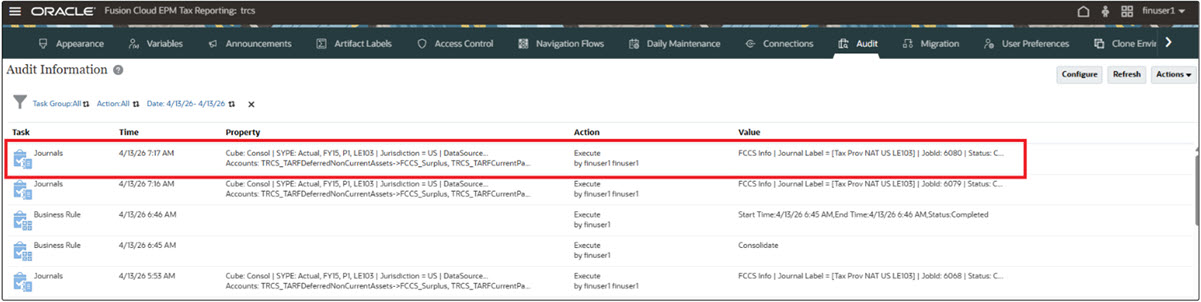
The audit includes:
- Journal created by the user
- Tax Reporting dimension members used for data extraction
- Mappings defined between Tax Reporting and Financial Consolidation and Close
- Financial Consolidation and Close job details, including
the generated JLF file name
Note:
Ensure Audit Configuration has Journal enabled