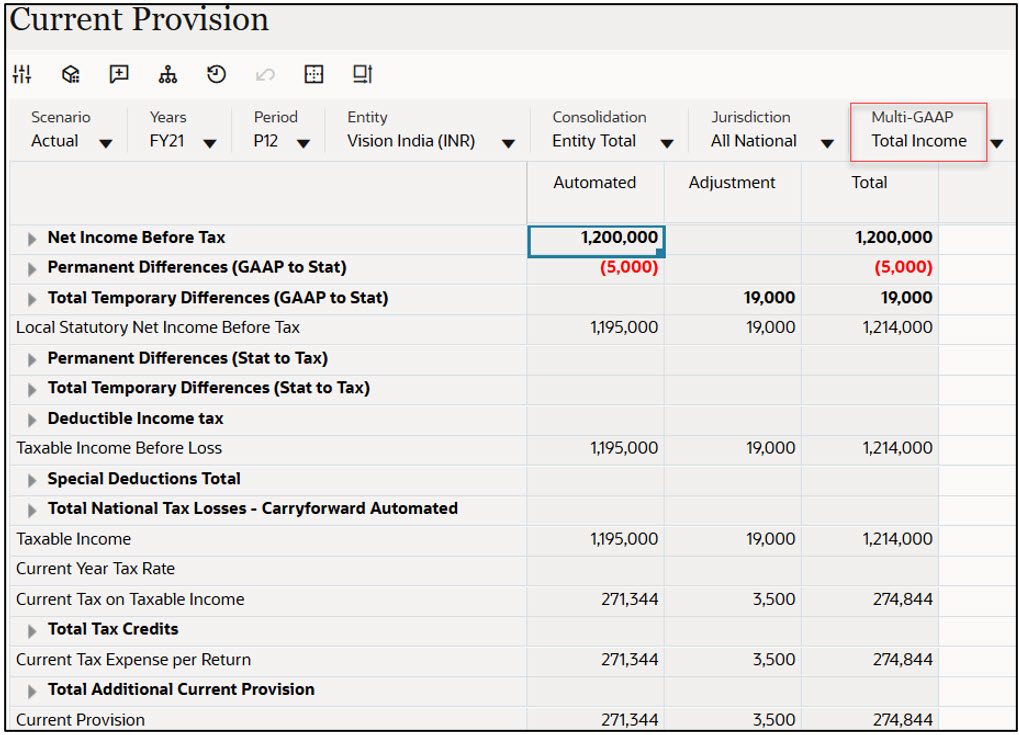
Multi-GAAP: Usecase Example 1
Separate tax rates for short term capital gains, long term capital gains, and regular Income
- Create the following metadata under Multi-GAAP dimension.
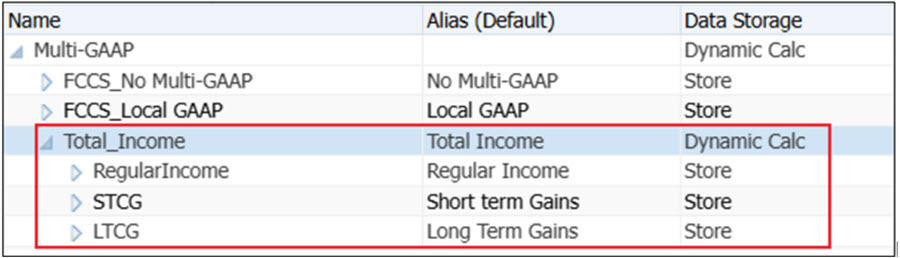
- Post the metadata changes and refresh the database.
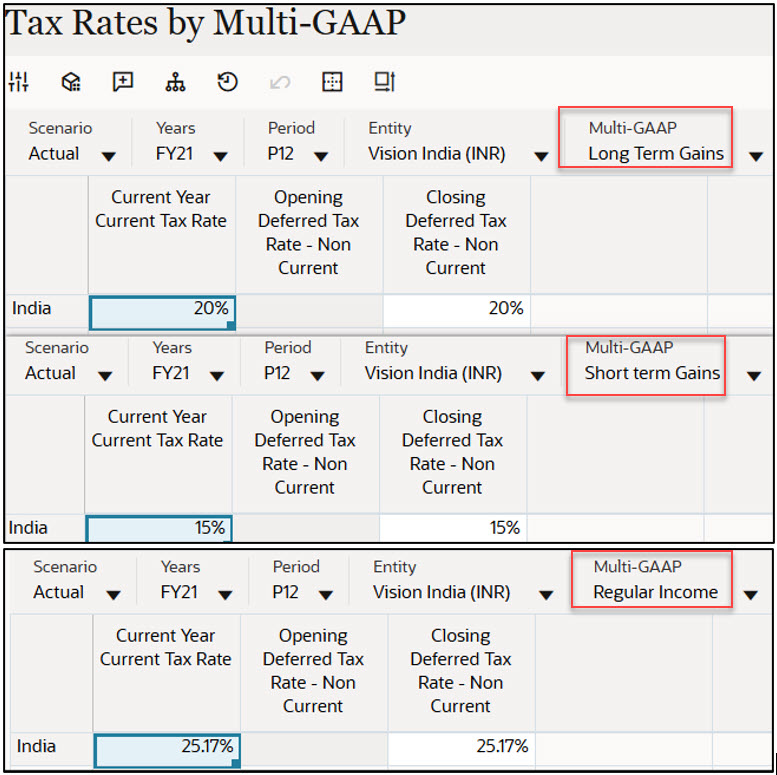
- Navigate to Tax Rates by Multi-GAAP form and specify the Tax Rates by
selecting each Multi-GAAP member.
Note:
- If there are no tax rates entered at individual Multi-GAAP member then system uses Tax Rates entered at "FCCS_No Multi-GAAP" member.
- It is not mandatory to specify tax rates for every GAAP member.
- Enter the Tax rates by Multi-GAAP (Long Term Gains at 20%, Short Term Gains at 15%,
and Regular Income at 25.17 %).
- Setup tax automation rules to separate balances for each GAAP if required.
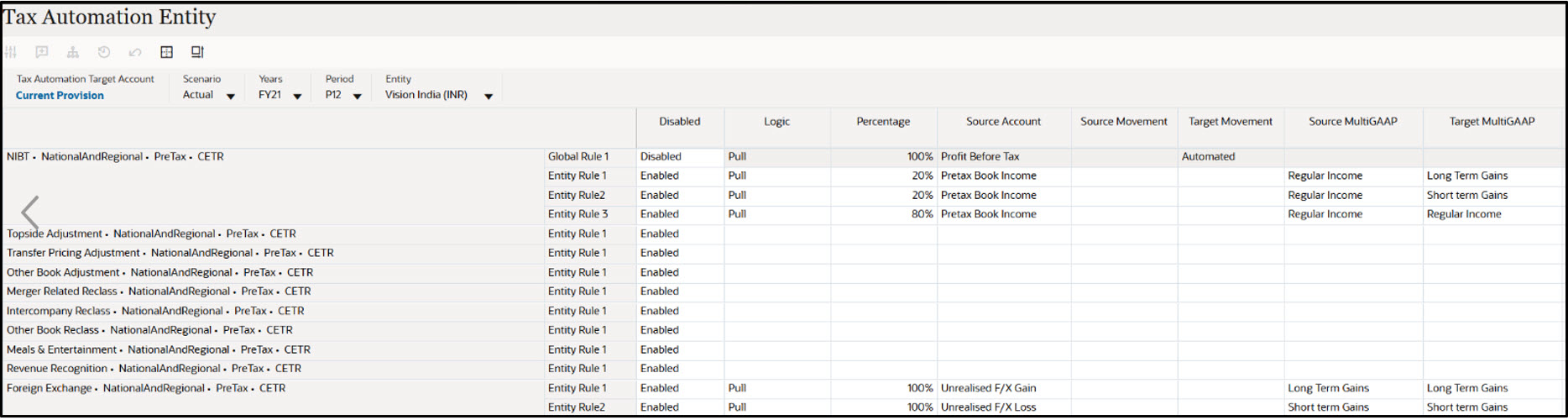
- For example, 20% of Regular Income to Long term gains and 20% to short term gains.
- Open Current Provision form and run Consolidation.
- Note the tax affected rates below:
Long Term Gains are tax effected at 20%.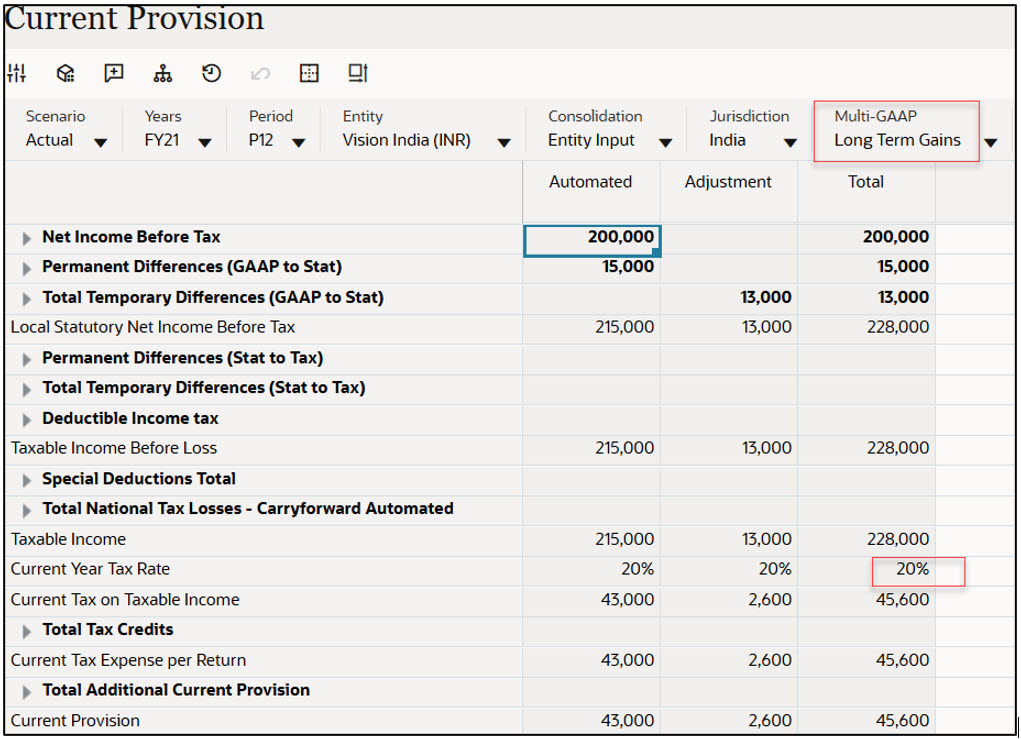
Short Term Gains are tax effected at 15%.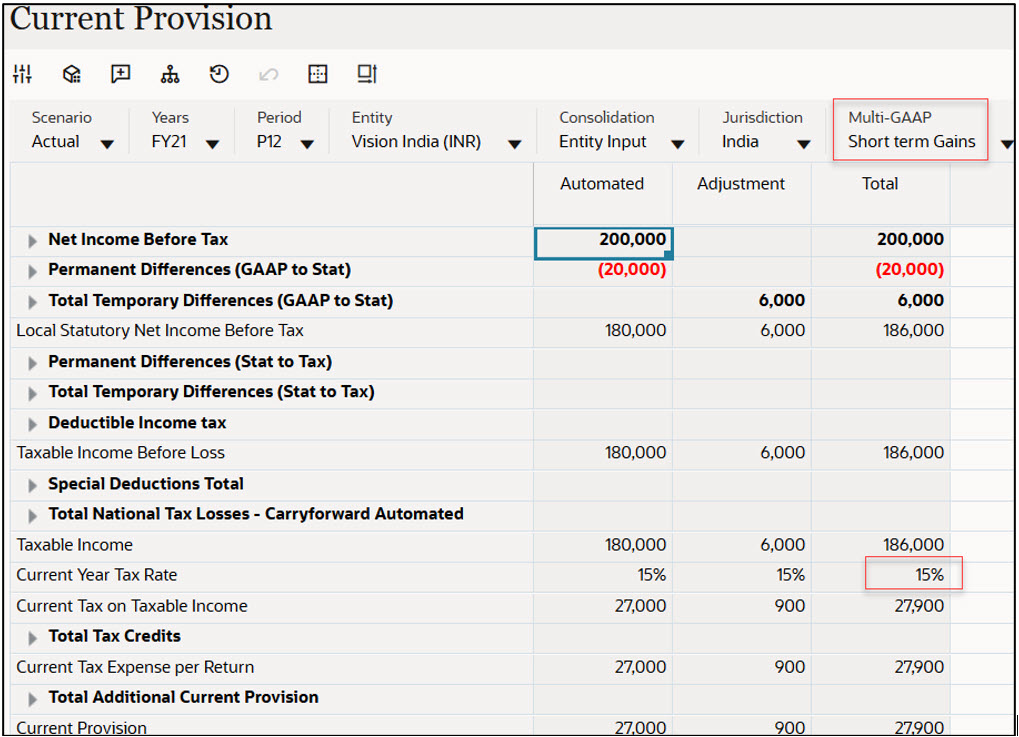
Regular Income is tax effected at 25.17 %.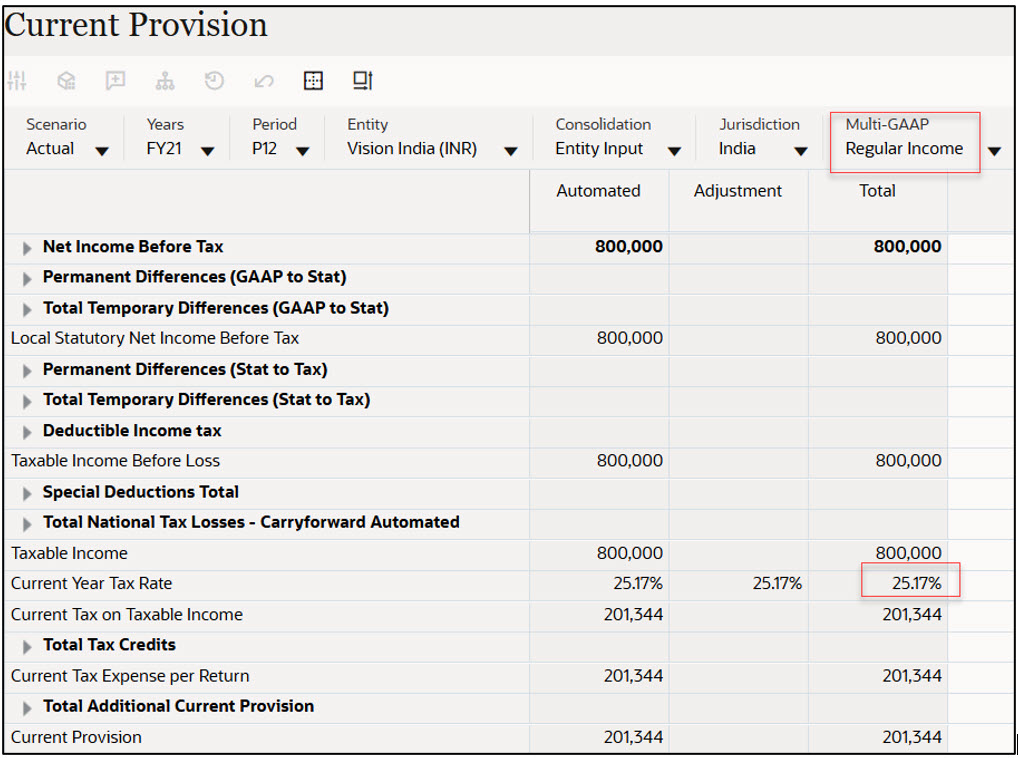
Total Income parent (shows the sum of all the GAAPs).