Multi-GAAP: Usecase Example 2
Using Deferred Tax Override Rates Temporary Differences
- Setup deferred tax override rates to override rates by Multi-GAAP.
- Navigate to Library → Administration and open Deferred Tax Override
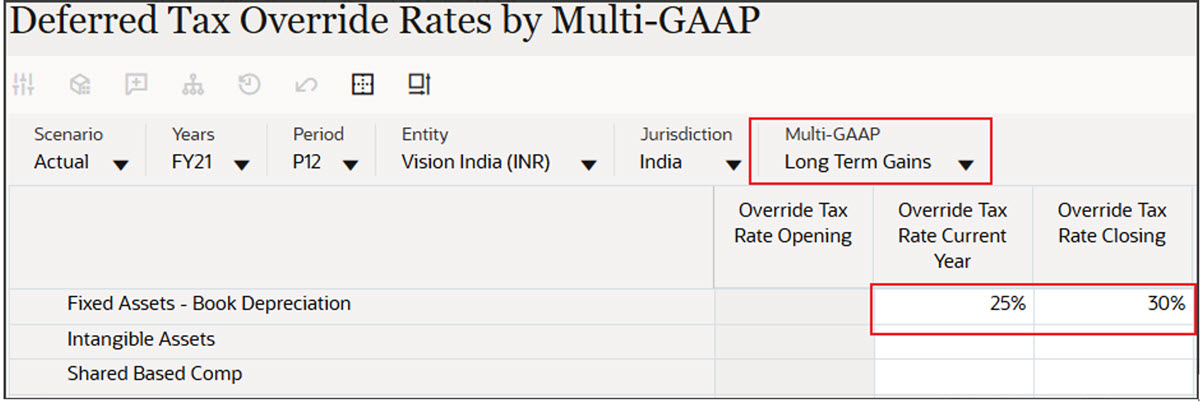
Rates by Multi-GAAP form. For example, in the screenshot below, Fixed
Assets - Book Depreciation Temporary difference account has Current Year
rate and Closing rates overridden.
Note:
- If Override Tax Rate Closing value is not provided in Deferred Tax Override Rates by Multi-GAAP, then the Closing Tax Rate from Tax Rates by Multi-GAAP form is used to calculate the rate change.
- It is not mandatory to specify override tax rates for every GAAP member.
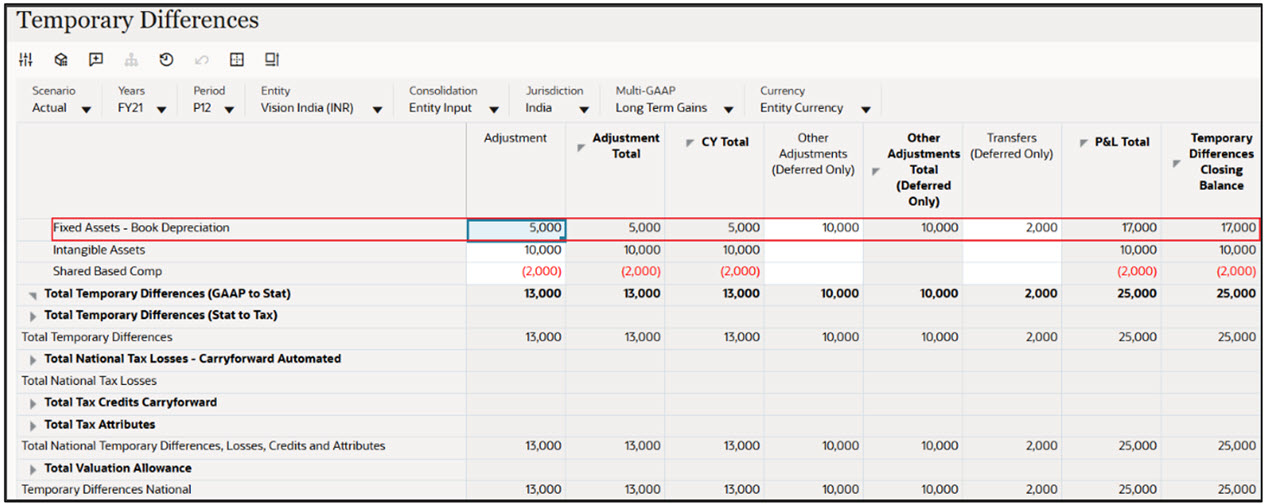
- Verify the Overridden Tax rates for the Temporary difference account. The
Temporary Differences Closing Balance is 17,000 and Other Adjustments
Total (Deferred Only) on Pre-Tax is 10,000.
- Open the Deferred Tax form to verify the tax effected data using override
rates for Fixed Assets - Book Depreciation account.
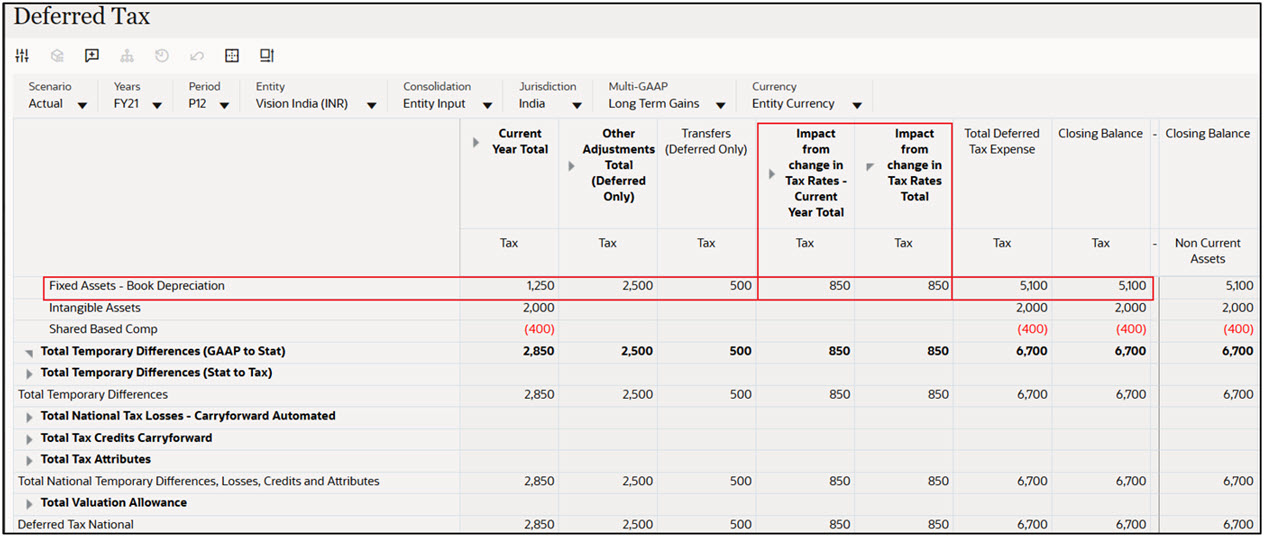
In the above example screenshot, you see that:
- The Current Year Rate change is calculated based on the difference between Override Tax Rate Current Year (25%) and Override Tax Rate Closing (30%). For example, Other Adjustments Total (Deferred Only) on Pre-Tax 10,000 and using the Override Current Year Tax Rate that is, 25% = 2,500
- The Current Year Rate change is calculated using the difference between Override Tax Rate Current Year that is, 25% and Override Tax Rate Closing that is, 30% (Pre-Tax CY is 17,000 * (30 % - 25%) = 850)