Using Valuation Allowance Forms: National
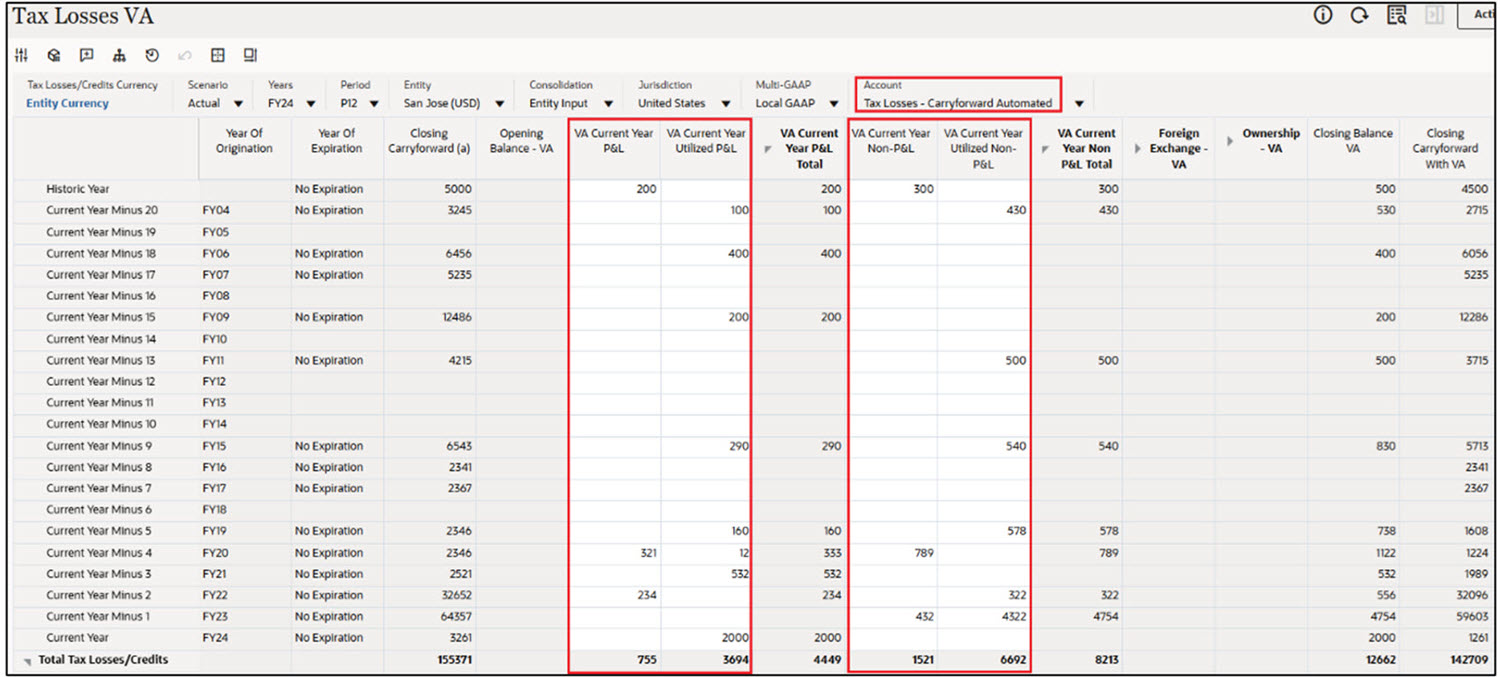
Tax Losses VA
VA Current Year P&L, VA Current Year Utilized P&L, VA Current Year Non-P&L and VA Current Year Utilized Non – P&L amounts can be entered for a Tax Losses account, for any year. For example, the value in VA current Year P&L Total is 4449 (755 + 3694) and VA current Year Non P&L Total is 8213 (1521 + 6692).
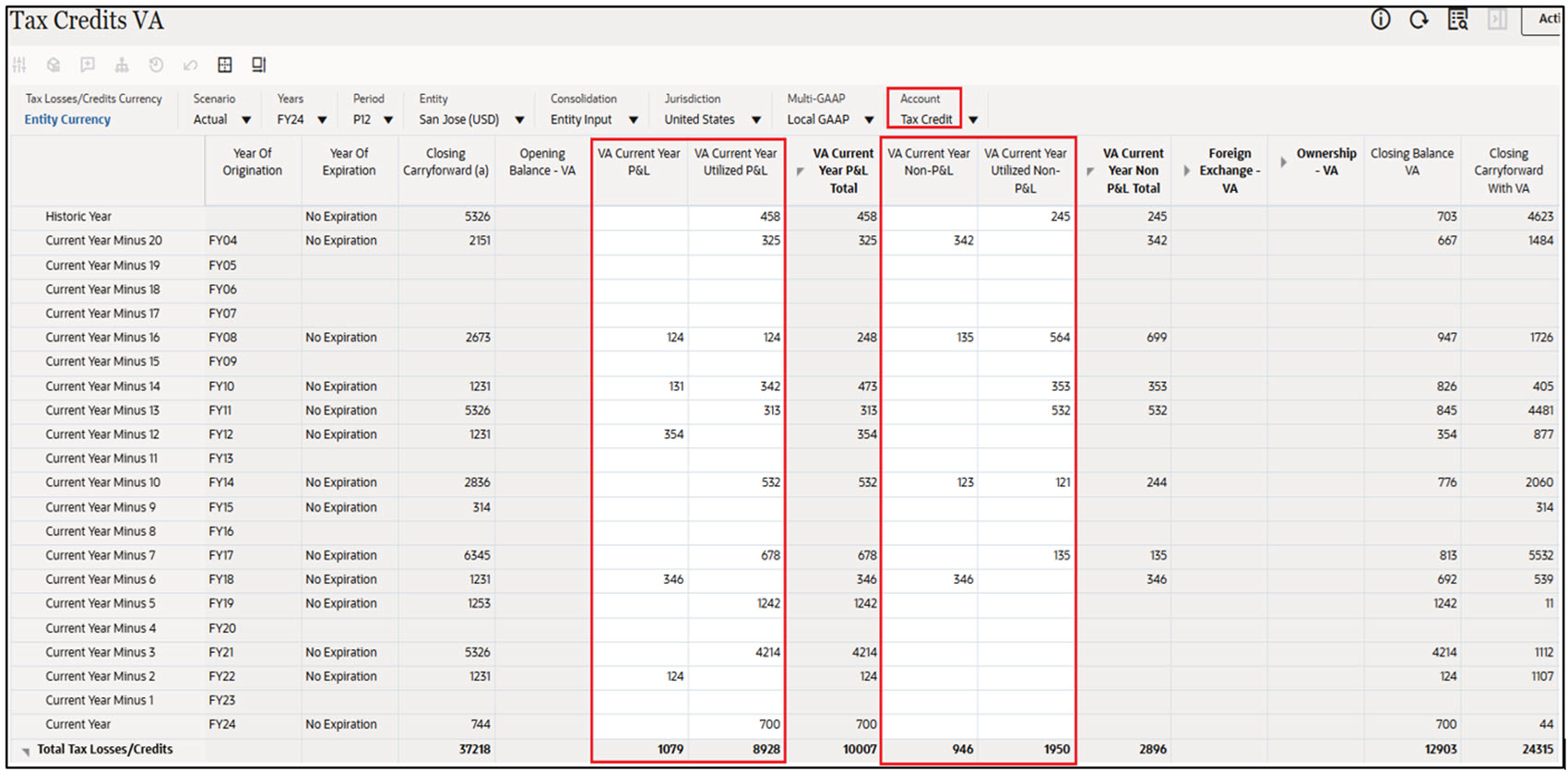
Tax Credits VA
VA Current Year P&L, VA Current Year Utilized P&L, VA Current Year Non-P&L and VA Current Year Utilized Non – P&L amounts can be entered for a Tax Credit account, for any year. For example, the value in VA current Year P&L Total is 10007 (1079 + 8928) and VA current Year Non P&L Total is 2896 (946 + 1950).
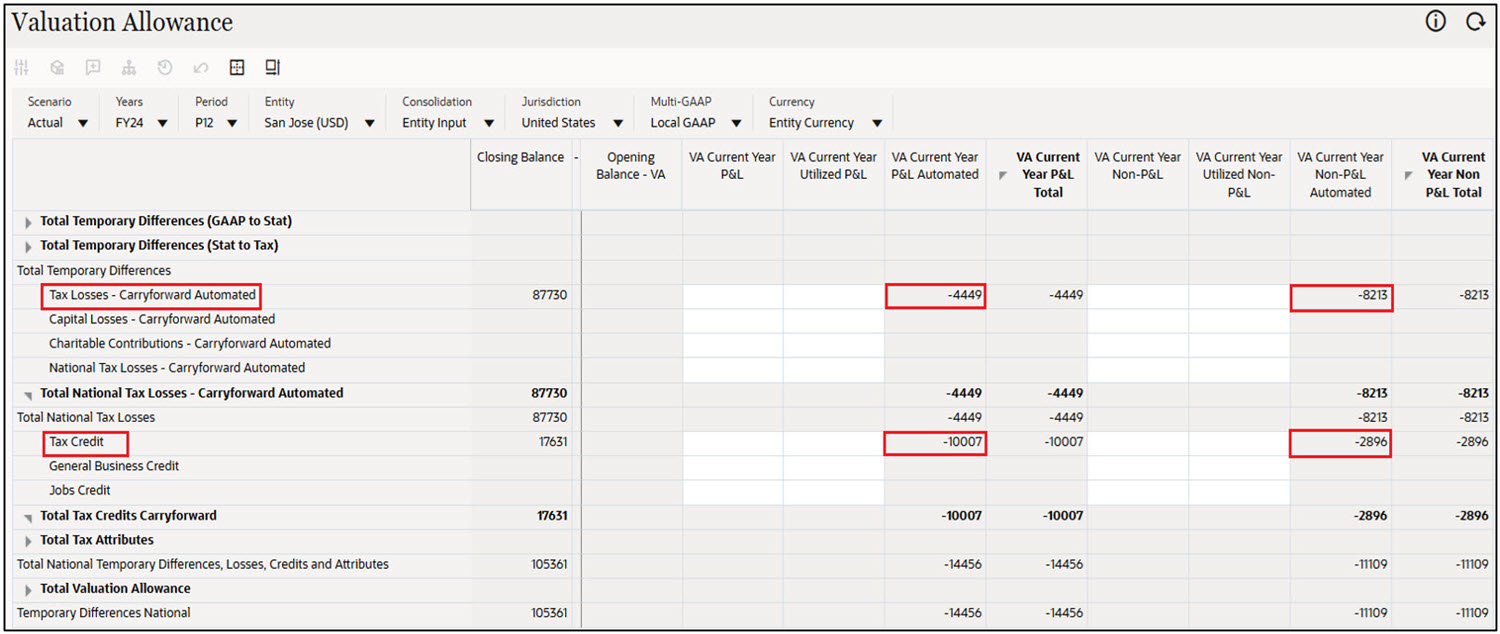
Valuation Allowance
On consolidation, VA Current Year P&L Total and VA Current Year Non – P&L Total amounts from Tax Losses/Credits VA forms are populated in VA Current Year P&L Automated and VA Current Year Non – P&L Automated, respectively.
For example, the value -4449 is populated in VA Current Year P &L Automated and -8213 is populated in VA Current Year Non P&L Automated for the account Tax Losses – Carryforward Automated. Similarly, the value -10007 is populated in VA Current Year P &L Automated and -2896 is populated in VA Current Year Non P&L Automated for the account Tax Credit.
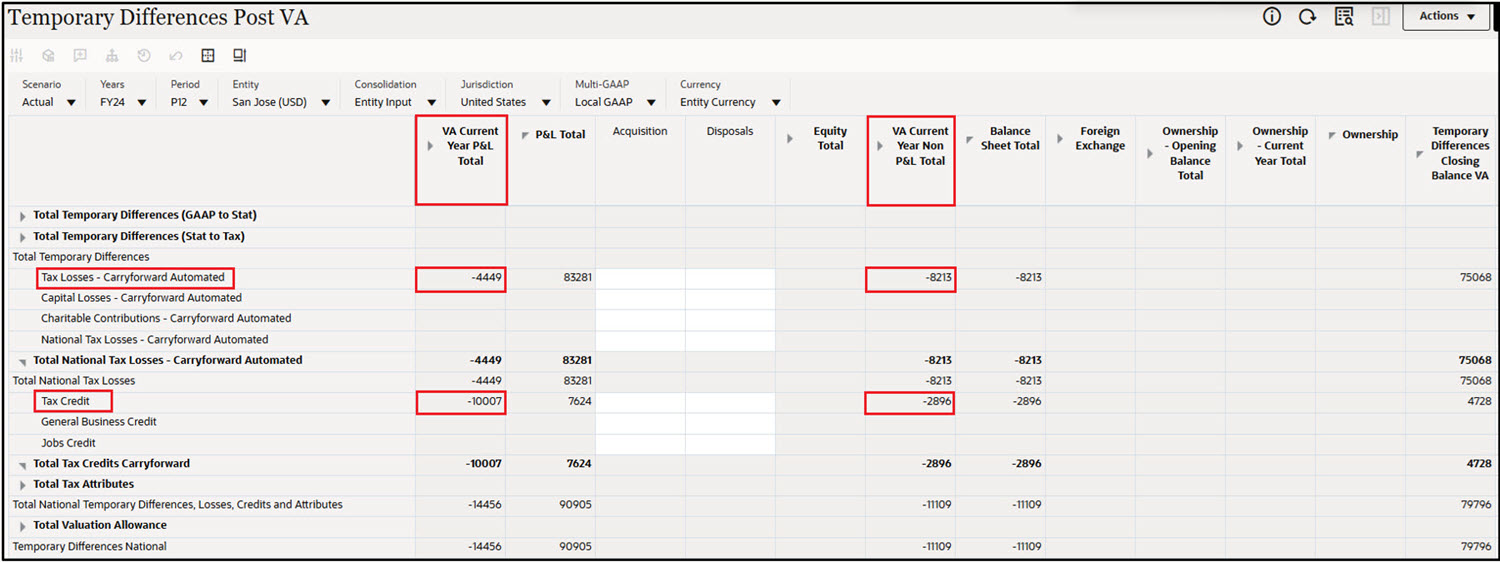
Temporary Differences Post VA
VA Current Year P&L Total and VA Current Year Non – P&L Total movements are configured under P&L Total and Balance Sheet Total along with other Temporary Differences movements.
For example, the value -4449 is populated in VA Current Year P&L Total and -8213 is populated in VA Current Year Non – P&L Total for the account Tax Losses – Carryforward Automated. Similarly, the value -10007 is populated in VA Current Year P&L Total and -2896 is populated in VA Current Year Non – P&L Total for the account Tax Credit.
Deferred Tax Post VA
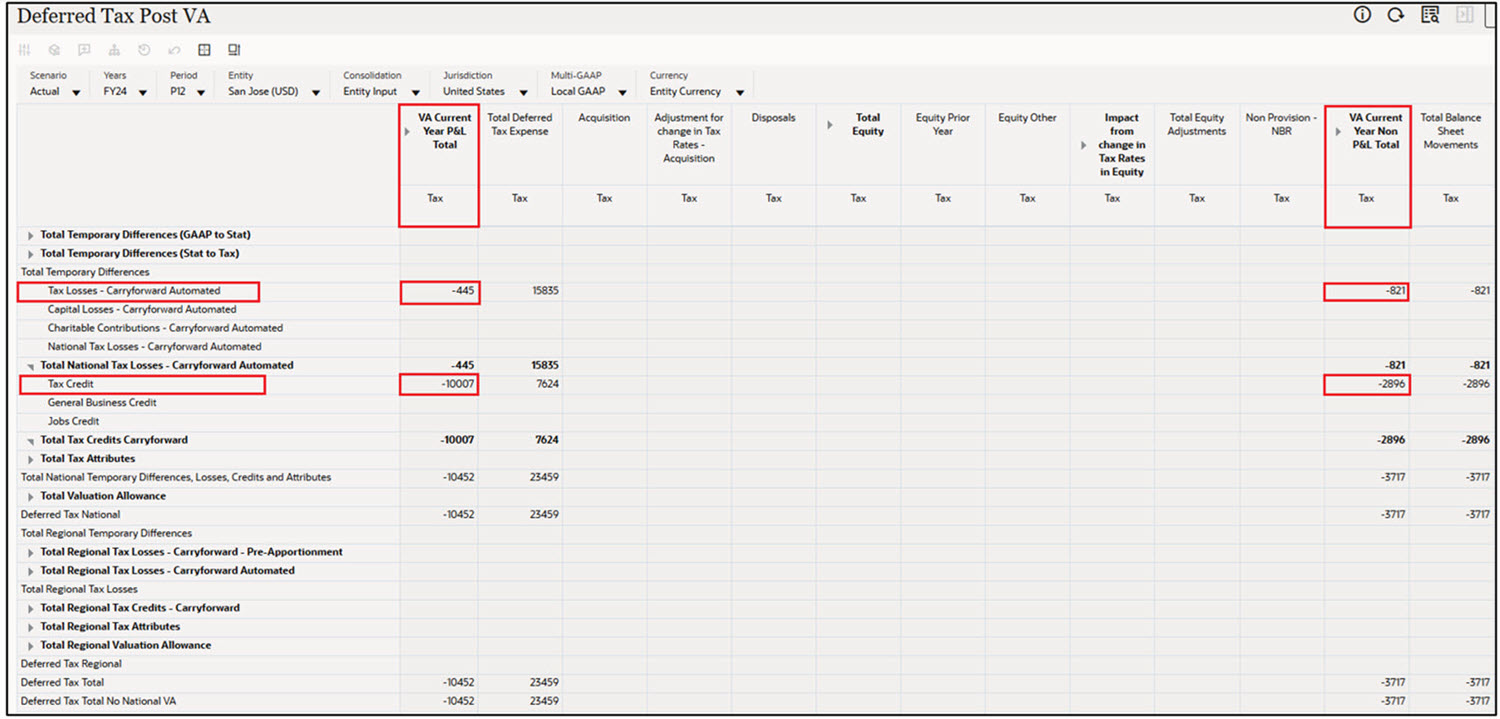
VA Current Year P&L Total and VA Current Year Non – P&L Total movements are configured along with other Deferred Tax movements.
For example, the value -445 is populated in VA Current Year P&L Total and -821 is populated in VA Current Year Non – P&L Total for the account Tax Losses – Carryforward Automated (in this example, the tax rate is 10%). The value -10007 is populated in VA Current Year P&L Total and -2896 is populated in VA Current Year Non – P&L Total for the account Tax Credit.
Deferred Tax Post DTNR and VA
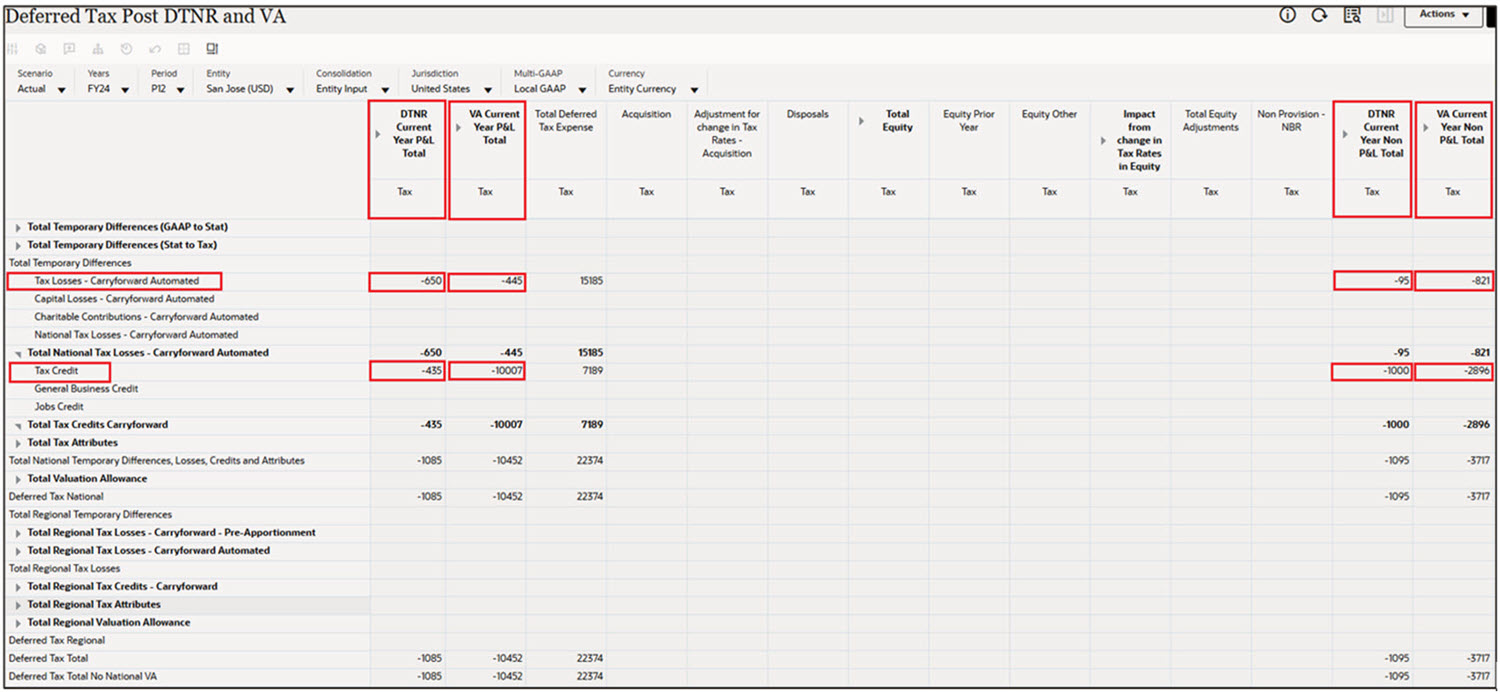
This form can be used when both DTNR and VA are configured.
You can view DTNR Current Year P&L Total, VA Current Year P&L Total, DTNR Current Year Non P&L Total and VA Current Year Non P&L Total columns n the Deferred Tax Post DTNR and VA form.
For example, the value -650 is populated for DTNR Current Year P&L Total and -445 is populated in VA Current Year P&L Total. Also, -95 is populated for DTNR Current Year Non P&L Total and -821 is populated in VA Current Year Non – P&L Total for the account Tax Losses – Carryforward Automated (in this example, the tax rate is 10%). The value -435 is populated for DTNR Current Year P&L Total and -10007 is populated in VA Current Year P&L Total. Also, -1000 is populated for DTNR Current Year Non P&L Total and -2896 is populated in VA Current Year Non – P&L Total for the account Tax Credit.
Note:
VA Regional forms work in the similar way. See also: Using Valuation Allowance Forms: Regional