Realtime Data Ingestion into Oracle AI Data Platform with Oracle GoldenGate for DAA
Overview
This Quickstart covers a step-by-step process showing how to ingest parquet files into Oracle AI Data Platform (AIDP) in real-time with Oracle GoldenGate for Distributed Applications and Analytics (GG for DAA).
Oracle AI Data Platform is a managed service that unifies data lake, catalog, compute, and workflow orchestration into a single service. It allows the users to securely discover, prepare, and govern structured and unstructured data, while enabling large-scale analytics and AI/ML workloads with Apache Spark for building data-driven applications and accelerating business insights.
GG for DAA AIDP handler uses the stage and merge data flow. In stage and merge, the change data is staged in an OCI Object Storage bucket in microbatches and eventually merged into to the target delta tables managed by AIDP. All replication process is automatically handled by Oracle AI Data Platform.
Prerequisites
To successfully complete this Quickstart, you must have the following:
-
An Oracle AI Data Platform Connection.
-
Oracle Cloud Infrastructure account set up for Oracle AI Data Platform.
-
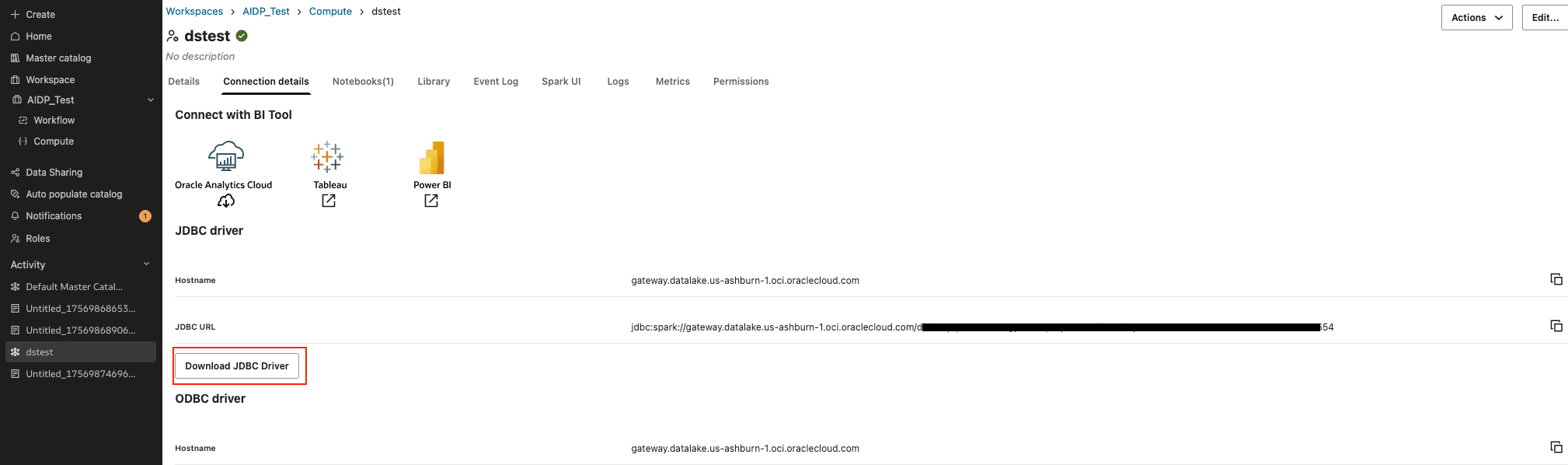
Simba JDBC driver for Apache Spark. You can download the Simba JDBC driver from the cluster detail page of the Oracle AI Data Platform console.
In this Quickstart, a sample trail file (named tr) which is shipped with GG for DAA is used. If you want to continue with sample trail file, it is located at GG_HOME/opt/AdapterExamples/trail/ in your GG for DAA instance.
Install Required Dependency Files
GG for DAA uses client libraries in the replication process and these libraries need to be downloaded before setting up the replication process. You can use dependency downloader to download the client libraries. Dependency Downloader is a set of shell scripts that downloads dependency jar files from Maven and other repositories.
GG for DAA uses Simba JDBC driver that you can download from AIDP console. You can download the Simba JDBC driver from Oracle AI Data Platform Workspace / Compute/ Connection details.
Figure 124: JDBC Driver
The required dependency files for OCI Object Storage can be downloaded using Dependency Downloader utility available in GG for DAA.The Dependency Downloader is a set of shell scripts that downloads dependency jar files from Maven and other repositories. 1. In your GG for DAA VM, go to Dependency Downloader utility located at GG_HOME/opt/DependencyDownloader/.
- Run the
oracle_oci.shwith the required version. Figure 125: Run oracle_oci.sh with the required version

- A new directory is created in
GG_HOME/opt/DependencyDownloader/dependencies. For example,/u01/app/ogg/opt/DependencyDownloader/dependencies/oracle_oci_3.2.0/*Take a note of this directory.
Configure Credentials for Oracle Cloud Infrastructure
You need to create a configuration file to authenticate into OCI. The ideal configuration file include user, fingerprint, key_file, tenancy, and region with their respective values. The default configuration file name and location is ~/.oci/config. For more information, see required keys and ocids document.
Sample Configuration File
[DEFAULT]
user=ocid1.user.oc1..mockValue
fingerprint=mockFingerPrintValue
tenancy=ocid1.compartment.oc1..mockValue
region=us-phoenix-1
key_file=<path to your private keyfile>
Create a Replicat in Oracle GoldenGate for Distributed Applications and Analytics
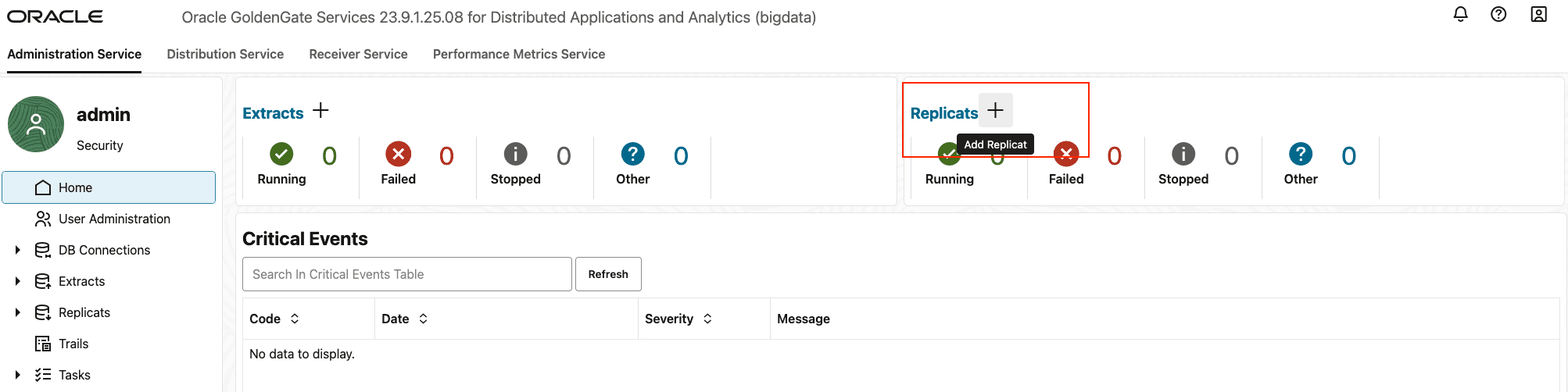
To create a replicat in Oracle GoldenGate for Distributed Applications and Analytics (GG for DAA): 1. Go to Administration Service and click the + sign to add a replicat. Figure 126: Click + in the Administration Service tab
-
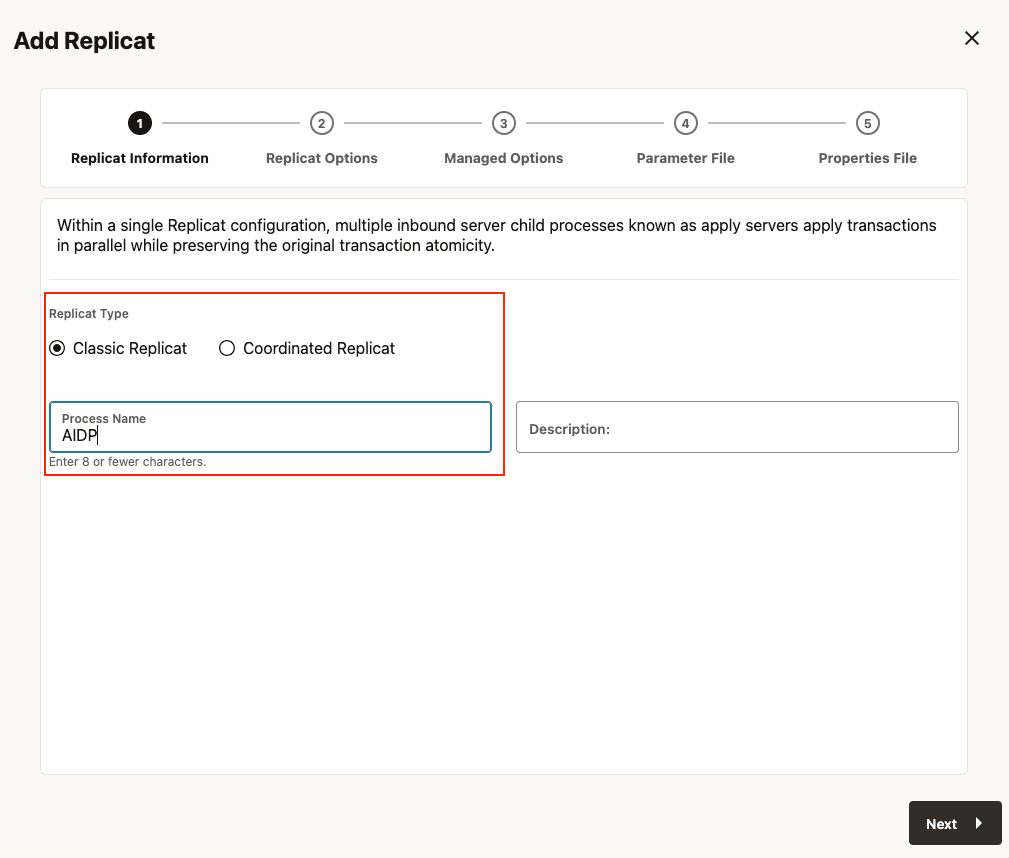
Select the Replicat Type and click Next.
There are two different Replicat types available: Classic Replicat and Coordinated Replicat. Classic Replicat is a single threaded process whereas Coordinated Replicat is a multithreaded one that applies transactions in parallel. Coordinated Replicat results in multiple files being created as there is a multithreaded process running.
Figure 127: Select a Replicat Option
-
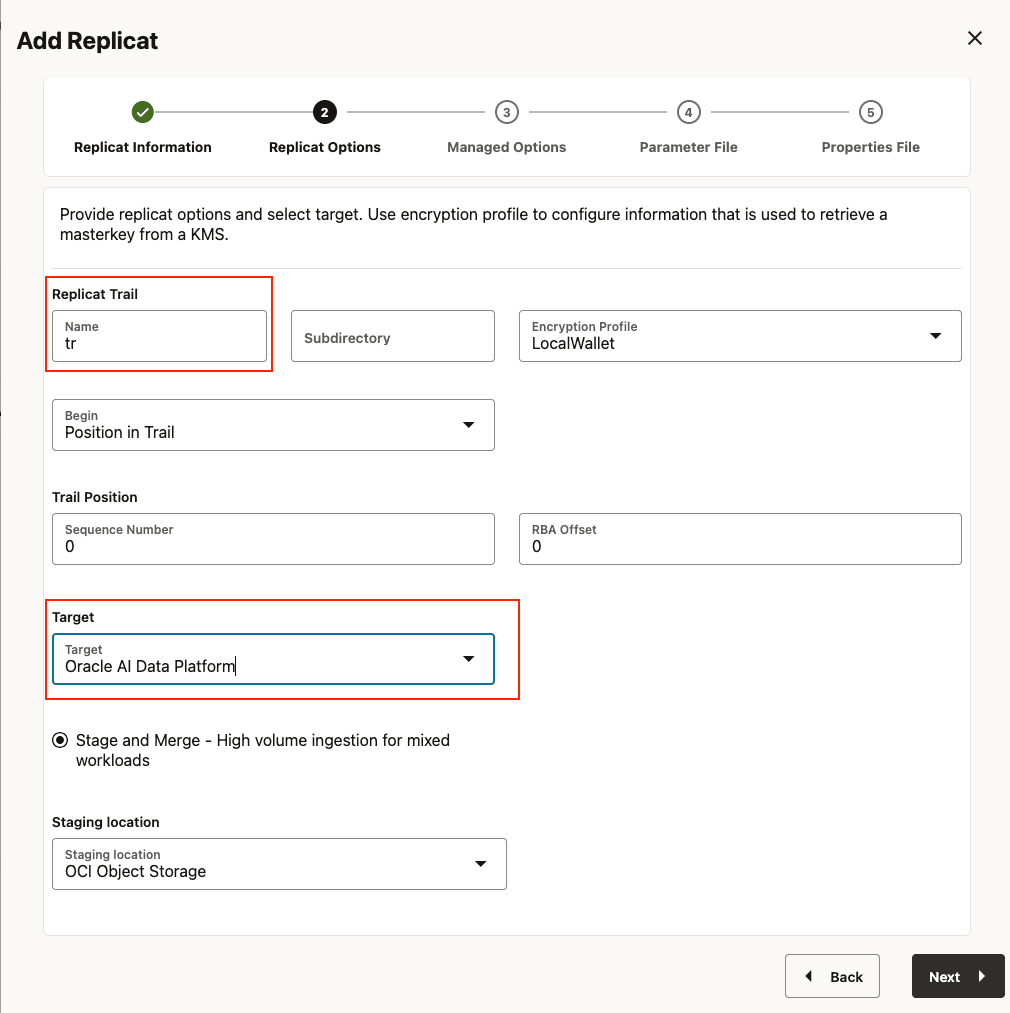
Enter the Replicat Options and click Next:
-
Replicat Trail: Name of the required trail file. For sample trail, provide
tr. -
Subdirectory: Enter
GG_HOME/opt/AdapterExamples/trail/if using the sample trail. -
Target: Oracle AI Data Platform Figure 128: Provide Replicat Options and Select Target
-
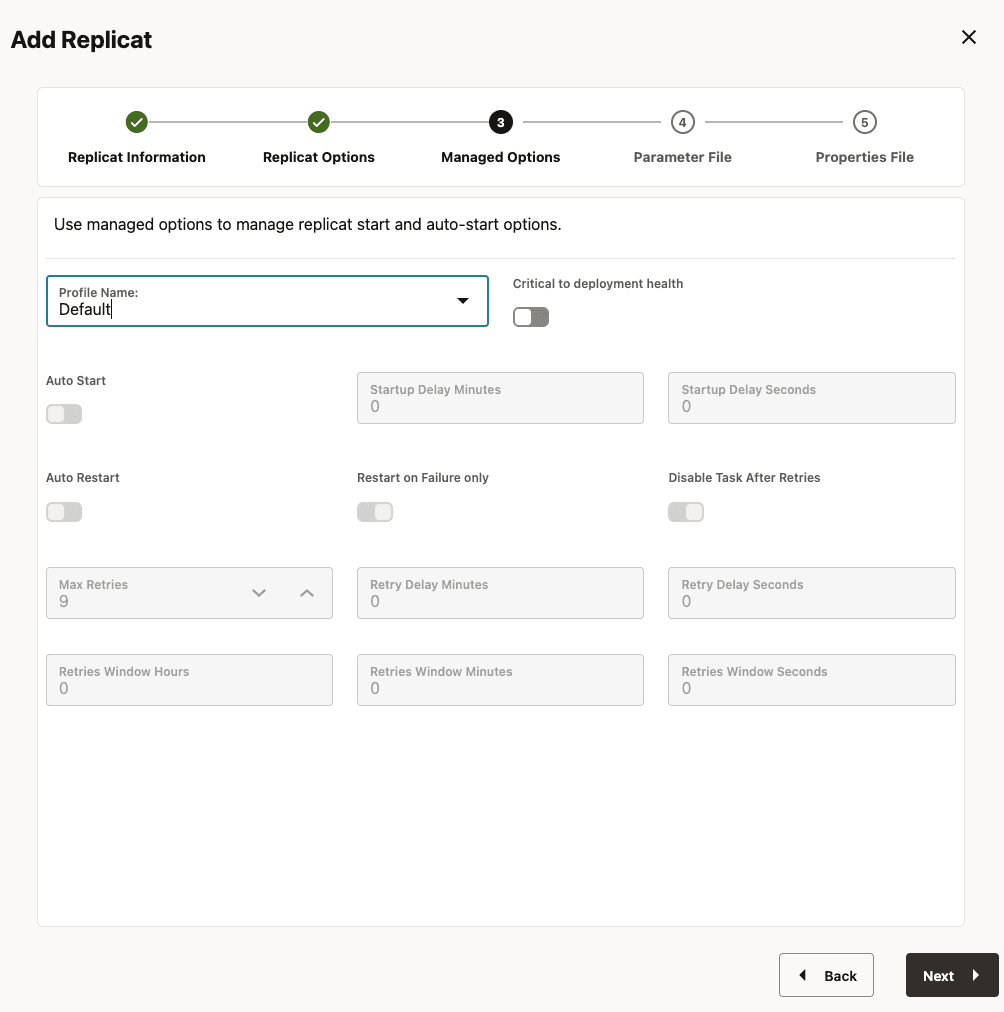
4. Leave **Managed Options** as is and click **Next**. Figure 129: Managed Options
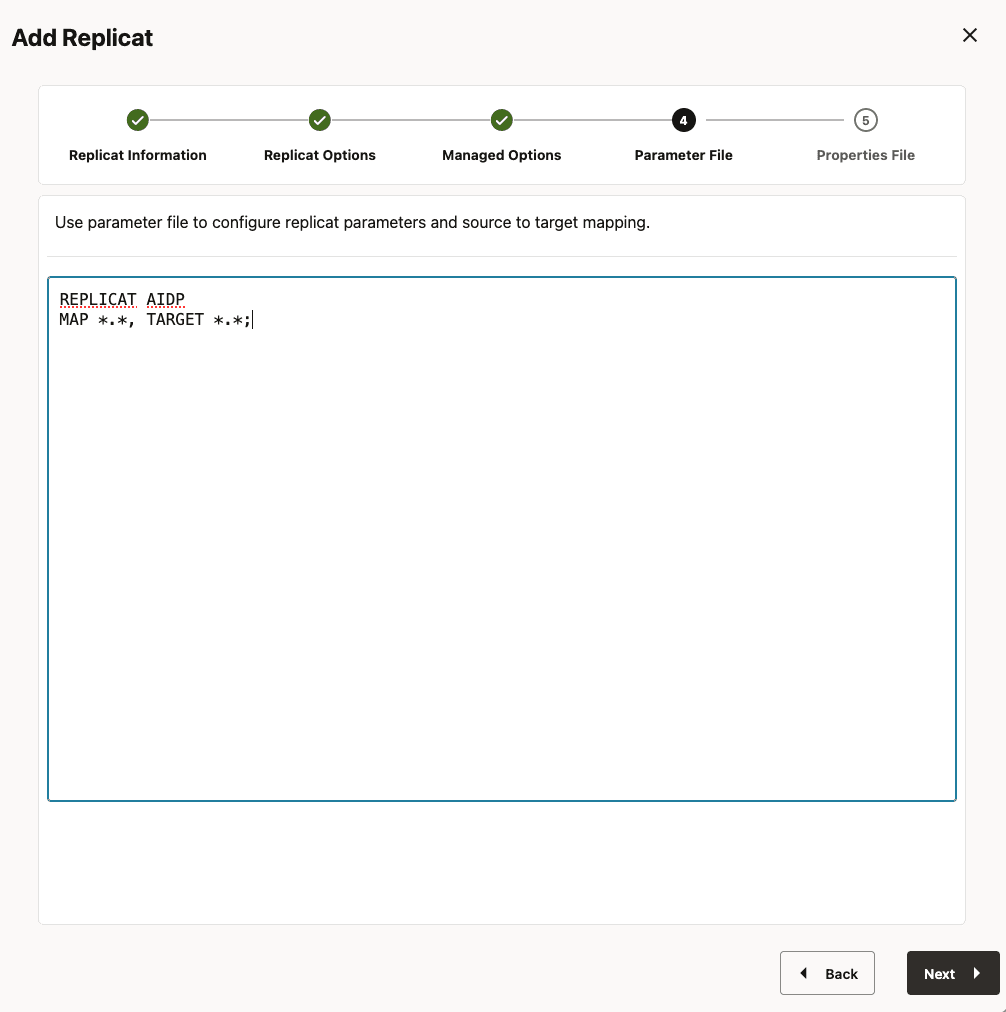
5. Enter **Parameter File** details and click **Next**.
In the **Parameter File**, you can either specify source to target mapping or leave it as-is with a wildcard selection. If **Coordinated Replicat** is selected as the Replicat Type, an additional parameter needs to be provided:
<pre class="copy"><code>TARGETDB LIBFILE libggjava.so SET property=<ggbd-deployment_home>/etc/conf/ogg/your_replicat_name.properties</code></pre>
Figure 130: Parameter File
6. In the **Properties File**, update the properties marked as **TODO** and click **Create and Run**. **Note:** Before clicking **Create and Run** you need to copy and paste the provided *property list* into **Properties File**, update as required and click **Create and Run**.
<pre class="copy"><code># Properties file for Replicat AIDP# Configuration to load GoldenGate trail operation records into AI Data Platform using OCI object store staging location.# Note: Recommended to only edit the configuration marked as TODO gg.target=aidp gg.stage=oci # The OCI Event handler #TODO: Edit the OCI Config file path gg.eventhandler.oci.configFilePath=/path_to/.oci/config #TODO: Edit the OCI profile gg.eventhandler.oci.profile=<your_oci_profile_name> #TODO: Edit the OCI region gg.eventhandler.oci.region=<your_oci_region> #TODO: Edit the OCI compartment OCID gg.eventhandler.oci.compartmentID=<your_compartment_ocid, eg; ocid1.compartment.oc1..aaaaaaaaftrzllvla63f5von...> #TODO: Edit the OCI bucket name gg.eventhandler.oci.bucketMappingTemplate=<your_bucket_name> # Oracle AI Data Platform Event Handler. #TODO: Edit JDBC ConnectionUrl gg.eventhandler.aidp.connectionURL=<your_aidp_jdbc, eg; jdbc:spark://gateway.datalake.us-ashburn-1.oci.oraclecloud.com/default;SparkServerType=IDL;httpPath=cliservice/393dcb48-302...;OCIProfile=<your_oci_profile_name>; #TODO: Edit the classpath to include OCI Event handler dependencies and Simba JDBC driver. gg.classpath=/home/oracle/dependencies/*:/home/oracle/install/gg/opt/DependencyDownloader/dependencies/oracle_oci_3.0.0/*</code></pre>
-
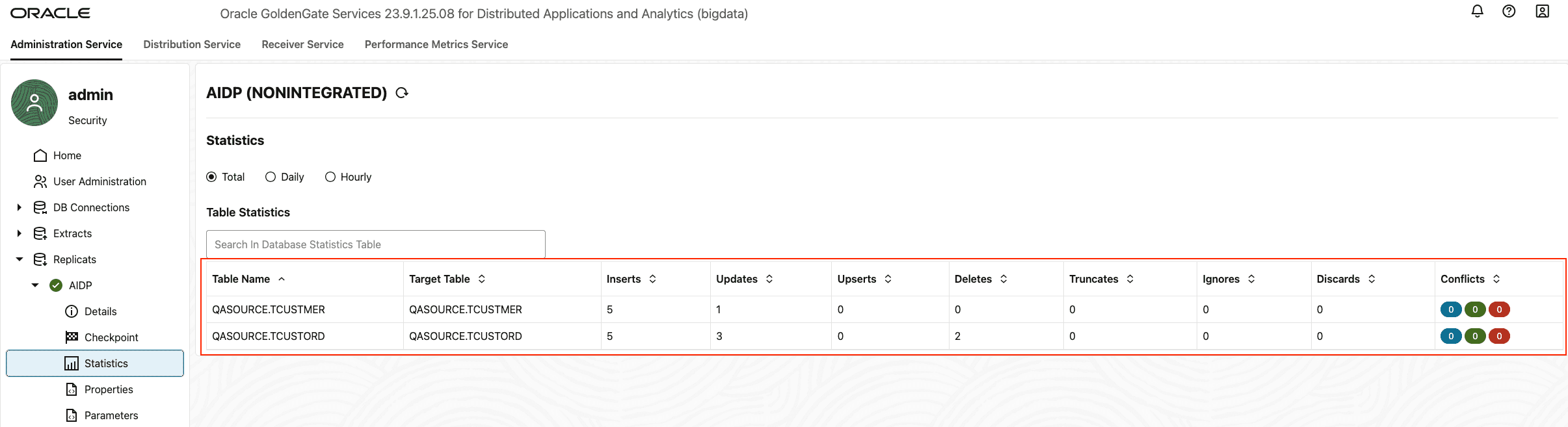
If replicat starts successfully, then it is in running state. Go to
action/details/statisticsto see the replication statistics. Figure 131: Replication Statistics {: #GUID-6C0D0F3B-ABCF-456E-937D-6442EDB3F6E1__FIG_ZPJ_XJZ_PGC .titleinfigure}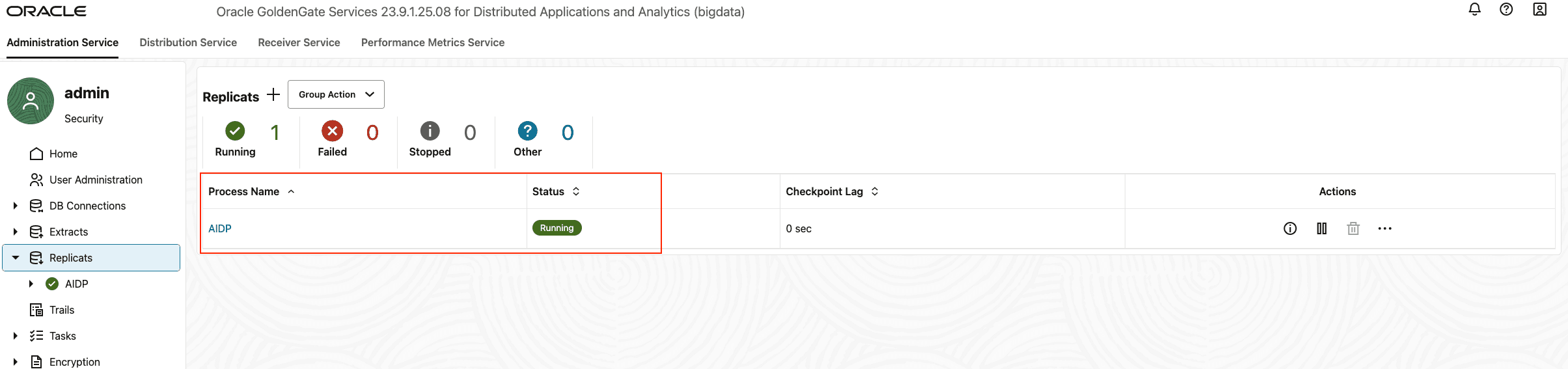 Figure 132: Replication Statistics {: #GUID-6C0D0F3B-ABCF-456E-937D-6442EDB3F6E1__FIG_XFJ_2KZ_PGC .titleinfigure}
-
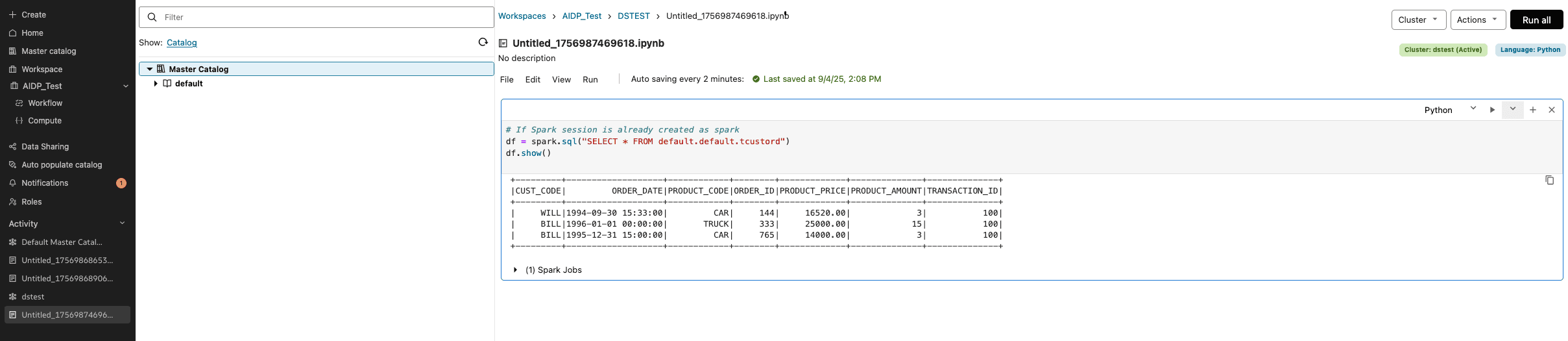
Go to AI Data Platform console and check the tables. It may take a short moment for tables to be created and loaded. Figure 133: AI Data Platform