Upgrade Agent Factory
You can upgrade the Agent Factory application to the latest version by following the steps below. See Upgrade Marketplace Instance for instructions on upgrading your Marketplace instance.
-
Download the latest kit according to your environment specifications. See Download Kit.
-
Create a directory and copy the downloaded tar.gz into the directory. Please note that this directory should not be the previous installation staging directory.
Important: If SSO was configured before the upgrade, you will need to add a new callback URL
https://<hostname>:8080/agentFactory/callbackto the SSO client to enable logging in after the upgrade.cd <directory where the zip was copied> tar xzf <installer>.tar.gz bash interactive_install.sh --reset bash interactive_install.sh[INFO] Running 'make up' for upgrade. bash deploy.sh; \ ▗▄▖ ▗▄▄▖ ▗▄▖ ▗▄▄▖▗▖ ▗▄▄▄▖ ▐▌ ▐▌▐▌ ▐▌▐▌ ▐▌▐▌ ▐▌ ▐▌ ▐▌ ▐▌▐▛▀▚▖▐▛▀▜▌▐▌ ▐▌ ▐▛▀▀▘ ▝▚▄▞▘▐▌ ▐▌▐▌ ▐▌▝▚▄▄▖▐▙▄▄▖▐▙▄▄▖ ▗▄▖ ▗▄▄▖▗▄▄▄▖▗▖ ▗▖▗▄▄▄▖ ▗▄▄▄▖ ▗▄▖ ▗▄▄▖▗▄▄▄▖▗▄▖ ▗▄▄▖▗▖ ▗▖ ▐▌ ▐▌▐▌ ▐▌ ▐▛▚▖▐▌ █ ▐▌ ▐▌ ▐▌▐▌ █ ▐▌ ▐▌▐▌ ▐▌▝▚▞▘ ▐▛▀▜▌▐▌▝▜▌▐▛▀▀▘▐▌ ▝▜▌ █ ▐▛▀▀▘▐▛▀▜▌▐▌ █ ▐▌ ▐▌▐▛▀▚▖ ▐▌ ▐▌ ▐▌▝▚▄▞▘▐▙▄▄▖▐▌ ▐▌ █ ▐▌ ▐▌ ▐▌▝▚▄▄▖ █ ▝▚▄▞▘▐▌ ▐▌ ▐▌ Existing metadata file found: /home/.local/state/Oracle/AgentFactory/metadata.json Validated existing metadata mount directories: ["/scratch/aai_stage/applied-ai/dev-shared","/scratch/aai_stage/applied-ai/volume"] ✓ Mount Volume structure exists and is validated Starting upgrade process... Database snapshot before upgrade is mandatory. Proceeding with snapshot. Take Knowledge Agent (KA) tables snapshot? (Consumes additional storage) [Y/n]: [Y]n Upgrading the application to version: 25.3.0.0.8 Stopping legacy container oracle-applied-ai-label WARN[0010] StopSignal SIGTERM failed to stop container oracle-applied-ai-label in 10 seconds, resorting to SIGKILL oracle-applied-ai-label Error: renaming container b458a2dd53a899e714b224077222415b2fd7c3025515e6644471eab762f59d43: updating container config table with new configuration for container b458a2dd53a899e714b224077222415b2fd7c3025515e6644471eab762f59d43: UNIQUE constraint failed: ContainerConfig.Name Creating a snapshot of current volume state Restoring critical assets from snapshots Restoring assets from snapshot: upgrade_snapshot_25.3.0.0.8_2026_02_24_11_51 -> /scratch/aai_stage/applied-ai/volume/data/app/latest Restoring assets from snapshot: upgrade_snapshot_25.3.0.0.8_2026_02_24_11_06 -> /scratch/aai_stage/applied-ai/volume/config/app/latest ✓ Image 'localhost/applied-ai-label:25.3.0.0.8' found. ✓ Image 'localhost/applied-ai-label:25.3.0.0.8' found. Deploying Oracle AI Database Private Agent Factory in Production mode... Starting production containers... Confirming container 'oracle-applied-ai-label' is in a running state... - Waiting for container to be ready... ✓ Container is confirmed to be running. - Configuring application container 'oracle-applied-ai-label'... - Configuring application container: oracle-applied-ai-label... ✓ crond service started in oracle-applied-ai-label. ✓ Application container oracle-applied-ai-label configured successfully. Initiating startup for oracle-applied-ai-label container... ✓ oracle-applied-ai-label container is UP and RUNNING. - Please wait while the application is being set up within oracle-applied-ai-label container... This process may take a few minutes as we are creating a backup of the previous installation. ✓ Application setup successfully within the container 'oracle-applied-ai-label'. +------------------------------------------------+------------+ | Stage | Status | +------------------------------------------------+------------+ | Configuring the application | Successful | +------------------------------------------------+------------+ | Configuring the application | Successful | +------------------------------------------------+------------+ | Upgrade DB Migration | Successful | +------------------------------------------------+------------+ | Knowledge Agent Upgrade | Successful | +------------------------------------------------+------------+ | Knowledge Agent Restart | Successful | +------------------------------------------------+------------+ | Starting Oracle Private AI Agent agent_factory | Successful | +------------------------------------------------+------------+ The Oracle AI Database Private Agent Factory webapp can be accessed at: https://<host>:8080/agentFactory/ Metadata file check passed ✓ Production deployment complete. [SUCCESS] Upgrade flow completed. (venv) bash-4.4$ -
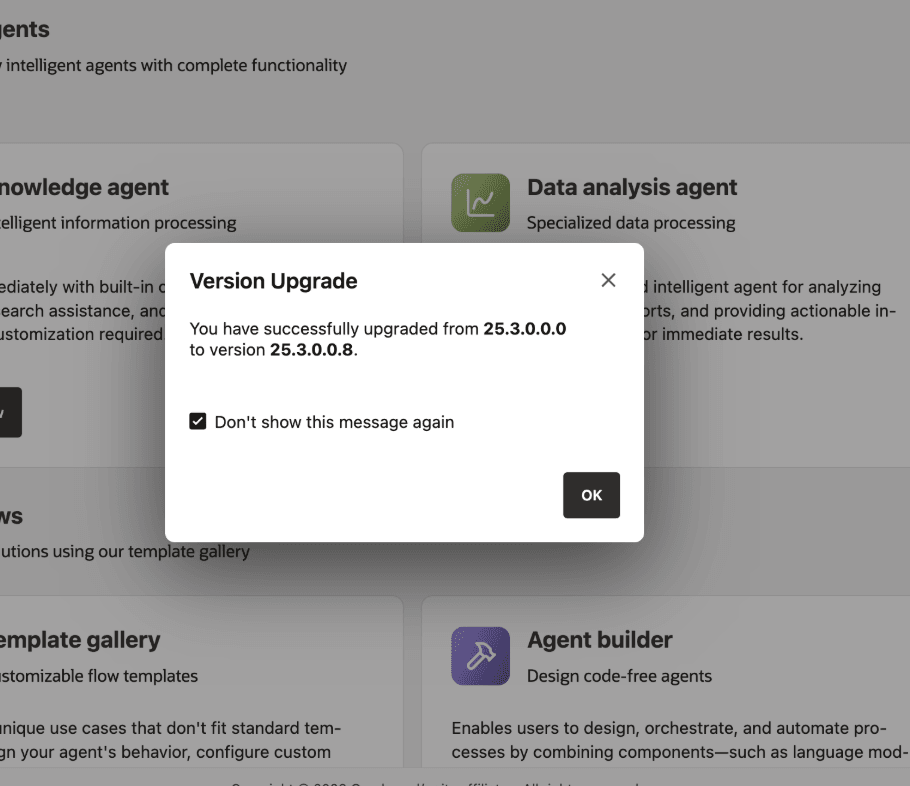
Log in using the application URL. A version upgrade notification should pop up, confirming that the update was successful.
See Upgrade Troubleshooting for upgrade-related FAQs.
Upgrade Your Marketplace Instance
Follow these steps to upgrade your Marketplace instance.
-
Download the latest installation kit (
oracle_agent_factory.tar.gz). -
Copy the downloaded tar.gz file to your environment.
scp -i <path_to_private_key> oracle_agent_factory.tar.gz opc@<public_ip>:~ -
Connect to the VM. The following command keeps the SSH session alive, so the upgrade is less likely to be interrupted:
ssh -i <path_to_private_key> -o ServerAliveInterval=60 -o ServerAliveCountMax=5 opc@<public_ip> -
Create new staging directory and copy the file.
sudo mkdir -p /u01/stagingv8/ sudo chown opc:opc /u01/stagingv8/ cp ~/oracle_agent_factory.tar.gz /u01/stagingv8/ -
Go to new staging location and extract the archive.
cd /u01/stagingv8/ tar xzf oracle_agent_factory.tar.gz -
Unset previous service:
chmod +x mkp_upgrade_helper.sh ./mkp_upgrade_helper.sh --unset -
Install new version. It will upgrade the previous installation.
./interactive_install.sh -
Set up new service:
./mkp_upgrade_helper.sh --set
When prompted for the staging location, enter: /u01/stagingv8.