Configure Agent Memory
Configure Agent Memory to let Agent Builder workflows store, retrieve, inspect, and delete durable memories for user conversations.
Agent Memory uses an embedding model configured in Application Settings. Memory is scoped to the current user and workflow. Agent Factory does not share memory across users or across different workflows.
In Agent Factory 26.10, Oracle Agent Memory package 26.6 adds background durable-memory extraction, workflow-specific extraction guidance, and editing in Inspect Memory. See Enable Agent Memory for a Workflow and Inspect Agent Memory.
Note: If you upgrade Agent Factory from release 26.4 to any later release and use a database release earlier than 23.26.1.0, run the following commands before you enable Agent Memory in Agent Builder. This requirement applies to both Quick Start and Production installation modes. It does not apply when upgrading from release 26.7 to 26.10.
-
Connect to the database container as the
oracleuser:podman exec -it -u oracle oracle-database bash -c "sqlplus / as sysdba" -
Run the following SQL commands:
SHOW CON_NAME;

ALTER SESSION SET CONTAINER = CDB$ROOT;
ALTER SYSTEM SET vector_memory_size = 512M SCOPE=SPFILE SID='*';

SHUTDOWN IMMEDIATE;
STARTUP;

ALTER PLUGGABLE DATABASE ALL OPEN;

ALTER SESSION SET CONTAINER = FREEPDB1;
ALTER SYSTEM SET vector_memory_size = 256M SCOPE=BOTH;
SELECT value FROM v$parameter WHERE name = 'vector_memory_size';
Upgrade an Existing Agent Memory Store
When upgrading Agent Factory to 26.10, keep the configured embedding model compatible with the vector dimension of the existing Agent Memory store. The application upgrade uses the Oracle Agent Memory 26.6 package to upgrade the existing AB_AGENT_MEMORY store in place and preserve compatible 26.4 data.
The upgrade stops if the embedding dimensions are incompatible or the package schema upgrade fails. It does not recreate memory tables or discard existing memories to resolve a mismatch. Resolve the model or migration issue before using Agent Memory. Follow the approved application and package rollback procedure if the upgrade must be reversed; do not drop the memory tables as a rollback step.
Configure the Agent Memory Embedding Model
Before workflow builders can use Agent Memory, an administrator must configure the embedding model used for memory storage and retrieval.
-
Sign in to Agent Factory as an administrator.
-
In the left navigation menu, select Application Settings.
-
Select the Agent Memory tab.
-
Select the embedding model to use for Agent Memory.
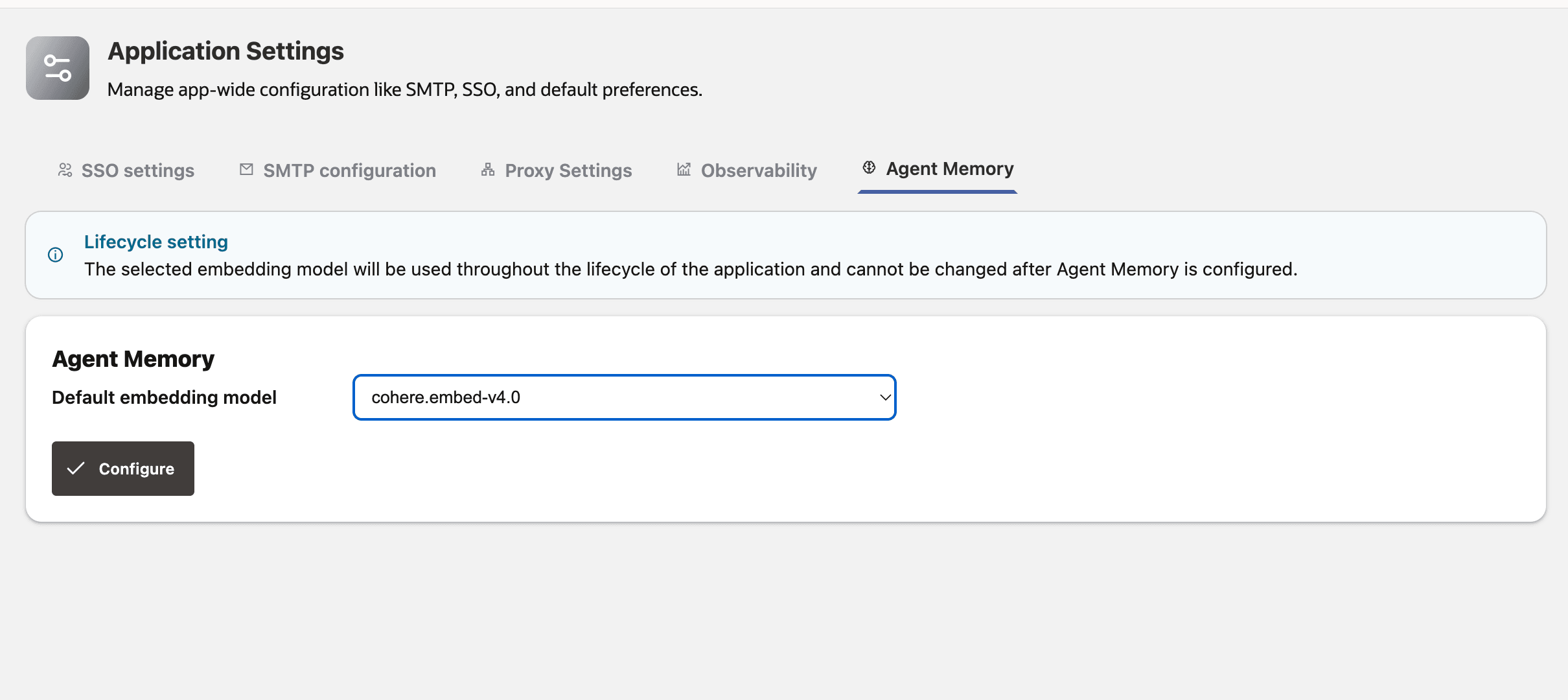
Description of the illustration agent-memory-config-model.png
-
Click Configure.
After Agent Memory is configured from Application Settings, workflow builders will be able to enable or disable the Agent Memory for an agent in Agent Builder. See Enable Agent Memory for a Workflow.