Manage Users
User Management page provides a centralized dashboard for managing users in Agent Factory. Administrators can view key user statistics at a glance, such as the total number of users, active users, administrators, and editors.
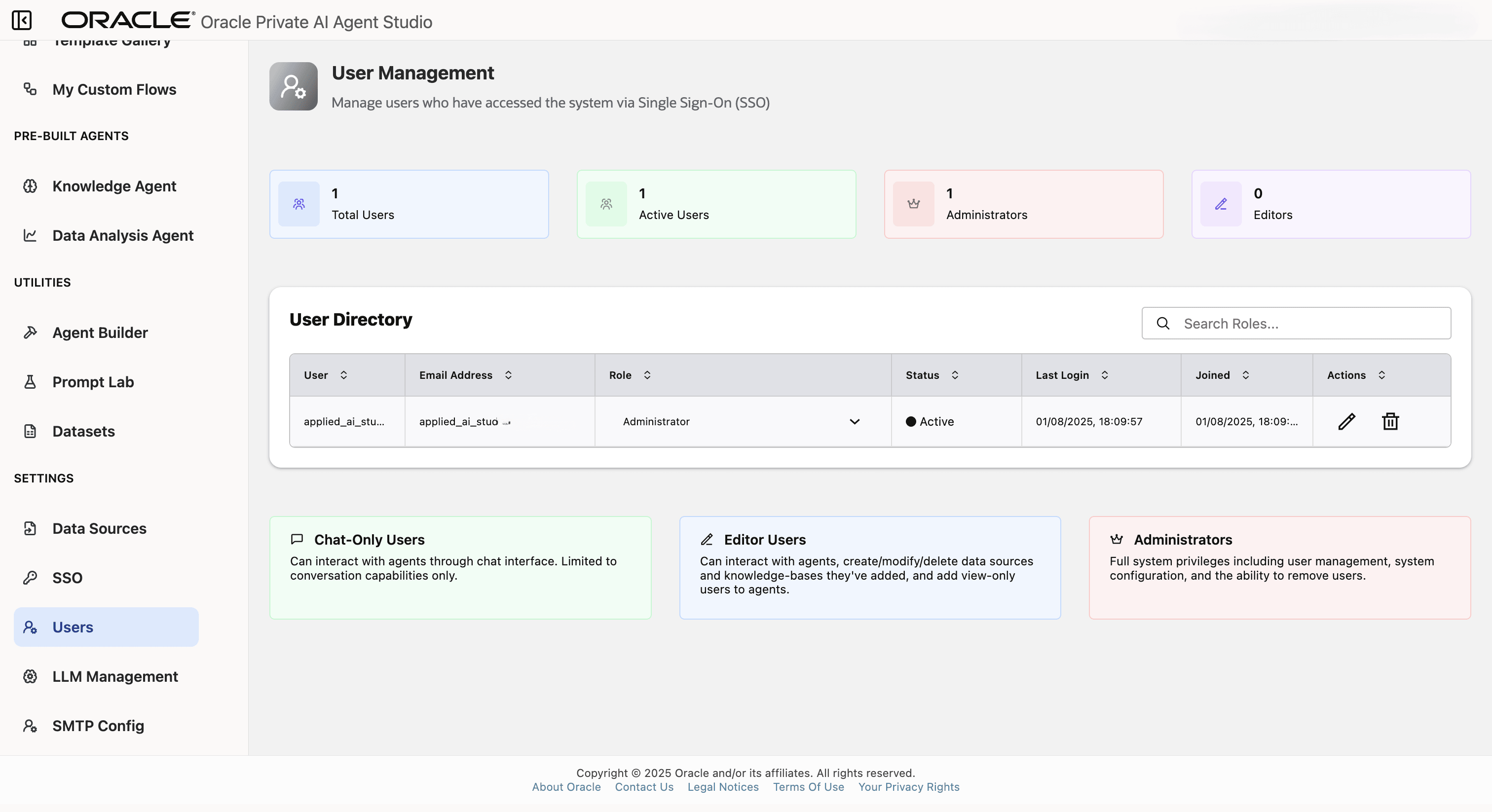
Description of the illustration user-management.png
The User Directory lists all users who have accessed the system via Single Sign-On (SSO), along with their roles, statuses, and last login details. Actions are available for managing user roles and accounts directly from this page.
Role descriptions are provided to clarify the permissions for:
- Chat-Only Users
- Editor Users
- Administrators
Role Guidance
Use roles to separate agent usage from platform administration.
| Role | Typical use |
|---|---|
| Chat-Only User | Users who only need to chat with published agents. |
| Editor User | Builders who create, edit, test, and publish agents or workflows. |
| Administrator | Platform operators who manage users, SSO, SMTP, proxy, observability, certificates, models, data sources, and diagnostics. |
Grant administrator access only to users who are responsible for operating the deployment. Administrators can configure outbound connections and credentials that affect the entire environment.
Local Users, SSO Users, and API Access
Users can appear in the directory after accessing the system through SSO. SSO authentication uses a browser redirect flow. Local credential authentication for API tools, such as loginValidation, is separate from SSO and is intended for local user credentials.
If an integration must call Agent Factory APIs, validate the authentication method in a non-production environment before depending on it. See Agent Builder.