7.1.11 Action Positions and Action Templates
If your template component presents a single row or multiple rows of data, it can also define action positions. These are row-specific slots where teammates using the component can define buttons or menus to perform actions on a specific row.
After naming your action position, you include it in your Partial or Report Row template with the #ACTIONPOSITIONNAME# syntax. Each action position references a corresponding action template that defines the HTML markup for the button or menu option.
The figure below shows the Rendering tab for the native Content Row template component after defining an Actions menu in the Primary Actions action position. The menu defines several submenu options, including the Invoice Complete one selected.
Figure 7-15 Defining Menu and Submenu Options in an Action Position
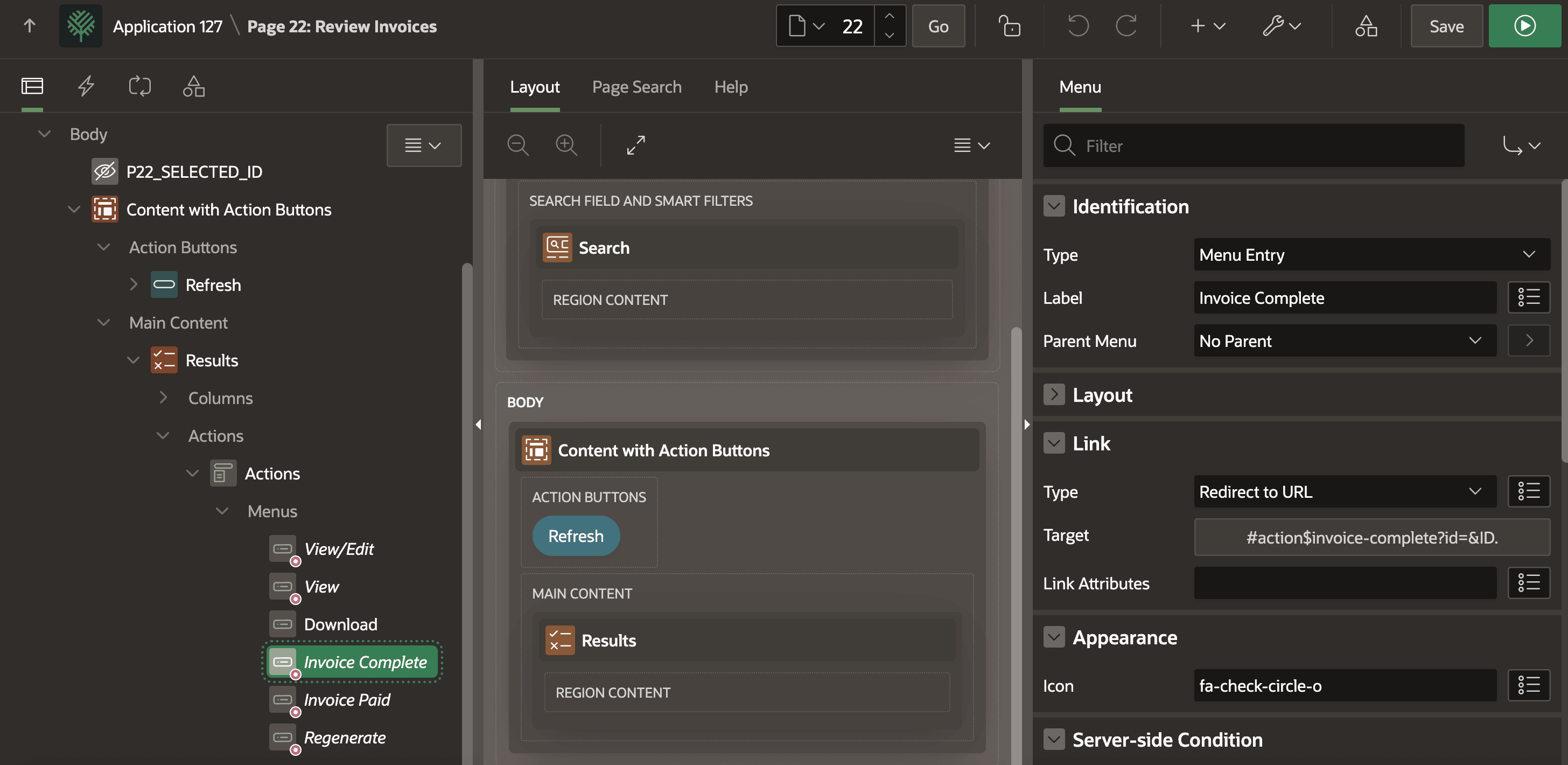
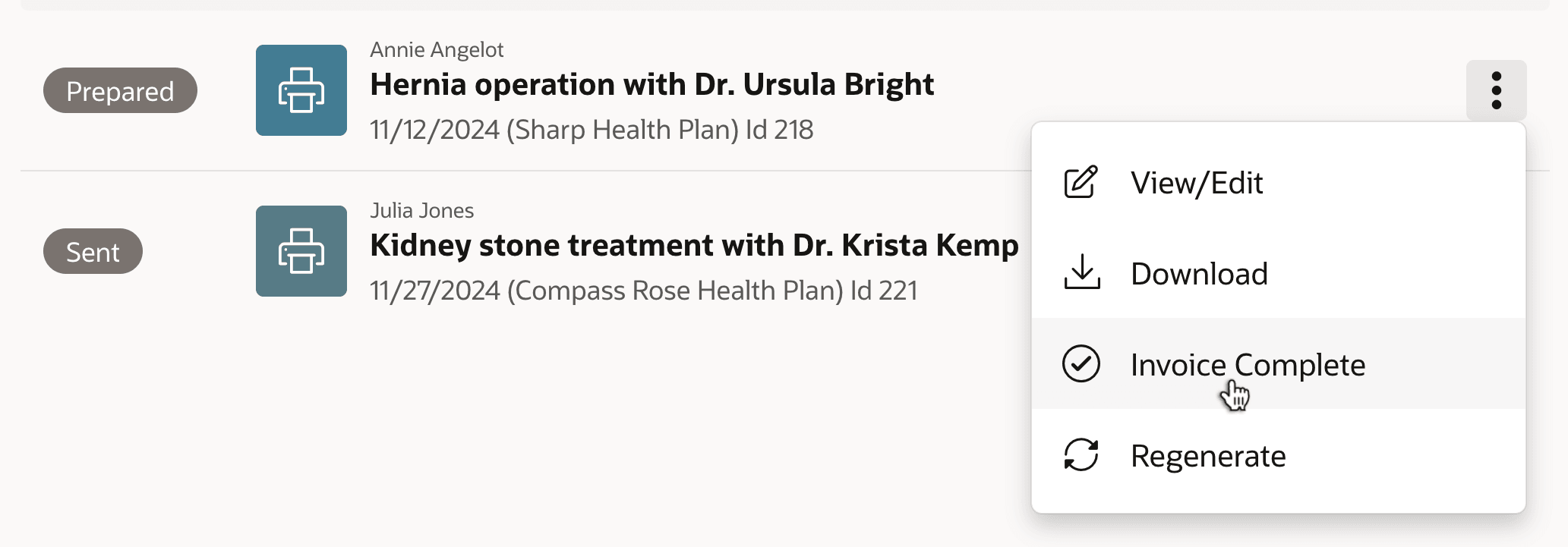
At runtime, end users see the actions in the action position for each row rendered. In the figure below, two invoices appear in the Content Row region and the end user is selecting the Invoice Complete menu option on the first invoice displayed.
Figure 7-16 End User Choosing a Template Component Row Action
Parent topic: Reusable Components Using HTML Skills