7.1.12 Defining Files and File URLs to Load
If your component uses Cascading Style Sheets (CSS) or JavaScript, store them in separate component files to improve maintainability.
For example, consider a Grouped Name/Value Pairs component that defines the following CSS rule in a file named component.css:
li.is-selected {
    background-color: #e0f0ff;
    color: #003366;
}
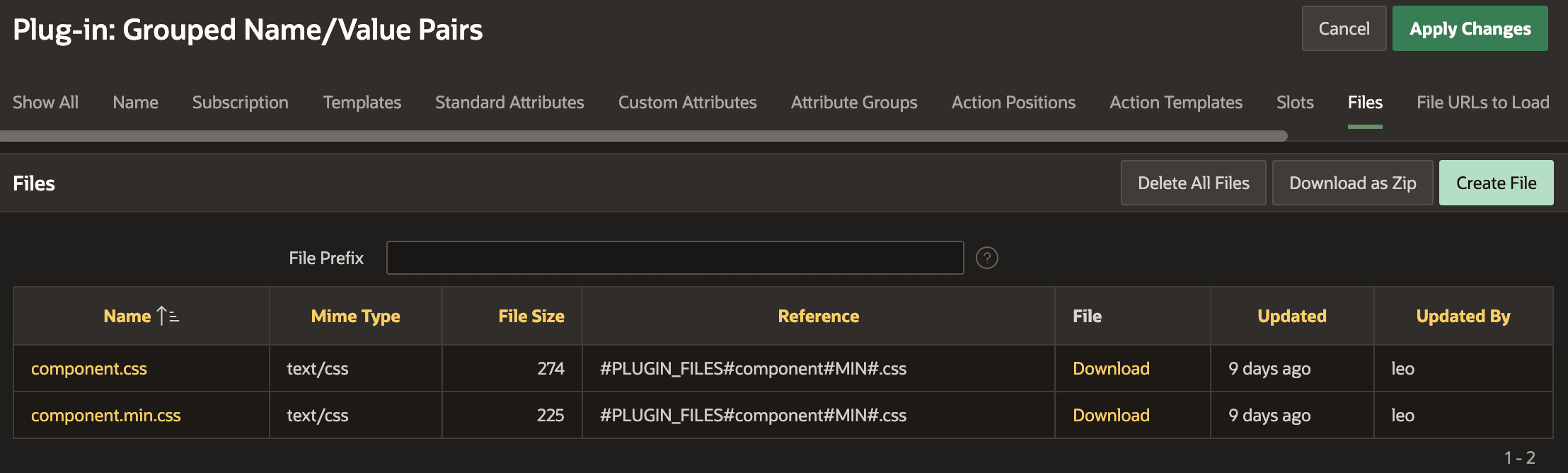
You create the file in the Files tab of the template component edit page shown below. As shown below, APEX automatically creates a smaller "minified" version of CSS and JavaScript files whenever you save or modify them. The Reference column in the file list provides the filename to reference in the File URLs to Load tab, where you explicitly list which component files should be loaded when the component is used on a page. List them using the Reference string for the file, one per line.
Figure 7-17 Files List for a Template Component
Parent topic: Reusable Components Using HTML Skills