5.7.2 Adding Create and Edit Links
Use the Property Editor to configure create and edit links that navigate to appropriate pages to enter or modify an event.
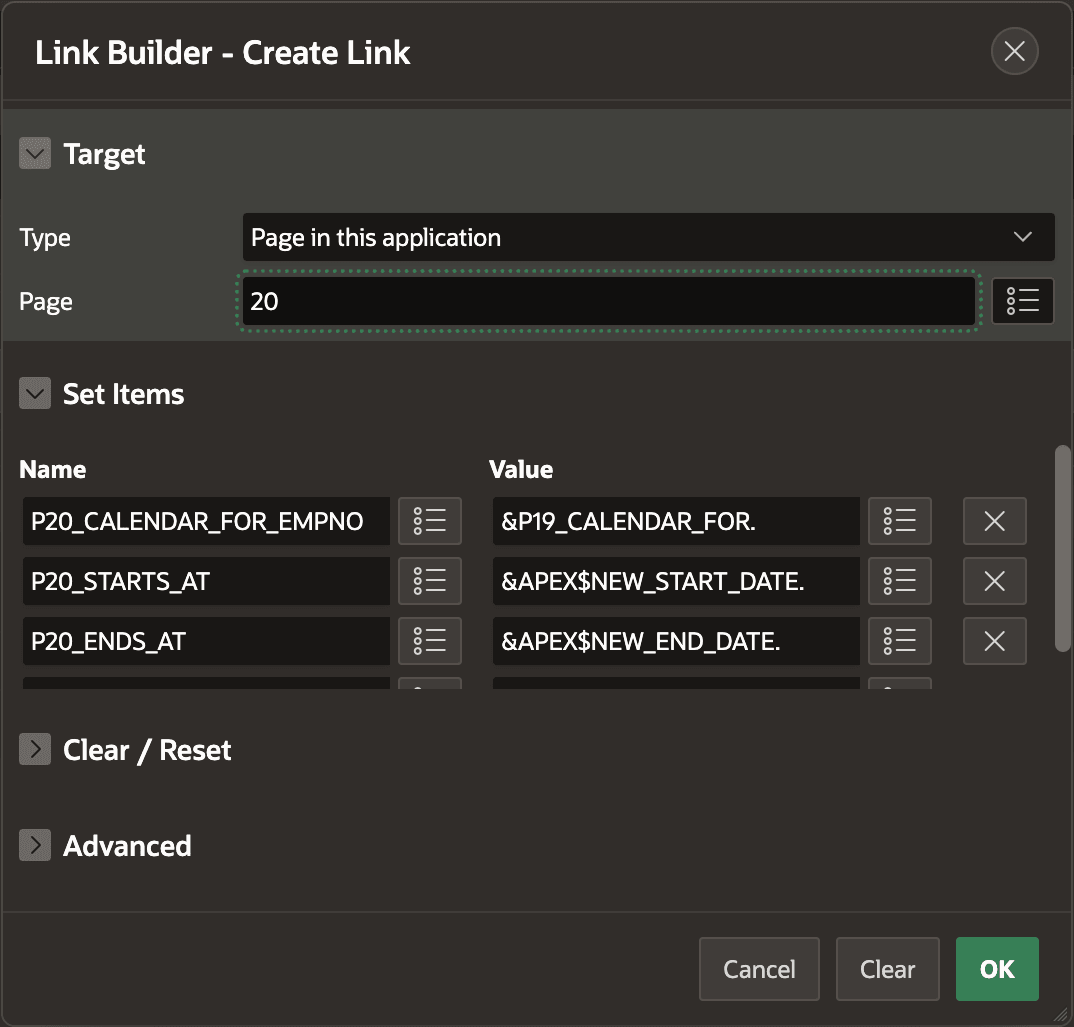
To define the create link, use the Link Builder dialog to
define the target page. Once configured, the user can click on the calendar or
click-and-drag to create a new event. The figure shows configuring the create link to
target page 20 and pass the value of P19_CALENDAR_FOR as the value of
the target page's P20_CALENDAR_FOR_EMPNO page item.
Notice you can easily pass the APEX$NEW_START_DATE and
APEX$NEW_END_DATE values to your event creation page using the
&NAME. syntax. In a similar way, after configuring a
target link for event editing, then a user can click on an existing event in the
calendar to opens a page to edit the details.
Figure 5-17 Configuring Create Link to Pass Start and End Date
Parent topic: Placing Events on a Calendar