25.1.3.8 Adding Next Activity from Existing One
Add and connect the next activity directly from an existing activity.
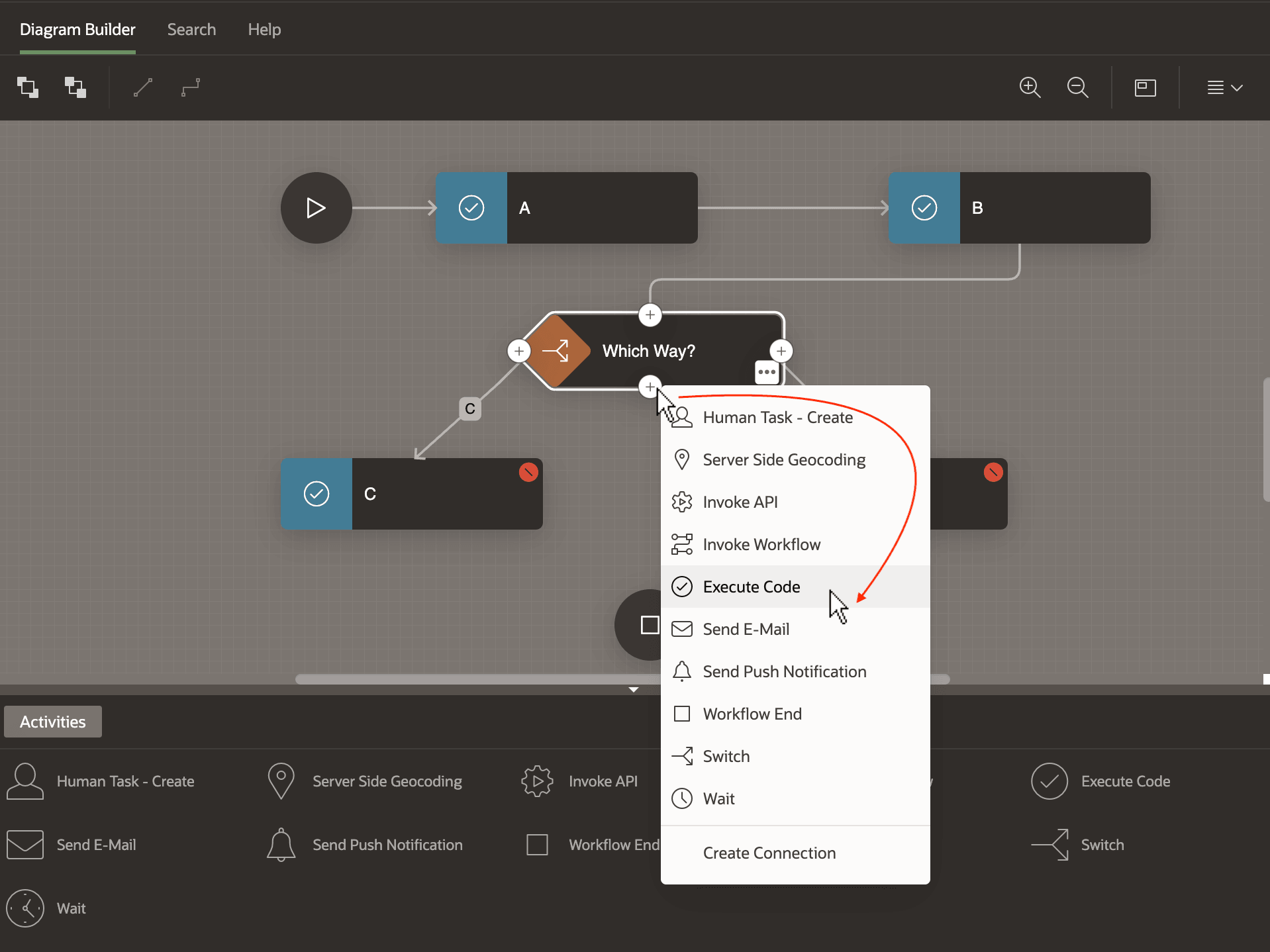
Click on one of the plus icons on an existing activity to create an activity that happens next in the flow. As shown below, a context menu presents available activities to choose from.
Figure 25-12 Adding a Next Activity From a Current One
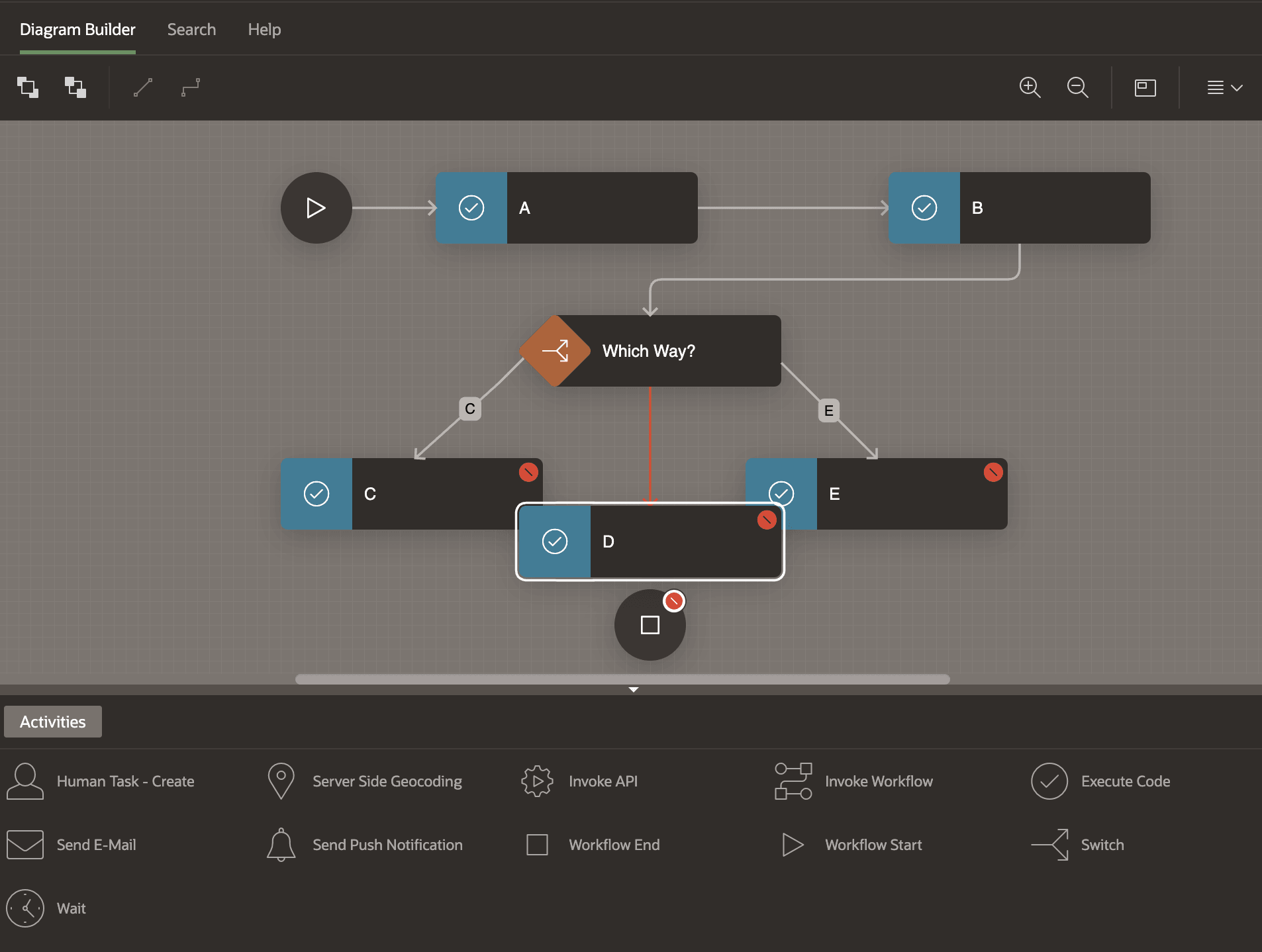
Your chosen activity type appears on the diagram already connected with a connection from the source you clicked on to initiate the process. By default, it is named New, so use the Property Editor to change its name to something more meaningful. Here, you name it D. Since the source activity is a Switch, the new connection line is red to let you know some configuration adjustment is needed.
Figure 25-13 Next Activity and Connection Appear on the Diagram
Parent topic: Connecting and Routing Activities