21.2.4 Assigning Sources a Data Loop Name
Set each report source’s Data Loop Name to match the short name used in the template tags.
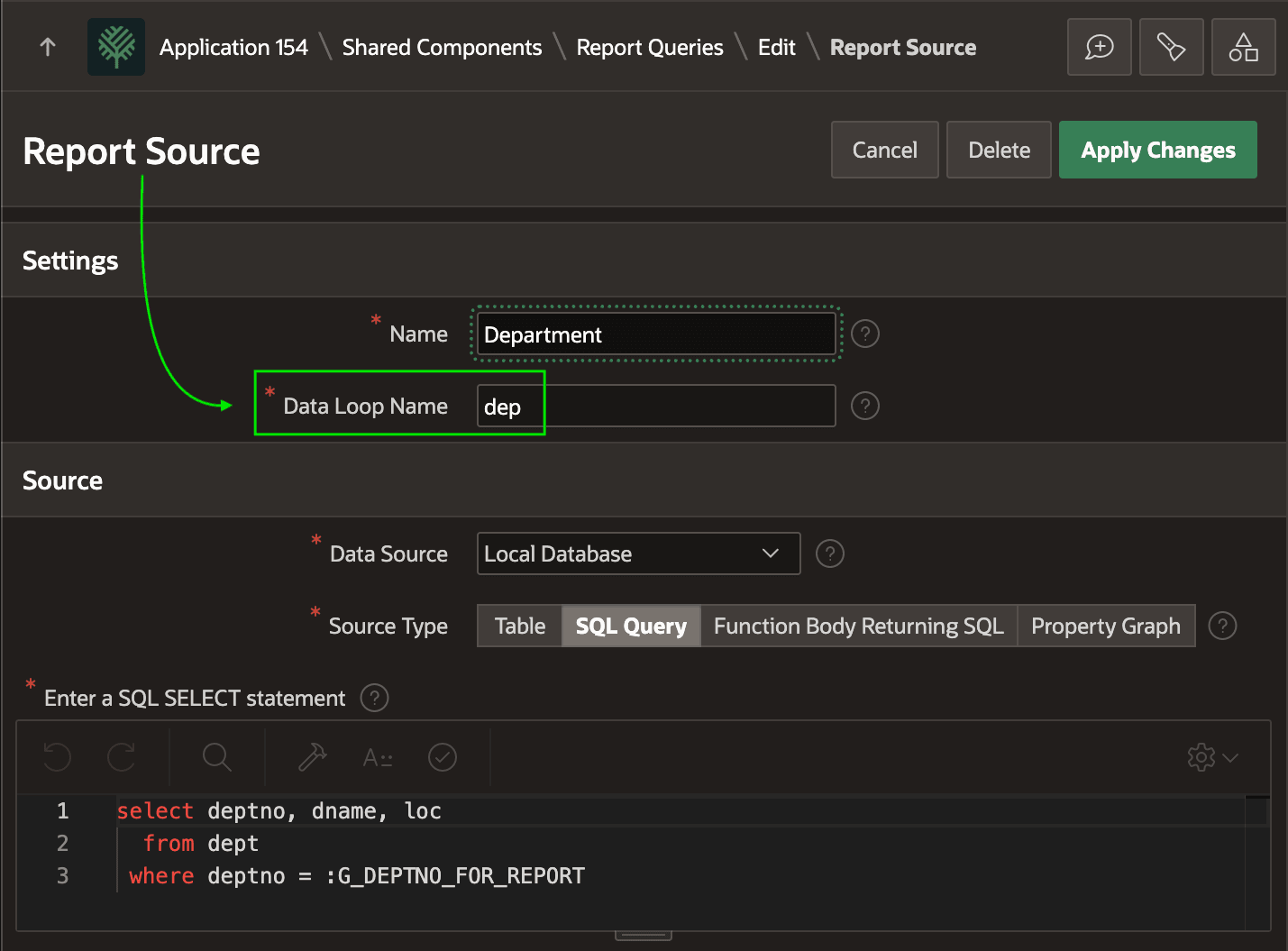
In each report source, use the Data Loop Name setting to assign the short
name you used in your layout document tags. The setting name echoes its purpose. It's
the name you use in a tag to "loop over" each row of data in the report source. For
example, it's set to
dep for the Department report source below.
Recall that the Excel spreadsheet referenced this Data Loop short name and
lowercase column names from this query with the
syntax:{#dep}Department {dname} ({deptno}) in {loc}{/dep}Figure 21-6 Configuring Report Source Data Loop to Match Layout Tags
Parent topic: Printing Report with an Excel Template