11.4.5 Authorizing Button Access
Configure a button's Authorization Scheme to control which users can see it.
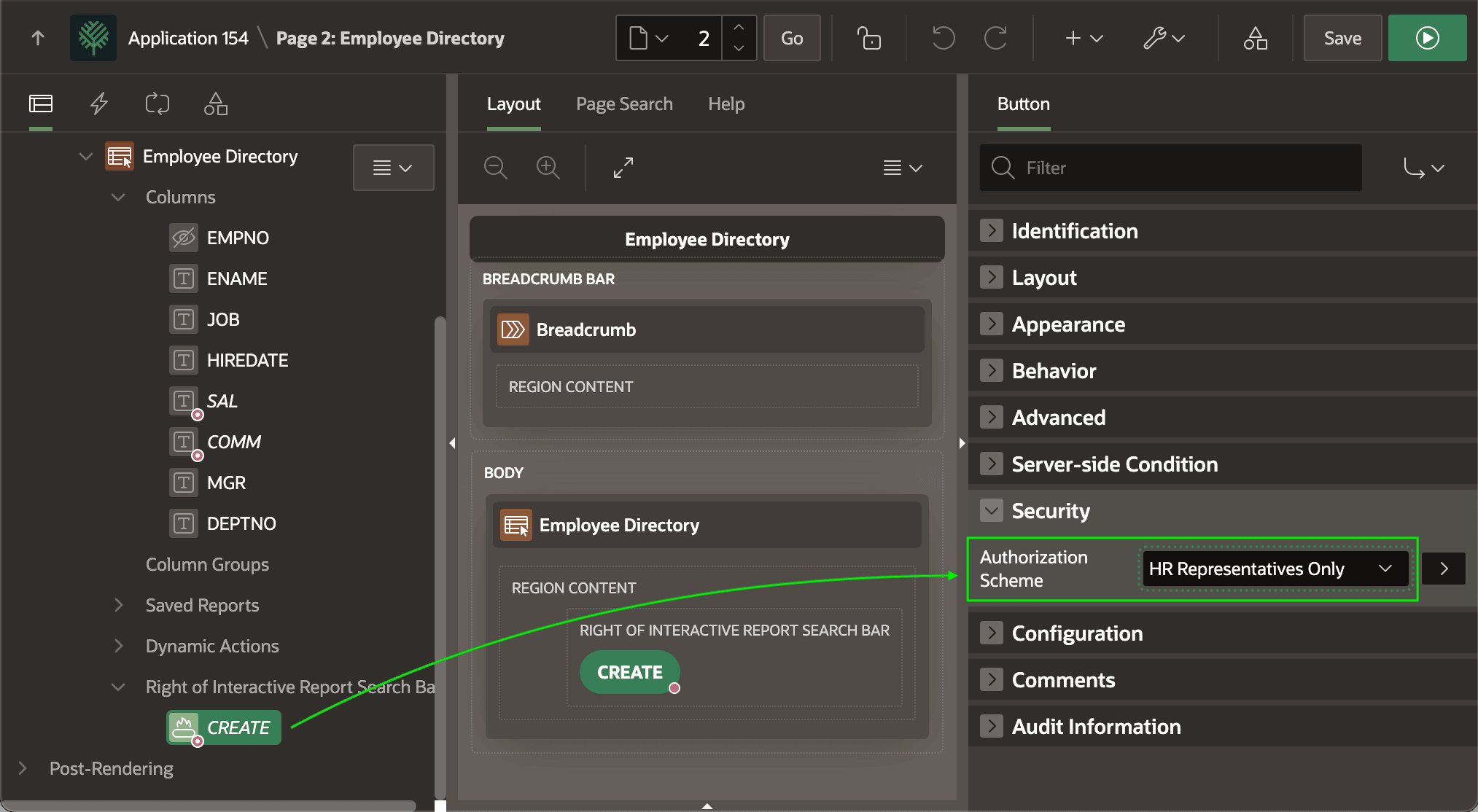
As shown below, in the Employee Directory page, you set the
CREATE button's Authorization Scheme to
HR Representatives Only. This lets HR Reps see this button to create a new
employee. In contrast, any other users viewing the directory do not see the
button at all, so they can't create employees.
If the button submits the page to trigger a page process, you can apply the same authorization scheme to the corresponding page process as an additional access check.
Tip:
The Employee page the CREATE button targets also has a page-level authorization scheme of HR Representatives Only. So, any manual attempt by unauthorized users to visit that page results in an error.
Figure 11-13 Applying Authorization Scheme to a Button
Parent topic: Shaping Experience with Rules and Roles