8.3.5.5 Best Practice Use of Invoke API
For easier maintenance and testing of your custom code, Oracle recommends writing most business logic in functions and procedures of a PL/SQL package. You can then engage these packaged program units from one-line statements or expressions in your pages, or invoke them declaratively using an Invoke API page process.
For example, you can move the INSERT statement that adds a new employee into an ADD_NEW_EMPLOYEE procedure in an HR_APP package like the following:
create or replace package body hr_app as
    procedure add_new_employee(
        p_empno    in emp.empno%type,
        p_ename    in emp.ename%type,
        p_deptno   in emp.deptno%type,
        p_hiredate in emp.hiredate%type,
        p_job      in emp.job%type,
        p_sal      in emp.sal%type,
        p_comm     in emp.comm%type)
    is
    begin
        insert into emp(empno,
                        ename,
                        deptno,
                        hiredate,
                        job,
                        sal,
                        comm)
                values (p_empno,
                        p_ename,
                        p_deptno,
                        p_hiredate,
                        p_job,
                        p_sal,
                        p_comm);
    end add_new_employee;
end hr_app;
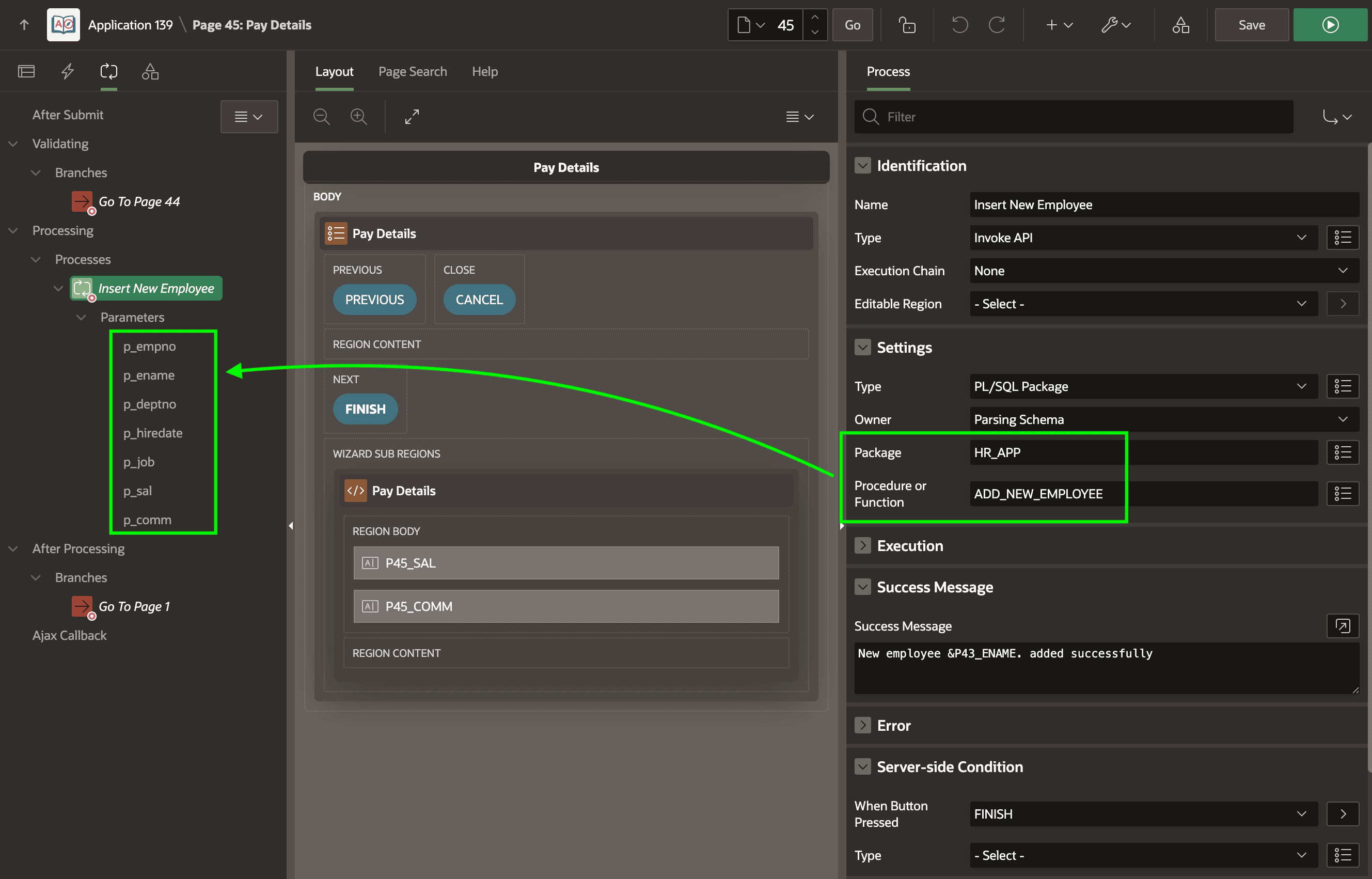
Then the Insert New Employee page process in the Onboard New Employee wizard can change to use the Invoke API native page process, configuring the package and procedure name as shown below. After setting the Package and Procedure name, the Processing tab updates to show the procedure's parameters under the Parameters section of the page process.
Figure 8-11 Configuring Invoke API Process to Call Package Business Logic
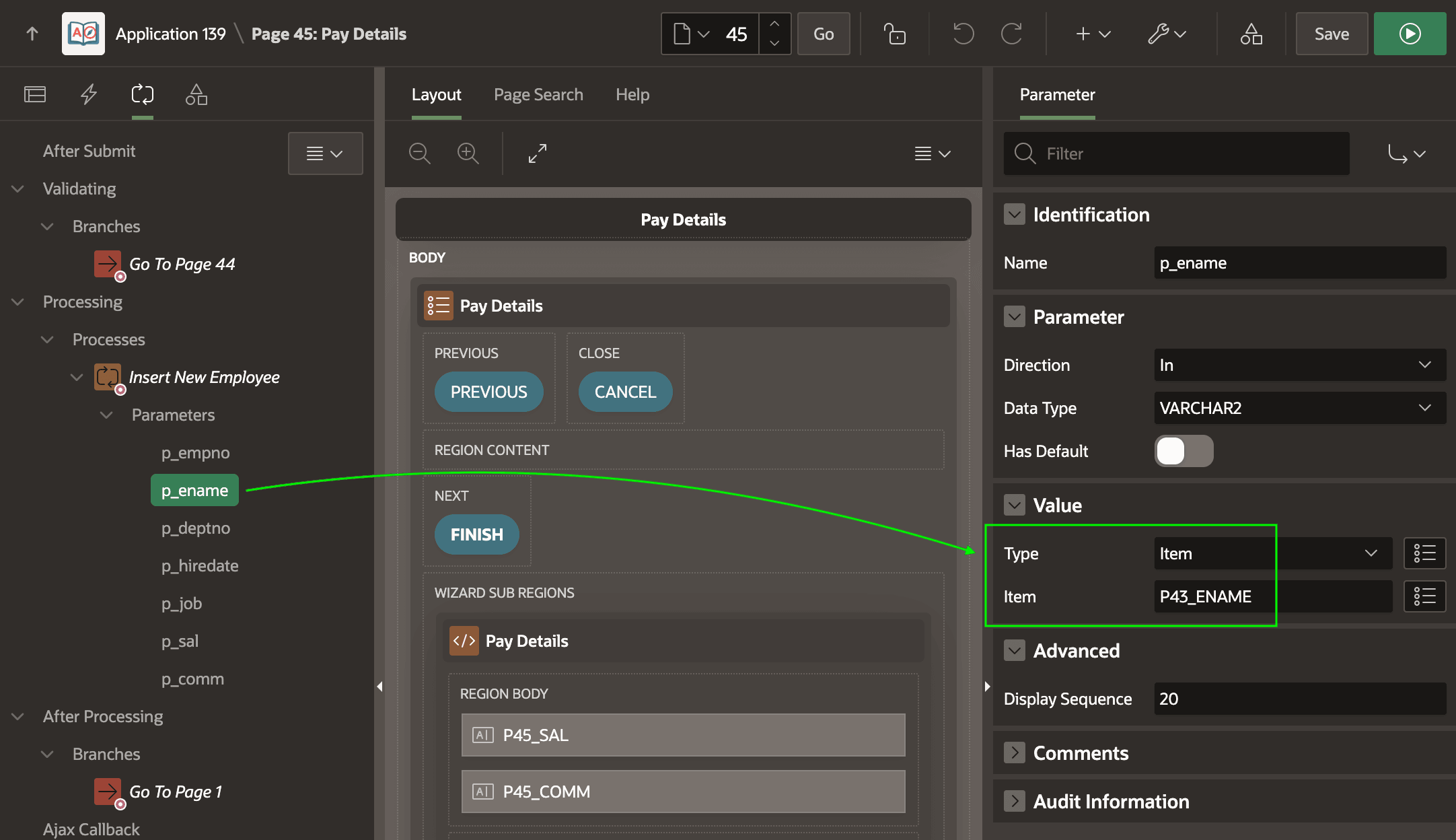
Where possible, Page Designer automatically maps matching page item names in the current page to provide appropriate parameter values. You can inspect and configure any of the parameters using the Property Editor as shown below.
Figure 8-12 Configuring Parameter Values for Invoke API
Parent topic: Render, Submit, Branch, Repeat