8.3.5.4 Custom Processing on Render or Submit
Create page processes for custom behavior in the Pre-Rendering phase of the Rendering tab, or in the After Submit or Processing phases of the Processing tab. The Execute Code process type lets you include custom code to performs any business logic required, while you can use other native process types to handle other common tasks declaratively.
Built-in page process types include starting a workflow, sending an email or push notification, printing a report, loading data, invoking a PL/SQL or REST API, storing user preferences, saving form or grid changes, and more. You can find other page process types created by the APEX developer community "app store" on https://apex.world.
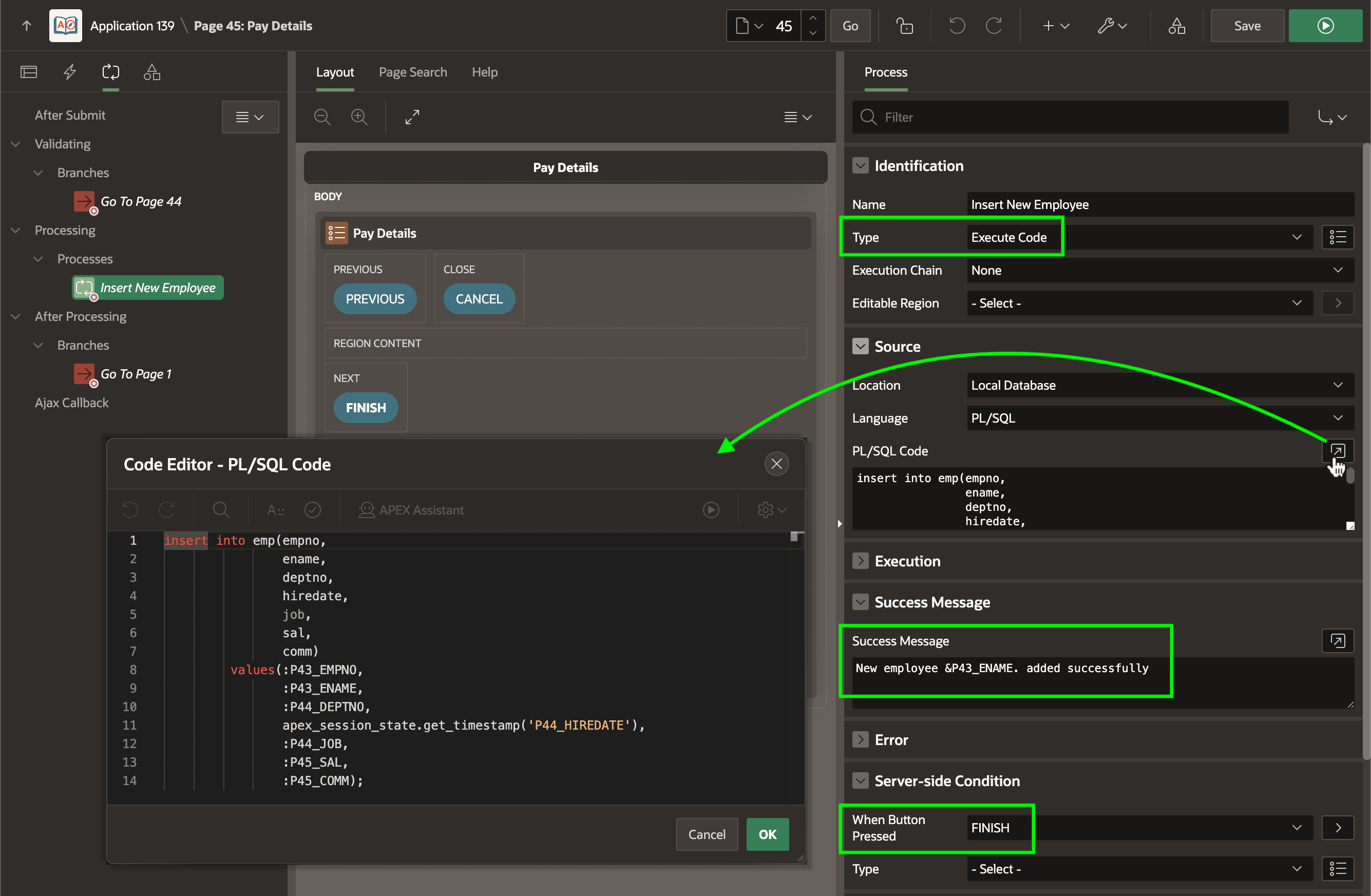
For example, in the last page of the Onboard a New Employee wizard, as shown
below, an Execute Code page process with When Button Pressed
set to the FINISH button inserts a new EMP
row using the page item values from page 43, 44, and 45 to add a new
employee. Notice the Success Message is configured to display a
message like "New employee MENDOZA added successfully" when the process is
successful. The code looks like this:
insert into emp(empno,
                ename,
                deptno,
                hiredate,
                job,
                sal,
                comm)
        values (:P43_EMPNO,
                :P43_ENAME,
                :P44_DEPTNO,
                apex_session_state.get_timestamp('P44_HIREDATE'),
                :P45_JOB,
                :P45_SAL,
                :P45_COMM);
For more information, see Understanding Page Processes in Oracle APEX App Builder User’s Guide.
Figure 8-10 Execute Code Page Process to Insert New Employee
Parent topic: Render, Submit, Branch, Repeat