18.6.6 Clamping Text to a Fixed Number of Lines
Universal Theme includes many pre-defined CSS classes to easily customize how pages look. Reference the complete set using the Reference section of the Universal Theme Reference Application online. One group in particular comes in handy for reports that display text of unpredictable length. The Status column of background processes falls in this category.
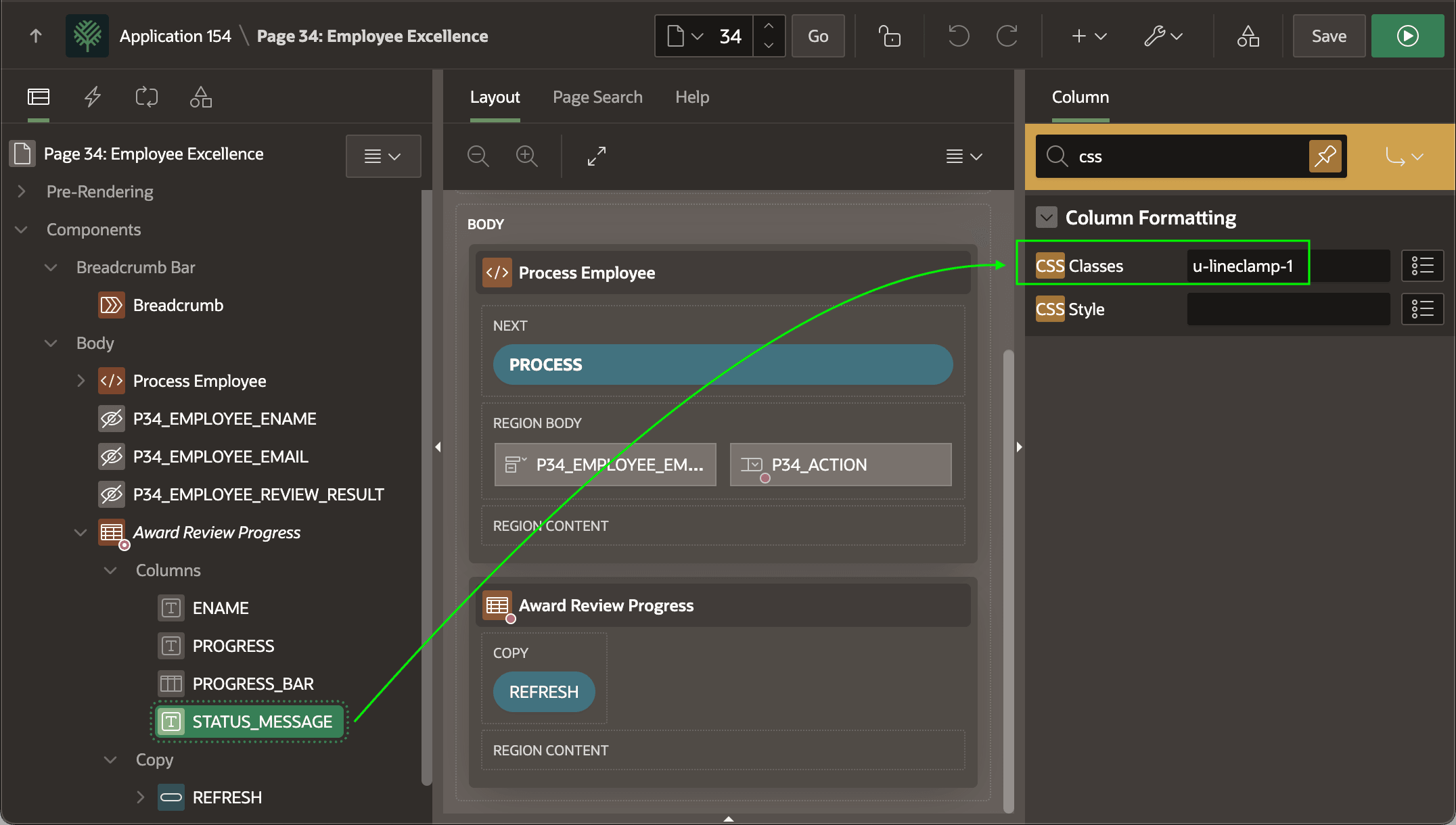
Regardless of text length, sometimes it's useful to limit a report column's display to a fixed number of lines. The line clamp classes are the solution. By applying the u-lineclamp-1 class to the STATUS_MESSAGE report column, the Award Review Progress region only display a single line of text. As shown below, set it on the CSS Classes property of the report column.
Tip:
To clamp text to n lines, use class u-lineclamp-n with n from 1 to 5.
Figure 18-19 Clamping Status Message Text to a Single Line
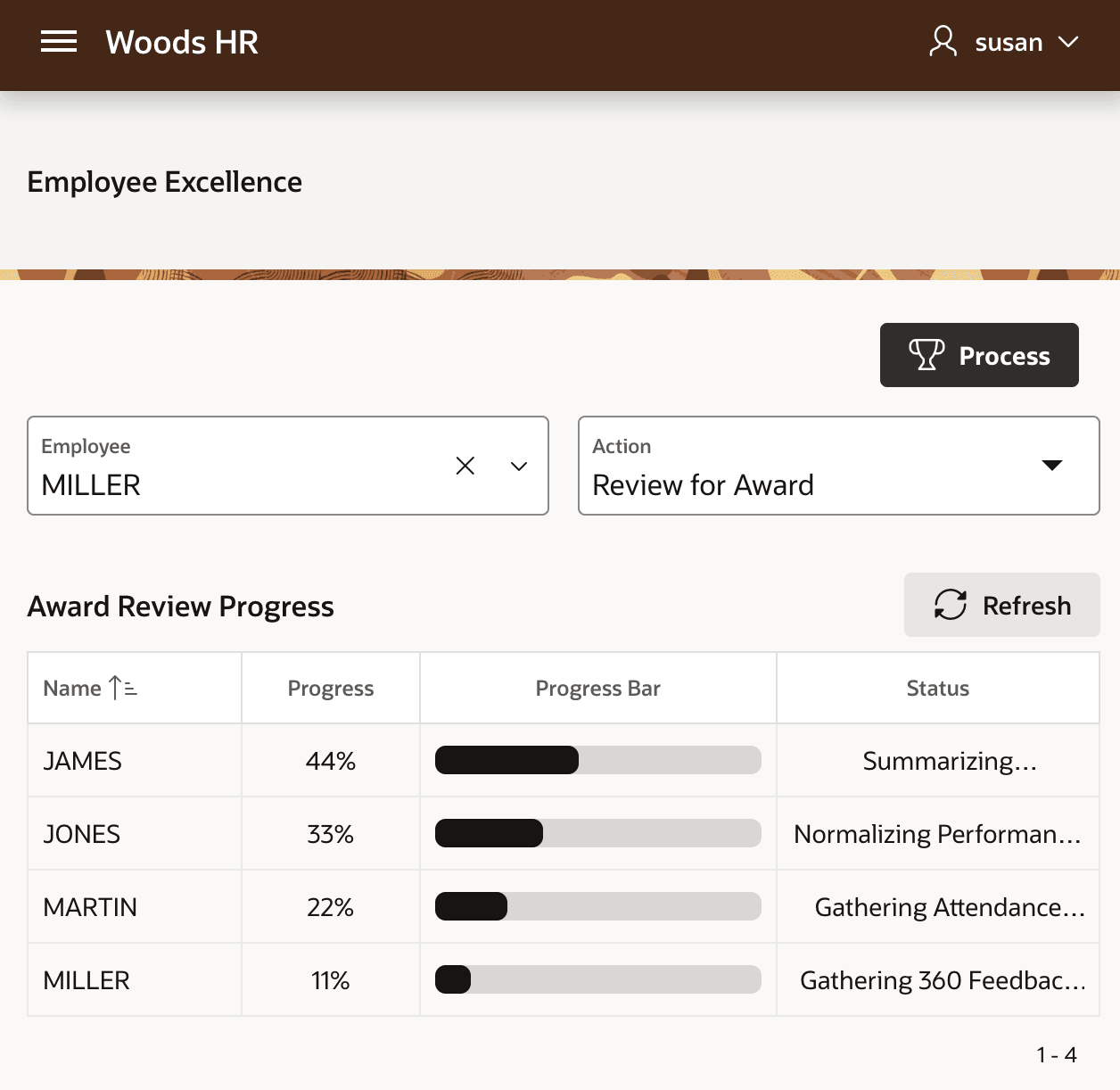
At runtime, if text in the Status column exceeds the "clamped" number of lines the browser automatically adds an ellipsis instead of word-wrapping onto more lines.
Figure 18-20 Ellipsis Displays when Text Length Exceeds Clamped Number of Lines
Parent topic: Reporting Background Progress