18.6.5 Stretching Classic Report's Last Column
Apply a CSS class to make the last Classic Report column fill the remaining width.
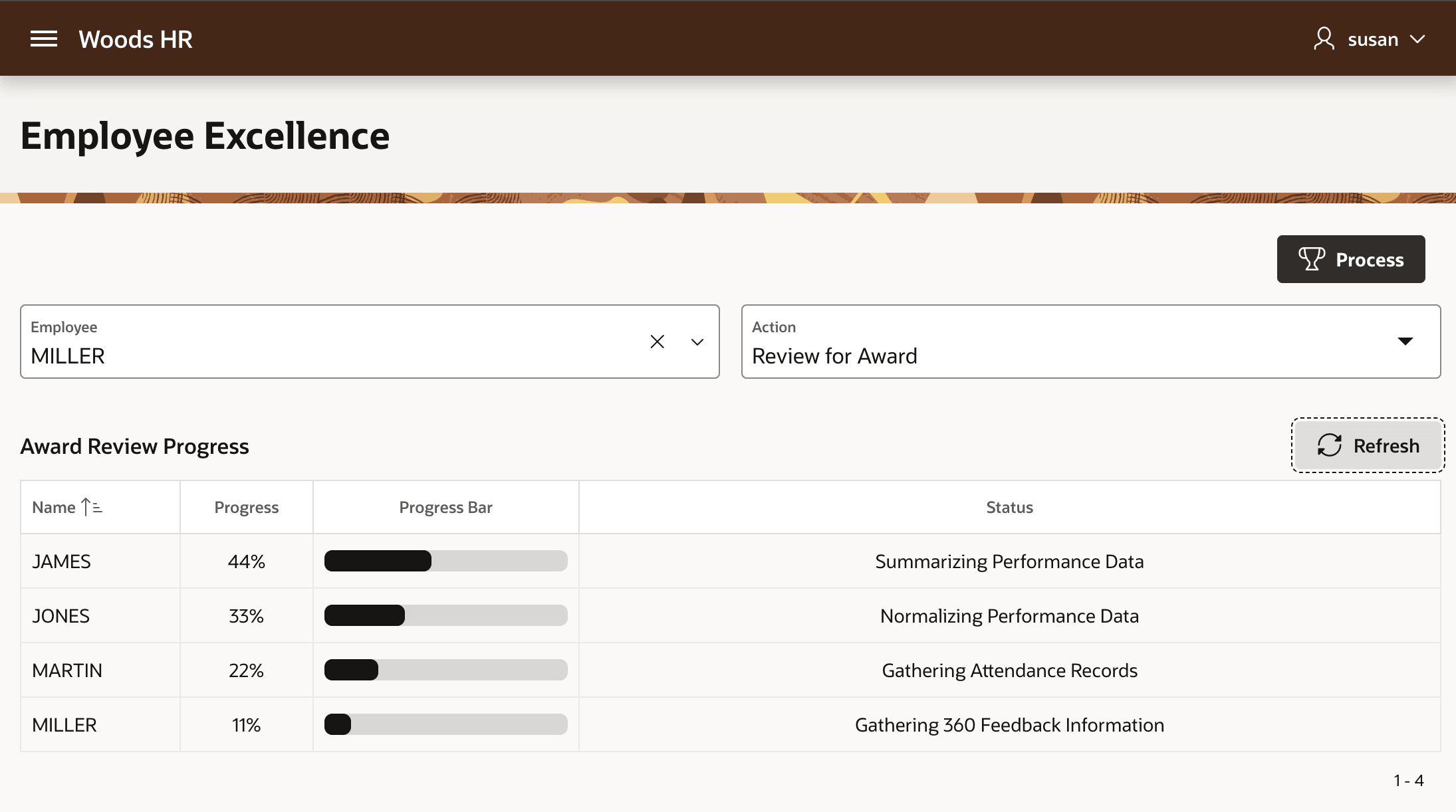
The Award Review Progress classic report in the Employee Excellence page shown below has the employee name being processed, and the percentage progress both as a percent and a bar graph. The Status column uses the rest of the horizontal space available in the page width.
Figure 18-17 Stretching Last Classic Report Column
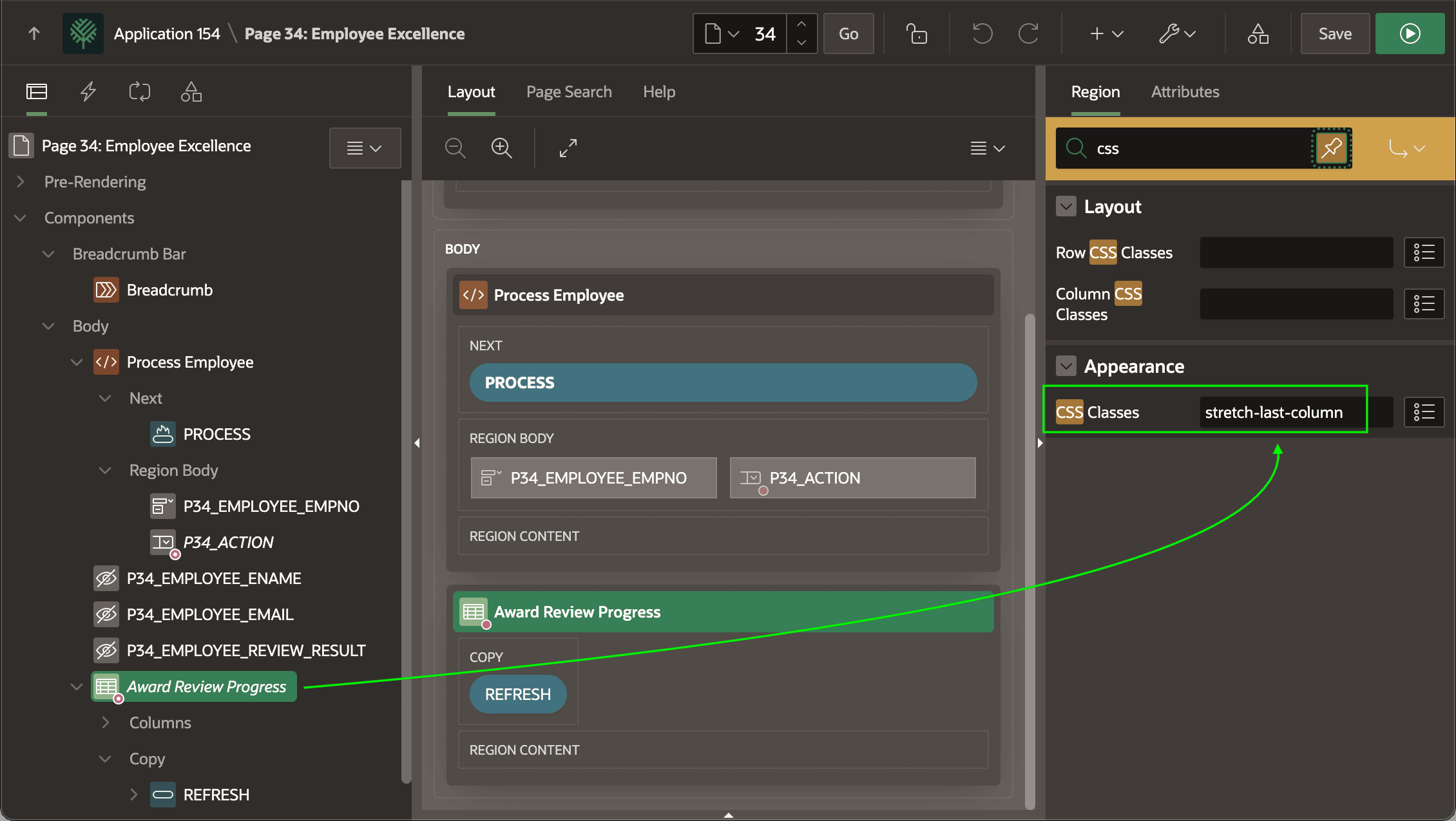
As shown below, the report configures this behavior by applying a custom CSS class named stretch‑last‑column in the CSS Classes region property.
Figure 18-18 Stretching Classic Report's Last Column Using CSS Class
This stretch-last-column CSS class solves a common need in Classic Report regions: stretching the last column to use the remaining width. As explained in Configuring Application-Wide Style Rules, it's part of the Woods HR application's app.css file. The technique uses two CSS rules that override the browser’s default table layout.
First, it applies table-layout: fixed and width: 100% to the table. By default, browsers use automatic layout, sizing columns by content and space, often with unpredictable results. Fixed layout makes the table obey your width values and stretch across its container.
Next, it uses CSS selectors to handle columns with or without explicit Cell Width specified. The selector :not([data-col-width]) matches columns that lack a defined width. Those non-last columns get a fixed width (120px in this example) so they stay readable but don’t hog space. The last column gets width: auto, which under fixed layout means “use the rest.”
/* In app-wide CSS Static Application File app.css */
/* Generic stretch-last-column class for APEX Classic Reports */
.stretch-last-column .t-Report-report {
    width: 100% !important;
    table-layout: fixed;
}

/* Force table wrapper to full width */
.stretch-last-column .t-Report-tableWrap {
    width: 100%;
}

/*
 * Give all non-last columns without explicit widths a reasonable default
 * The key is using a percentage that works regardless of column count
 */
.stretch-last-column .t-Report-report th:not(:last-child):not([data-col-width]),
.stretch-last-column .t-Report-report td:not(:last-child):not([data-col-width]) {
    width: 120px; /* Fixed pixel width - adjust this value as needed */
}

/* Let the last column stretch to fill remaining space (unless it has explicit width) */
.stretch-last-column .t-Report-report th:last-child:not([data-col-width]),
.stretch-last-column .t-Report-report td:last-child:not([data-col-width]) {
    width: auto;
}
Parent topic: Reporting Background Progress