18.6.4 Showing Background Process Progress Bar
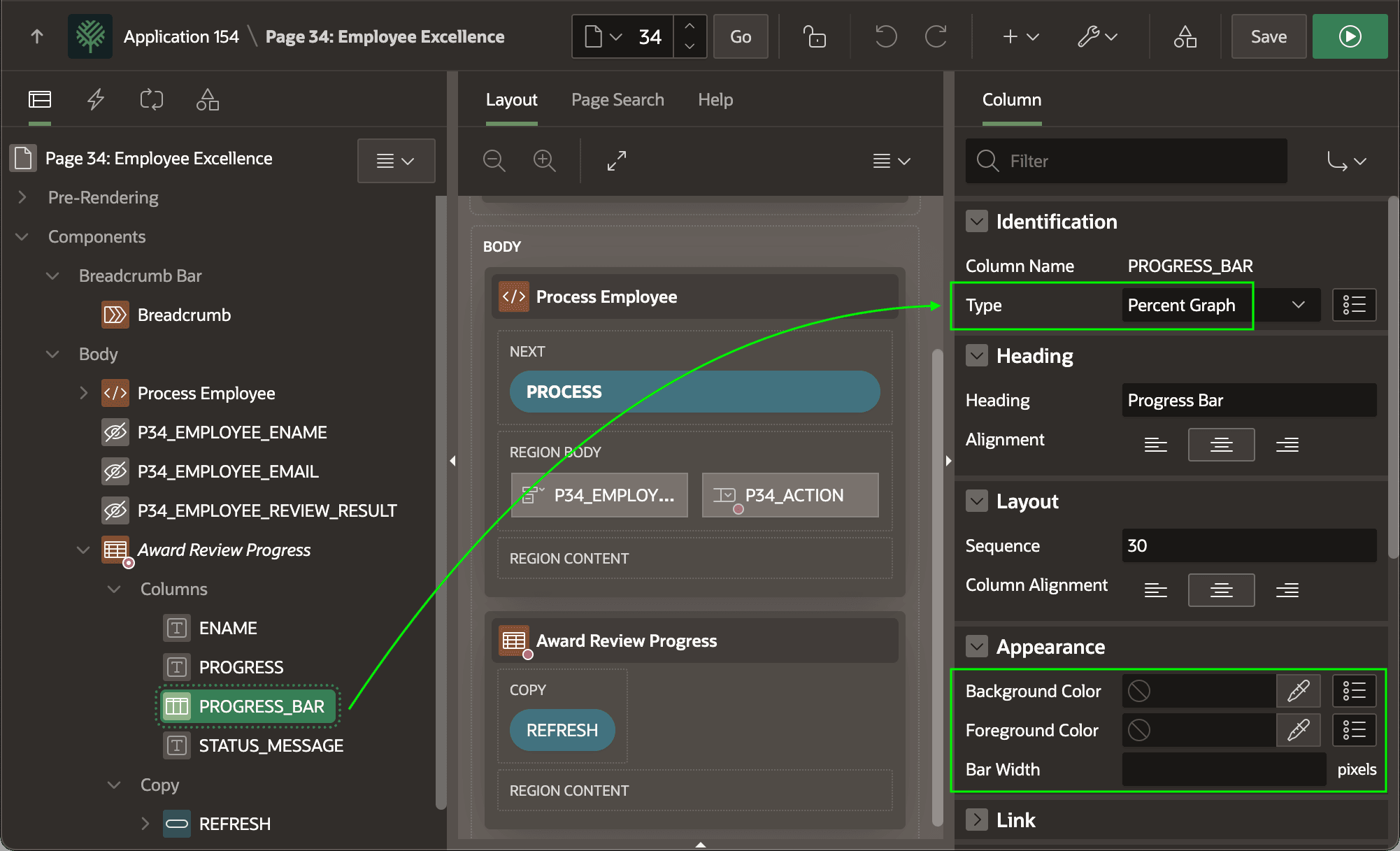
Show background progress as a bar using the Percent Graph report column type.
Use the report column type of Percent Graph to show a decimal value between 0
and 1 as a progress bar. If needed, configure custom background and foreground colors
and an explicit bar width in the Appearance section. The figure shows the
PROGRESS_BAR column of the Award Review
Progress region selected in the component tree and highlights the column
Type is set to Percent Graph as well
as the available Appearance options.
Figure 18-16 Displaying Progress Percentage as a Inline Bar Graph
Parent topic: Reporting Background Progress