16.8.2.5.2 Clearing Collection to Start the Process
Use a conditional execution chain to clear staged uploads only when starting a new multi-photo flow.
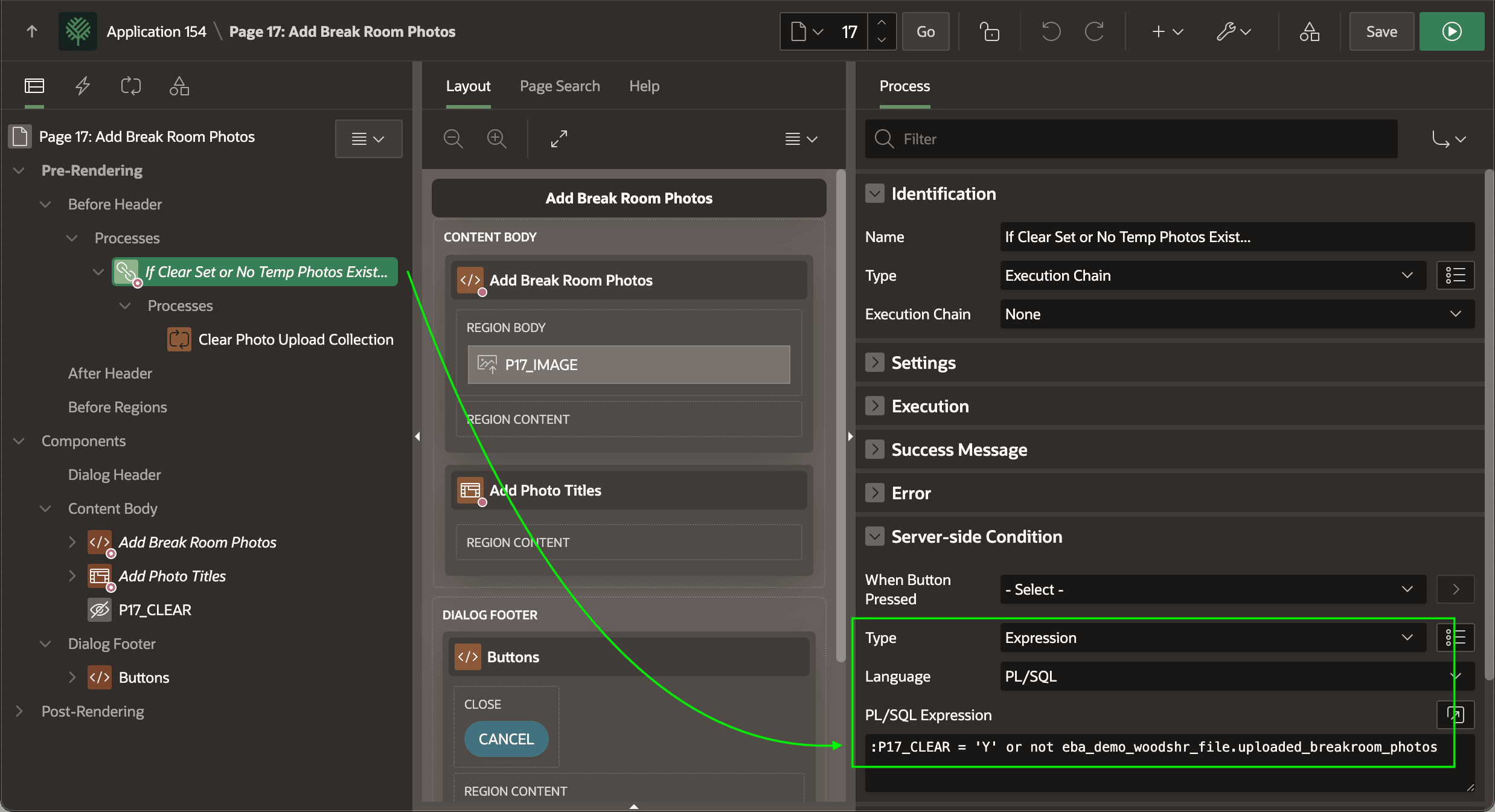
The Add Break Room Photos page uses an execution chain page process in the Pre-Rendering section to group conditional logic with a descriptive name. As shown below, the containing "parent" chain uses the name "If Clear Set or No Temp Photos Exist..." to make the page more self-documenting. The server-side condition applied to this "container" group is the PL/SQL expression below. At runtime, any contained child processes only execute if the condition on their containing parent chain is true.
:P17_CLEAR = 'Y' or not eba_demo_woodshr_file.uploaded_breakroom_photosFigure 16-74 Using an Execution Chain to Group Conditional Logic
The (Post Multiple Photos) button on the calling Break Room page configures the value Y to pass to the P17_CLEAR parameter to cause the condition to be true.
Figure 16-75 Calling Page Button Target Link Sets P17_CLEAR = Y to Clear Collection
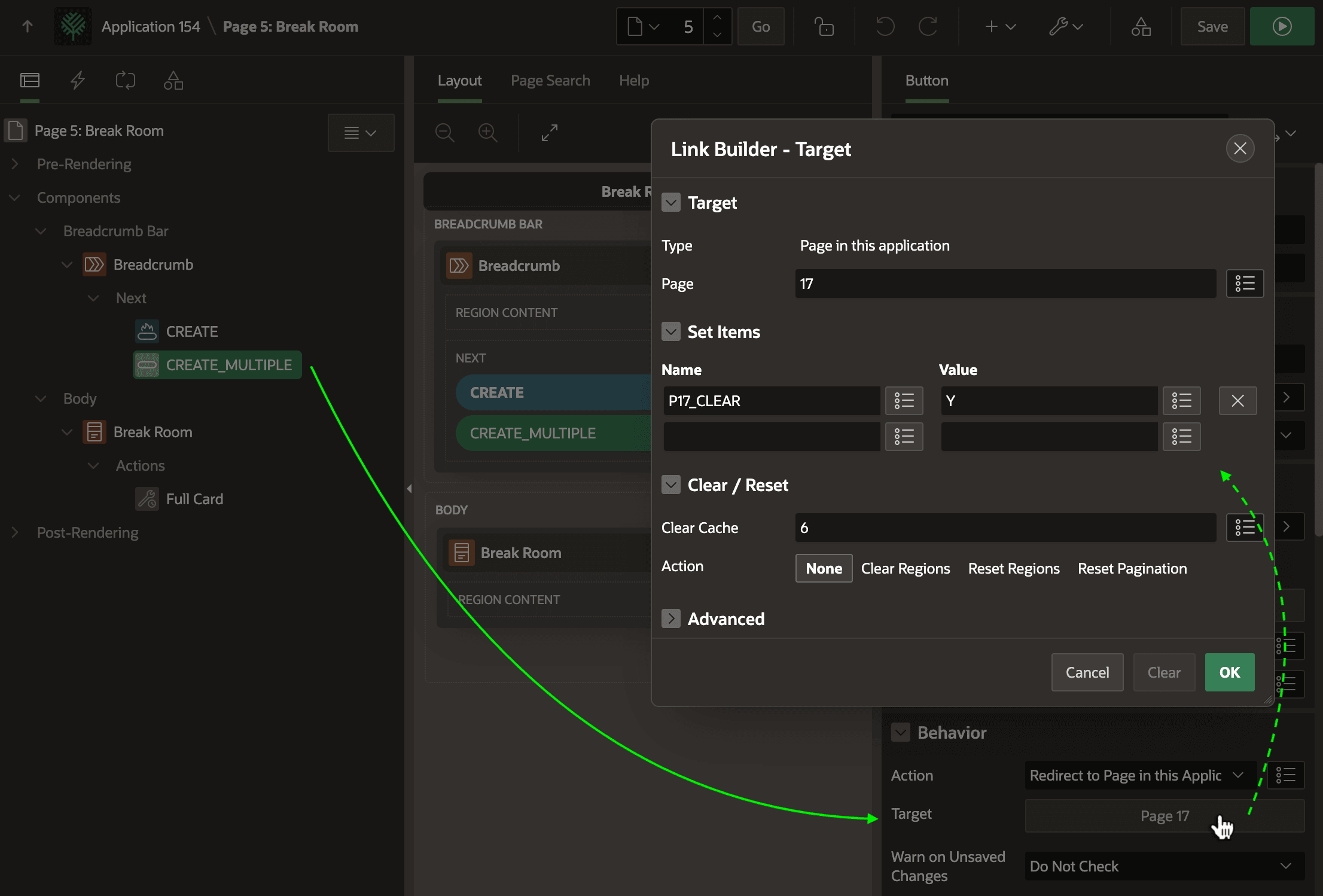
Description of "Figure 16-75 Calling Page Button Target Link Sets P17_CLEAR = Y to Clear Collection"
UPLOADED_BREAKROOM_PHOTOS function in the EBA_DEMO_WOODSHR_FILE package to check if any photos have already been uploaded. That function uses the simple logic shown below:-- in package eba_demo_woodshr_file
function uploaded_breakroom_photos
return boolean
is
begin
for j in (select 1
from eba_demo_woodshr_temp_photos
fetch first row only)
loop
return true;
end loop;
return false;
end uploaded_breakroom_photos;Using the negation operator NOT before this function in the server-side condition ensures the collection does not get cleared when the user uploads the photos by submitting the page.
:P17_CLEAR = 'Y' or not eba_demo_woodshr_file.uploaded_breakroom_photos In this case, the page needs to re-render to show the conditionally-visible Interactive Grid based on the EBA_DEMO_WOODSHR_TEMP_PHOTOS view. This lets the user enter corresponding photo titles, and requires the temporary collection rows be present.
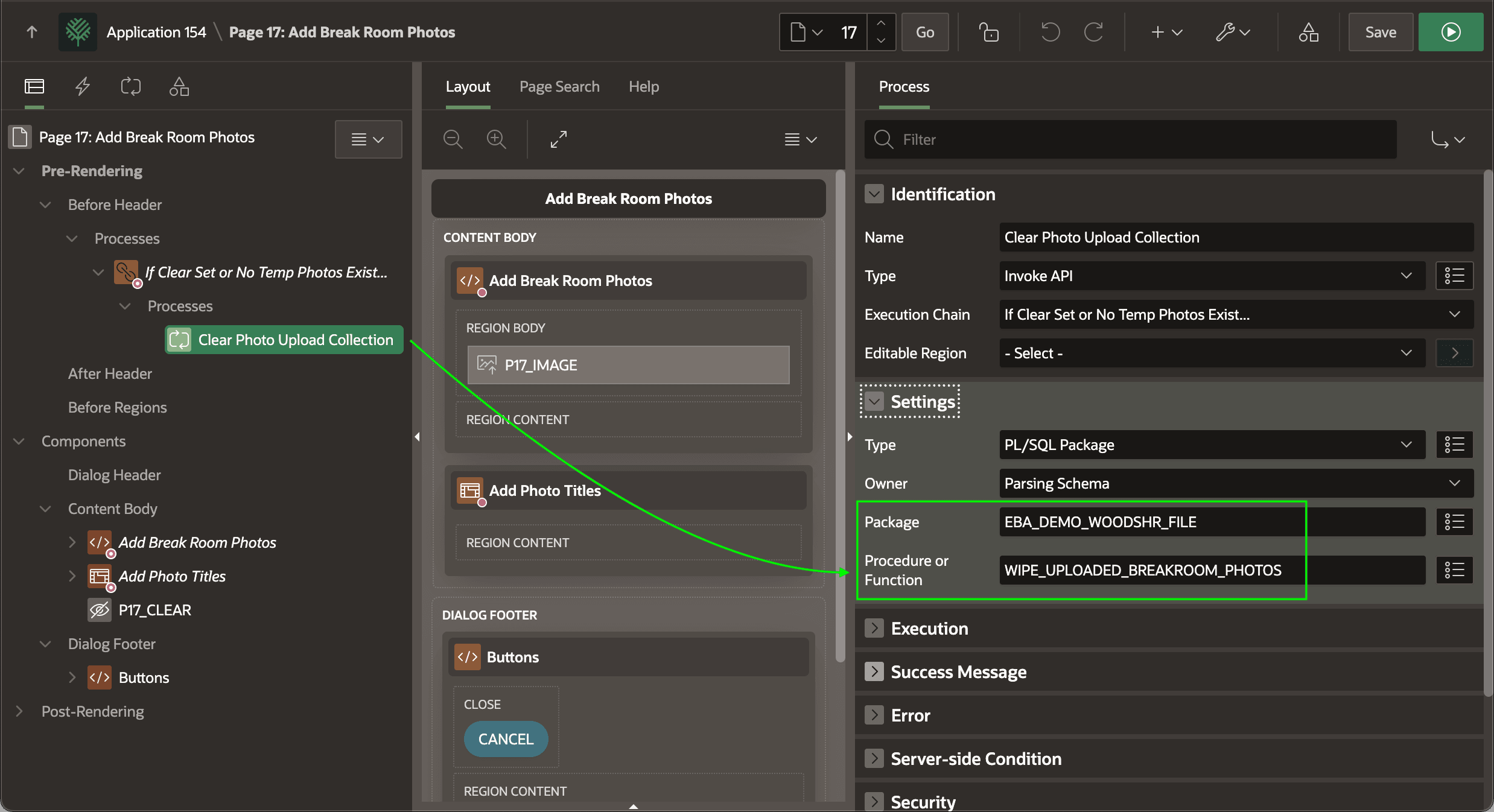
WIPE_UPLOADED_BREAKROOM_PHOTOS procedure:-- in package eba_demo_woodshr_file
procedure wipe_uploaded_breakroom_photos
is
begin
-- Delete any referenced temporary images
delete from apex_application_temp_files
where name in (select unique_file_name
from eba_demo_woodshr_temp_photos);
-- Clear the collection
apex_collection.create_or_truncate_collection(c_uploaded_photos_collection);
end wipe_uploaded_breakroom_photos; Figure 16-76 Invoke API Child Process Calls Procedure to Clear the Collection
Parent topic: Preparing and Saving Images with Titles