16.8.2.5.3 Preparing Collection to Enter Photo Titles
Prepare a collection with uploaded file names so users can add titles before posting photos.
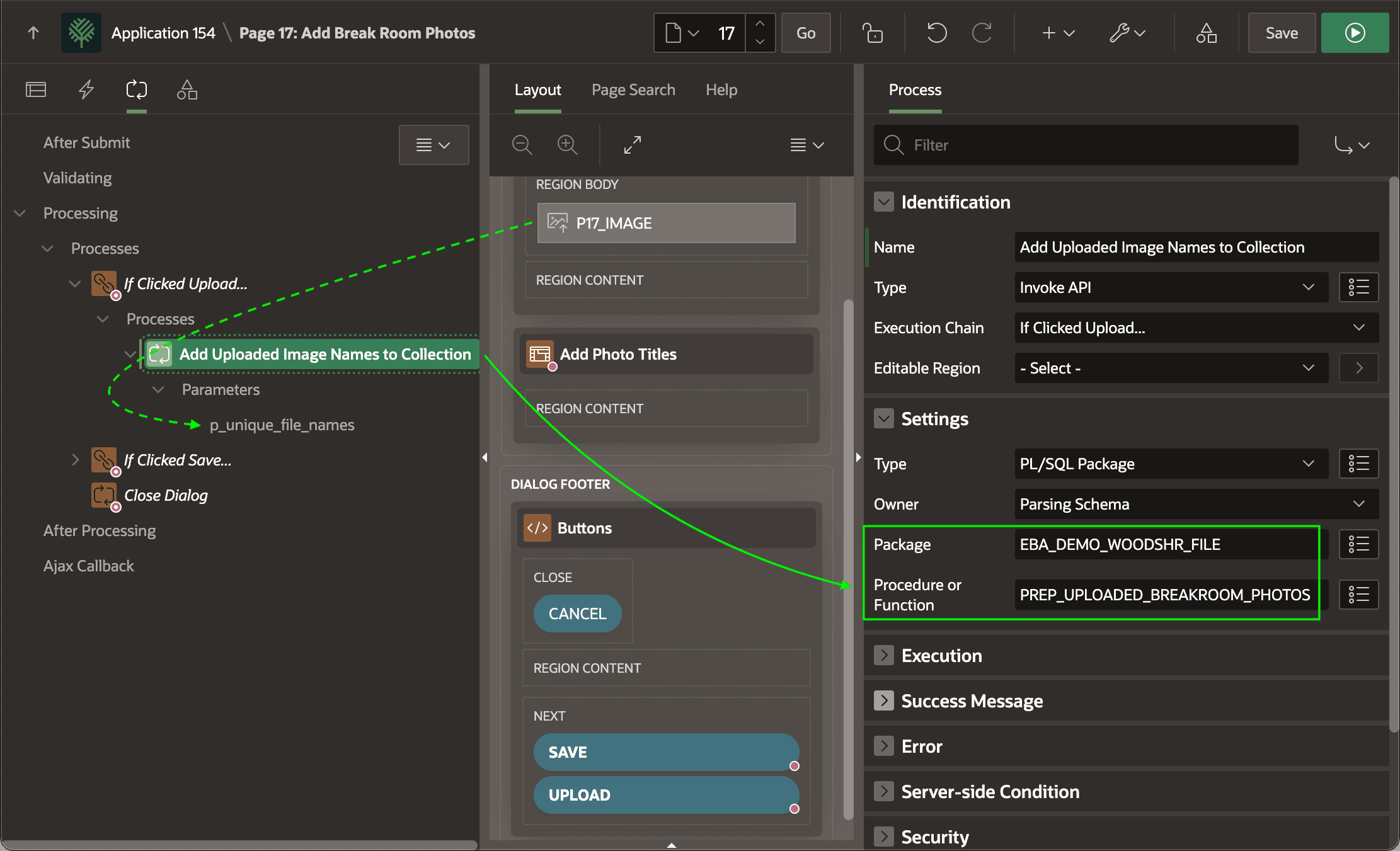
When the user clicks the (Upload) button, an If Clicked Upload...
execution chain with its When Button Pressed condition set to
UPLOAD runs the child process below to add the unique uploaded
image names to the UPLOADED_PHOTOS collection. It's an Invoke API
process that calls the PREP_UPLOADED_BREAKROOM_PHOTOS procedure. Its
p_unique_file_names parameter gets its value from the Image
Upload page item P17_IMAGE.
When uploading multiple files, the upload page item's value is a colon-delimited list
of unique uploaded file names. Therefore, the code invoked uses
apex_string.split passing the ':' as the delimiter
to process the unique file names to add them as collection members in column
C001.
-- in package eba_demo_woodshr_file
procedure prep_uploaded_breakroom_photos(
    p_unique_file_names in varchar2)
is
begin
    for j in (select column_value as unique_file_name
                from apex_string.split(p_unique_file_names,':'))
    loop
        apex_collection.add_member(
            p_collection_name => c_uploaded_photos_collection,
            p_c001            => j.unique_file_name);
    end loop;
end prep_uploaded_breakroom_photos;
Figure 16-77 Upload Button Triggers Invoke API to Add Image Names to Collection
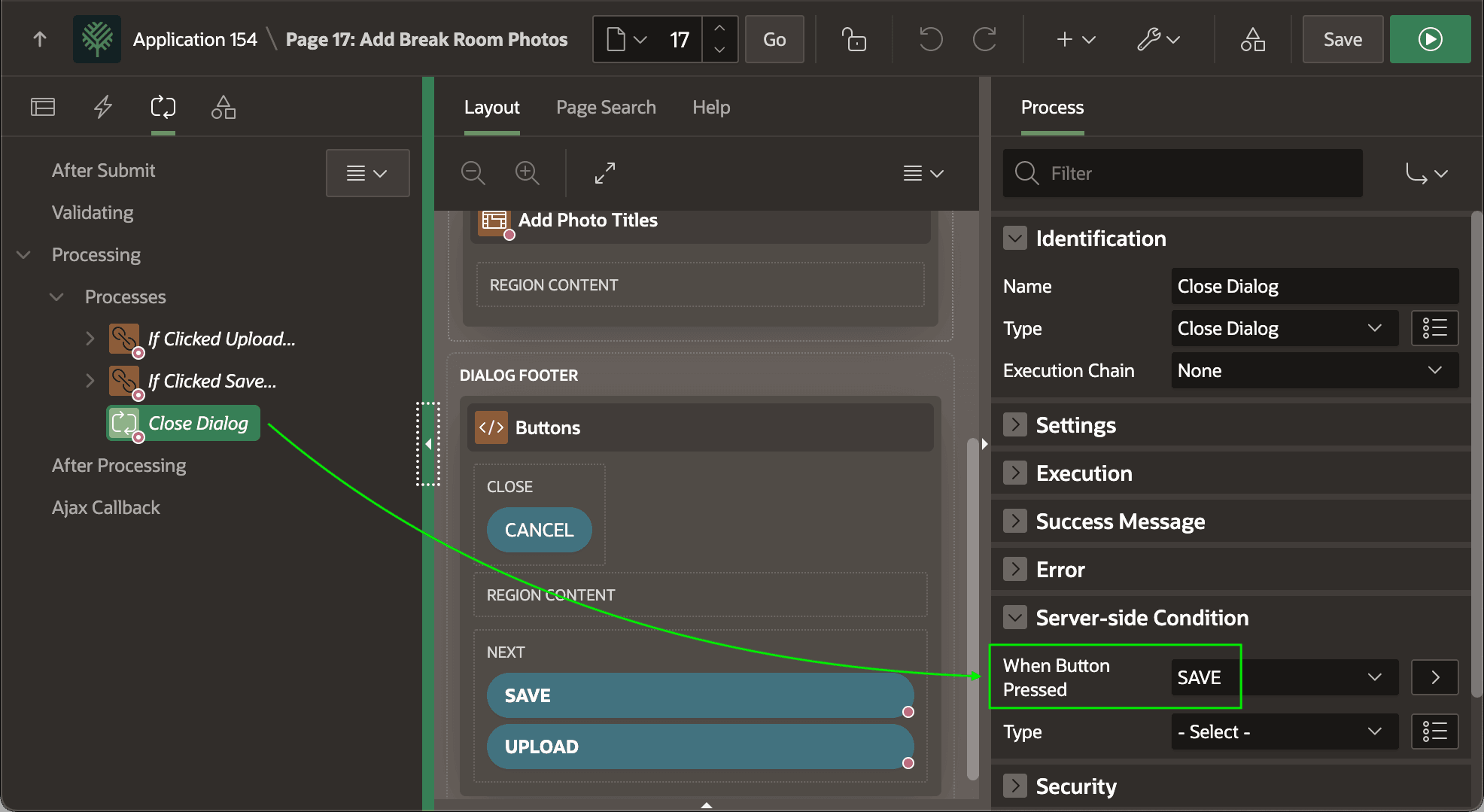
As shown below, the Close Dialog page process uses a server-side condition to
only execute when user clicks the SAVE button, labelled (Post
Photos) in the page. So, then the user first clicks the UPLOAD
button to submit the image files, the dialog close is skipped and the user
remains on this page to preview the uploaded images and enter the
corresponding titles.
Figure 16-78 Conditional Close Dialog Leaves User on Page After Image Upload to Set Titles
Parent topic: Preparing and Saving Images with Titles