5.8.1 Configuring a Basic Tree Display
After selecting a table like EMP, configure at least a Node Id column, a Node Label column, and a Parent Key column. The latter value references another node id as its parent to form the hierarchy.
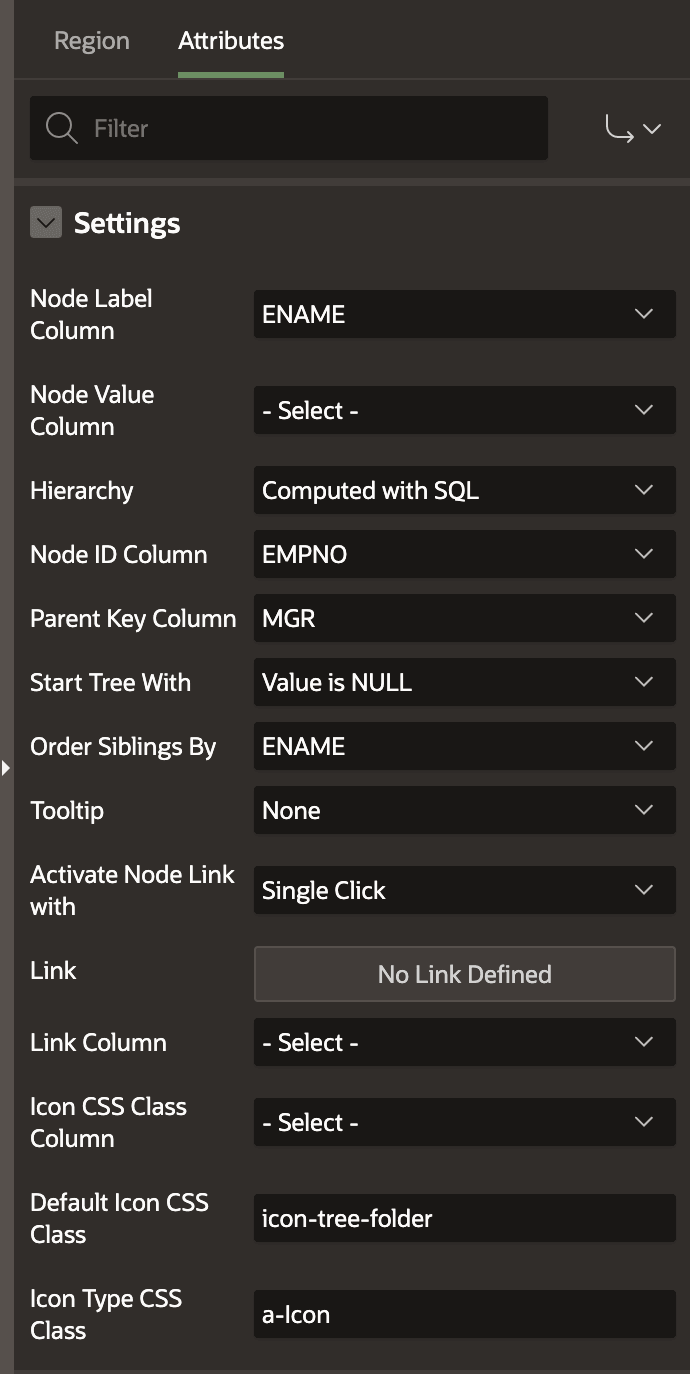
As shown below, you can use the ENAME column for the node label, EMPNO as the node ID, and MGR as the parent key. Notice the Hierarchy property is set to Computed with SQL. This choice means, "Let the APEX engine compute the hierarchy with SQL that it automatically generates at runtime." The Order Siblings By property sets ENAME as the sorting order for nodes in the tree at the same level, while the Start Tree With property setting of Value is NULL causes the top level of the tree to be nodes where the Parent Key Column MGR is null.
Figure 5-20 Minimal Settings for a Working Tree Region
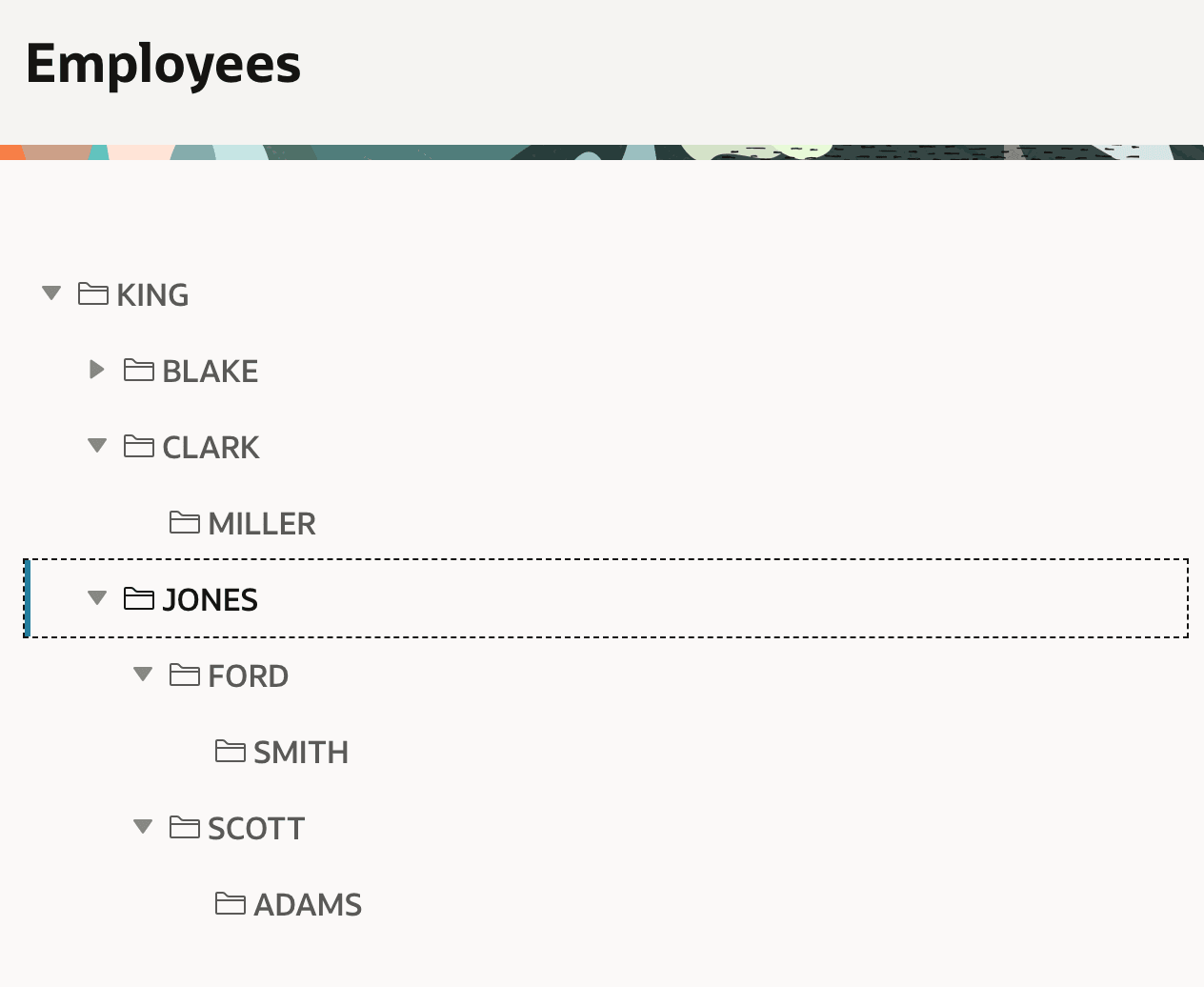
These settings produce the tree shown below. KING has a
null value for her MGR column, so she displays as
the root node of the tree. APEX computed the hierarchical query at runtime, including
the configured colums, to retrieve all the tree's data in a single query. In the figure,
the CLARK and JONES levels are expanded to
reveal the direct reports to multiple levels.
Figure 5-21 Basic Tree Region Showing EMP Management Hierarchy
Parent topic: Exploring Hierarchical Data in a Tree