3.3.1.3 Configuring Dynamic Behavior
Use trigger actions to configure dynamic behavior for buttons and menus, and event handlers in the Dynamic Actions tab to react to value changes, dialog closure, and other user interface events.
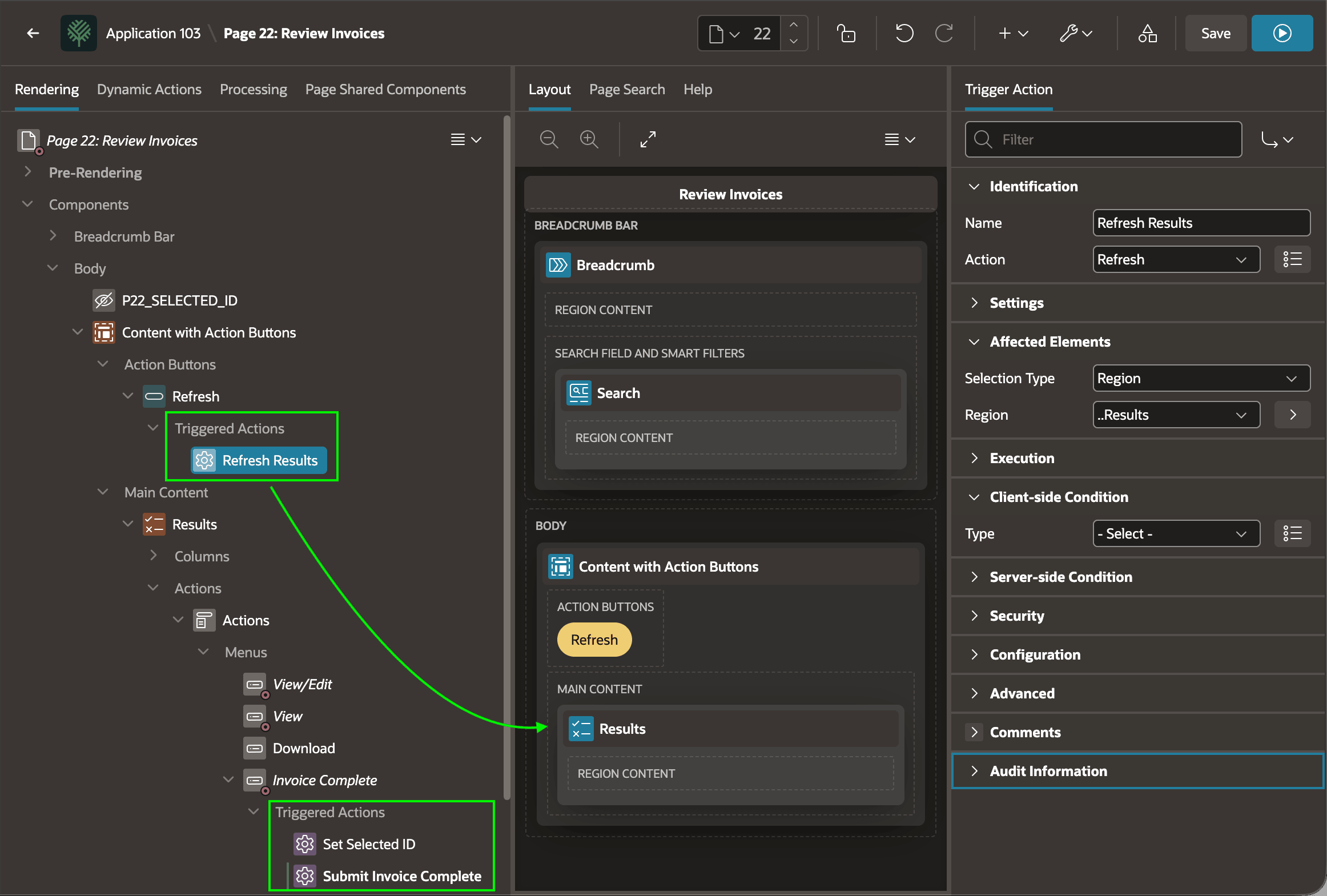
When your user needs to perform an action by clicking a button or menu, you can add Triggered Actions directly to the element in the Rendering Tab. As shown below, the Refresh button triggers an action to refresh the Results region. The Invoice Complete menu item sets the ID of the selected invoice and submits the page to perform business logic related to completing an invoice.
Figure 3-12 Define Triggered Actions on Buttons and Menus in the Rendering Tab
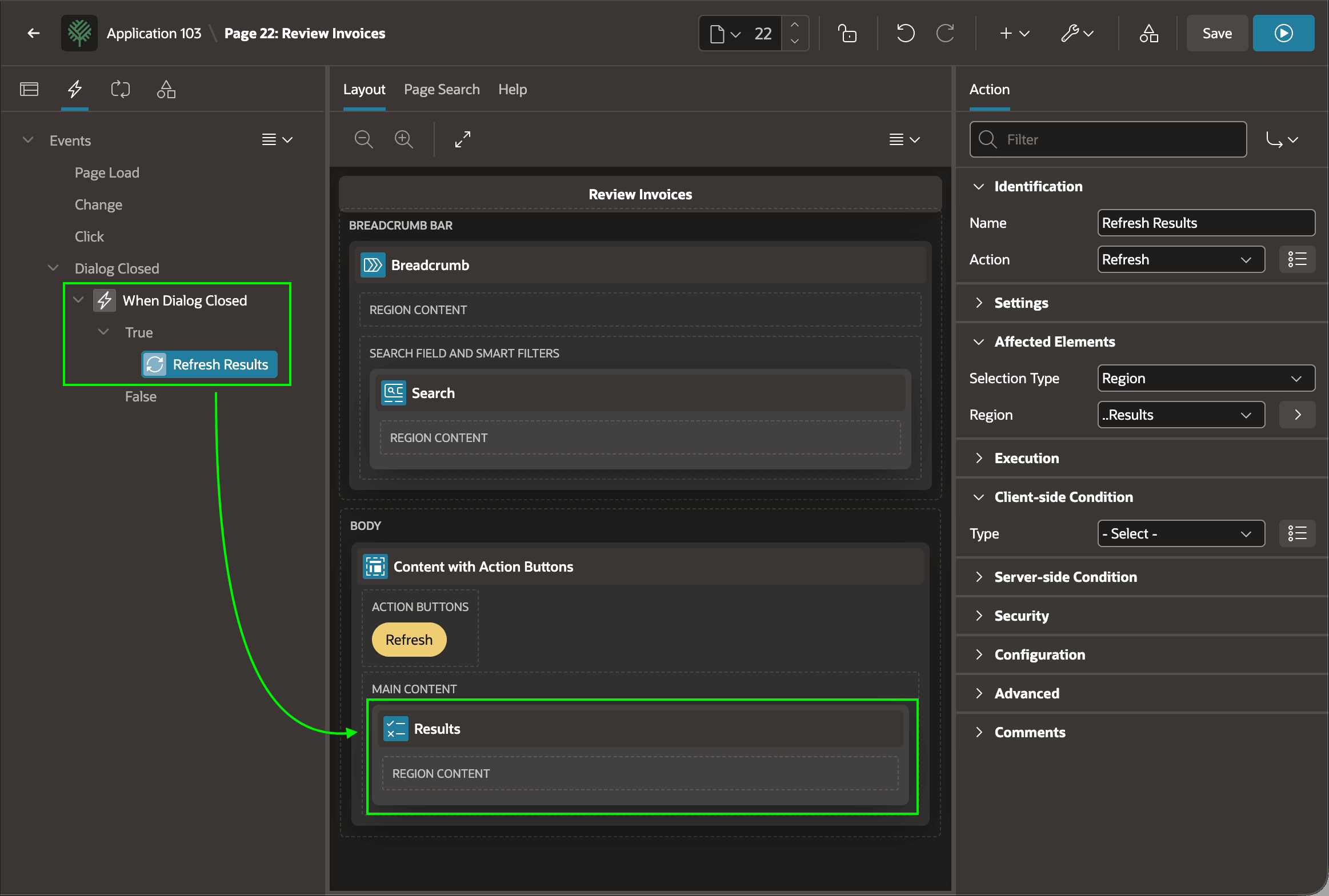
To handle any other user interface events, you can use dynamic action event handlers. The Dynamic Actions tab shows all event handlers defined on the page, and the sequence of Dynamic Action steps that you've configured to execute when each event occurs. As shown below, when the user closes a modal dialog this page invokes, this page handles that event by refreshing the Results region.
Figure 3-13 Dynamic Action Tabs Shows Event Handlers and Actions
Parent topic: Key Page Designer Areas