16.5.3 Configuring File Upload to a BLOB Column
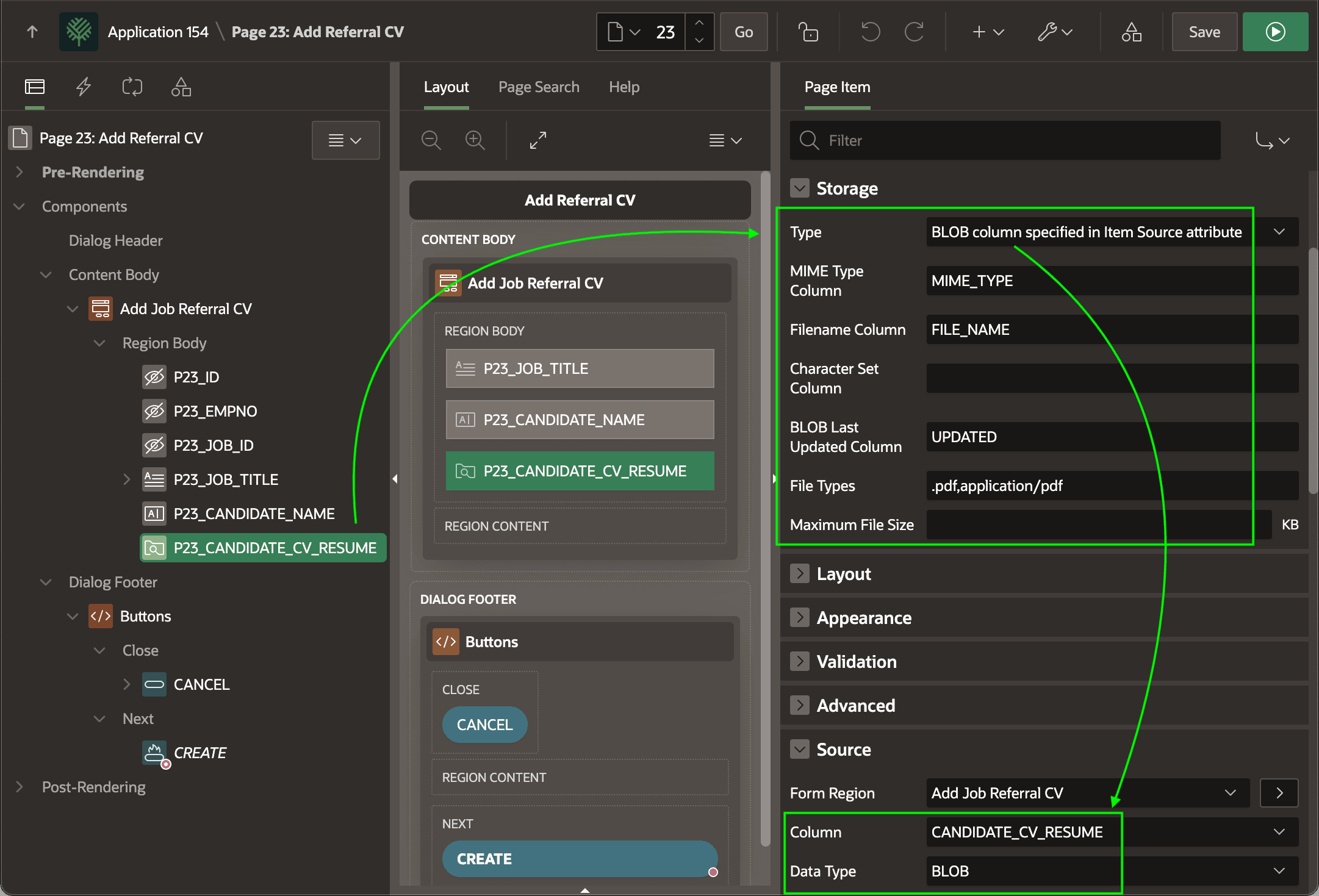
Configure a File Upload item to store an uploaded file in a BLOB column with related metadata.
- MIME Type Column – the type of file (e.g.
application/pdf) - Filename Column – the uploaded file name
- BLOB Last Updated Column – date the file was last modified.
Setting up these additional column names is important. It ensures the browser handles the file correctly when viewed or downloaded.
Tip:
Enable the Primary Key switch for form items tied to primary key columns. (e.g. P23_ID here)
To allow only a subset of file types – for example, only PDF files – set the File Types field to a comma-separated list of file extensions and MIME type strings. For PDF files, the extension is .pdf and the MIME Type is application/pdf. These values inform the system file picker to help users to pick the kind or kinds of file your application needs.
- File is too large. Maximum file size is 3MB.
Figure 16-51 Configuring File Upload Page Item
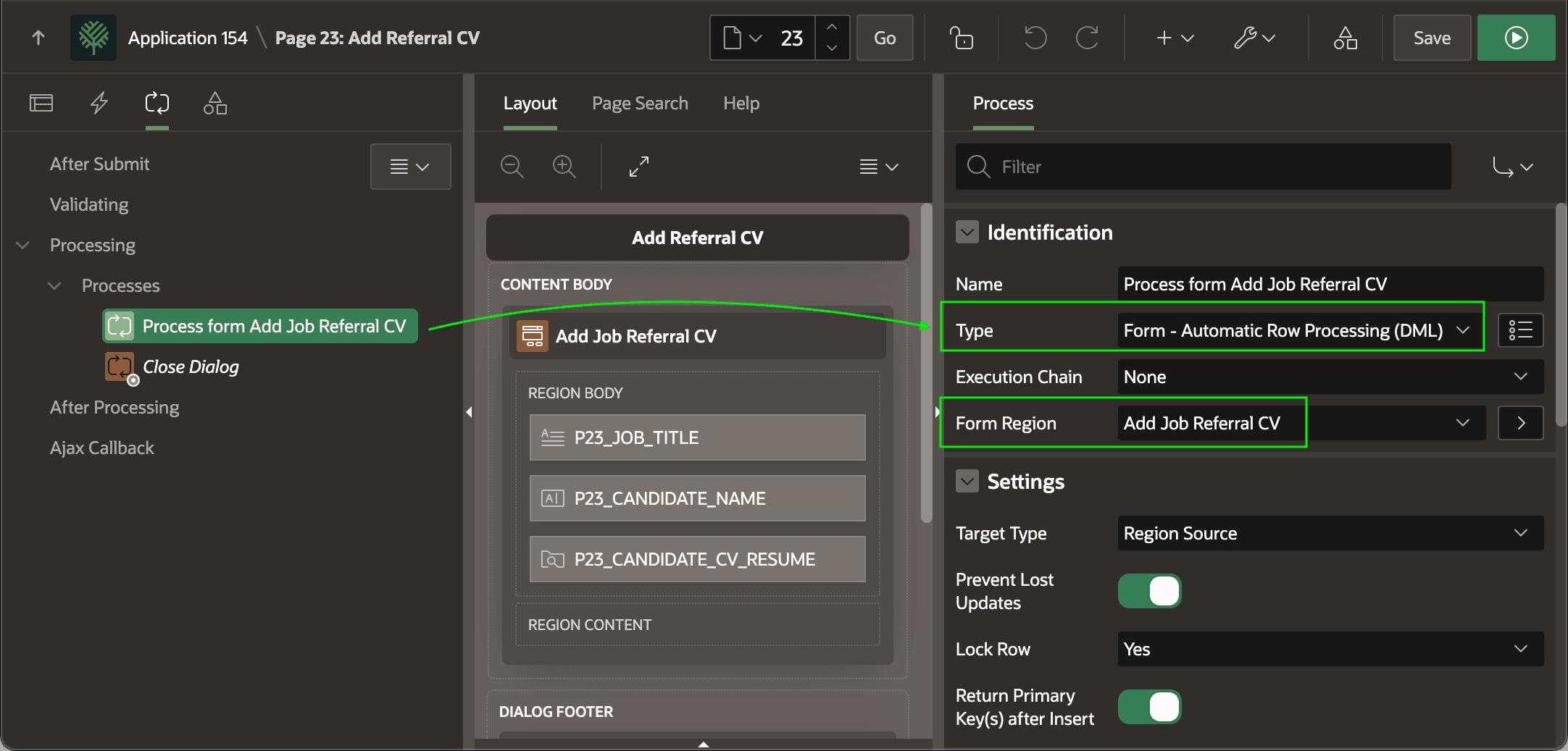
- a page process of type Form - Automatic Row Processing (DML)
- with its Form Region property set to the form region,
- sequenced before the Close Dialog process if the page is a modal dialog or drawer, and
- a button like the
CREATEone here with its Database Action property set to SQL INSERT action.
Tip:
The Create Page Wizard creates the DML page process on a new Form page, and sets the Database Action property to SQL INSERT action on the CREATE button. However, when you add a Form region to an existing page you need to do these two steps yourself.
Figure 16-52 Ensure Automatic DML Page Process Targets the Form
Parent topic: Uploading a File to a BLOB Column