16.5.4 Ensuring the Automatic DML Process
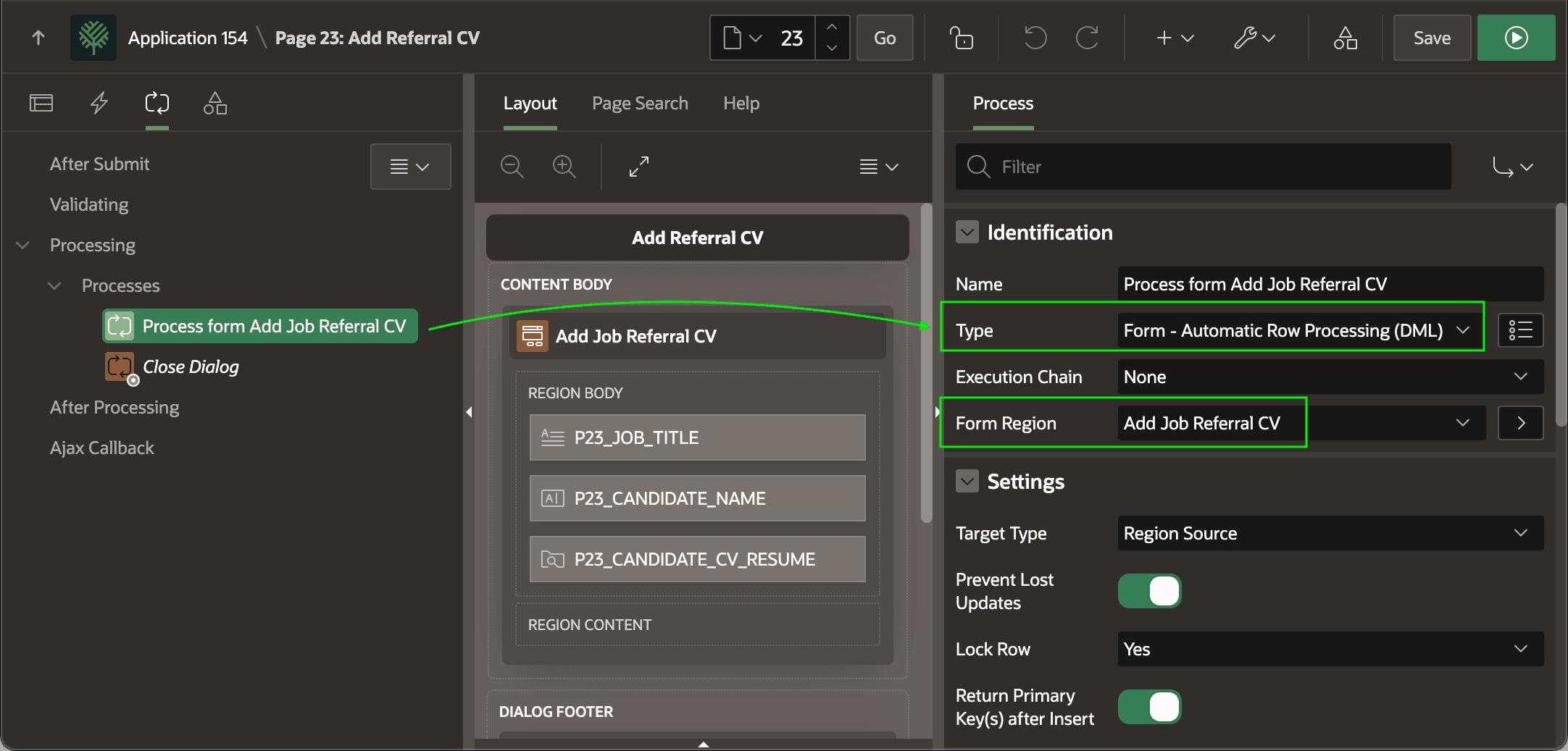
Set up the automatic DML process and submit button with database action to insert the uploaded file row.
- a page process of type Form - Automatic Row Processing
(DML)
- with its Form Region property set to the form region, and
- sequenced before the Close Dialog process if the page is a modal dialog or drawer
Figure 16-53 Ensure Automatic DML Page Process Targets the Form
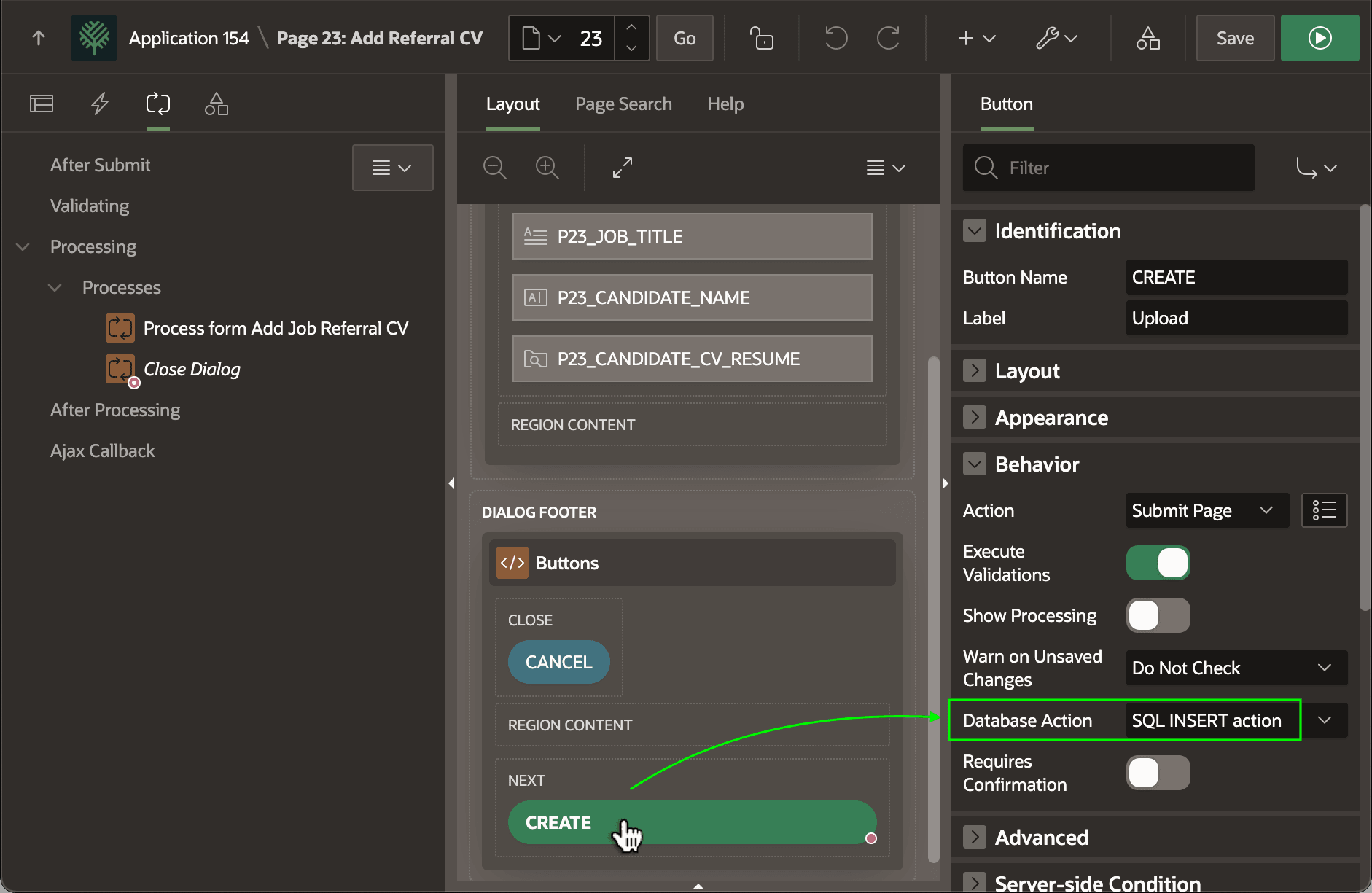
Importantly, also check that the button that submits the page – like CREATE below – has its Database Action property set to SQL INSERT action. This informs the Automatic Row Processing (DML) page process to insert the submitted row.
Tip:
The Create Page Wizard creates the DML page process on a new Form page, and sets the Database Action property to SQL INSERT action on the CREATE button. However, when you add a Form region to an existing page you need to do these two steps yourself.
Figure 16-54 Database Action on Submitting Button Informs Automatic DML Process
Parent topic: Uploading a File to a BLOB Column