16.5.5 Controlling File Upload Item Behavior
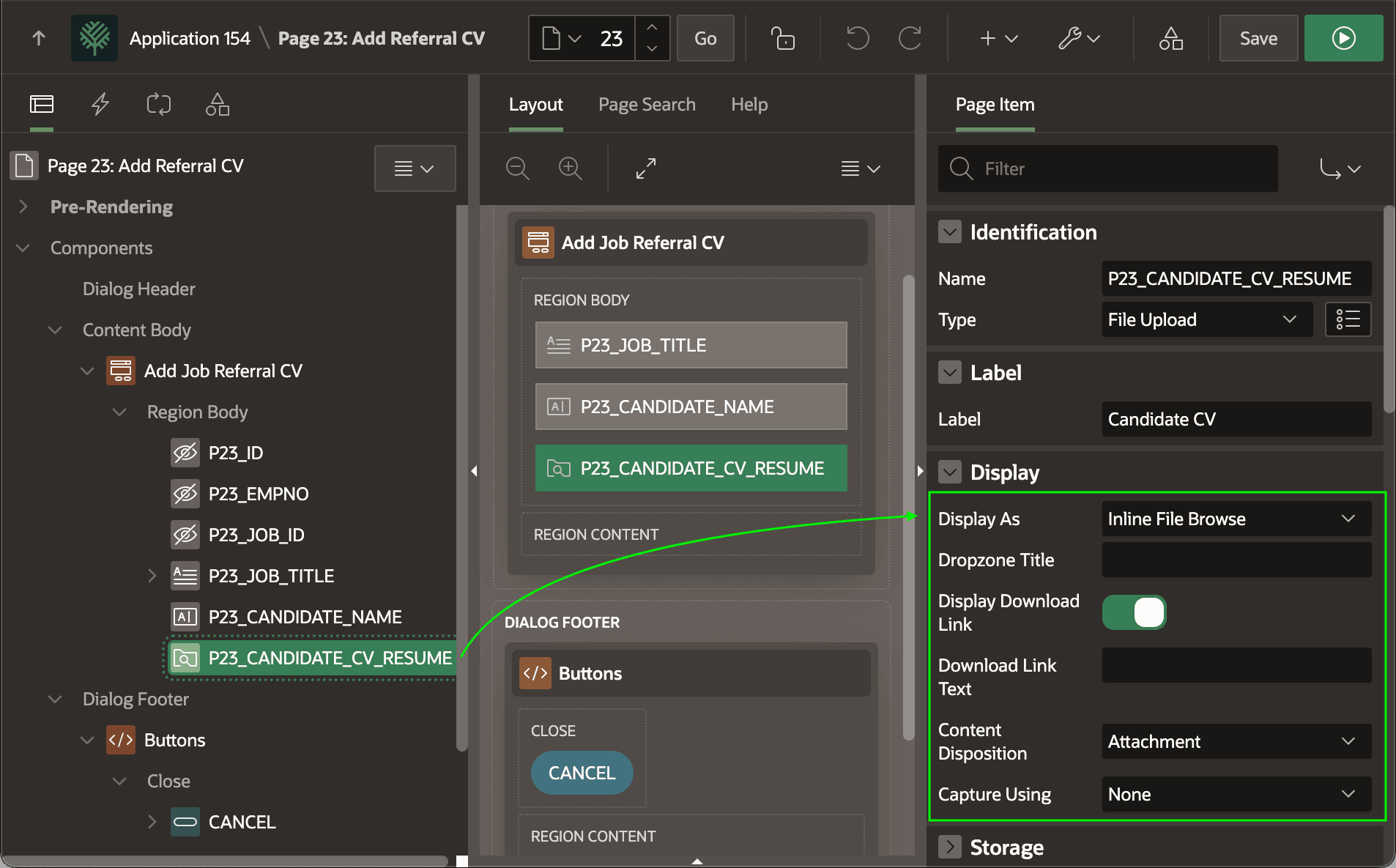
Use the properties in the Display section to control your end users' experience when uploading a file.
The Display As controls how the user sees the file upload item on the page. By default, it shows as an Inline File Browse but other styles featuring a drop zone are also available. The Display Download Link, Download Link Text, and Content Disposition settings define the download link the user can click to download the file when editing an existing row.
To let the user upload a "live" photo, set Capture Using to open a device's
main or selfie camera. Users can still select an existing file instead. The
figure shows the File Upload page item P23_CANDIDATE_CV_RESUME selected
in the component tree, and highlights the Display group
properties that control how user's see and interact with it.
Figure 16-55 Configuring File Upload Page Item Display Behavior
Parent topic: Uploading a File to a BLOB Column