16.5.6 Submitting a Job Referral CV
Walk through the referral CV upload flow, from selecting a PDF to refreshing the calling page.
Now, when user SMITH selects the Product Manager – Outpatient Services job card and clicks (Submit First Referral) to enter a new one, she sees the modal dialog shown below to choose the PDF curriculum vitae (CV) and supply a candidate name.
Figure 16-56 Submitting a New Job Referral Candidate's CV
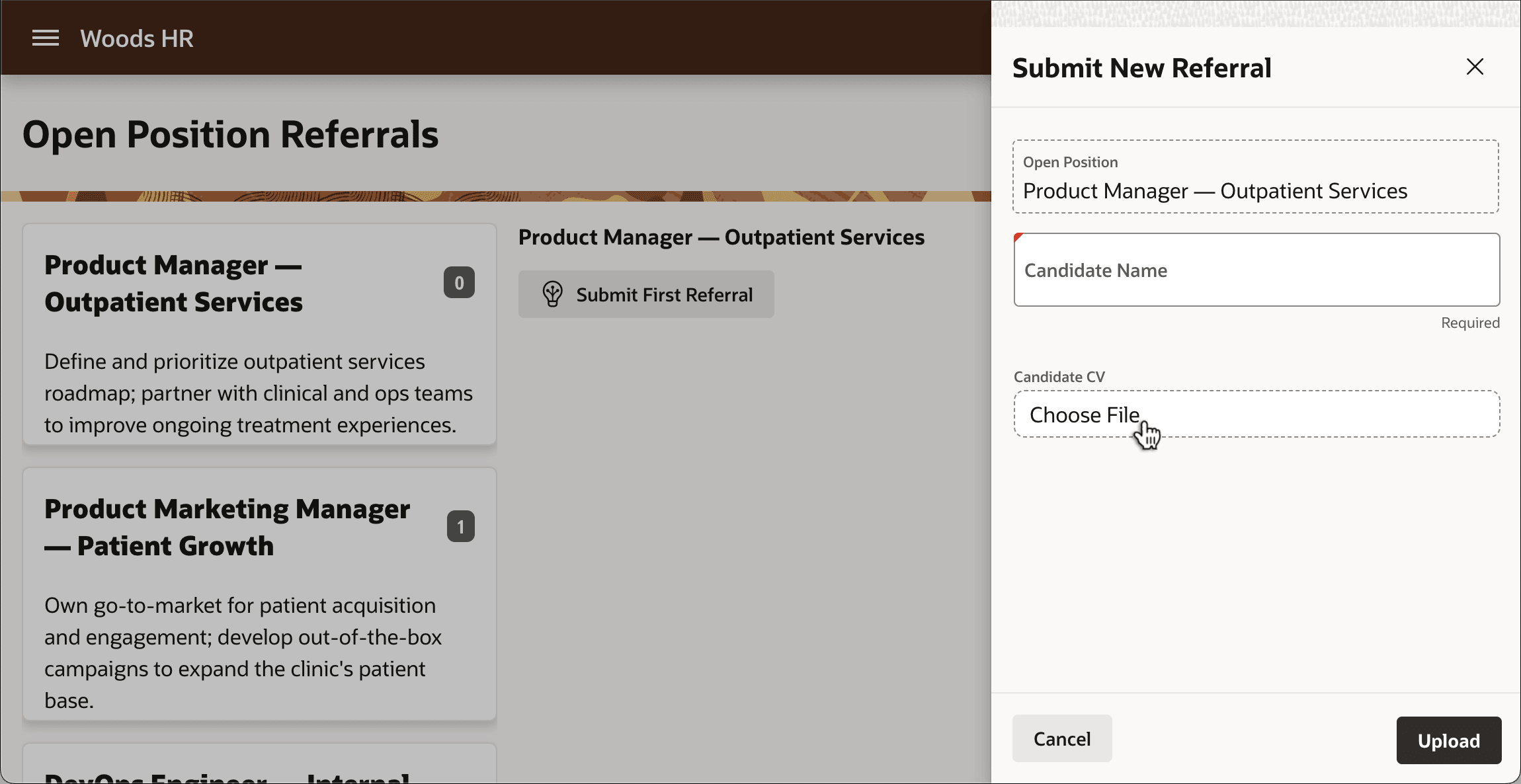
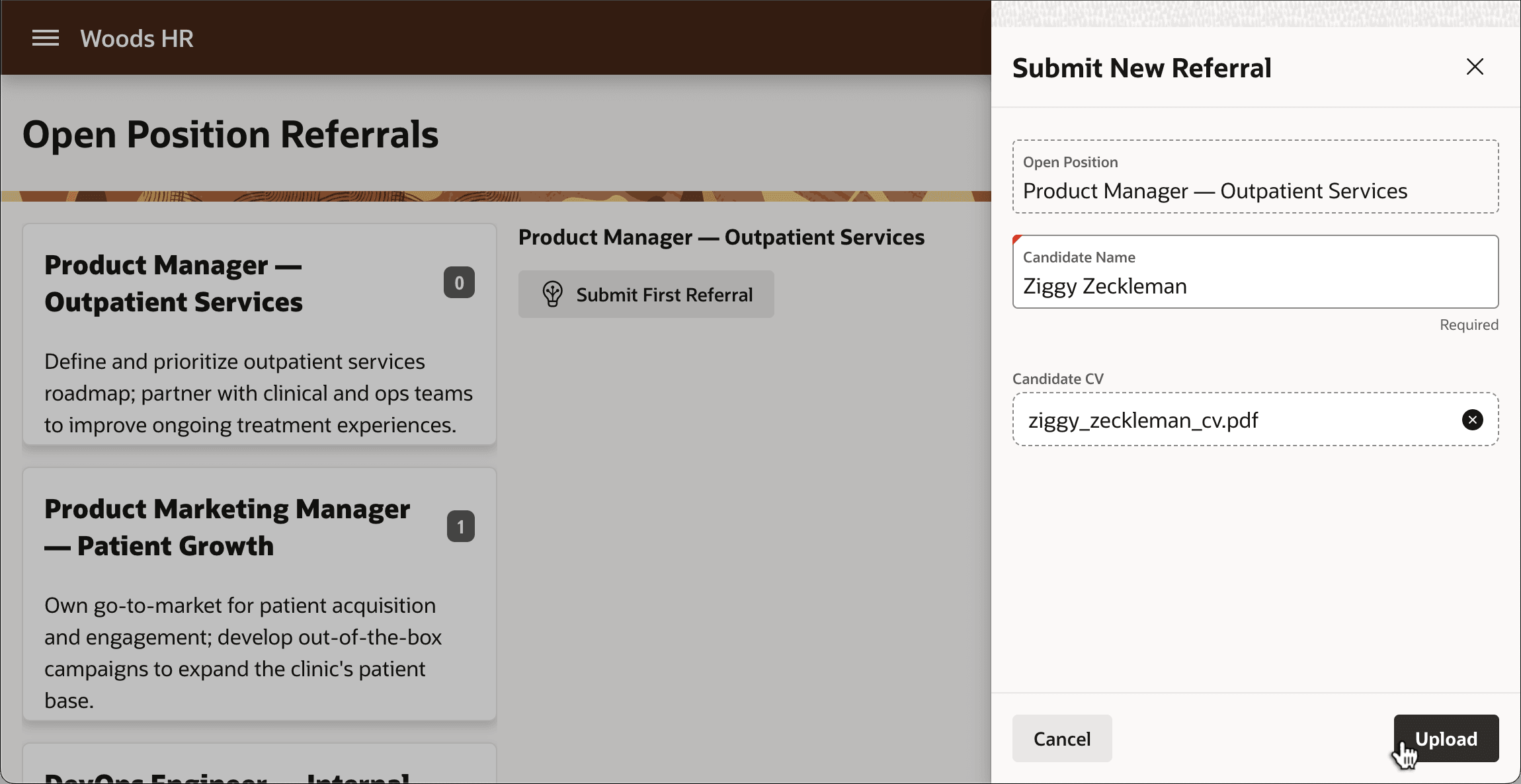
When she clicks on the inline file browse area, the system file picker dialog appears, with only PDF files enabled for selection. After she picks a PDF file containing the candidate's CV and enters the candidate's name, the dialog reflects the file name to be uploaded as shown below.
Finally, after clicking on the (Upload) button, the Form – Automatic Row Processing (DML) page process inserts the new row into the EBA_DEMO_EMP_JOB_REFERRALS table, including the PDF file into the CANDIDATE_CV_RESUME BLOB column and the Close Dialog process does its job.
Figure 16-57 Uploading a File to a BLOB Column
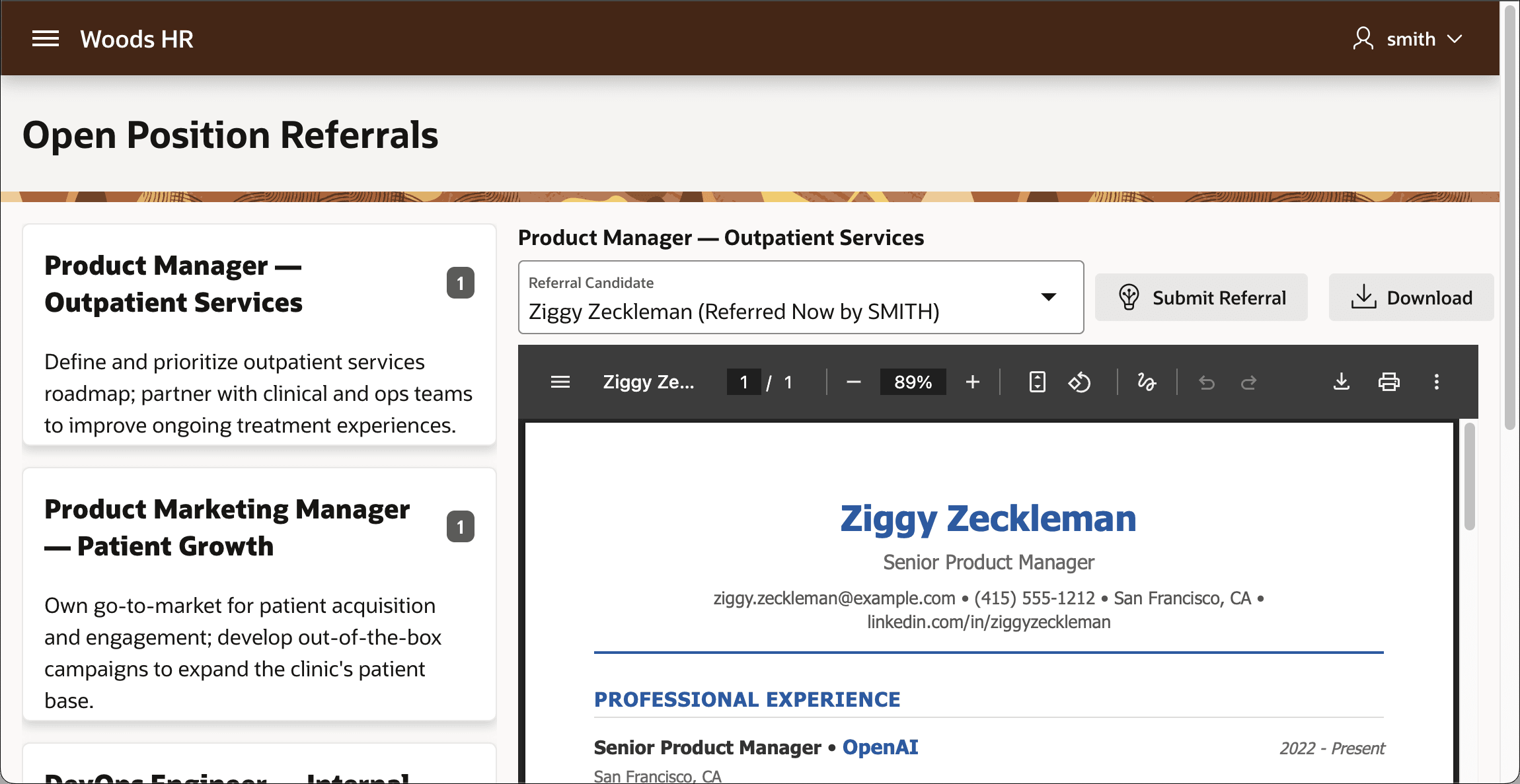
The dialog's closing triggers a Dialog Closed dynamic action that refreshes the Referral Candidates list and the Candidate CV PDF Preview region to immediately reflect the newly added candidate and his CV.
Figure 16-58 Previewing Newly Uploaded Job Referral Candidate's CV
Parent topic: Uploading a File to a BLOB Column