3.7.1 Configuring Report Region Columns
If a region lets you configure settings on its data source columns, then they appear in Page Designer under a heading in the component tree.
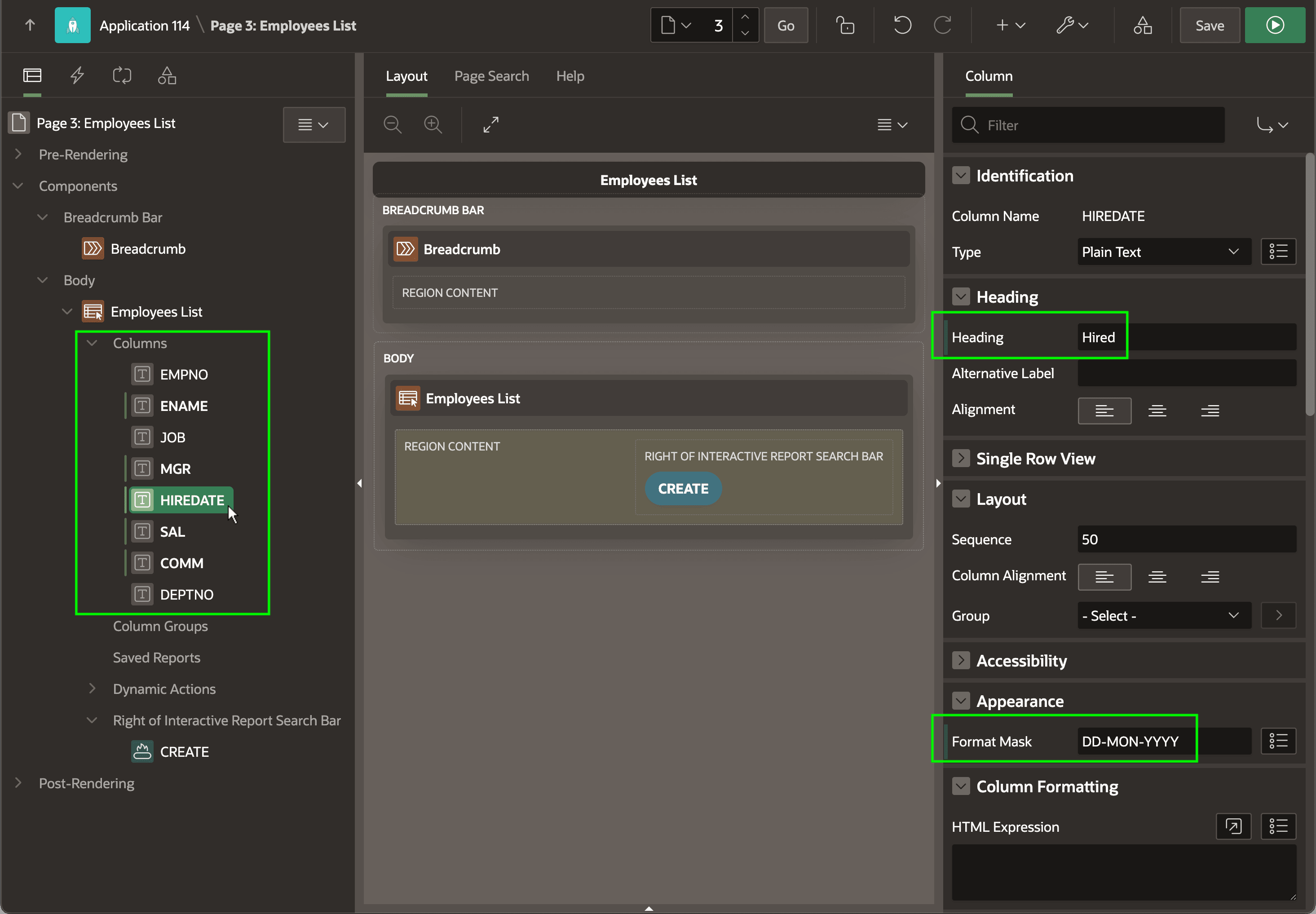
The figure below shows an Employees List region in Page
Designer with its columns highlighted. Selecting a column like HIREDATE
in the tree, the Property Editor lets you see and adjust its appearance and behavior. If
you change properties like Heading and Format Mask, Page Designer indicates these unsaved changes with a vertical
bar to the left of the property name as called out below. The next time you save the
page, these change indicators disappear.
Figure 3-31 Columns of an Interactive Report Region in Page Designer
Parent topic: Report Columns and Form Items