3.7.2 Synchronizing Column Changes
If your region's data source needs to work with additional columns, or different set of them, your page can automatically adapt.
If a region is based on a SQL query, then whenever you edit the
SELECT statement Page Designer adds any new columns it detects to
the list. However, if the region is based on a table or other data source, you
decide when this synchronization occurs.
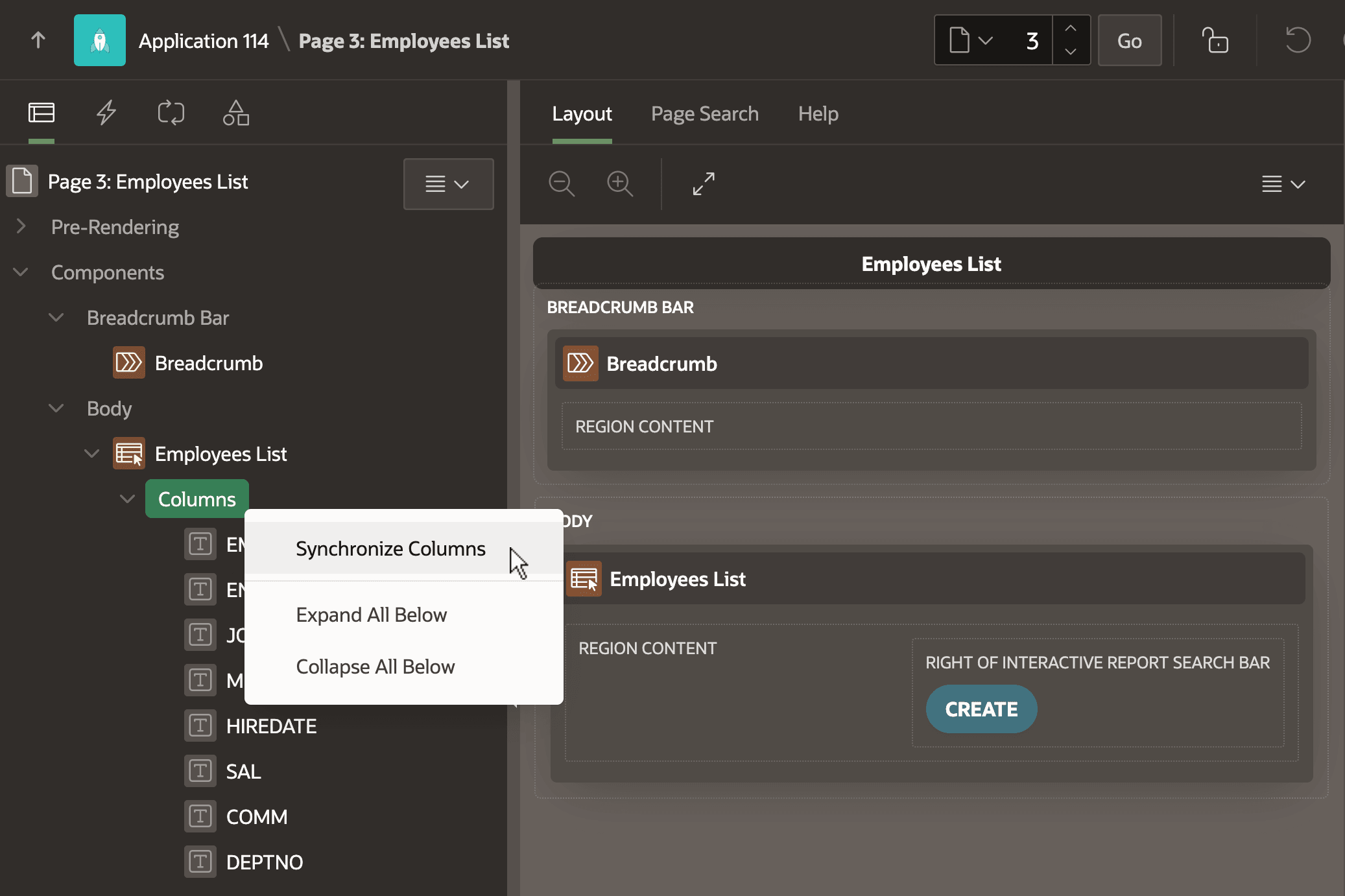
While developing, imagine you use Object Browser to add a new column to the EMP table that the Employees List region uses as its data source. To include this new column in
your page, just select Synchronize Columns on the context menu as
shown below. Page Designer adds any new columns to the end of the list. You can use drag
and drop to rearrange the column list order as needed.
Figure 3-32 Synchronizing Columns After Altering a Region's Data Source
Parent topic: Report Columns and Form Items