3.7.3 Deleting or Commenting Out Columns
Often, your table includes more columns than you need to show in a particular region. In that situation, you have two options: you can delete the column from the region's column list, or you can comment it out.
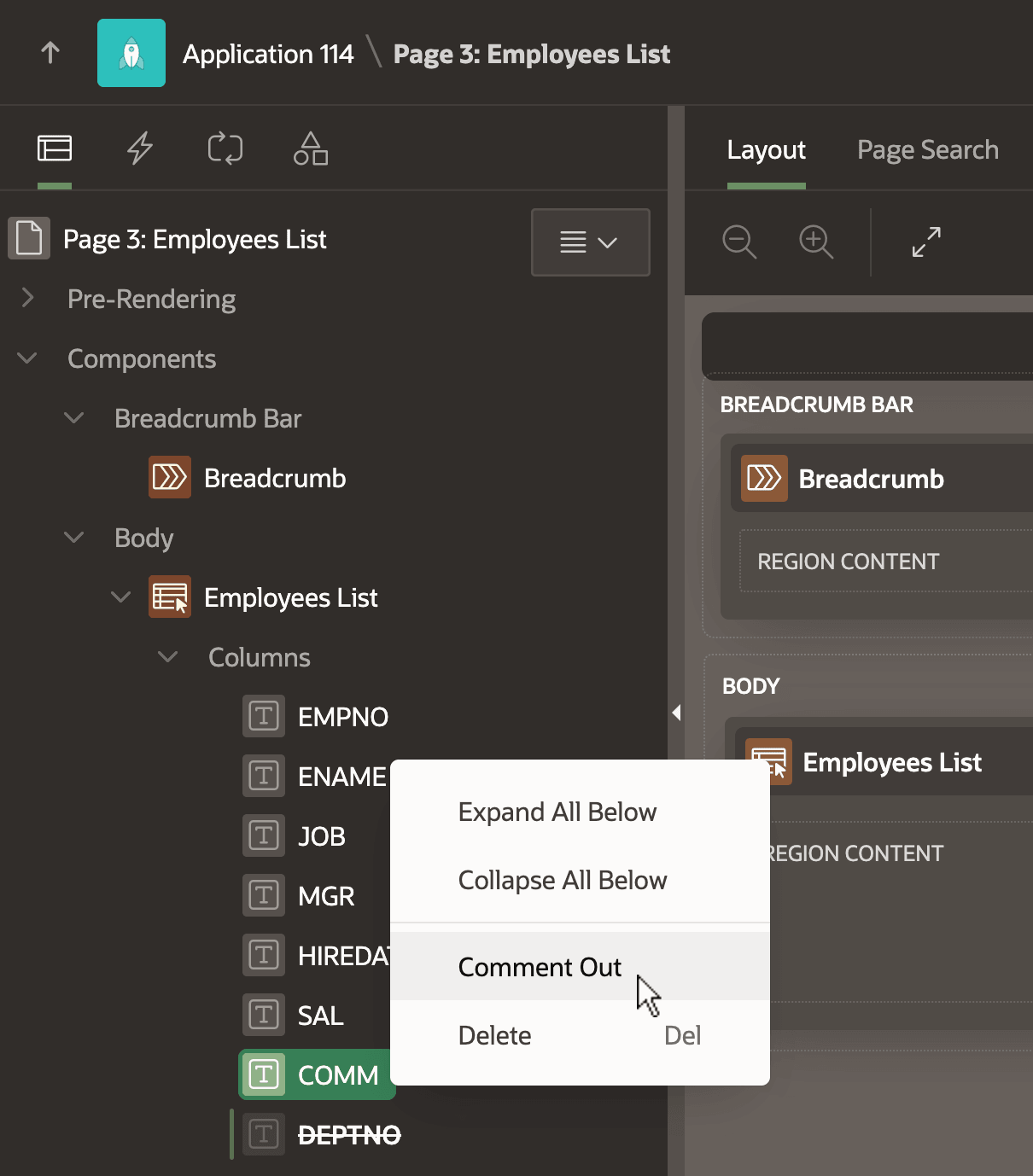
The figure shows the columns of an Employees List region in Page Designer. Commented
out columns display with a line through their name like the DEPTNO
column below. To comment out a column, select Comment Out from
its context menu.
Figure 3-33 Commenting Out a Report Region Column
Commenting out a column is useful while a page and its data source are still in active development, where you anticipate evolving the table further and repeating Synchronize Columns multiple times. If a column is commented out, it stays that way during synchronization. In contrast, if you had deleted the column from the region, then a subsequent Synchronize Columns action brings it back along with any newly added columns. Both techniques can be useful in the right situation. An Uncomment context menu option appears on any commented-out column that you can select to easily include the column in the region again.
Parent topic: Report Columns and Form Items